Key points
- Understand Remote Access Protocols: Modern remote access protocols span three distinct layers: display/session protocols, tunneling and VPN protocols, and modern access frameworks each offering different balances of security, performance, and compatibility for managing remote endpoints.
- Prioritize Secure, Modern Options: Replace outdated or insecure methods like PPTP and SLIP with modern, encrypted solutions such as TLS-based VPNs, zero-trust gateways, or agent-based RMM tools.
- Adopt Zero Trust and Conditional Access: Strengthen client environments by implementing zero-trust architecture, least privilege, MFA, and device posture checks to minimize attack surfaces.
- Optimize Performance for Scalability: Use adaptive transport, compression, and cloud-based remote access tools to maintain reliability across multi-tenant MSP environments.
- Centralize Management with RMM Platforms: Consolidate remote monitoring, automation, and secure remote desktop access using platforms like NinjaOne to streamline MSP operations.
Nowadays, you’d be hard-pressed to find a managed service provider (MSP) who doesn’t work with remote access protocols on a regular basis. That said, not all remote access methods are equal, and choosing the right protocol is essential in providing the best service to your clients.
Our guide to MSP remote access m will help define and compare the different types of remote access protocols, making it easier for you to choose your access methods as well as to explain and recommend the most suitable remote protocols to your clients.
Easily launch remote troubleshooting on managed endpoints with NinjaOne.
What are remote access protocols?
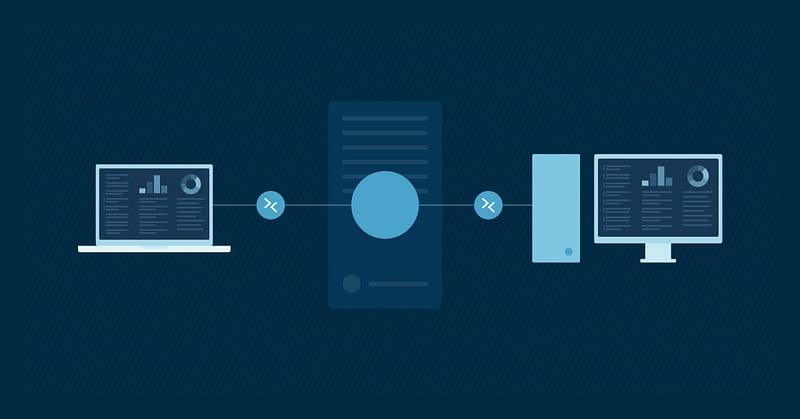
A remote access protocol manages the connection between a remote access server and a remote computer and is an essential part of desktop sharing and help desk activities.
There are several different ways to remotely access a client’s endpoint, some of which are more secure or easier to use than others. MSPs typically work with three categories of protocols, specifically:
- Display protocols (i.e., protocols that show a remote desktop on the screen)
- Tunneling or VPN protocols (i.e., protocols that create an encrypted network path between two points
- Modern access frameworks (protocols that authorize specific access on a per-session, per-identity basis)
Understanding these protocols and their differences is key to preventing tool sprawl and inconsistent security postures across your clients.
Types of remote access protocols
The following are the primary remote access protocols in current use:
Remote Desktop Protocol (RDP)
RDP is Microsoft’s display protocol. It is the most widely used remote access tool for Windows endpoints as it enables technicians to have full GUI access to another device within your environment.
It works with a variety of endpoints, including Windows, Linux, macOS, and Android. Additionally, it also supports security and performance features, including:
- Network Level Authentication (NLA)
- Transport Layer Security (TLS)
- RD Gateway for HTTPS-tunneled access
- Dynamic resource redirection
Despite all that, it isn’t recommended to expose RDP directly to the internet; instead, it’s more ideal to leverage jump hosts or zero-trust gateways.
Point-to-Point Tunneling Protocol (PPTP)
PPTP is used to create virtual connections using TCP/IP and PPP so that two networks can use the internet as their WAN link yet retain private network security.
With PPTP, the internet is used to create a secure session between the client and the server. Also known as a virtual private network (VPN), this type of connection is significantly less expensive than a direct connection. PPTP is often used to connect several LANs while avoiding the costs of leased lines.
Over the years, this protocol has become less favored due to security vulnerabilities. In fact, PPTP was formally deprecated by Microsoft in 2024.
Virtual Network Computing (VNC)
VNC is a cross-platform display protocol built on the Remote Framebuffer (RFB) protocol. It allows technicians to view and control desktop environments remotely, similar to RDP. The main weakness of this protocol lies with RFB, as it provides only weak authentication and no transport encryption.
For this reason, VNC is typically tunneled over SSH or IPsec, or replaced with a commercial implementation (e.g., RealVNC, TightVNC) that layers TLS and stronger authentication on top. Bare VNC should never be exposed to the internet.
Virtual Private Networks (VPN)
VPNs allow you to connect your computer to a remote server via an encrypted tunnel. It acts as an intermediary between your device and the internet, encrypting your private data and hiding your IP address. VPNs are used to establish a secure connection to another network over the internet.
Point-to-Point Protocol (PPP) and Point-to-Point Protocol Over Ethernet (PPPOE)
Point-to-Point Protocol (PPP) is most commonly used for remote links to LANs and ISPs, and it uses the Link Control Protocol (LCP) to communicate between the PPP client and the host. This protocol transmits TCP/IP over point-to-point connections, such as serial and parallel connections.
PPP has largely replaced the outdated Serial Line Internet Protocol (SLIP) as it
- can support several network protocols,
- supports error checking, and
- can be used across more types of physical media.
Because PPP can automatically configure TCP/IP and other remote access parameters, it’s considered easier to set up, but it’s incompatible with some older configurations.
Part of this ease-of-use improvement is due to the Dynamic Host Configuration Protocol (DHCP) support that SLIP lacks. This layer of the TCP/IP protocol stack assigns TCP/IP addressing information, including host IP address, subnet mask, and DNS configuration.
Independent Computing Architecture (ICA) Protocol
ICA is Citrix’s proprietary display protocol, now delivered as part of the broader HDX technology stack. It is quite similar to RDP’s client-and-server architecture, although a key difference is that ICA optimizes for both graphical and audio data flow.
The idea behind this approach is that an organization can centralize Windows applications and desktops on servers in a data center or cloud, then deliver them to thin clients, laptops, tablets, or browsers as needed. When resource needs increase, the organization upgrades the back-end infrastructure rather than every endpoint.
Secure Shell (SSH)
SSH is the de facto remote access protocol for Linux servers, network devices, hypervisors, and increasingly Windows Server (which has shipped a native OpenSSH server since Windows Server 2019). SSH provides an encrypted channel for command-line access, file transfer (SFTP/SCP), and tunneling other protocols (such as VNC or RDP) through a secure jump host.
For MSPs, SSH with key-based authentication and a centralized bastion host with session logging is the baseline for managing non-Windows infrastructure.
Remote access tools for MSPs
As you can see, you have plenty of choices when it comes to remote desktop access. It can be hard for an MSP to determine which ones they should choose (and for which use cases).
For instance, RDP is great for Windows machines on a LAN but isn’t always supported. Virtual Network Computing (VNC) using a protocol like ICA is a viable alternative but comes with its tradeoffs in costs.
Scaling is always a concern for MSPs, of course. One of the above protocols might be all you need for simple use cases and small LANs, but it’s a different story entirely when managing multiple assets across multiple customer sites.
One of the biggest issues MSPs have to contend with is security. While RDP traffic is encrypted and VNC is often routed through IPsec or SSH tunnels, exposing those services over the internet isn’t recommended.
To use these protocols securely, tight policies must be implemented across the board, including:
- strong passwords,
- certificates,
- firewalls,
- multi-factor authentication (MFA),
- device posture checks,
- monitoring and auditing,
- behavioral detection, and
- microtunnels.
All of them must be defined, implemented, and enforced across multiple endpoints at multiple customer sites. In addition, it greatly helps to implement stringent access policies and practices in your network that are widely used today, such as:
- a zero-trust architecture,
- least-privilege access,
- just-in-time access, and
- conditional access.
Consider NinjaOne for managing your remote access protocols
Several commercial tools that aim to simplify remote access are available in the market, the most prominent in the MSP space being remote monitoring and management (RMM).
In particular, NinjaOne has built a reputation in the MSP space as a reliable, effective, and secure RMM solution. It
streamlines your MSP workflows and gives you multitenant, remote desktop access directly from the same system you use for ticketing, asset management, monitoring, and automation.
To help MSPs navigate remote access best practices and avoid common pitfalls, we’ve put together a short video guide: Remote Access Best Practices for MSPs and IT Pros.
If you want to get quick answers and insights on NinjaOne RMM, check out our FAQ page.
Your remote support process just got stronger. Watch Managed Service Provider’s Guide to Remote Access Protocols.
Resolve end-user issues faster with NinjaOne’s trusted remote access solution.
Partnering with NinjaOne for secure remote access
NinjaOne is here to help MSPs manage their business efficiently and securely. Thousands of users utilize our cutting-edge and easy-to-use RMM platform to navigate the complexities of modern IT management.
Not a Ninja partner yet? We still want to help you streamline your managed services operation. Visit our blog for MSP resources and helpful guides or sign up for Bento to get important guidance in your inbox.
If you’re ready to become a NinjaOne partner, schedule a demo or start your 14-day free trial to see why thousands of customers have already chosen NinjaOne as their partner in secure remote management.