Key Points
Microsoft 365 Lighthouse serves as Microsoft’s native RMM-style solution for MSPs managing SMB clients, but it lacks the depth and scalability of full-featured third-party RMM platforms.
- Microsoft 365 Lighthouse enables MSPs to manage security, compliance, users, and Windows endpoints across multiple tenants from a single portal.
- The tool is free for eligible MSPs in the Microsoft Cloud Solution Provider program but supports only Windows devices and offers limited scalability.
- Microsoft Intune functions as an MDM solution and does not provide core RMM capabilities such as deep remote access, scripting, or advanced automation.
- Third-party RMMs like NinjaOne extend Microsoft’s ecosystem by adding cross-platform support, patch management, automation, remote access, and centralized monitoring.
- Microsoft 365 Lighthouse is best suited for MSPs managing small, Microsoft-centric environments and is not designed for complex or enterprise-level IT operations.
- MSPs and IT teams that require advanced automation, multi-OS support, and proactive endpoint management typically need a dedicated third-party RMM solution.
As of 2025, over a quarter of U.S. workers are remote, resulting in enterprise endpoints being spread across multiple locations. In turn, MSPs and IT teams have come to rely on remote monitoring and management (RMM) tools to centrally manage those devices. One of which is Microsoft 365 Lighthouse: the native RMM for Windows users.
Microsoft’s RMM tool: Microsoft 365 Lighthouse
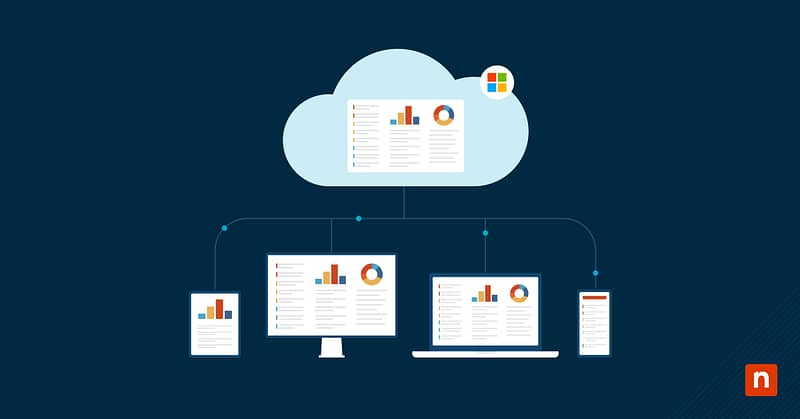
Microsoft 365 Lighthouse is a portal that enables MSPs to manage the users and IT assets for small- and medium-sized businesses (SMBs). It is Microsoft’s version of an RMM.
The administrator portal helps MSPs manage and secure endpoints, client data, and users. Any MSPs enrolled in the Cloud Solution Provider (CSP) program who meet the other requirements for Microsoft 365 Lighthouse can use the software for free. Below is a quick overview of its strengths and limitations:
| Pros of Microsoft 365 Lighthouse | Cons of Microsoft 365 Lighthouse |
| Helps MSPs manage endpoint and Microsoft 365 threats | Limited scalability |
| Provides device‑compliance insights across multiple tenants | Supports Windows devices only |
| Secures and configures client Windows machines | Cannot clone tenant configurations |
| Available to MSPs enrolled in the CSP program | Lacks built‑in patch‑management, AD, remote‑access, and other MSP tools |
Thousands of customers worldwide trust NinjaOne for their RMM – and with good reason.
See the latest G2 report.
Lighthouse offers core RMM features for security and compliance, but it lacks advanced automation, cross‑platform support, and comprehensive remote‑access tools.
Who should use Microsoft’s RMM?
Microsoft 365 Lighthouse was designed for MSPs to manage SMB clients. Those who choose to use Microsoft’s RMM solution are typically already integrated with Microsoft and its other software solutions. Microsoft’s RMM software focuses on managing user access, compliance, and protection against threats.
However, Microsoft 365 Lighthouse is not ideal for MSPs managing larger businesses or for IT teams managing enterprise-level businesses. Enterprises have more complex IT environments and require more comprehensive monitoring and management of their endpoints and networks.
If you are looking for an affordable or free solution to manage processes such as configurations and compliance on your customers’ endpoints, Microsoft 365 Lighthouse is a viable option to consider.
What is the difference between Microsoft’s RMM and a third-party RMM?
Microsoft’s RMM might be considered an RMM by definition, but in the worlds of MSPs and IT pros, it might not be able to fill all their RMM needs.
Microsoft 365 Lighthouse is mainly used effectively for threat management, user management, and device compliance. The tool is limited in its scope, but for MSPs managing SMB clients, it might be all that they need or require.
For larger or more complex IT operations, a third-party RMM, such as NinjaOne’s RMM, offers a solid core RMM product with additional features, including patch management, MSP backup, remote access, ticketing, a self-service portal, and more. NinjaOne is also available on the Microsoft Azure Marketplace. Visit our RMM FAQ to see how NinjaOne’s all-in-one RMM helps IT teams scale with confidence.
These types of tools also offer more opportunities for IT automation and scalability. Third-party RMMs offer more comprehensive multi-tenant management, enabling you to actively maintain and control the IT environments you oversee.
Interested in learning more?
Check out this guide, Intune vs RMM: Can Microsoft Intune Replace an RMM?
Get started with NinjaOne’s RMM today
NinjaOne’s RMM solution provides MSPs with all the tools they need to deliver exceptional IT services and efficiently meet their clients’ IT needs. Features such as real-time monitoring and alerting, auto-remediation, secure remote access, automated patching, and more enable you to confidently support and secure the IT environments you manage.
NinjaOne also integrates with a variety of software solutions, allowing you to access all your business tools in one location. Sign up for a free trial today to experience the simplicity of a unified RMM platform in a single pane of glass.
Related topics: