Key Points
- Virtual server backup protects VM data, configurations, and snapshots using hypervisors or external backup software to ensure fast recovery, business continuity, and disaster recovery in virtualized IT environments.
- Core benefits of virtual server backup include reduced downtime, improved reliability, lower infrastructure costs, enhanced compliance, and stronger protection against data loss and ransomware attacks.
- Top tools like NinjaOne, Veeam, Acronis, Unitrends, Hornet Security, and Nakivo vary in terms of usability, recovery speed, reporting, and ransomware protection, making solution selection dependent on an organization’s specific needs.
Virtual servers are a type of virtual machine, and they are an increasingly common occurrence in IT environments. They occur within a virtualization environment and are typically observed in enterprises. Virtual servers are an alternative method for running a server system, and backups of these virtual servers are just as essential as physical server backups.
Table Contents
3. VM Backup
6. Nakivo Backup & Replication
What is a Virtual Server Backup?
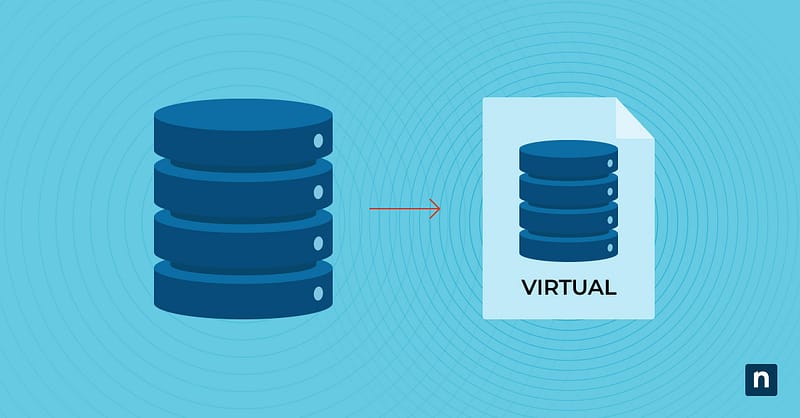
A virtual server backup is a type of backup specifically designed to protecting data stored in virtual servers, and it is an essential part of server management. It may include anything from certain files and applications to server configurations and snapshots of the entire virtual server system.
A virtual server backup is built using either a server virtualization hypervisor or an external backup application that connects to the designated storage to complete the backup.
Protect your virtual servers from costly downtime with NinjaOne.
What are the benefits of a virtual server backup?
Virtual server backups are highly specialized, as they are designed to serve only virtual servers. However, there are several advantages to using this type of server and its associated backup type. The major benefits of using virtual server backup are:
Virtual data protection
Virtual servers store vital information for the operation of an organization’s IT environment. The data can include anything from software and system files to server configuration settings. Creating virtual server backups regularly offers protection for this important information and ensures that organizations can easily access any essential virtual server data.
Improved server reliability
Virtual server backup provides a copy of your server data in the event of accidental deletion, server hardware failure, or a software glitch. It acts as a safety net for the data on your virtual server, ensuring that the server remains functional and accessible. A virtual server’s reliability is critical for all the users and systems that depend on it.
Lower costs
The costs of operation for virtual servers are much lower than those for physical servers. Supporting virtual servers by backing up the data on those virtual machines helps keep overall costs down. When your organization saves money in one area of IT management, it allows you to invest that money elsewhere while not sacrificing overall IT efficiency.
Minimized downtime
If your business cannot access or use its physical servers, virtual server backups can be recovered, allowing businesses to access their data and ensure business continuity. Virtual servers are also easier and faster to deploy and configure than physical servers which streamlines disaster recovery processes.
Enhanced compliance
For some industries, businesses are required to maintain vital data for a specified period or for auditing purposes. Virtual server backup allows organizations to remain compliant with these regulations.
6 best virtual server backup solutions
1. NinjaOne Backup
NinjaOne Backup is a cloud-native backup solution designed to protect your essential data on endpoints within your IT environment. They offer a comprehensive solution that allows users to monitor and manage all their IT assets, as well as protect their data with backup and disaster recovery. The platform provides image and file & folder backup options and offer file & folder, partition-level, full system, and bare-metal restore options, all within a unified dashboard.
For virtual servers, NinjaOne can take an image backup and restore it to the system when necessary. The flexibility of the backup software, combined with its automation capabilities, enables organizations to create a backup strategy tailored to their needs. With its user-friendly interface and rated #1 customer support, NinjaOne is an excellent choice for MSPs and organizations seeking for a reliable partner in data protection and business continuity.
What users say
Raffi Kajberouni, President and General Manager of the helicopter repair business, H.E.R.O.S., had three different backup solutions in place. When a ransomware attack targeted all levels of backup, all of them were compromised, except for NinjaOne. NinjaOne Backup enabled H.E.R.O.S. to recover sensitive data in a timely period.
He says, “With the support of [NinjaOne’s] team lead…we were able to restore our entire computer network in four days…I saw the hours this team put in. That defines NinjaOne. They are all about the customer, and all about doing right. The entire process of NinjaOne Backup is seamless and painless. It makes my job easier. If you can control an app, you can run NinjaOne Backup.”
Read more NinjaOne customer stories.
2. Veeam Backup & Replication
Veeam Backup & Replication is another type of backup solution available for IT environments. They currently offer image-level backups and can backup data on machines whether they’re virtual, cloud-based, or physical. The restore and recovery options include image-level restore, file-level restore, and more. Veeam can backup multiple types of devices including physical machines, virtual machines, cloud VMs, and NAS file shares.
Use cases
- Ransomware recovery: With instant recovery and secure storage, Veeam safeguards sensitive information and critical data from cyberattacks. It can also scan backed up files to ensure they’re not compromised before restoration.
- Data backup: Veaam allows IT teams to create copies of business data for recovery purposes in the event of a cyberattack or disaster.
- Monitoring: This platform provides tools to monitor backup infrastructure and generate insightful reports.
Shortcomings
- Set-up and learning curve: Veeam’s initial setup is challenging and some reviewers have recommended consulting a specialist to fully utitlize the platform.
- Reporting: Users say that the platform’s generated performance reports lack some vital information.
- Complex interface: According to reviews, Veeam’s user interface can be difficult to navigate and utilize its full features.
3. Hornet Security VM Backup
Formerly Altaro VM Backup, Hornet Security VM Backup is a backup solution built to protect data on Hyper-V and VMware. It uses immutable cloud storage for ransomware protection, ensuring that backed-up data cannot be altered or deleted. VM Backup also provides high functionality with features such as deduplication, continuous data protection, and centralized management of your VM backups.
Use cases
- Ransomware protection: VM Backup utilizes immutable cloud storage, protecting backup files from ransomware attacks.
- Granular restoration: Data restoration through Windows virtual servers provides users with file-level recovery for files and folders.
- Automation: Backups can be scheduled through VM Backup’s automation tools, streamlining data protection processes.
Shortcomings
- User interface: According to reviews, Hornet Security VM Backup’s unintuitive interface makes it complicated to navigate the platform.
- Cloud capabilities: Hornet Security VM Backup lacks some administrative features in its Cloud Management portal and the ability to share management control with clients for MSPs.
- Hyper-V recovery: G2 reviewers have cited some issues with restoring Hyper-V backups in a bootable state.
4. Unitrends Backup
Unitrends Backup offers a single interface to manage a variety of backups, including virtual, cloud, SaaS, and more. This backup solution offers centralized backup and recovery management, backup analytics, and testing to ensure your data is protected, as well as scalable backup software. Unitrends is a centralized backup solution used to manage complex backup environments.
Use cases
- Automation: Unitrends allows users to automate data protection processes such as backup creation and testing.
- Deduplication: To reduce storage usage, Unitrends’ deduplication scans for redundant data and deletes them.
- Cloud backup: Virtual machines, files, and virtual servers can be backed up and stored via the cloud for off-site storage.
Shortcomings
- Recovery time: Reviewers have noted that data recovery can take quite a while. The recovery process itself is complex and challenging, especially for file restorations.
- Customer experience: Users have reported difficulty connecting to technical support and sometimes not receiving responses to their inquiries.
- Documentation: Unitrends’ documentation lacks a lot of information that can make it difficult to find answers to common questions.
5. Acronis Cyber Protect
Acronis Cyber Protect is a backup software that integrates with ransomware protection to keep your data safe and secure. It provides file and disk-image backup, continuous data protection, and flexible storage options. Unique features of Acronis Cyber Protect include anti-malware scanning of backups, a data protection map, forensic data collection, and additional capabilities.
Use cases
- Disk-image backup: Acronis Cyber Protect can create an exact copy of a virtual server or machine, allowing for more granular restoration.
- Physical-to-Virtual Recovery: Users can boot up physical workloads on a virtual server with on-demand and scheduled conversions.
- Disaster recovery: With Acronis Cyber Protect, IT professionals can create copies of virtual servers and host them in the cloud for added data protection.
Shortcomings
- Customer support: Reviews find difficulty contacting support, and some tickets take an excessively long time to be resolved.
- Difficult to use: The interface can be challenging to navigate, and reviewers find the platform’s performance to be relatively slow.
- Reporting: Users find it time-consuming and complicated to generate the reports they need. Additionally, Acronis’ reporting lacks some features and data.
6. Nakivo Backup & Replication
Nakivo Backup & Replication offers VM data protection for a wide variety of organizations like MSPs, SMBs, and enterprises. It is an agentless solution that uses one platform to manage backups and perform routine backup tasks. Nakivo also offers the option to be installed on a supported machine or deployed as a virtual appliance, depending on what works best for your organization.
Use cases
- Ransomware protection: With Nakvio, users can backup virtual servers to secure storage and scan backups for malware before restoration.
- Physical-to-Virtual Recovery: Users can boot physical Windows and Linux machines onto virtual servers and machines, allowing for better business continuity.
- Automation: Nakvio enables IT professionals to automate and schedule backup processes for improved efficiency.
Shortcomings
- Windows backups: According to reviews, Nakvio only works with on-premises Windows 365 and backup processes are slow.
- Limited storage: G2 reviews say that Nakvio’s storage options are limited. Other reviews say that it lacks source-side deduplication, which can make some backup processes to slow down and result in backup files taking up more storage space.
- Backup repository: Users say that changing back up repositories can be difficult.
Ensure business continuity with lightning-fast virtual server recovery.
Virtual server backup is key to effective server management
A virtual server backup is critical to ensure that the data that resides on the virtual machine is protected and secure. There are a variety of virtual server backup options to choose from, and each solution comes with its own strengths. Finding the virtual backup software that best suits the needs of your organization will lead to more efficient server management.
NinjaOne provides software that helps you backup virtual server data, while also providing the ability to monitor and manage those virtual servers. It gives you full visibility into your organization’s virtual servers and provides data on key metrics. Ensure your virtual server is healthy and properly functioning while confidently backing up your virtual server with NinjaOne.