


Key points
- Mobile device management (MDM) is software used by IT teams to control, secure, and monitor mobile endpoints like smartphones, tablets, and laptops.
- Modern MDM platforms leverage native operating system APIs and secure cloud notification services to deploy policies efficiently without draining battery life.
- Organizations deploy MDM to meet strict data compliance frameworks including HIPAA, FedRAMP, and GDPR through remote wipe commands and data encryption.
- Personal device privacy is maintained in BYOD environments via cryptographic containerization that isolates business data from an employee’s personal files.
- Modern MDM is a core component of unified endpoint management (UEM), merging mobile device controls with traditional desktop and server management.
.
Mobile device management (MDM) is a software solution that allows IT teams to control, secure, and manage mobile devices (e.g., smartphones, tablets, laptops, IoT devices).
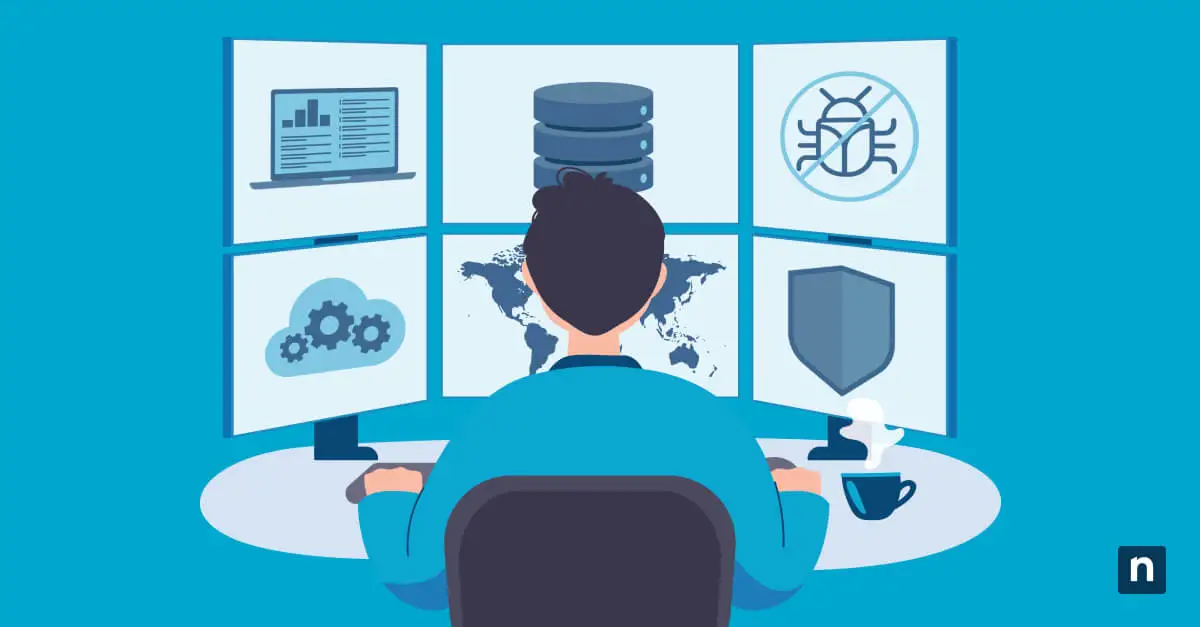
MDM is also often a part of unified endpoint management (UEM), which is the practice of managing, monitoring, and securing devices from a single pane of glass.
The purpose of MDM is to ensure that team members’ mobile endpoints and the confidential data they contain are used in a safe and secure manner. It also supports the “bring your own device” (BYOD) practice, which has been widely adopted in recent years.
Access all the tools you need to manage your mobile fleet with NinjaOne.
What is MDM software used for?
With hybrid and remote work now the norm, MDM enables IT teams to safely and consistently enforce remote and BYOD policies, while also maintaining visibility over distributed endpoints. Without it, organizations risk unmanaged devices, data leaks, and compliance gaps, leaving critical business operations vulnerable.
Secure and manage mobile endpoints without added complexity.
Why mobile device management is important for businesses
Beyond securing devices for individuals, Mobile device management is a strategic tool for modern enterprises, delivering measurable advantages that go beyond security to directly impact operational in the following key areas:
- Cost efficiency
- Productivity and workflow
- Secure collaboration
- Regulatory compliance
With these strategic advantages, MDM transforms mobile devices into assets. These assets reduce costs, boost productivity, protect communication, and ensure compliance. Together, they drive business growth and resilience.
Why mobile device management is important
Without MDM, IT administrators would be unable to thoroughly secure and manage remote devices. Mobile devices now account for a significant portion of business access to apps, data, and communication tools. In addition, hybrid work is now the dominant model globally, with most organizations supporting remote or hybrid setups. Because of this, IT teams need a safe way to implement BYOD as part of their MDM strategy.
Ultimately, whether your organization uses a fully remote or hybrid work environment, you’ll need MDM to keep your remote devices and data safe.
Why MDM security is important for the public sector
According to Open Access Government, the importance of MDM security in the public sector. This is not only to protect sensitive information from being stolen by hackers but also to remain compliant with security frameworks such as FedRAMP and GDPR.
In particular, adopting an MDM solution can significantly reduce the risk of the following:
- Data privacy violations
- Data leaks
- Mismanaged BYODs
- Malware
Phishing attacks (or other common cyberattacks
For example, MDM capabilities help healthcare providers remain HIPAA compliant across various touchpoints by ensuring users don’t end up sharing their personal health information (PHI) over an open system.
With that said, healthcare organizations typically scale through an all-in-one endpoint management solution that offers HIPAA-compliant cloud backup services in addition to MDM tools. This unified system enables them to maintain compliance with various data standards while operating at high IT efficiency.
MDM in healthcare
Mobile device management is also an important strategy in the healthcare sector. In particular, MDM capabilities help healthcare leaders remain HIPAA compliant. They also ensure that users don’t share personal health information (PHI) over an open system.
It’s worth noting that most healthcare organizations prefer to work with an all-in-one endpoint management solution that offers HIPAA-compliant cloud backup services in addition to MDM tools so they can maintain compliance with various data standards.
4 benefits of mobile device management software
MDM software provides several advantages for an organization. With effective MDM strategies, you can improve your IT security, efficiency, manageability, and support.
1) Strengthened security
MDM provides an extra layer of security for mobile devices. An organization that uses MDM software can take preventative measures against cyberattacks, data leaks, unauthorized access, and more.
2) Enhanced efficiency
With MDM, technicians can easily deploy and manage updates to ensure that all mobile endpoints receive the latest software. This allows mobile device users to work more efficiently than before, thus boosting overall productivity.
3) Increased manageability
No matter where mobile devices are located, technicians can monitor and manage them remotely with MDM. Many MDM providers offer scalable solutions so businesses can grow their remote workforce and manage an increasing number of mobile devices with ease.
4) Improved support
Because MDM automates many time-consuming processes, it reduces the need for manual IT intervention so that technicians can focus their attention on other matters.
Why mobile device management is important for businesses
MDM is equally beneficial to enterprises from a business viewpoint.
-
Costs
Since MDM supports BYOD practices, organizations adopting MDM software can save money and encourage employees to use their own devices. Even if they don’t, the cost of MDM is still worth it as it reduces endpoint downtime and ensures that all departments have up-to-date tools and information on their devices.
-
Workflow
As the remote workforce grows larger and larger every year, so does the number of mobile endpoints that businesses need to manage. MDM gives employees the tools they need to function at peak productivity both inside and outside of the office.
-
Communication
MDM ensures that mobile devices which teams use to communicate and collaborate with one another remain secure for fast and easy communication.
-
Compliance
Without MDM, organizations struggle to keep all their mobile devices in compliance with legal and IT standards. With an MDM solution that uses a single-pane-of-glass display, organizations can ensure compliance from one screen.
How does mobile device management work?
TechTarget has the best in-depth explanation of how MDM works: “Mobile device management relies on endpoint software called an MDM agent and an MDM server that lives in the cloud. IT administrators configure policies through the MDM server’s management console, and the server then pushes those policies over the air to the MDM agent on the device. The agent applies the policies to the device by communicating with application programming interfaces (APIs) built directly into the device operating system.”
While legacy systems relied heavily on background agent software to perform tasks, modern mobile operating systems (like Apple iOS and Android) have native management frameworks built directly into the OS. Instead of an agent doing all the heavy lifting, the MDM server communicates directly with these native APIs via secure cloud notification services (such as Apple Push Notification service or Firebase Cloud Messaging). This native integration makes deployment faster, vastly improves battery life, and ensures the management layer cannot be easily uninstalled or bypassed by the user.
Essentially, mobile device management tools function similarly to many remote monitoring and management (RMM) solutions. They use an RMM or MDM agent placed on the endpoint that allows IT teams to control, connect, and communicate with this endpoint. Many business leaders use trusted endpoint management software like NinjaOne to monitor, manage, and secure their mobile devices from a single dashboard.
Apply actionable tips from NinjaOne to get started with managing your mobile devices.
What are the main components of mobile device management?
Although MDM’s main purpose is security, it has many other core functions. The main components of a mobile device management solution are as follows:
-
Access management
Access management or IAM is an IT security framework that uses policies, tools, and procedures to manage user access within an IT environment.
-
Device and application security
Device and application security is critical for protecting an organization’s confidential data from cyber threats.
-
Data security
In addition to protecting devices and their applications, it’s important to safeguard the data in them from theft, damage, or corruption.
-
Device tracking
Device tracking helps prevent endpoints from being lost, stolen, or misplaced, which could turn into a serious security issue.
Endpoint monitoring and management enable IT professionals to ensure that devices remain secure, up-to-date, and functioning at peak performance.
IT automation helps IT teams save time and resources by reducing manual workloads and automating tedious tasks.
-
Tech support
IT support is more necessary than ever before, and MDM allows IT support teams to troubleshoot and resolve issues quickly and efficiently.
-
Content management
Using MDM, organizations can securely manage and distribute content across on-premises, remote, or hybrid IT environments.
What information can MDM see from a device?
Users tend to wonder, “Can MDM view the screen?” or “What can an MDM profile see?” To offer some clarity, here’s what an MDM profile can monitor and access from a device:
- OS version
- Device model
- Device location
- Applications
- Network information
- Security policies
For personal devices (BYOD), modern MDM software enforces user privacy through a process called cryptographic containerization. For example, features like Android Enterprise Work Profile or Apple User Enrollment completely split the device into two separate virtual drives. The business can only see, manage, and wipe the encrypted “Work” container. IT admins remain completely blind to the user’s personal partition, meaning they can’t view personal photos, private text messages, browsing histories, or personal applications.
The level of visibility depends on the device ownership model (BYOD vs. corporate-owned) and configuration policies. Ultimately, MDM is set up in a way that benefits both the organization and the device user. To reiterate, the goal of MDM is to protect and manage devices as well as the data they contain.
Bring your own device (BYOD) and mobile device management (MDM)
As mentioned above, MDM is set up in a way that protects and secures devices and organizational data while respecting the device owner’s privacy and personal information (depending on enrollment type and level of containerization).
Because of this, MDM goes hand-in-hand with the BYOD policy, which allows team members to bring and use their personal devices for work. BYOD not only saves a business’s resources but also allows team members to use devices that they’re familiar with and comfortable with.
Mobile device management best practices
1. Automate routine tasks
An MDM should make the work of managing mobile devices easier and more efficient, and IT automation is one way to do just that. Nowadays, it’s essential for teams to automate device updates, reports, and other routine tasks to save time and effort.
2. Follow all security practices
While implementing an MDM solution will contribute to security efforts, IT teams should not forget about other IT security best practices. This includes access control protocols and strong passwords. The best way to ensure that devices remain safe and secure is to follow all security best practices while using an MDM tool.
3. Use MDM with BYOD
BYOD policies should be clear and easy for employees to understand. If your organization decides to adopt BYOD, be sure to implement MDM as soon as possible for optimal security.
What is the difference between MDM and RMM?
MDM and RMM are equally important software solutions, but they do have some differences:
MDM vs. RMM functions
The purpose of MDM is to provide IT leaders with insight into mobile endpoints and allow them to administer devices such as smartphones, laptops, tablets, and IoT devices to team members. Meanwhile, the purpose of RMM is to provide insight into an entire IT infrastructure, which includes servers, networks, and workstations, and all IT assets.
Take full control of BYOD environments with unified visibility.
MDM vs. RMM benefits
MDM improves security, efficiency, compliance, visibility, and IT support for mobile endpoints. RMM provides these same benefits at the infrastructure level, all while reducing IT costs and complexity as well as improving asset productivity. MDM and RMM both provide various benefits for an organization, and as such, it’s best to use them together to create a secure and efficient IT infrastructure.
The Modern Convergence: Unified Endpoint Management (UEM)
Historically, IT departments had to buy RMM software for their office PCs and servers, and a completely separate MDM tool for their mobile fleet. Today, these two spaces have merged into Unified Endpoint Management (UEM). Modern platforms combine RMM and MDM features into a single pane of glass, allowing technicians to deploy a software patch to a Windows server, push a configuration profile to a macOS laptop, and lock a lost iPad—all from the exact same dashboard.
Conclusion
Since the usage of mobile devices in the workplace has long been on the rise, you can expect many more organizations to use MDM solutions in the near future.
If your IT team needs a way to manage, control, and secure mobile devices, MDM is currently the best solution on the market for you. Whether you implement a BYOD policy or not, adopt MDM to ensure all devices and data remain in the right hands.
Related topics: