Key Points
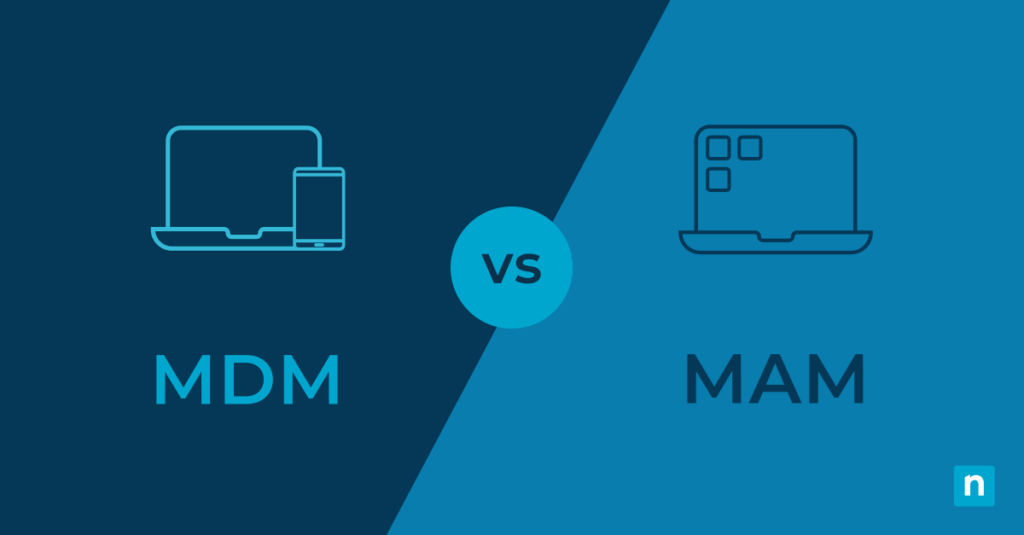
- What Is MDM vs MAM?
- MDM (Mobile Device Management): Full device control—security policies, OS updates, encryption, remote lock/wipe.
- MAM (Mobile Application Management): App-level control—secures business apps only, supports BYOD, protects user privacy.
- How They Work:
- MDM: Device-wide management, compliance enforcement, best for corporate-owned devices.
- MAM: App-focused management, selective wipe, ideal for mixed-use and personal devices.
- Best Practices:
- Use MDM for sensitive data and regulated industries.
- Use MAM for BYOD and privacy-friendly setups.
- Combine both for layered security and flexibility.
- Why It Matters:
- Impacts security, compliance, privacy, and IT costs.
- MDM = stronger control; MAM = better user experience.
The Pew Research Center finding that about a third of U.S. workers are now working fully remotely. As such, it has become all the more important for MSP leaders to develop better unified endpoint management strategies. This includes considering mobile device management (MDM) and mobile application management (MAM) solutions for your organization.
That said, you may be wondering what the key differences between MDM vs MAM are.
This article summarizes these differences and includes important considerations for your decision-making process. Deciding between MDM or MAM highly depends on your specific organizational goals and IT budget. No option is better than the other, and both provide significant control over your mobile endpoints.
Mobile device management made simple.
Avoid costly mistakes and maximize your MDM success with our Dos and Don’ts guide. Read now.
What is mobile device management (MDM)?
Mobile device management is the act of monitoring and managing mobile and remote devices. This includes phones, tablets, laptops, and even desktop computers for remote workers. As the whole device is remotely managed, it allows you to do things. For instance remotely lock or wipe the device or remotely manage which apps are installed. It can also monitor device activity, enforce policies such as forcing automatic updates and security rules, and ensure full device encryption is enabled.
MDM provides the most control over remote devices as it is usually enforced at the device level. This allows you to control how they are used and monitor and manage them. While this makes it an excellent choice for managing and securing mobile endpoints, most employees will not be thrilled to enable MDM on their personal devices. Even if they are using them for work.
Apple’s iOS, iPadOS, and macOS all include built-in MDM functionality, as do Windows and Android devices. For visibility and management of a mixed fleet of devices from different vendors, NinjaOne offers cross-platform mobile device management. This comes with additional functionality and unified control over remote devices.
| Benefits of MDM | Limitations of MDM |
|
|
What is mobile application management (MAM)?
Mobile application management takes a step back from MDM and involves only monitoring and managing single applications rather than whole devices. This approach is more favorably viewed by employees who are working from their personal devices. This is known as bring your own device, or BYOD.
For example, MAM may be used to ensure that all activity within company email and team chat apps is tightly controlled and monitored while allowing the rest of the device to remain in the employee’s control. This lets you secure data and ensure that those apps are being used correctly. For example, in the event of the device being stolen, only the contents of apps controlled by MAM can be wiped, leaving the rest of the device alone. But it does mean that you have no control over what else might be installed on the device, which may include malicious code accidentally installed by the user.
MAM can be deployed for apps that have integrated mobile management functionality. Some will provide their own built-in mobile application management. Meanwhile others can integrate with MDM/MAM platforms for central management.
| Benefits of MAM | Limitations of MAM |
|
|
Making the choice: Key differences between MDM and MAM
| Security | Control | Flexibility | Deployment | User privacy | User experience | ROI | Customer data | |
| MDM | Manages the entire device | Controls everything in the IT network | Restricts what users can and cannot do. | Users can only install apps vetted by their IT | Little to no user privacy | Limited privacy may lead to poor user experience | Higher initial costs ROI is reliant on several factors | Must comply with data protection regulations |
| MAM | Manages only apps | Only controls a MAM-enabled app | More flexibility for remote workers | Users can install their own apps | Offers more privacy | Generally more user-friendly | Lower implementation costs. ROI is almost always guaranteed | Must comply with data protection regulations |
Deciding between device-level vs application-level monitoring has security, complexity, and cost implications for your business. It can also impact how effectively your staff can use their devices.
You should weigh up the following factors when making your decision between MDM and MAM:
- Security: As MDM lets you manage the entire device, protection is enhanced. This is because security policies can be enforced across the whole device. This prevents unauthorized application and user behavior, that in an MAM environment may be able to monitor or interact with your business apps without you being aware.
- Control: MAM can only control what happens within a MAM-enabled application. Whereas MDM can control everything from device settings to application permissions and can even remotely track and wipe devices.
- Flexibility: MDM severely restricts what end users can do. MAM allows users to manage their own devices outside of managed applications, which is usually preferable from their perspective.
- Deployment and management complexity: MDM has higher management overheads as users cannot perform many tasks on their own devices. This force them to request support from your IT team each time they want to install an app or make a configuration change.
- User privacy: Users (justifiably) do not like MDM being deployed to their personal devices. As it provides their employer control over their private data on a device they paid for. Imagine your employer deleting your family photos due to an MDM misconfiguration.
- User experience and satisfaction: MDM is considered invasive and, in some cases, may fall foul of regulations that guarantee employees’ right to disconnect.
- Cost implications and ROI: MDM involves higher costs due to increased infrastructure and oversight responsibilities. Whereas MAM is simpler to deploy and manage as it covers a smaller surface area. ROI calculations for MDM are more difficult, so you must assess the value of the devices and data that you are protecting. Conversely, MAM encourages BYOD, which can reduce business expenses.
- Customer data concerns: You should ensure that customer data concerns (such as GDPR and CCPA) are met by your MDM or MAM implementation and policies. This covers both data about your employees and any customer data that may be stored on employee devices.
Part of assessing which mobile management processes and policies to implement should be to take full inventory of your devices. Also other IT infrastructure to ensure that the solution you choose is compatible with your existing hardware and software.
Mobile device management made simple.
Avoid costly mistakes and maximize your MDM success with our Dos and Don’ts guide. Read now.
Use cases and benefits for MDM
The benefits of mobile device management are best realized when the business owns all the devices being managed, and highly sensitive or valuable data is at stake.
Healthcare providers commonly deploy MDM due to the sensitive health information and the mobility of their staff. MDM allows them to enforce device-level encryption. It also ensure that access is controlled with passwords or biometrics, and only allow vetted applications to be installed. If a device goes missing, it can be remotely wiped. This is to ensure that no protected healthcare information can be improperly accessed.
Use cases and benefits for MAM
Mobile application management is best deployed in scenarios where employees are expected to use their own devices for work.
One example would be a plumbing contractor with staff who need to be able to communicate and coordinate from their own devices while out on jobs. MAM would be ideal here, as their company assets can be locked down, monitored, and wiped. Especially if an employee leaves while leaving the rest of the device untouched. Employees are much more comfortable with this setup. This means that the business is less likely to have to supply them with devices for work use only.
You must carefully assess whether MAM is appropriate for your situation. While it’s sufficient for most businesses and the data they handle, there are critical applications where MDM should be deployed with strict rules — for example, if you develop popular password management tools.
MDM and MAM: Integration and coexistence
Large organizations may find a mixed approach best suits them. For example, mobile device management can be deployed for important staff who handle the most sensitive data, while mobile application management can be deployed more widely for those whose responsibilities are fewer and who can be restricted to accessing only the limited data they require.
This allows you to supply secure devices only to those who need them, and encourages the savings BYOD. It does this by bringing businesses by having staff utilize their own phones, tablets, and computers. Integrating both MDM and MAM in an enterprise environment also limits the deployment and management overheads associated with MDM to be focused only where they are required.
NinjaOne MDM is a comprehensive solution for device management
Whichever approach you choose, you should ensure that your management strategy is as frictionless as possible for your users. You do not want users trying to work around your cybersecurity protections. This is because you’re enforcing restrictions that prevent them from using their own devices or performing their job roles effectively.
NinjaOne MDM is a robust solution with integrated MAM capabilities. It allows you to easily manage, support, and secure all your mobile devices from a single pane of glass.
If you’re ready, request a free quote, sign up for a 14-day free trial, or watch a demo.