Key Points
- Backplane throughput determines whether a switch can forward traffic between all ports at full load without internal congestion.
- High port speeds do not guarantee good performance if the switch fabric is oversubscribed or underpowered.
- Evaluating backplane throughput during design and procurement helps prevent hidden bottlenecks and unpredictable performance under load.
Backplane throughput, also known as switch fabric capacity, is one of the most critical internal characteristics of a switch. People evaluate switch performance based on port speed and internal architecture.
Backplane throughput is the rate at which a switch can move data internally between ports. It shows if a switch can sustain full traffic loads without introducing bottlenecks. Understanding this helps teams avoid oversubscription and choose hardware that supports traffic patterns.
What backplane throughput represents
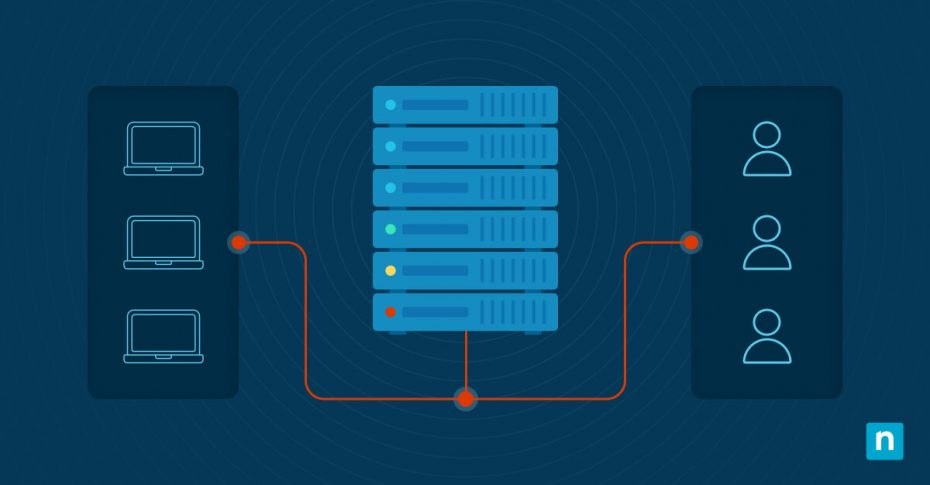
Backplane throughput is the total data-handling capacity of a network switch. It shows that the switch fabric can process and forward much, much traffic between ports. This metric represents the cumulative bandwidth available within the device rather than measuring the speed of individual interfaces.
Backplane throughput defines the maximum amount of simultaneous traffic a switch can handle across all ports. Because it applies to the switch as a whole, it provides a more accurate picture of whether the hardware can sustain traffic loads.
Backplane throughput versus port speeds
Port speed and backplane throughput measure different aspects of switch performance. Port speed defines the maximum throughput of a network interface. Backplane throughput defines the total internal switching capacity available across ports.
A switch may advertise high-speed interfaces, but if its internal fabric can’t support all ports, congestion can occur. In these cases, traffic limitation stems from the switch’s internal architecture.
Oversubscription and internal bottlenecks
Oversubscription happens when the combined bandwidth of switch ports exceeds the available backplane throughput. In this case, multiple traffic flows must compete for limited internal switching resources.
This results in congestion appearing during periods of high utilization, even though no individual interface is saturated. Oversubscription is not always a design flaw; it can be intentionally introduced. However, when oversubscription is not understood or planned, it may lead to unpredictable performance.
How backplane throughput affects real-world performance
Backplane throughput impacts how a switch performs. It influences packet forwarding rates, the ability to handle multiple concurrent data flows, and performance in high-density environments.
When the internal fabric is undersized, performance issues appear, making them hard to diagnose. Applications may experience latency spikes or inconsistent throughput. These symptoms are misattributed to external network problems rather than internal switch limitations.
Using backplane throughput in design and procurement
You should evaluate backplane throughput with other technical specifications during network design and hardware procurement. Understanding expected traffic patterns between ports and future growth expectations ensures the selected switch can support operational demands.
You should also consider redundancy and failed scenarios, as traffic surges during failures can stress internal switching capacity. Choosing switches with adequate backplane throughput reduces the risk of hidden internal bottlenecks and supports more predictable network performance.
Common issues with backplane throughputs
Below are common issues you need to evaluate and how to fix them:
- Performance degradation under load: Compare backplane throughput to aggregated traffic levels.
- Unexpected congestion: Validate internal fabric capacity and design assumptions.
- Low performance: Investigate oversubscription rather than link speed.
- Mixed-speed environments: Understand how the switch fabric handles interfaces at different speeds.
NinjaOne services that help with backplane throughputs
NinjaOne provides visibility into interface utilization, traffic patterns, and congestion indicators on managed switches. Teams that understand backplane throughput can better interpret data and avoid misattributing performance issues to external links.
Designing networks with backplane throughput in mind
Backplane throughput defines a switch’s internal data-handling capability and plays a crucial role in network performance. Understanding how backplane throughput differs from port speed and how oversubscription affects behavior ensures teams can make better designs and decisions.
Related topics: