Key Points
- Access Point Name or APN is a gateway identifier that establishes a connection between a device and the internet, private corporate networks, or MMS services.
- An APN can be configured on devices via Automatic provisioning, manual configuration, or MDM, including APN name, username, password, MCC/MNC values, and IP type.
- APN configuration matters because it can directly affect internet access, public or private traffic routing, billing and data plan, and MMS or IoT connectivity.
- Beyond basic internet access, APNs are also a significant tool in other IT environments, such as in an enterprise IT infrastructure or IoT deployments.
- When working with APNs, IT teams must consider carrier restrictions, precise APN naming, the impact of VPNs or proxies on routing, and roaming rules that affect network accessibility and data routing.
- Common APN-related issues include no mobile data connection, limited or slow connectivity, MMS not working, and failed access to private networks.
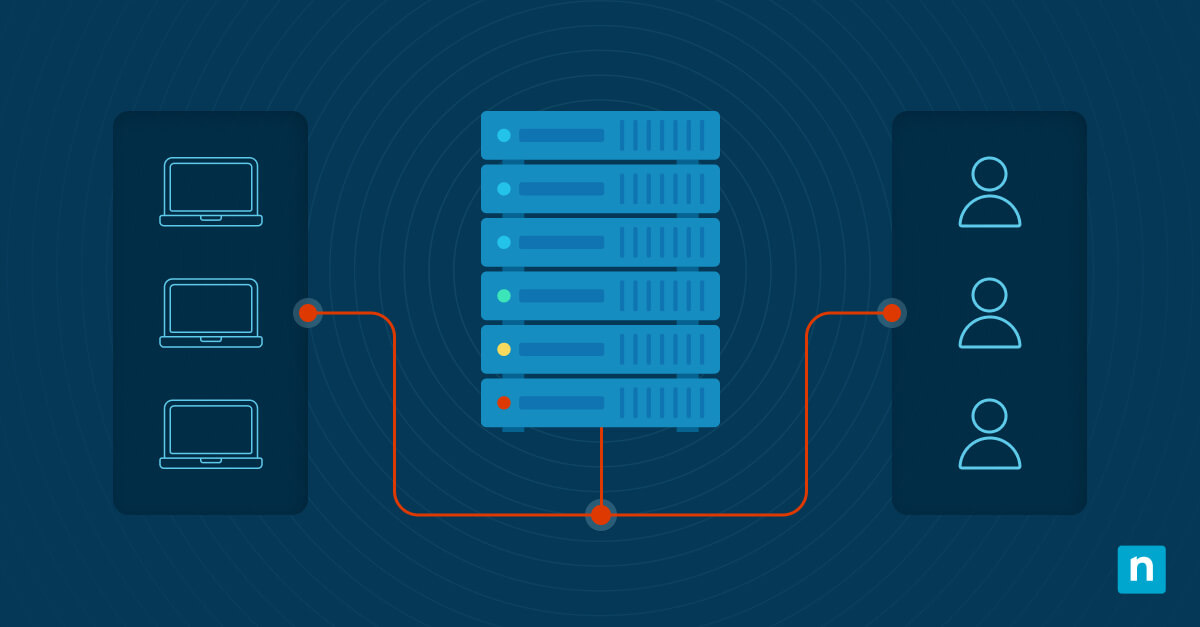
An Access Point Name (APN) is one of the most important configuration elements that allows a mobile device to access cellular data services. It serves as the gateway between the carrier’s mobile network and external networks, such as the public internet, private enterprise resources, or specialized data services.
In this guide, we will help you understand how APNs work and how they help IT teams troubleshoot issues from connectivity to security policies.
What is an Access Point Name
An Access Point Name is a gateway that connects devices to the internet through a carrier’s network. Every smartphone, tablet, or IoT device that connects to a carrier network relies on an APN to determine how its data traffic is routed, secured, and billed.
An APN consists of a text string used during cellular data session setup. It identifies which packet gateway and services the device should use and is provided by the mobile operator as part of its network configuration.
Here’s how it works:
- When a device attempts to connect to mobile data, it presents its APN to the carrier network.
- The carrier then uses that value to decide how to route traffic, assign IP addresses, and apply security or billing policies.
- However, without a valid APN, the device cannot route data traffic correctly.
Components of an APN configuration
To define connectivity behavior, these parameters work together as crucial parts of an APN configuration:
- APN name: An APN name identifies the network path
- Username and password: While rarely used today, these components are still being used in private or enterprise APNs.
- MCC and MNC values: These components help identify the country and carrier associated with the SIM.
- IP type: Indicates whether the device uses IPv4, IPv6, or dual-stack addressing.
Why APN settings matter
Configuring APN significantly impacts how a device connects to cellular data. Here’s why correct APN configuration matters:
- Internet access: An incorrect APN can prevent internet access entirely.
- Public or private routing: The APN determines whether traffic uses public or private routing.
- Billing and data plan: Segmentation for billing and data plan may depend on APN selection.
- Effect on MMS or IoT connectivity: Services such as MMS or IoT often require dedicated APNs.
How APNs are configured on devices
When you first set up a new device on a carrier network, you will notice that the APN settings are automatically configured. However, APN configuration can also be handled in several ways depending on the deployment model.
- Automatic provisioning: A common approach for consumer devices, it involves carriers automatically pushing APN settings when a SIM or eSIM is activated.
- Manual configuration: IT teams or users can manually enter APN values for troubleshooting or special plans. This practice is usually deployed when using private or enterprise-specific APNs.
- Managed configuration through MDM: APN profiles can be pushed and enforced using mobile device management platforms like NinjaOne MDM. This ensures consistent configuration across device fleets.
Meanwhile, in enterprise environments, automatic provisioning and managed APN profiles often coexist.
APN usage in enterprise and IoT scenarios
Beyond basic internet access, APNs also play a significant role in other IT infrastructures:
Enterprise environments
For enterprise environments, APNs are useful when devices are required to use them to reach internal resources securely. It’s also used to route or segment traffic through enterprise gateways, VPNs, or security inspection tools.
In IoT deployments
When deployed in an Internet of Things environment, APNs often define private or carrier-specific data paths. Meanwhile, configurations prioritize reliability and service-level guarantees, plus they help isolate machine traffic from public consumer data paths.
Additional considerations
Working with APNs warrants several factors to consider, such as the following:
- Restricted configuration: Some carriers restrict or lock APN changes.
- Name accuracy: APN names may be case sensitive in certain systems.
- VPNs and proxies’ effect: APN routing behavior can be affected by VPNs and proxies, impacting traffic flow, encryption layers, and the ability to access internal enterprise resources.
- Roaming arrangements: Roaming arrangements between carriers determine which APNs remain accessible when a device moves onto a partner network, often dictating whether data traffic is routed back through the home network or handled locally.
Common issues to evaluate
| Issues | Potential solutions |
| No mobile data connection | Verify the APN matches the carrier specifications. It can be found in some of the carrier’s published materials. |
| Limited or slow connectivity | Check whether the APN restricts services or traffic classes. |
| MMS not working | Confirm that MMS-specific APN settings are present. |
| Private network access fails | Validate private gateway and routing configuration. |
NinjaOne integration
NinjaOne offers tools and capabilities to streamline the deployment of APN configurations across devices. Here’s how:
- Consistent deployment of APN configurations: NinjaOne mobile device management capabilities help enforce consistent APN settings across managed devices.
- In enterprise and IoT deployments: Preconfiguring APNs through MDM profiles reduces connectivity issues and ensures devices use the correct network paths.
Conclusion
Access Point Name or APN is a critical element in device configuration, allowing them to connect to the internet through a gateway between the carrier’s mobile network and external networks. Aside from that, APNs also play a crucial role in other IT infrastructures such as enterprise and IoT environments.
Understanding how APNs work helps IT teams troubleshoot mobile connectivity, enforce security policies, and support enterprise smartphones, MDM-managed devices, and IoT deployments at scale.
Related topics: