

Key Points
- Identify and mitigate core data loss vectors: Address primary threats, including human error, hardware failure, ransomware, software bugs, and cloud misconfigurations, using targeted technical controls like RBAC, SMART monitoring, and endpoint security.
- Establish regular backup verification workflows: Automate routine checks of availability and integrity to ensure backup copies are readable, uncorrupted, and capable of enabling complete system restoration before an outage occurs.
- Define clear recovery objectives: Establish strict Recovery Point Objectives (RPO) and Recovery Time Objectives (RTO) to govern backup frequency and minimize business interruption during a restore.
- Secure laptops and workstations: Enforce full-disk device encryption alongside centralized cloud backups to protect data stored on remote laptops and
- Enforce secure cloud configurations: Utilize continuous configuration scanning tools to prevent publicly writable storage exposures and align with the cloud vendor’s Shared Responsibility Model.
It’s almost guaranteed that data loss will affect your business at some point. Whether it’s detrimental to your organization’s survival or a minor inconvenience largely depends on your backup solution and overall approach to preventing data loss. Careful planning and implementation, and following regular backup procedures, can help you recover quickly from the top causes of data loss, but there are also preemptive measures you can take to reduce the likelihood of them happening.
This guide explains the most common business data loss causes and provides practical, IT admin–approved mitigation strategies you can implement to address the real risks posed by technical and human threats to your valuable data. The most common causes are human error, storage hardware failure, lost or stolen devices, ransomware and malware, software bugs, insider threats, cloud misconfigurations, natural disasters, and untested backups. Regularly tested backups are the shared remedy for all of them.
Business data loss causes at a glance
| Cause | Typical example | Primary mitigation |
| Human error | Accidental deletion, overwrite, or reformatting the wrong drive | Versioning, granular restore points, training, and role-based access controls |
| Storage hardware failure | Drive failure from age, heat, power issues, or defects | Monitoring, RAID with redundancy, and backups on separate hardware in another location |
| Lost or stolen devices | Business data is stored only on a laptop | Device encryption and centralized cloud backup |
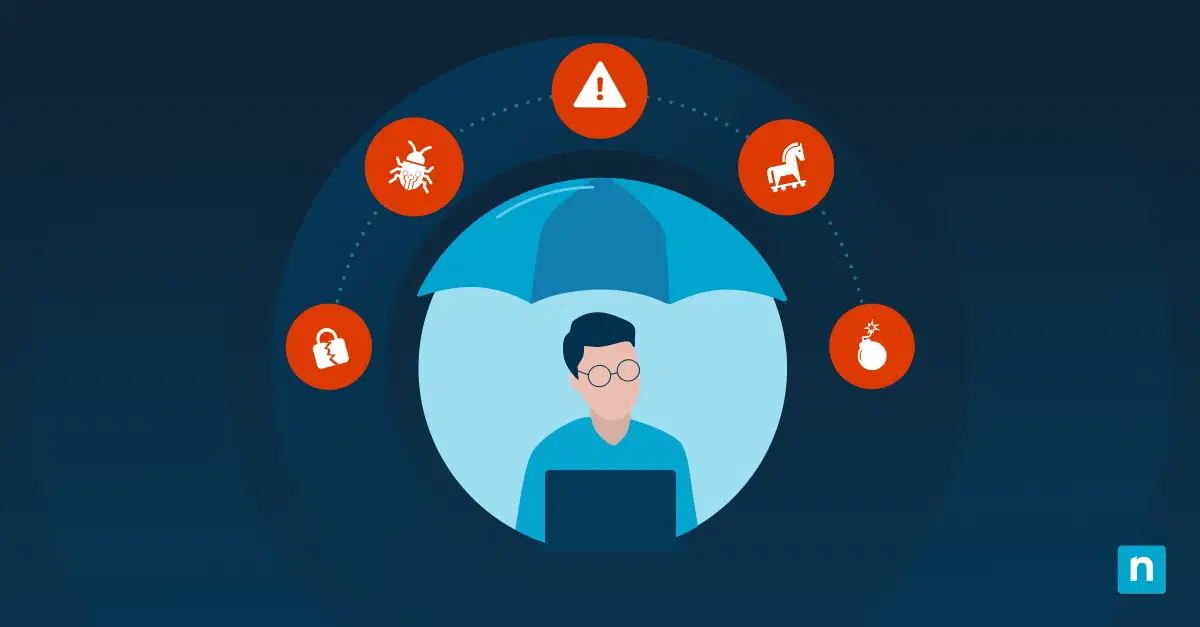
| Ransomware and malware | Encrypted or exfiltrated data | Monitoring and alerting, endpoint protection, MFA, network segmentation, immutable backups |
| Software and update problems | Partial sync failures or buggy updates that corrupt data | Point-in-time backups, a retention policy, and testing updates before deployment |
| Insider threats | Deliberate deletion or tampering | Activity monitoring, least-privilege access, access revocation, backups |
| Cloud misconfigurations | Publicly writable cloud storage | Configuration scanning tools and secure defaults |
| Natural disasters and site-level events | Fire, flood, power failure, or spills | Multiple backups in separate physical locations, a business continuity plan |
| Untested backups | Unreadable, outdated, or encrypted backups | Regular availability and integrity testing, immutable storage |
How does data loss impact businesses?
Successful businesses are data-driven: from core business records to communications, creative assets, and customer data. As your business operates, it continually generates valuable information. Some of it is vital for your business to function (for example, financial and employee records), while other data provides context and insights (like historical communications that may include information about customer interests).
Key Continuity Metrics to Define:
- Recovery Point Objective (RPO): How much data loss can your business tolerate? (e.g., losing 1 hour of data vs. 24 hours of data).
- Recovery Time Objective (RTO): How quickly must your systems be back online before business operations suffer critical damage?
Losing this data can mean anything from a minor setback, such as losing work-in-progress that can be recreated, or a complete show-stopper like losing access to your entire business dataset. There are also compliance concerns, as many data protection laws stipulate that measures be taken to protect the integrity of certain types of data, with legal consequences if these are not actioned.
Data loss can happen no matter where it is stored. On-premises data can be lost due to accidental damage to hardware, and cloud-hosted data can fall victim to ransomware or become unavailable due to platform or connectivity issues. All data is subject to human error such as accidental modification and deletion. If your only copy of important data is lost or corrupted, it is usually irreversibly gone.
A secure, reliable data protection strategy built on modern data storage solutions will help ensure business continuity, engender user trust, and ensure that valuable operational information isn’t lost. For managed service providers (MSPs) especially, it is critical to understand the main causes of data loss so that you can protect your own business, as well as your clients (often from themselves, as user error is a big factor).
Compare backup options for your devices, servers, and SaaS data.
Top causes of business data loss
Human error (misclicks, deletions, and overwrites)
PEBKAC, or “Problem Exists Between Keyboard and Chair”. User error is likely the most common cause of data loss for businesses, and it’s the most avoidable.
Furthermore, the rise of AI-generated social engineering and hyper-realistic phishing emails has made end users increasingly vulnerable to credential theft, accidentally giving malicious actors direct access to delete or overwrite production data.
End users accidentally deleting or overwriting a folder (especially on a network volume where there’s no recycle bin) is a common occurrence. IT admins aren’t immune to this either many IT departments have had to quickly restore a backup after an errant click by someone with privileged access winds up reformatting the wrong drive.
When you get the call that an important file has been deleted, you must have remediation measures in place already – you can’t recover data that hasn’t been backed up. Versioning is a fast way to restore files and is supported by most enterprise storage solutions. Granular restore points can also be leveraged to restore critical data quickly.
Human error can be greatly reduced with proper employee training (including IT administrators), so that staff are aware of their responsibilities toward maintaining data, and know the procedure to follow if they accidentally delete or modify something important. Role-based access controls can also be implemented to make sure only relevant stakeholders have write access to critical files.
Storage hardware failure (HDD/SSD/RAID/NAS)
On-premises storage devices can fail for a variety of reasons: age, unreliable power supplies, heat, dust, manufacturing defects, over- or underuse, and other environmental issues can all cause drives to fail more quickly than expected.
While there are warning signs that a hard drive may fail (SMART errors, RAID degradation, crashes, etc.), sometimes hardware does just die, even when using enterprise-grade storage hardware with high quality UPS units. This is why it’s vital to deploy monitoring tools to watch for detectable issues, as well as leverage RAID modes with redundancy, and backups on separate physical hardware in a different location.
It’s also worth noting that you should never, ever, store important data on USB sticks. These are often made by the lowest bidder with potentially low-quality memory chips (especially the free ones you get at trade shows). Use them only for their intended purpose – moving data from device to device. Better yet, encourage users to stick to network volumes for transferring and sharing data.
Lost or stolen user devices
Despite your best efforts as an IT administrator to encourage users to keep their work stored on network volumes that can be centrally managed, versioned, and backed up, business-critical data will inevitably be stored on their local devices. This makes device encryption a modern necessity, so that if an employee’s device is lost or stolen, sensitive business information cannot be read by others. However, this does not address data loss.
Centralized cloud backup does, allowing laptops and workstations to be backed up and restored from the cloud, which protects data and allows employees to get back up and running quickly with a recent copy of their data. This capability is critical for remote and hybrid workforces and plays a key role in business continuity planning.
Ransomware and malware
Malware can damage systems, leading to data loss, and ransomware specifically targets your valuable data, encrypting it and holding it hostage until you pay the hacker to unlock it (a payment which is illegal in many places, and may not even result in you getting your data back). Malware and ransomware will often also attempt to exfiltrate data, leading to a data breach that could lead to reputational and legal exposure for your business.
Monitoring and alerting are key to defeating ransomware and data exfiltration, and endpoint protection can help detect malicious software that makes its way onto your IT infrastructure through phishing and infected downloads. Many endpoint protection tools can also detect suspicious activity, while MFA and network segmentation can help prevent brute-force attacks and limit attackers from moving laterally through your network. Recoverable, immutable backups should be your last line of defense.
Operating system, software/app bugs, and update problems
Software bugs, partial update failures, and cloud sync errors can all lead to data being corrupted. For example, partial OneDrive syncs may result in data loss, or a software bug in an untested software integration could wipe out records in a CRM database.
Point-in-time backups that let you go back to the last “good” version of a file or database mean that even if a problem isn’t detected immediately, it is highly likely that you will have an uncorrupted version of your data to roll back to. However, this relies on a data retention policy that means data is both recent enough to be relevant and held long enough to be useful.
Software bugs can be avoided by testing software and updates in controlled environments before deploying them.
Insider threats
Users may not just accidentally damage data – it can be intentional, for revenge, fun, or for profit. A disgruntled employee may tamper with data as a parting joke, or a more malicious ex-staff member may delete data and keep their own copy to try to sell back to you (or to someone else).
Like ransomware, the best solution to this is ongoing monitoring for suspicious activity and implementing backups. Employees should always be limited to access only the files and resources they require to limit the potential damage they could do (accidentally or intentionally), and when an employee changes roles or leaves, access should be updated or revoked.
Cloud misconfigurations
Misconfigured cloud services can lead to irreversible data loss. For example, blob storage (e.g., AWS S3) can be made publicly writable, which can lead to data stored there being overwritten by a malicious actor. With the growing selection of cloud platforms and services, each with their own different configuration options, it is easy to overlook a setting that can lead to data loss.
Configuration scanning tools can protect against this, alerting you of dangerous configurations and enforcing secure defaults.
To learn more about cloud backup best practices, check out the NinjaOne SaaS Backup FAQ page.
Natural disasters and site-level events
Disasters both small and large can wipe out critical data in an instant. A spilled cup of coffee can take out a workstation while important work is in progress, and a building fire or flood can destroy an entire data center (and your backups if you’re keeping them onsite). Even a power failure may lead to damage that causes data loss, even if it’s not total.
Maintaining multiple backups in separate physical locations is the best protection against natural disasters. This should be part of a business continuity plan that also includes failover infrastructure for mission-critical functions.
Untested backups
While there are different mitigation measures for the different causes of business data loss, the remediation is the same: restoring from a recent backup. The worst-case scenario for any IT administrator is that something has gone wrong, and your backup isn’t readable. Or it’s not recent enough. Or it takes so long to retrieve and restore as to be effectively useless. Or, to add insult to injury, your backups have also been encrypted in a ransomware attack.
To withstand modern ransomware, organizations should follow the updated 3-2-1-1-0 rule: keep 3 copies of your data, on 2 different media types, with 1 offsite copy, 1 immutable/offline copy, and 0 errors after automated recovery testing.
As part of your backup strategy, backups must be regularly tested for availability and integrity, and be stored in an immutable manner so that they cannot be interfered with by attackers.
See how NinjaOne helps you back up and recover business data
How to protect your business against data loss and data breaches
The causes of data loss aren’t limited to those discussed above. End users and cybercriminals are always finding creative ways to cause damage, whether intentional or unintentional. Preventing data loss requires a layered approach: automated backups and regular testing must be part of your IT operations, along with a zero–trust architecture and other best practices that treat every user and service as a potential threat to your critical business data.
NinjaOne Backup protects endpoints, servers, and SaaS data, including Microsoft 365 and Google Workspace, from the same platform IT teams and MSPs already use for endpoint management. Granular restore options help you recover individual files or full systems, and backup status and alerts show where coverage gaps exist before you need a restore.