

Key Points
- Remote work models may come with new security risks.
- Dedicated endpoint management tools are recommended to mitigate risks at scale.
- IT teams can automate threat prevention and response, patch configuration management, and access controls to strengthen security.
Remote work brings its fair share of unique operational advantages and security risks. However, it can be argued that many of these gaps have since been mitigated with updated controls and dynamic IT infrastructures.
With that said, this guide on remote worker endpoint security addresses these challenges anew to help more teams efficiently navigate remote work pitfalls through stronger policy enforcement and dedicated IT management tools.
Why remote work changes endpoint security
While the integration of the remote work model was accelerated by the global COVID-19 pandemic, the groundwork for cloud-first strategies and distributed workforces was laid long before. However, many companies were caught mid-transition and forced to address the following challenges all at once:
- Unpatched devices with missing critical security updates
- Unmanaged or personal devices
- Targeted credential theft and phishing
- Limited visibility into device health and compliance status
- Weak home networks lacking enterprise-grade protections
- Delayed remediation due to a lack of physical access
- Risky remote access configurations that bypass security controls
If you recognize some of these talking points within your workforce, the forthcoming section offers actionable steps and recommended IT management solutions for hybrid or distributed IT environments.
Endpoint security controls for remote workers
Securing remote endpoints requires a dynamic approach that combines management, protection, and access controls. Below is a breakdown of the critical controls IT teams should implement, along with their purpose and practical considerations.
1. Visibility and compliance
Without full visibility over endpoints, security teams may struggle to detect issues immediately or keep up with compliance. The following solutions address these gaps by providing real-time insights and autonomous tracking.
| Control | Action Plan |
| Device inventory | Maintain a real-time, centralized record of all managed endpoints accessing company resources. Consider logging hardware details, OS versions, installed software, and ownership status. |
| Remote monitoring | Track device health, performance, and security posture in real time, including patch status, encryption, and firewall settings. |
| Compliance reporting | Generate automated reports on endpoint compliance with internal policies and external regulations. |
Unified Endpoint Management (UEM) and endpoint monitoring tools typically provide these capabilities in a centralized framework. For example, NinjaOne unifies core capabilities such as monitoring, remote control, and patch management in its platform.
2. Threat prevention and response
Endpoints without sustained protection are vulnerable to malware, data leaks, and ransomware. Thankfully, you can take a more proactive approach in detecting, blocking, and responding to threats using the methods below.
| Control | Action Plan |
| Disk encryption | Enforce full-disk encryption for all endpoints storing sensitive data to ensure data remains secure even if a device is lost or stolen. |
| Application control | Restrict the execution of unauthorized or high-risk applications to prevent malware infections and data leaks. |
| Firewall configuration | Enforce host-based firewalls with role-specific rules to limit exposure to network-based attacks. |
| Backup and recovery | Implement automated, encrypted backups for critical data on endpoints, and test recovery processes regularly to ensure business continuity. |
IT teams can deploy Endpoint Protection Platform (EPP) or Endpoint Detection and Response (EDR) solutions and firewall management systems to protect remote endpoints.
For a more thorough approach, read this extended guide on Cloud vs. Traditional Incident Response.
3. Patch and configuration management
Unpatched or misconfigured devices tend to be more common in remote work arrangements, making easy targets for attackers. See the following strategies if you need to strengthen your patching workflows.
| Control | Description |
| Patch deployment | Automate the distribution of OS, application, and firmware updates, prioritizing critical patches for vulnerabilities. |
| Configuration enforcement | Enforce standardized security configurations, such as screen lock timers, password policies, and disabled USB ports, across all devices. |
| Automated remediation | Use scripts or tools to automatically remediate common issues, such as re-enabling disabled firewalls or quarantining infected devices. |
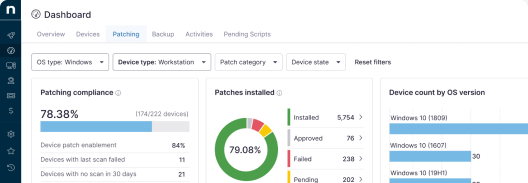
At scale, teams are recommended to use patch management tools, configuration enforcement systems, and automation scripts to keep devices updated and secure. Patch automation tools also provide additional transparency with patch compliance statuses and patch activity logs.
Access and identity controls
Unauthorized access and weak identity validation are also more rampant in out-of-office devices. This time, enhancing traditional access controls to match your scale and coverage provides a sound starting point.
| Control | Action Plan |
|---|---|
Multi-factor authentication (MFA) | Require MFA for all remote access to company systems, applications, and data, using phishing-resistant methods where possible. |
| Conditional access | Grant access based on conditions such as user role, device posture, location, and network security. |
| Device posture validation | Check the security status of endpoints before allowing access. It can be used to block devices with outdated software, disabled firewalls, or missing encryption. |
| Remote access logging | Log and monitor all remote access activity, including user login attempts, device information, and accessed resources, to enable forensic investigations. |
Enforce MFA, conditional access policies, and remote access logging solutions to validate identities and device trust. On that note, it’s best to revisit access policies since these may need to be reconfigured to host remote touchpoints properly.
Endpoint protection solutions for distributed teams
Remote worker endpoint security requires more than secure login and hardware. Organizations must implement a layered strategy that includes visibility, conditional access, and consistent policy enforcement to secure distributed environments against a new set of threat actors. By enforcing these measures consistently, IT teams can reduce vulnerabilities, maintain compliance, and adapt to the evolving landscape of remote work.
Related topics:
- The IT Challenges of Managing a Remote Team
- How to Automate Remote Work Safely and Prove Results
- In-Office vs. Remote Employees: What’s the Right Choice for Businesses?
- How to Identify and Reduce Critical Vulnerabilities in Remote Work Environments
- How to Address Structural Challenges in Long-Term Remote Work Models