Block Unauthorized App Installations
Use app install blocklists in NinjaOne MDM to stop users from installing unwanted apps on managed devices and maintain secure, centralized mobile control.
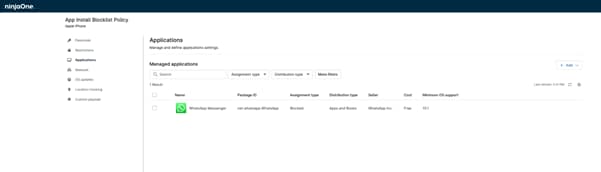
Use app install blocklists in NinjaOne MDM to stop users from installing unwanted apps on managed devices and maintain secure, centralized mobile control.






Block high-risk or unapproved apps before they are installed, reducing exposure to malware, data leaks, and unauthorized software across managed devices.
Manage application restrictions from a single console, making it easier to update policies and keep device rules consistent across teams.
Apply app restrictions across large device fleets without added complexity, helping IT maintain control as the organization expands.

Define specific apps that are not allowed on managed Android and iOS devices by adding them to a centralized blocklist policy.

Once applied, blocklist policies are enforced automatically on assigned devices without requiring user approval or manual action.

Apply app restrictions to individual devices, device groups, roles, or departments to ensure policies match business needs.
Below are practical scenarios where app install blocklists help IT teams maintain control, security, and consistency across managed devices.
IT can prevent employees from installing messaging, file-sharing, or cloud storage apps that are not approved for business use. This reduces the risk of company data being stored or shared through tools that are not monitored or secured by the organization.
Some apps request excessive permissions, store data outside approved regions, or fail to meet industry security standards. By blocking these apps in advance, organizations reduce the risk of sensitive information being exposed and help ensure devices remain aligned with internal security policies and compliance requirements.
IT teams can restrict certain apps based on department or job function, ensuring devices are configured according to business needs. This helps maintain consistent standards while preventing unnecessary or non-business apps from being installed.
Uncontrolled app installations can create unnecessary security risks and reduce visibility across managed devices. Without clear application restrictions, IT teams may struggle to maintain consistent standards and prevent unauthorized software from being used.
With app install blocklists in NinjaOne MDM, IT teams can:
The purpose of MDM is to ensure that team members’ mobile endpoints and the confidential data they contain are used in a safe and secure manner.

Mobile device management (MDM) distinguishes between “supervised” and “unsupervised” devices based on the level of administrative control achieved through device supervision.
In this article, we’ll discuss common methods for identifying and securing undiscovered and unmanaged devices, as well as implementing policies that minimize this particular threat.
100,000
Endpoints managed
“NinjaOne is a scalable solution. It’s built on a modern SaaS architecture and it’s future-proof.”

40%
More Cost Effective
“NinjaOne’s price point is 40% less than any other endpoint management tool on the market, while being more powerful and easy to use.”

10-15
Tools Replaced
“Before, I needed 10-15 different tools to execute what NinjaOne does in its centralized, single pane of glass.”

30%
Less time for patching
“We observed a 30% reduction in the time taken for patch deployments compared to our previous solution.”

2,000
Endpoints managed
“NinjaOne gives me much more flexibility and security in my work”

30%
Annual ROI
“[NinjaOne] has already shown its value in ROI…it’s at least a hundred thousand dollars annually.”

24x
Faster Endpoint Management
“Our processes have become 24x faster with NinjaOne.”

20-40
Hours Saved Each Week
“Leveraging the automations feature within NinjaOne has enabled me to save upwards of what would likely be 20 to 30 to even 40 hours per week.”

In NinjaOne MDM, they allow IT teams to create a list of apps that users are not allowed to install on managed Android and iOS devices. This means that if an app is on the blocklist, the system simply won’t allow it to be installed, helping organizations keep unsafe, unapproved, or non-business apps off company devices and maintain consistent control across their environment.
They stop users from installing apps that IT has decided are not allowed. If an app is on the blocklist, it can’t be installed on managed devices, which helps keep unsafe or unapproved apps off company phones and tablets.
Yes. Once IT sets up a blocklist policy in NinjaOne, the restriction is enforced automatically on managed devices. Users don’t need to approve anything, and they can’t bypass the block if they try to install a restricted app.
App install blocklists in NinjaOne MDM are supported on managed iOS, iPadOS and Android devices. This allows IT teams to control which mobile apps can be installed and maintain consistent policies across company phones and tablets.
No. NinjaOne policies are not applied directly to device groups or roles. Instead, IT teams can assign devices to a location and apply blocklist policies to that location, allowing different restrictions for different teams or environments.
They prevent users from installing apps that could expose company data or introduce malware. By stopping risky apps before they’re installed, organizations reduce security threats and lower the chances of data breaches or policy violations.
The app will not appear as available to install on the device. Because it is blocked by policy, users won’t see it listed in the app store and cannot install it.
Yes. IT can block specific apps while also installing approved apps directly on managed devices without user approval. This allows organizations to prevent unwanted software while automatically deploying the apps employees need.
They let IT apply the same app restrictions to many devices at once, making it easier to enforce consistent rules across the entire organization.