Key Points
- IoT device management covers the tools, processes, and practices used to provision, monitor, update, and secure connected devices across a network.
- Unmanaged IoT devices such as sensors, smart thermostats, and wearables expand an organization’s attack surface and create security vulnerabilities.
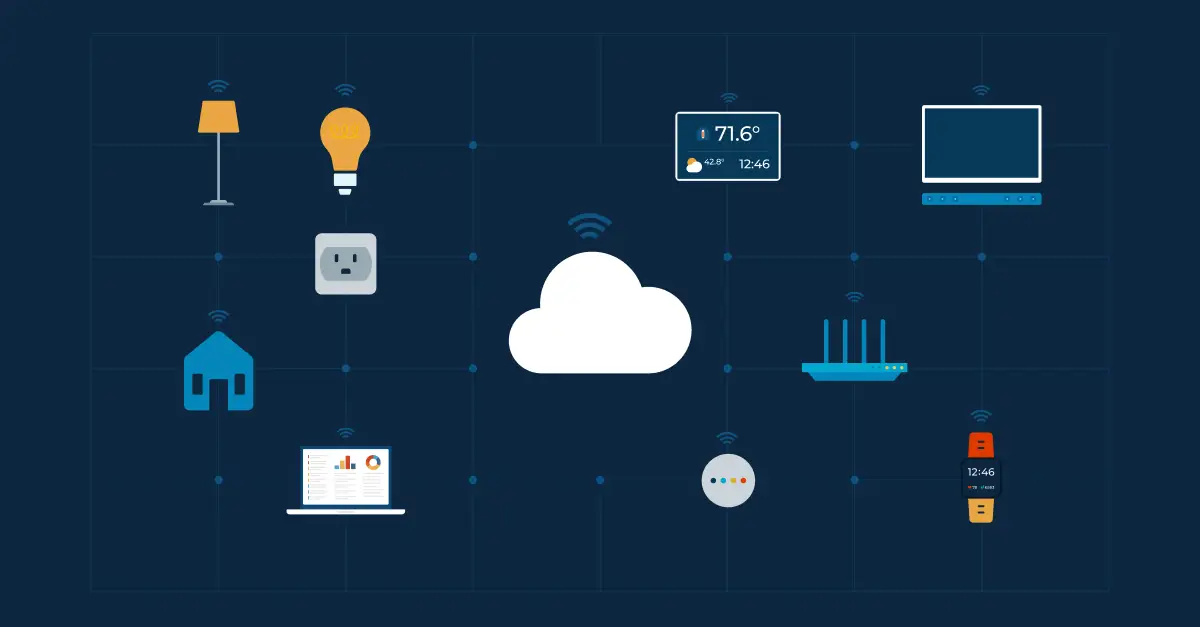
- An IoT ecosystem depends on five interconnected layers: sensors/actuators, connectivity, cloud processing, data analytics, and the end-user interface.
- Effective IoT management follows eight core steps: provisioning, authentication, configuration, control, monitoring, diagnostics, software updates, and maintenance.
- NinjaOne provides single-pane visibility to monitor and manage SNMP-enabled network devices, including routers, switches, firewalls, and printers.
IoT device management is the set of practices IT teams use to provision, monitor, update, and secure connected IoT devices, such as sensors, wearables, and smart building equipment, across an organization’s network.
As the number of connected devices keeps growing, effective management turns that growth into efficiency and productivity rather than risk. Recent industry reports project connected IoT devices to grow 14% to over 21 billion, reaching 39 billion by 2030 and surpassing 50 billion by 2035.
This accelerated trajectory stems from benefits like increased operational efficiency, automation, and convenience. However, to fully capture those benefits without exposing your organization to unnecessary security exposure, these devices must be managed effectively.
In this article, we’ll dive into IoT device management, learn why it’s important, and find out how to accomplish IoT device management in your own organization.
What is an IoT device?
An IoT (Internet of Things) device (sometimes referred to as an IoE (Internet of Everything) endpoint) is a computing device that doesn’t fit the standard PC model, yet actively collects and transmits data over a network. While standard endpoints (laptops, desktops, tablets, and mobile devices) are built for routine user tasks, IoT devices are often purpose-built to operate autonomously or integrate Human-Computer Interaction (HCI) so humans and technology work together seamlessly.
Examples of IoT devices include:
- Smart appliances
- Smart lighting
- Smart security
- Wearables
- Smart thermostats
- Fitness trackers
- Other sensors
What is IoT device management?
IoT device management consists of the practices, processes, and procedures used to manage IoT devices. It includes monitoring, maintenance, configurations of IoT devices within an organization’s IT environment.
Specific IoT device management may include tasks to:
- Configure and deploy IoT devices
- Update IoT software
- Track IoT device location
- Run IoT device diagnostics
- Identify IoT device data usage
Why is IoT device management important?
The current and growing number of IoT devices means that there are more computing devices out in the world, and this may increase the risk of cyberattacks or third party interception of data. IoT device management is another essential component of securing your IoT devices, and the ability to manage these devices can help your organization to remain protected and secure.
5 major components of an IoT ecosystem
Though IoT devices may be simplistic compared to other endpoint devices, they still have major IT elements required for them to operate. For effective IoT device management, it’s important to have at least a basic understanding of these elements and how they work together. G2 lists five various components of an IoT ecosystem that are needed for IoT devices to work, which include:
1. Sensors & Actuators
In order for IoT devices to perform their particular functions, they need sensors and actuators. Together, they create the foundation of an IoT ecosystem.
Sensors are a type of hardware that measures various metrics. A single sensor may measure one thing or a range of things, or multiple single sensors can be grouped together to perform many functions.
Actuators, unlike sensors, act depending on what signal they receive or what is triggered. Working with sensors, they cause something to happen based on changes the sensor (or sensors) has sensed.
2. IoT connectivity
Connections between IoT device components allow them to interact and function as a unified system. IoT connectivity refers to the hardware and networking methods used to link these devices across local and wide-area networks.
Communication relies on specific IoT protocols such as MQTT, CoAP, LwM2M, or traditional SNMP, which dictate how endpoints transmit telemetry and status updates. IoT gateways then translate these protocols, bridge local networks, and enable secure, reliable data flow between edge devices and the central IoT cloud.
3. IoT cloud
When the data finally makes it to the cloud, it needs to be processed and interpreted. The IoT cloud receives all the data and ultimately makes a decision on what actions to take and how to proceed.
The IoT cloud is the central brain for the IoT ecosystem where data is processed and analyzed and commands are given or actions are taken.
4. Data analytics
IoT data analytics is necessary to make sense of the large amounts of data IoT devices receive and transmit to the IoT cloud. Analyzed IoT data provides insights into performance and ultimately drives what decisions are made.
Data analytics, because of the large amounts of data and computing required, are performed in the IoT cloud.
5. End-user interface
The end-user interface is what an IoT user can actually see. It allows the user to interact with the processed data whether it’s simply checking on the system or, in more advanced IoT devices, performing an action on the system. Sometimes, actions are taken automatically by the system depending on rules and protocols that have been set.
8 steps to accomplish IoT device management
To be able to accomplish IoT device management in your organization, you need to be aware of the various tasks and processes that are involved with managing IoT devices. Digi focuses on eight different steps of IoT device management, which are:
1. IoT device provisioning
Provisioning involves setting up IoT devices and modifying or customizing them so they can ensure that only trusted devices are integrated into your platform.
2. IoT device authentication
Authentication is confirming an IoT device’s identity, as well as validating that the end user can be trusted.
3. IoT device configuration
Configuration entails adjusting IoT device settings so it is customized to function optimally in your network.
4. IoT device control
IoT device control is the ability to remotely access and control or obtain data from the IoT device.
5. IoT device monitoring
Monitoring IoT devices is one of the main objectives of IoT device management, and it allows you to gain access to IoT metrics, data reporting, and notifications.
6. IoT device diagnostics
Performing diagnostics allows you to know what is happening on an IoT device and remediate any issues that arise.
7. IoT device software updates
IoT software updates keep IoT devices functioning optimally and protects them from malicious attacks.
8. IoT device maintenance
IoT device maintenance is the continual upkeep of IoT devices by keeping track of them, receiving alerts when components have issues, and troubleshooting those issues.
| Step | What it does |
| Provisioning | Sets up and customizes IoT devices so only trusted devices join the platform |
| Authentication | Confirms device identity and trusted end-user access |
| Configuration | Adjusts device settings for the network |
| Control | Remotely accesses or pulls data from the device |
| Monitoring | Surfaces metrics, reporting, and notifications |
| Diagnosis | Identifies and helps resolve device issues |
| Software updates | Keeps devices current and protected |
| Maintenance | Tracks devices and troubleshoots ongoing issues |
Track your IoT devices with NinjaOne
While enterprise IoT deployment often spans specialized sensor networks, day-to-day IT infrastructure relies heavily on network-connected hardware. NinjaOne Network Monitoring gives you single-pane visibility across routers, switchers, firewalls, printers, and other network-attached SNMP devices.
Our SNMP monitoring and management enables you to discover, track, and manage any SNMP-enabled IoT devices across your organization’s IT environment from a single dashboard. Sign up for a free trial today to start gaining the benefits of additional device visibility.