Key points
- Match hardware to “interaction depth” by deploying smartphones for rapid mobile tasks and tablets for data-intensive, sustained workflows.
- Implement Unified Endpoint Management (UEM) to ensure consistent security policies and hardware-rooted protection across all device types.
- Prioritize total cost of ownership (TCO) over initial purchase price, as hidden expenses (repairs, management) drive up to 70% of long-term spending.
- Avoid uniform deployments by mapping specific device form factors to unique role requirements in fields like healthcare, logistics, and engineering.
- Optimize ergonomics: Use tablets with stands for stationary tasks to reduce cognitive fatigue and smartphones for high-mobility, hands-free roles.
- Invest in ruggedized hardware for industrial environments; reduce annual support costs; extend device lifecycles beyond standard consumer-grade limits.
From scanning inventory to reviewing blueprints, the choice between tablets or smartphones in enterprise roles defines your team’s efficiency. This strategic decision impacts security, costs, and long-term manageability. In this guide, you will learn how to select the right device to optimize your mobile workforce.
Understanding tablets and smartphones in enterprises
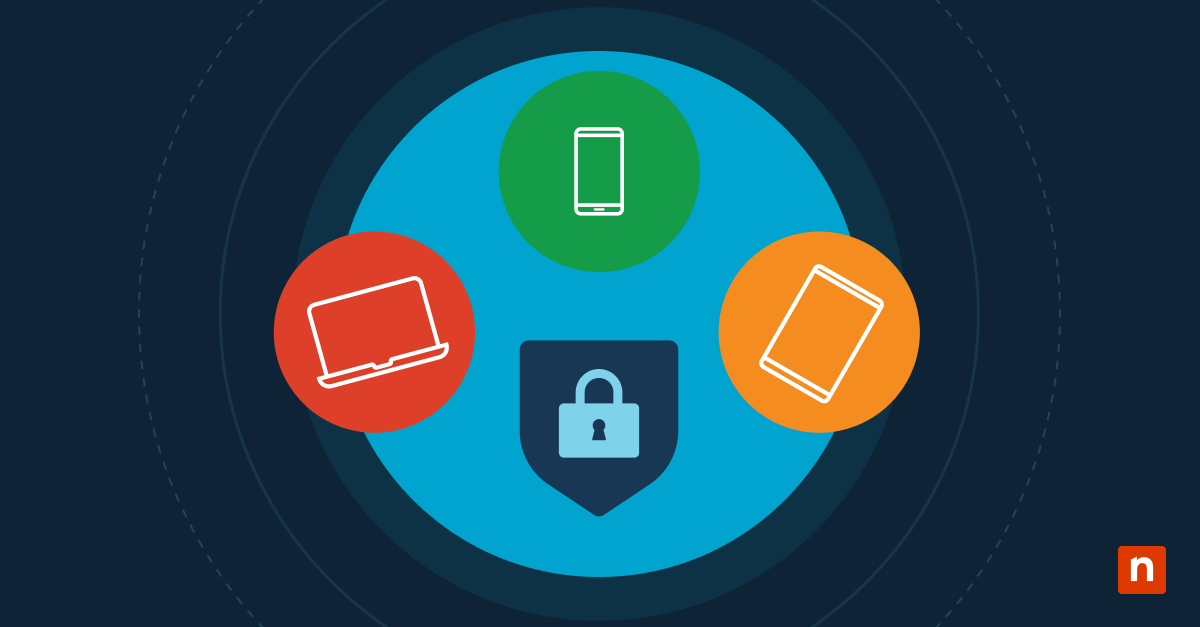
Choosing between hardware types is now a strategic decision that turns mobile devices into portable command centers.
Smartphone: Optimized for agility
- Highly mobile roles: Ideal for warehouse or retail staff needing pocket-sized tools that fit into specialized gear.
- Quick interaction: Designed for rapid communication, instant status updates, and short bursts of data entry.
- Ergonomics: The standard for intuitive one-handed operation, allowing workers to remain active and responsive during their shifts.
Tablets: Optimized for productivity
- Data-heavy tasks: Are tablets good for business? Yes, specifically for complex data entry and prolonged content consumption.
- Visual workflows: These devices provide the essential screen real estate required for viewing detailed blueprints, schematics, and dashboards.
- Flexible deployment: Best suited for shared kiosks, clinical imaging review, or stationary field workstations.
Successful enterprise mobile device selection depends on “interaction depth.” If a task requires prolonged focus, choose a tablet. For high-speed, mobile responsiveness, the smartphone remains the primary choice.
Mapping these form factors to specific job functions ensures your enterprise mobile device strategy reduces operational friction.
Use cases: Selecting which device is appropriate
Modern organizations maximize efficiency by matching hardware to specific roles rather than enforcing a uniform deployment.
| User Role/Workflow | Optimal Device | Primary Activity | Key Enterprise Benefit |
| Field Techs and Logistics | Smartphone | Barcode scanning, navigation, and quick status updates. | High agility and easy one-handed operation. |
| On-Call and Emergency Response | Smartphone | Immediate alerts, secure messaging, and voice comms. | “Always-on” availability in a pocketable form. |
| Retail and Hospitality | Tablet | Customer check-ins, digital menus, and mPOS. | Improved client engagement through shared visuals. |
| Engineering and Inspections | Tablet | Viewing CAD drawings, blueprints, and detailed forms. | High-fidelity review with reduced eye strain. |
| Healthcare Clinicians | Tablet | Reviewing medical imaging (DICOM) and patient charts. | Superior detail for critical diagnostic tasks. |
| Executive Leadership | Hybrid | Reviewing financial models while on video calls. | Desktop-level multitasking in a mobile footprint. |
💡Note: Successful enterprise mobile device selection depends on “interaction depth.” If a task requires short, frequent updates, a smartphone is best. For deep analysis or detailed visual work, the tablet remains the superior choice for business productivity.
Device impact: Mobility vs ergonomics
Selecting the right device requires balancing the physical freedom of the worker against the mental and physical strain of the task.
| Feature | Smartphones (Agility Focus) | Tablets (Depth Focus) |
| Portability | Fits in pockets or PPE; ideal for constant movement. | Requires a bag, mount, or two hands for safe transport. |
| Cognitive Lead | High cognitive load; frequent zooming and panning cause mental fatigue. | Low; large displays allow for holistic data review. |
| Input Speed | Optimized for “thumb-typing” and voice-to-text. | Optimized for styluses, keyboards, and detailed forms. |
| Neck Strain | High Risk: “Tech-neck” creates up to 27kg of force on the spine. | Variable: Best when used with stands; poor if held low. |
| Wrist Health | Low strain; designed for lightweight, one-handed use. | Higher Risk: One-handed use of large tablets can strain the wrist. |
💡Note: “Tech neck” refers to chronic neck, shoulder, and upper back pain caused by repeatedly tilting the head forward to look at screens (phones, laptops) for extended periods.
Smartphones excel in micro-productivity tasks that take 30 seconds or less, like checking a notification or scanning a code. However, for “deep work,” the small screen becomes a bottleneck.
Are tablets good for business for long sessions? Yes, because they significantly reduce the eye strain and “scroll-fatigue” that drops worker accuracy over an eight-hour shift.
Strategic ergonomic placement
A successful enterprise mobile device strategy considers the environment.
If a worker is stationary, like a nurse at a station, a tablet on an ergonomic arm is superior. If the worker is high-mobility, like a warehouse picker, the ergonomic risk of a smartphone is offset by the safety of having hands free when the device is pocketed.
💡Tip: For workers who need both, consider enterprise mobile device selection that includes rugged “phablets” (8-inch devices). They offer a middle ground: enough screen to reduce cognitive load, but light enough to minimize wrist extension during field inspections.
Streamlining security: Management strategies for enterprise tablets and smartphones
Protecting corporate data requires a unified security posture that treats every device as a critical endpoint, regardless of its size.
- Unified endpoint management (UEM):
- Use a single platform, like NinjaOne, to automate provisioning, track inventory, and push remote updates. This centralizes control for both enterprise tablets vs smartphones, ensuring IT teams can wipe lost devices or audit compliance instantly.
- Consistent policy enforcement:
- Maintain identical security standards, such as multi-factor authentication and mandatory encryption, across all form factors.
- A hardware-agnostic enterprise mobile device strategy ensures that a tablet used for CAD drawings is just as secure as a smartphone used for email.
- Secure containerization:
- Isolate business applications within encrypted “containers.” This is vital for shared tablet environments and BYOD programs, as it prevents corporate data from leaking into personal apps or being accessed by different users on the same device.
See also: BYOD Security Guide: Top Threats & Best Practices
- Hardware-rooted protection:
- Prioritize hardware with dedicated security co-processors like Samsung Knox Vault or Apple’s Secure Enclave. These chips protect biometric data and encryption keys from sophisticated 2026 threats, such as AI-driven phishing and 5G interception.
- Durability as a security asset:
- In industrial settings, choose ruggedized devices to maintain operational continuity. Beyond physical toughness, these devices offer longer lifecycles and can prevent up to $170,000 in annual support costs per 1,000 devices by reducing repair-related downtime.
For mission-critical workflows, consider 5G Private Networks. They offer superior data isolation and security compared to unlicensed Wi-Fi, making them a key factor in high-stakes enterprise mobile device selection.
Simplify device control with MDM
Managing a diverse mobile fleet requires a unified platform, such as a mobile device management software, to ensure security and operational consistency.
- Automated enrollment: Connect devices to the network instantly using Apple Business Manager or simple QR codes.
- Standardized policies: Automatically apply security settings, passcode requirements, and app restrictions to specific groups.
- Remote assistance: View screens and troubleshoot technical issues in real-time, regardless of the user’s location.
- App deployment: Manage the distribution of business-critical software across the entire organization from one dashboard.
NinjaOne uses policy inheritance and automated enrollment profiles to standardize configurations across diverse hardware.
This technical framework reduces manual setup time for tablets or smartphones for business, making it the ideal method for organizations scaling their enterprise mobile device strategy efficiently.
By implementing these centralized controls, IT teams gain total visibility over their endpoints. This results in a secure, compliant environment where hardware is always ready for the next task.
Managing budgets and lifecycles: Enterprise mobile device selection
Maximizing your enterprise mobile device strategy requires looking past the sticker price to the total costs incurred over a device’s operational life.
- Market pricing shifts: According to IDC, global memory shortages in 2026 are projected to cause a 2.9% to 5.2% contraction in the smartphone market, driving up purchase prices.
- True total cost of ownership (TCO) breakdown: The TWC shows that the initial hardware cost represents less than 40% of total ownership; 60-70% of expenses stem from management, repairs, and lost productivity.
- Wholesale procurement benefits: Sourcing tablets or smartphones for business through wholesale channels can reduce TCO by 20-35% by securing in bulk pricing and simplified kitting.
- Lifecycle longevity: Consumer-grade devices typically last 1 to 2 years, whereas rugged enterprise tablets offer a 5 to 7 year lifespan, significantly lowering long-term refresh costs, as per Infinity Ex.
- Impact of downtime: Selecting fragile hardware in industrial settings can cost an extra $170,000 annually per 1,000 devices due to frequent repairs and lost employee hours.
Effective enterprise mobile device selection aligns procurement with these economic realities. This method works by standardizing deployments based on durability and wholesale availability rather than retail trends. It is ideal for organizations seeking budget predictability while scaling a hybrid wireless fabric.
By focusing on lifecycle efficiency, enterprises recapture significant capital for future technology investments. Following this strategic framework ensures that your mobile fleet remains a productive asset rather than a growing financial burden.
Limitations of enterprise tablets and smartphones
Successful enterprise mobile device selection depends on acknowledging that every form factor has a functional “ceiling” or specific technical limit.
Moving beyond one-size-fits-all
Deploying a single device type across an entire organization often ignores critical task requirements. Smartphones face thermal limits during high-performance workloads, while tablets lack the pocket-portability needed for agile roles.
A rigid, one-size-fits-all approach often creates operational friction rather than increasing productivity.
Planning for mixed environments
Modern organizations must support mixed device environments to address specific software gaps. For example, the tablet version of Salesforce offers advanced record management that smartphones lack.
A diverse fleet ensures employees have the right interface for their specific data and workflow complexity.
Aligning procurement with roles
Aligning procurement with role-specific requirements is critical for a successful enterprise mobile device strategy. In industrial settings, consumer hardware is often too limited.
According to research from American Barcode and RFID (AB&R), choosing rugged enterprise tablets vs smartphones prevents roughly $170,000 in annual support costs per 1,000 devices by reducing breakage and downtime.
Physiological and ergonomic constraints
Long-term health impacts should also define your deployment scope. Smartphones used at steep angles place up to 27 kg of force on the spine, while large tablets can strain users with smaller hands.
Flexible device choices allow for better ergonomic alignment with the worker.
Maintaining a flexible strategy allows businesses to navigate 2026’s unique economic and technical constraints. By matching hardware to role-specific requirements, organizations ensure long-term operational success and employee well-being.
Common misconceptions about enterprise tablets and smartphones
Relying on outdated myths can compromise your enterprise mobile device strategy and lead to costly procurement errors.
Myth: Smartphones can replace tablets everywhere.
- Reality: While portable, smartphones have a functional “ceiling.” High-data tasks like reviewing CAD drawings or medical imaging require a tablet’s screen real estate to prevent cognitive fatigue and input errors.
Myth: Tablets are only for executives or presentations.
- Reality: Tablets are operational workhorses. In field engineering, healthcare, and retail, they function as portable workstations for complex data entry and high-fidelity visual review that a phone cannot handle.
Myth: Device form factor determines security.
- Reality: Security is hardware-agnostic. Whether evaluating tablets vs smartphones in enterprise environments, safety depends on centralized MDM policy enforcement and hardware-rooted encryption like Samsung Knox or Apple’s Secure Enclave.
By moving past these misconceptions, IT leaders can build a flexible, role-specific fleet. The result is a workforce equipped with the correct tools for their specific tasks, leading to better ergonomics, higher productivity, and consistent security across the enterprise.
Improve workforce efficiency with strategic use of enterprise tablets and smartphones
Selecting between tablets vs smartphones in enterprise roles is a strategic choice that turns hardware into a competitive asset.
Aligning device form factors with actual job requirements ensures better productivity, ergonomics, and long-term value. Audit your specific workflows now to build a secure, high-performance mobile fleet.
Related topics