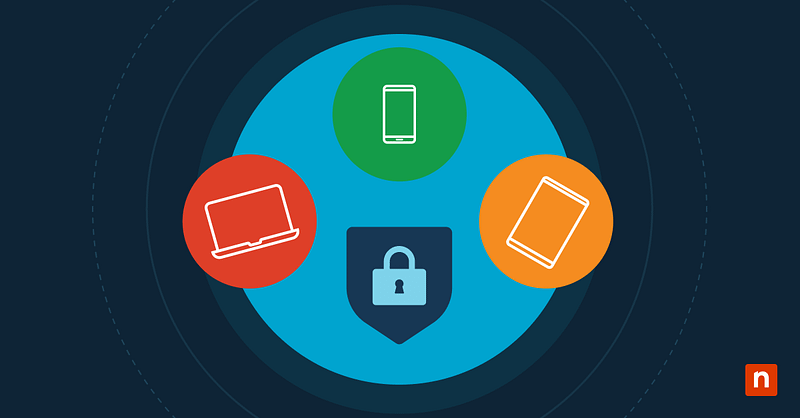
Key points
- BYOD expands your attack surface by mixing unmanaged operating systems, apps, and security postures across every employee’s personal device.
- Unsecured public Wi-Fi and man-in-the-middle attacks make VPN enforcement one of the most critical BYOD safeguards.
- Lost, stolen, or noncompliant devices put company data at risk without encryption, strong access controls, and remote wipe capability.
- A strong BYOD policy layers device registration, encryption, multi-factor authentication, patching, antivirus, and VPN access into one framework.
- Technology matters, but ongoing employee education and a security-first culture close the gaps that tools alone can’t.
Bring Your Own Device (BYOD) is a policy allowing employees to use their personal devices for work-related activities. It is an approach that promotes flexibility and efficiency and has gained widespread adoption in recent years.
The BYOD policy framework outlines guidelines and rules governing the use of personal devices in a professional setting. Its significance lies in establishing boundaries that balance the benefits of flexibility with the need for security and data protection.
Gain real-time visibility across BYOD environments to support flexible work setups.
Organizations are embracing BYOD for various reasons, including increased employee satisfaction, cost savings on device procurement, and improved productivity. This BYOD security guide explores the security challenges associated with BYOD adoption and offers best practices to navigate these complexities.
Note: NIST’s guidance on mobile device security (SP 1800-22) [download PDF] is another useful reference point for building or refining a BYOD program.
BYOD security risks and threats
One of the primary challenges in BYOD security is the diversity of devices employees bring to the workplace. Managing and securing a mix of operating systems, device types, and security postures poses a significant challenge for IT departments, as does managing devices running a myriad of applications, which may or may not have been historically well managed by their owners.
Potential threats and attack vectors that BYOD environments are particularly vulnerable to include:
- Malware: Employees may unknowingly download malicious apps or access infected websites on their personal devices, without appropriate tools to detect and quarantine them, and perhaps without the level of mindfulness shown when operating corporate devices. Once compromised, malware can propagate through the company network, endangering production systems, compromising sensitive data, and leading to system disruptions.
- Unsecured networks: BYOD introduces the risk of employees connecting to unsecured networks, such as public Wi-Fi hotspots. These networks are breeding grounds for cybercriminals who can intercept sensitive data, launch man-in-the-middle (MITM) attacks, or deploy malicious software on devices accessing the network. Once a BYOD system has been compromised, it becomes a potential entry point into the corporate network, endangering the broader network.
- Data leaks: Sensitive company information may fall into the wrong hands if a device is lost or stolen. Without robust security measures, unauthorized access to proprietary data can result in the compromise of the organization’s confidentiality, customer data, and brand reputation, as well as regulatory fines.
The portability of personal devices increases the likelihood of all these risks – mobile devices are more likely to be lost or stolen, to connect to unsecured networks as they roam, and to acquire viruses and malware from those connections. As CISA’s mobile device guidance notes, this is why enterprise mobility management should enforce VPN use and mobile threat defense on every roaming device.
BYOD security best practices
Organizations must prioritize security when implementing a BYOD policy to mitigate potential risks and safeguard sensitive data. Mobile devices have become attackers’ new favorite target, according to Verizon’s 2026 Data Breach Investigations Report.
Collectively, these best practices form a robust framework for securing BYOD environments and protecting against possible security threats.
- Establish a device registration process: Implementing a thorough registration and approval process ensures that only authorized and secure devices connect to the company network.
- Define acceptable use and restrictions: Clearly defining acceptable use and restrictions helps set employee expectations, minimizing the risk of misuse or security lapses. Make room for using a personal device, while ensuring the risk profile of device use is compatible with BYOD policy.
- Ensure data is encrypted at rest and in transit: Encrypting data provides an additional layer of protection, preventing unauthorized access to sensitive information.
- Leverage Multi-Factor Authentication (MFA) for accessing company networks and resources: MFA adds an extra layer of security by requiring multiple forms of identification, reducing the risk of unauthorized access even if login credentials are compromised.
- Ensure BYOD devices have the latest security patches: Regular audits, patches, and updates ensure that devices maintain optimal security configurations, minimizing vulnerabilities.
- Deploy centralized endpoint protection (AV, EDR, or XDR): Use corporate-managed endpoint protection platforms that go beyond antivirus, offering real-time detection, response, and remediation. This ensures consistent protection across BYOD devices while maintaining compliance with security policies.
- Ensure device compliance with the BYOD policy: Regular checks ensure that devices adhere to the established security policies and guidelines.
- Mandate a VPN for corporate access: Insisting BYOD devices use a VPN mitigates the risk of MITM attacks from unsecured networks, enforcing encryption in transit. The zero-trust model where all devices are presumed compromised, and are thus untrusted and subject to authentication more frequently, would also improve security posture.
- Adopt zero-trust architecture: Move beyond traditional perimeter defenses by assuming every device and user could be compromised. Implement continuous authentication and context-aware access controls, reducing reliance on VPN alone and strengthening protection for distributed workforces.
- Educate employees about the potential risks: Provide ongoing training programs, not just one-time sessions. Regular refreshers, phishing simulations, and real-world security exercises help employees stay alert and foster a sustainable culture of security awareness.
- Promote a culture of security mindfulness:Encourage employees to adopt security-conscious habits to foster a proactive approach to safeguarding organizational data.
- Balance security with usability: A successful BYOD program must protect organizational data without hindering employee productivity. Security controls should be user-friendly and minimally disruptive, encouraging adoption and compliance rather than driving employees to unsafe workarounds.
Manage and monitor your BYOD devices through a centralized console.
Prioritize security in a BYOD environment
While BYOD offers flexibility, striking a balance with robust security measures ensures that organizational goals are met without compromising sensitive information. A well-considered BYOD policy aligns organizational efficiency with data protection, fostering a secure and adaptable workplace.
In addition to security, a well-designed BYOD program helps organizations meet regulatory and compliance requirements such as GDPR, HIPAA, or PCI DSS, depending on the industry. Embedding compliance into policy design ensures both business resilience and legal protection.
The NinjaOne MDM capability gives IT teams control and visibility over Android and Apple mobile devices, whether company-owned or BYOD, from the same console that manages Windows, macOS, Linux, VMs, and network devices through the NinjaOne Endpoint Management platform.
Watch a demo or start a free 14-day trial today.