Key Points
- 802.1X authentication is a network security standard that requires devices and users to verify their identity before gaining access to wired or wireless networks. It prevents unauthorized access by ensuring that only approved devices and credentials are allowed to connect.
- 802.1X verifies device or user identity through a secure authentication process that communicates with a centralized authentication server. Based on the result, network access is either granted or blocked.
- Extensible Authentication Protocol (EAP) is a framework that supports multiple authentication methods used in 802.1X deployments. Common EAP methods include:
- Extensible Authentication Protocol – Transport Layer Security (EAP-TLS)
- Protected Extensible Authentication Protocol (PEAP)
- Extensible Authentication Protocol with Microsoft Challenge Authentication Protocol Version 2 EAP-MSCHAPv2
- Extensible Authentication Protocol-Tunneled Transport Layer Security (EAP-TTLS)
- Common 802.1X issues may include:
- Invalid usernames or passwords
- Expired, missing, or untrusted certificates
- Mismatched EAP configurations between client and server
- RADIUS server unavailability or connectivity issues
- Authenticated but no network access
- Frequent disconnects or reauthentication failures
- NinjaOne supports 802.1X deployments by centralizing policies, automating certificate deployment, and enforcing consistent device configurations to enable secure connections while giving IT full visibility into device inventory and endpoint state.
802.1X authentication is a foundational mechanism in modern network access control. It serves as a safeguard that verifies the identities of devices or users before granting network access. To prevent endpoints from connecting freely, an organization can use 802.1X authentication to enforce identity-based access with credentials or digital certificates.
This approach ensures that access is tied to individual identities. Let us show you how 802.1x authentication significantly strengthens security across both wired and wireless enterprise networks.
Core components of 802.1X
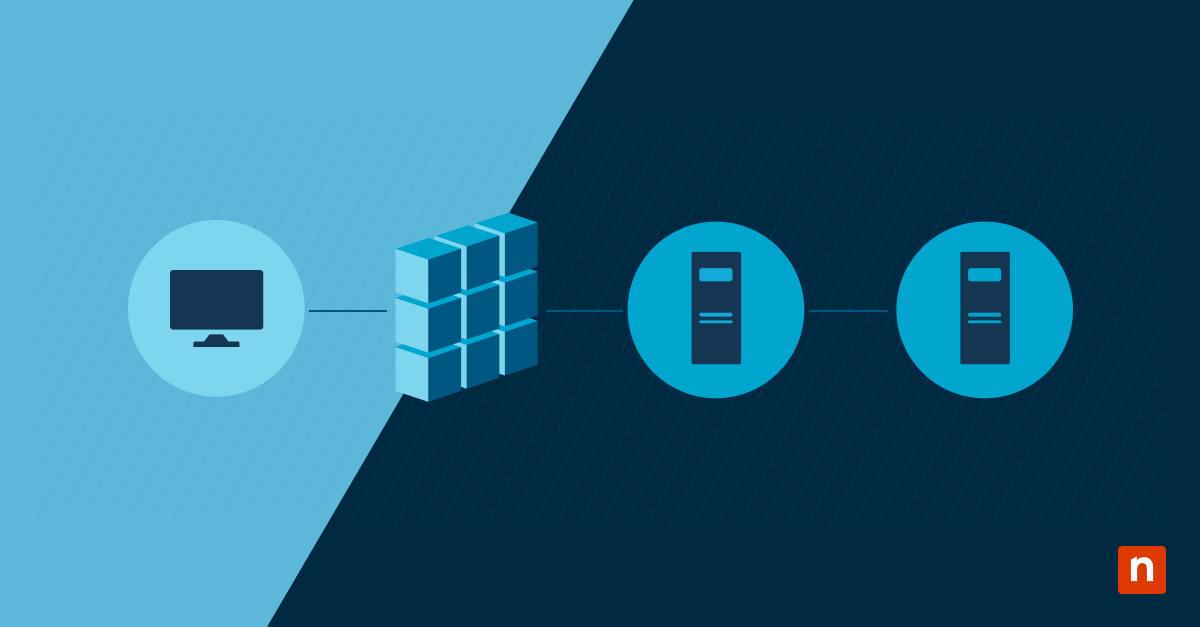
802.1X authentication operates through three distinct roles that work together during the authentication process:
- Supplicant
The supplicant can be any device (laptop, desktop, phone, or other endpoints) or user requesting access to the network through a switch port or wireless access point. - Authenticator
The authenticator is the network device, such as a switch or wireless access point, that controls access. It blocks traffic by default and only allows authentication messages to pass until identity is verified. - Authentication server
The authentication server validates credentials, evaluates identity policies, and sends an accept or reject decision back to the authenticator. It is typically a Remote Authentication Dial-In User Service (RADIUS) server.
Authentication cannot succeed if any one of them is misconfigured or unavailable.
How the 802.1X authentication flow works
The 802.1X authentication process follows a structured exchange sequence designed to verify identity before granting access. At a high level, the process works as follows:
- The supplicant requests access to the network.
- The authenticator forwards credentials to the authentication server.
- The authentication server validates identity and returns the result to the authenticator.
- The authenticator grants or denies access.
Understanding EAP methods and their impact
EAP is a flexible authentication framework that supports multiple authentication methods, allowing devices or users to be verified in different ways. Common EAP methods include:
EAP-TLS
Extensible Authentication Protocol – Transport Layer Security (EAP-TLS) is a method that uses client and server digital certificates for mutual authentication. No passwords are transmitted, which is why it’s considered the most secure and widely recommended EAP method for enterprise environments.
PEAP and EAP-MSCHAPv2
Protected Extensible Authentication Protocol (PEAP) establishes a secure TLS tunnel between the client and the authentication server. Within that tunnel, inner authentication methods such as MSCHAPv2 are used to validate usernames and passwords. These methods are easier to deploy than certificate-based authentication but depend on the strength and protection of user credentials.
EAP-TTLS
Extensible Authentication Protocol-Tunneled Transport Layer Security (EAP-TTLS) establishes a secure TLS tunnel and supports multiple inner authentication methods, allowing flexible credential validation within an encrypted session.
Your choice of EAP method should be based on security requirements balanced with deployment effort and device compatibility.
Applying 802.1X to wired and wireless networks
802.1x authentication can enforce access control regardless of the connection type, whether it’s wired or wireless. Meanwhile, access is denied until identity verification is complete.
Wired networks
- Switch ports remain blocked for regular traffic; only 802.1x traffic is allowed until authentication succeeds.
- Devices must authenticate before receiving network access.
- After successful authentication, the port transitions to an authorized state, and regular traffic is allowed.
Wireless networks
- The access point allows association with the SSID but blocks regular data traffic until authentication succeeds.
- Devices must complete 802.1X authentication before full network access is granted.
- After successful authentication, encryption keys are established, and regular network traffic is permitted.
Common authentication failure scenarios
Most 802.1X issues originate in the identity infrastructure rather than in switches or access points. Understanding failures in authentication helps with easier troubleshooting and issue resolution. Here are the most common causes of authentication failures:
| Issues | Potential solutions |
| Invalid usernames or passwords | Verify the user’s credentials in the identity store (such as Active Directory) and ensure the client device is not caching outdated login information. |
| Expired, missing, or untrusted certificates | Renew the server certificate or install the correct Root CA certificate on the client’s Trusted Root Certification Authorities store to establish a valid chain of trust. |
| Mismatched EAP configurations between client and server | Align the EAP types, such as PEAP or EAP-TLS, on both the client supplicant and the RADIUS server to ensure they are using the same handshake method. |
| RADIUS server unavailability or connectivity issues | Check the network path for blocked UDP ports (1812/1813) and ensure the RADIUS service is running and has the network device’s IP address configured as a valid shared-secret client. |
| Authenticated but no network access | Verify VLAN assignment, access policies, and authorization attributes returned by the RADIUS server after successful authentication. |
| Frequent disconnects or reauthentication failures | Review session timeout, idle timeout, and reauthentication interval settings on both the authenticator and the authentication server to ensure they are aligned. |
Operational considerations for 802.1X
Successful 802.1X deployments depend on supporting systems and processes.
Key operational considerations include:
- Reliability and redundancy of identity providers
- Certificate lifecycle management and renewal planning
- Consistent client configuration across operating systems
- Clear guest or fallback access strategies
Operational planning reduces user disruption and ongoing support burden.
Additional considerations
To help reduce deployment issues, several factors influence long-term stability and success that you need to consider:
- 802.1X depends heavily on identity infrastructure health.
- Certificate management is critical for long-term stability.
- Guest access often uses alternative mechanisms.
- Mixed OS environments may require additional client setup.
Understanding 802.1X authentication in Network Access Control
Deploying 802.1x authentication methods enhances security, scalability, and manageability for organizations supporting a wide range of users, operating systems, and device types. Understanding this protective approach and knowing the issues that may arise can help organizations enforce a more reliable deployment of the authentication method.
In this era of sophisticated cyberattacks and destructive threats, 802.1X authentication provides a critical layer of defense by ensuring only trusted, verified identities are granted access to enterprise networks.
Related topics: