

Key Points
- Third-party apps are programs from external vendors that run on top of an operating system or platform and can access device resources, identities, or data.
- First-party and system apps follow the platform vendor’s security and update lifecycle, while third-party apps follow each vendor’s own practices.
- Common risks include unpatched vulnerabilities, excessive permissions, external data sharing, and supply chain exposure.
- Risk varies by category, and each category (endpoint apps, mobile apps, browser extensions, SaaS integrations, SaaS applications, and AI tools) needs different visibility and controls.
- Governance covers the full lifecycle, from approval and access review to updates, patching, and decommissioning.
- Third-party involvement in breaches reached 48 percent in the 2026 Verizon Data Breach Investigations Report, up from 30 percent the year before.
- NinjaOne helps IT teams inventory installed applications, track and deploy third-party app patches, and enforce installation and removal policies from a single.
A third-party app is any program from an outside vendor that you install on top of an operating system or platform. Because each vendor sets its own update and security practices, IT teams need a defined process to approve, review, patch, and retire these apps. This guide is written for internal IT and security teams, and it covers definitions, risks, app categories, and lifecycle governance.
At a glance
| Task | Purpose and value |
| What qualifies as a third-party app | Establishes which applications require special oversight and governance. |
| How third-party apps differ from first-party and system apps | Clarifies why third-party apps need different controls than built-in software. |
| Why third-party apps increase risk | Identifies how external apps introduce security, access, and supply chain risks. |
| Categories third-party app categories | Enables risk-based controls based on app type and integration depth. |
| How to govern third-party apps across their lifecycle | Ensures consistent oversight from installation through decommissioning to reduce long-term exposure. |
What qualifies as a third-party app
Knowing what counts as a third-party app tells you which ones need special oversight. Examples include Adobe Reader, Google Chrome, and Java on endpoints;, mobile apps installed from an app store;, browser extensions;, AI assistants;, and cloud services connected through APIs or OAuth
A third-party app is any application that is:
- Developed by an external vendor: An outside vendor, not the operating system or platform vendor, builds and maintains the app.
- Installed on top of an operating system or platform: The app runs on an existing operating system or platform and is not part of it.
- Granted access to system resources, identity, or data: These applications often require permissions to access device resources, user identities, or organizational data to function properly.
Third-party access governance is the set of approval, permission review, and removal controls that limit what third-party apps can access.
How third-party apps differ from first-party and system apps
To ensure that you understand the need for special oversight, it is helpful to compare third-party apps with those built into the operating system. Here’s what comprises a first-party and system app:
- First-party apps are developed by the platform vendor, and they follow that vendor’s security and update lifecycle.
- System apps are core components required for OS functionality. Because they play an integral role in the operating system, standard users typically cannot remove them.
Here’s why third-party apps are different:
- Their development practices vary widely between vendors
- Update cadence is inconsistent or user-based
- Security posture is vendor-dependent
| App type | Who builds it | Update and security lifecycle | Who can remove it |
| First-party app | The platform vendor | Follows the platform vendor’s lifecycle | The user or an administrator |
| System app | The platform vendor | Typically updated with the operating system | Typically not removable by standard users |
| Third-party app | An external vendor | Set by each vendor and often user-driven | The user or an administrator, depending on policy |
Why third-party apps increase risk
As shown above, the lack of uniform control is what makes third-party software a distinct governance challenge. Because of these weaknesses, third-party apps can introduce the following risks:
- Unpatched vulnerabilities: Security flaws in third-party apps that remain exploitable because updates are delayed, missed, or not centrally enforced (see how to patch third-party applications).
- Excessive permissions: Access requests that exceed what the app needs to function, increasing the potential impact if the app is compromised or misused.
- Data-sharing with external services: Transmission or storage of organizational data outside the primary platform, often governed by the vendor’s own privacy and security practices.
- Deep integrations: Risk introduced through the app’s dependencies, update mechanisms, or upstream vendors, where compromised code or updates can be distributed to trusted environments.
Third-party exposure is growing. The 2026 Verizon Data Breach Investigations Report found that 48 percent of breaches involved a third party, up from 30 percent the year before. Verizon groups this exposure into three types: a vendor in your software supply chain, a vendor that hosts your data, and a vendor connected to your environment. In one campaign described in the report, attackers stole OAuth tokens for a connected app and used them to pull customer data from a SaaS platform.
Verizon also reports vulnerability exploitation as the leading way attackers gain initial access, ahead of stolen credentials, which makes timely patching of third-party apps a core control.
Categories of third-party apps
While we established that third-party apps may introduce vulnerabilities, not all pose the same level of risk, depending on their category. Common categories include:
- Endpoint applications: These are software applications installed on desktops and laptops managed by an organization.
- Mobile apps: Programs that run on mobile devices.
- Browser extensions: Tools that aid in web browsing and can modify web content and sessions.
- SaaS integrations: These are cloud apps connected via APIs or OAuth.
- SaaS applications: These are applications that run in the cloud and that you access through a browser.
- AI tools and assistants: Chat assistants, browser AI extensions, and AI agents that employees adopt, often with access to company data.
Keep in mind that each category has different visibility, controls, and review process requirements. Review third-party apps in your operating system or platform, and you can apply security policies based on the category they are under.
How to govern third-party apps across their lifecycle
Effective third-party app management is not a one-time approval decision. It requires ongoing monitoring, evaluation, and governance across the full lifecycle. Effective management requires the following:
- Approval: Clear criteria for installation and use
- Access review: Validation of permissions and integrations, including OAuth consent grants
- Updates and patching: Ongoing evaluation of vendor updates
- Decommissioning: Removal of apps that are no longer needed
Platform defaults now support this step. In tenants that use the Microsoft-managed consent policy, Microsoft requires administrator approval for third-party apps that request access to files, sites, and some mailbox and Teams data, so review those consent requests as part of your approval process.
Treating third-party apps as permanent assets without reassessment increases long-term exposure, especially as business needs and threat landscapes change. Apps from reputable vendors still carry risks due to their permissions, update cadence, and dependencies. Governing them across their lifecycle keeps that risk visible and manageable.
What to watch for
These are some factors that you need to keep in mind when managing third-party apps:
- Persistence: Third-party apps often persist beyond their original business need.
- Shadow IT use: Shadow IT frequently manifests as unmanaged third-party tools.
- Control gaps: Mobile and SaaS apps can bypass traditional endpoint controls.
- Continuous verification: Vendor trust does not replace ongoing verification.
- Unsanctioned AI tools: Employees may connect AI assistants and browser extensions to company data before IT reviews them.
Common problems and how to fix them
You may encounter issues when managing third-party apps. Here are some of the most common problems and their potential solutions.
| Issues | Possible solutions |
|---|---|
| Unexpected behavior or data access | Review third-party app permissions |
| Security incidents without OS compromise | Investigate external software and integrations |
| Patch gaps | Confirm third-party apps are included in the update scope |
| User-installed tools | Reevaluate approval and discovery processes |
How NinjaOne helps manage third-party apps
NinjaOne gives IT teams one console to find, update, and control third-party applications on managed devices
- Inventory installed software: NinjaOne Endpoint Management lists the software installed across managed devices, so that IT can spot unauthorized and outdated applications.
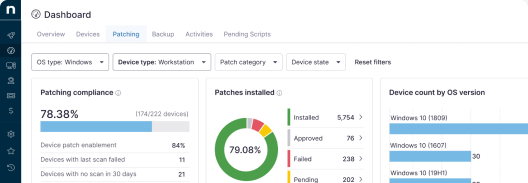
- Patch supported third-party apps: NinjaOne Autonomous Patch Management scans managed endpoints for outdated third-party software and applies updates under the policies and approval rules you set.
- Control installs and removals: NinjaOne Endpoint Management installs, uninstalls, and patches applications on Windows, macOS, and Linux endpoints through policy-based automation.
- Set mobile app policy: NinjaOne MDM manages apps on iOS and Android devices through policy.
- Manage browser extensions: NinjaOne Browser Management applies browser and extension policies across managed devices.
Third-party apps and the need for special oversight
Third-party apps are programs that are not built into the operating system or platform. While these apps are safe if obtained from reliable sources, many of them may introduce risks that could expose your IT environments to vulnerabilities. This is where third-party access governance comes in, ensuring that security is maintained while third-party apps are being used and utilized.
Key takeaways:
- Third-party apps operate outside core platform trust boundaries
- Risk depends on permissions, access, and update behavior
- A clear definition enables consistent governance
- Lifecycle management reduces long-term exposure
- Oversight must span endpoints, SaaS, and mobile environments
By understanding what third-party apps are, how they differ from first-party programs, and the risks they may introduce to your IT environment, you can reduce instances of unmanaged software, limit unnecessary access, and implement consistent third-party access governance.
Related topics:
- Application Patching: How To Patch Third-Party Applications
- How to Prioritize Third-Party Patches Based on Vendor Risk Scores
- How to Create a Third-Party SaaS Approval Policy for SMB Clients
- How to Create a Third-Party SaaS Approval Policy for SMB Clients (Video guide)
- How to Standardize SaaS Application Ownership Across Departments