NinjaOne Remote session recording for IT teams
Session recording is a capability of NinjaOne Remote that saves remote support sessions to a folder technicians choose, so teams can review them later.
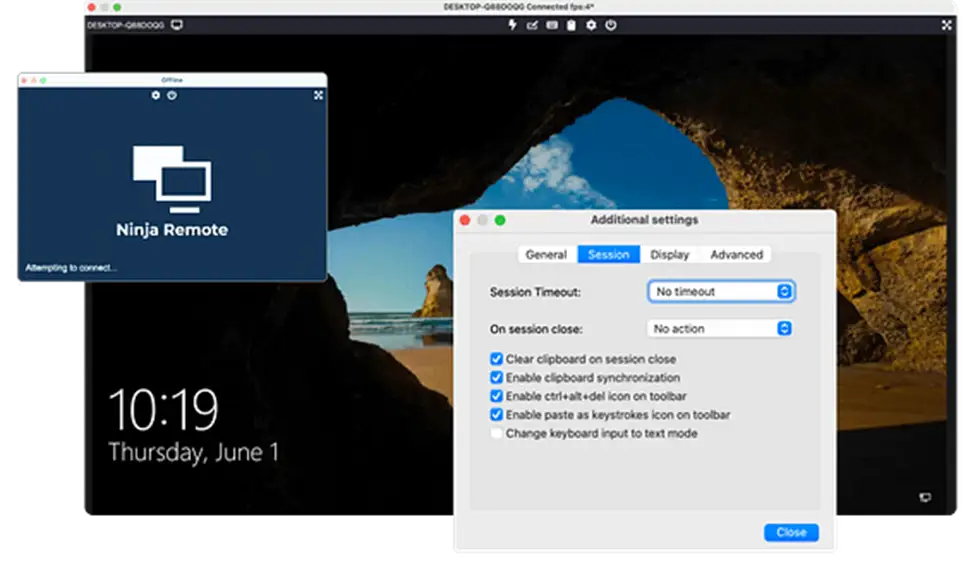
Session recording is a capability of NinjaOne Remote that saves remote support sessions to a folder technicians choose, so teams can review them later.






Remote support sessions often involve troubleshooting steps that are difficult to revisit once a connection ends. NinjaOne Remote allows IT teams and MSPs to capture these interactions, making it easier to evaluate support activities, share technical knowledge, and maintain records of completed sessions.
| Problem | How NinjaOne Remote addresses it |
Troubleshooting steps can be difficult to reconstruct after a remote session ends. | NinjaOne Remote lets technicians capture remote sessions and revisit recordings to examine the actions taken during troubleshooting. |
Training new technicians requires practical demonstrations of real support scenarios. | NinjaOne Remote provides session recordings that teams can use to illustrate troubleshooting techniques and common technical procedures. |
Reviewing technician activity without a visual record can limit visibility into support interactions. | NinjaOne Remote session recordings provide visual context alongside remote session activity logged in the NinjaOne device dashboard. |
Keeping recordings on end-user devices can create storage and access concerns. | NinjaOne Remote saves recordings on the technician’s device in a designated folder, with an optional backup directory. |
NinjaOne Remote helps IT teams and MSPs gain better visibility into remote support interactions by preserving recordings that can be reviewed after a session ends. This supports more consistent troubleshooting, technician development, and service quality evaluations.
Revisit recorded sessions to understand how technical issues were addressed, identify missed steps, and improve future troubleshooting approaches.
Use recordings of real support interactions to demonstrate technical procedures, share practical knowledge, and help new technicians learn from experienced team members.
Examine previous remote sessions to evaluate support practices, identify opportunities for improvement, and promote consistency across technician workflows.
Maintain a visual record of technician actions during remote sessions, providing additional context when reviewing support activities or addressing questions about completed work.
NinjaOne Remote gives IT teams the tools to capture and manage remote support recordings. Technicians can control when sessions are recorded, choose where files are stored, and revisit previous interactions when needed.

Technicians can start or stop recording directly from the NinjaOne Remote session toolbar, capturing remote support activities for later review.

NinjaOne Remote lets technicians select a folder on their local device to save session recordings, keeping recorded files separate from the end-user device.

NinjaOne Remote provides an automatic recording option that allows supported remote sessions to be captured without technicians manually starting each recording.

Technicians can configure an alternative directory for session recordings in NinjaOne Remote, providing an additional storage location when needed.

NinjaOne logs remote session details in the device dashboard’s Activities section, including the technician’s name, destination endpoint, and session start and end times. These logs help IT teams track remote connections alongside saved recordings.
NinjaOne Remote helps IT teams and MSPs document remote support interactions and use recorded sessions to support daily IT operations. These recordings provide a practical reference for troubleshooting, technician training, and service reviews.
When an issue reappears, technicians can review previous NinjaOne Remote recordings to examine earlier troubleshooting actions, compare approaches, and identify steps that may help resolve the problem.
IT teams can use NinjaOne Remote session recordings to create a collection of real support examples. New technicians can study common procedures, observe troubleshooting methods, and become familiar with established support practices.
MSPs use NinjaOne Patch Management to monitor patch compliance across multiple customer environments from a single console. This allows technicians to prioritize remediation, standardize patch management practices, and maintain consistent compliance across every managed client.
100,000
Endpoints managed
“NinjaOne is a scalable solution. It’s built on a modern SaaS architecture and it’s future-proof.”

40%
More Cost Effective
“NinjaOne’s price point is 40% less than any other endpoint management tool on the market, while being more powerful and easy to use.”

10-15
Tools Replaced
“Before, I needed 10-15 different tools to execute what NinjaOne does in its centralized, single pane of glass.”

30%
Less time for patching
“We observed a 30% reduction in the time taken for patch deployments compared to our previous solution.”

2,000
Endpoints managed
“NinjaOne gives me much more flexibility and security in my work”

30%
Annual ROI
“[NinjaOne] has already shown its value in ROI…it’s at least a hundred thousand dollars annually.”

24x
Faster Endpoint Management
“Our processes have become 24x faster with NinjaOne.”

20-40
Hours Saved Each Week
“Leveraging the automations feature within NinjaOne has enabled me to save upwards of what would likely be 20 to 30 to even 40 hours per week.”

Open the device dashboard in the NinjaOne console and launch a NinjaOne Remote session to establish a connection with the endpoint requiring assistance.
During the active NinjaOne Remote session, use the recording control in the upper-right corner of the session window to begin capturing the remote support interaction.
Continue troubleshooting or performing maintenance while NinjaOne Remote captures the session. Stop the recording when the necessary activities are complete, or end the remote connection.
Access the saved recording to revisit troubleshooting procedures, examine technician actions, or support training activities. Remote session logs are also available in the device dashboard’s Activities section.
Flash uses NinjaOne Remote’s session recording capabilities to share troubleshooting knowledge across its IT team, identify recurring technical issues, and support faster problem resolution.
“We can configure new kiosks and put them into production in minutes. At the same time, we can connect to existing devices and support customers by seeing exactly what’s going on. We can even take control to do things like print test tickets, all without sending out a technician.”
Rory McCune IT Director, Flash
Source: NinjaOne customer story – Flash
Record remote support interactions with NinjaOne Remote to document troubleshooting activities, review technician actions, and support IT team training.
NinjaOne Remote session recording lets technicians capture a remote support session and save it to a folder they choose. IT teams and MSPs use recordings to review troubleshooting, train technicians, and check completed work.
Connect to a device using NinjaOne Remote and click the recording button in the upper-right corner of the session window. The recording starts immediately and continues until you stop it or end the remote session.
During a NinjaOne Remote session, open Additional Settings and select the General tab. Choose Select record directory to specify where recordings are saved. You can also configure an alternative directory for recordings.
Yes. NinjaOne Remote allows technicians to stop an active recording without disconnecting from the remote device. The remote support session can continue after recording stops.
Yes. NinjaOne automatically records the start and end times of remote sessions, the remote device, and the technician’s name in the device dashboard’s Activities section. These logs provide an audit trail of remote connections, while session recordings, when enabled, capture the on-screen activity during a session for later review.