Key Points
- Switch Interface Roles Define How Devices Connect to a Network: Each interface acts as a network ingress/egress point for devices; configuration defines device access scope and traffic handling policies.
- Speed and Duplex Settings Directly Impact Performance: Misaligned interface configurations between devices can lead to packet loss, retransmissions, and slowdowns.
- Interface Configuration Controls Traffic Segmentation: VLAN assignment and tagging on switch interfaces decide which devices share broadcast domains and which traffic is kept segmented.
- Misconfigured Switch Interfaces Can Lead to Tricky Issues: A poorly configured port can lead to unreliable connections and cause subtle, hard-to-trace performance drops.
- Standardized Switch Interface Configuration Simplifies Network Management: Consistent port settings and profiles help keep network behavior predictable and make troubleshooting easier.
Network switches are the building blocks of modern networks. They link endpoints, servers, and other critical infrastructure to one another. More importantly, it controls how traffic enters, moves, and exits the network.
And although you can use these switches straight out of the box, configuring them is important for ensuring consistent performance, traffic segmentation, and smooth day-to-day operations.
This guide explores how network switch interfaces are configured and why proper configuration matters in maintaining a secure and functional network.
What are switch interfaces: A quick overview
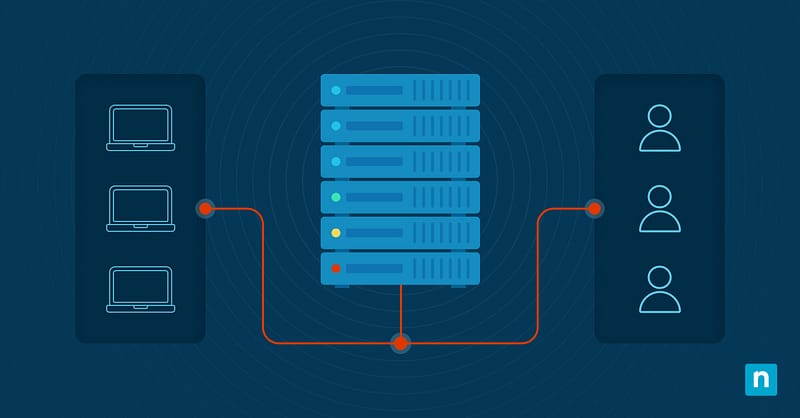
Switch interfaces are the front door of a network. It’s the point where devices connect to the switching fabric and where traffic is forwarded, configured, and controlled.
Interfaces can do a variety of things depending on their configuration. For example, some interfaces carry traffic for a single VLAN, while others forward it to multiple VLANs. You can also configure it to specific speeds and duplex settings and add different traffic-handling rules, like access controls or rate limits.
Because of this, each switch interface acts as a checkpoint at the edge of the network. One small change to an interface can drastically affect a network’s performance, security, and overall reliability.
Switch interfaces also help organize and segment networks. It does this by assigning devices to VLANs and controlling which VLANs are allowed to pass through so that the traffic that actually needs to flow across the network can do so.
Four key settings that define switch behavior
There are a handful of settings you can configure on a switch interface, but most administrators focus on the following areas:
Speed and duplex negotiation
This setting determines how fast an interface runs and determines if it can send and receive data at the same time. Most modern environments work well with auto-negotiation, but if you have older devices that don’t negotiate properly, the mismatched settings can cause performance issues later on.
VLAN assignment and tagging behavior
This is where you’ll decide whether you want an interface to carry traffic to a single or multiple VLANs and whether that traffic will be tagged or untagged. These settings keep devices in the right broadcast domain and ensure that traffic stays right where it belongs.
Port mode
Most switch interfaces are categorized into one of these modes: access and trunk ports. Access ports are typically reserved for endpoint devices or servers, whereas trunk ports carry multiple VLANs between switches and other network devices.
Picking the right mode keeps traffic predictable and helps prevent common misconfigurations.
Power and delivery link state settings
Most interfaces provide Power over Ethernet (PoE) for phones, cameras, and other wireless access points and link settings, which you can use to enable, disable, and monitor ports. Together, they allow you to control how devices connect and stay online.
These four settings have the biggest impact on how traffic flows and how devices behave within a network.
Why standardized interface configuration matters
So, why is it important that your network’s switch interface configurations are aligned with one another?
Since interfaces sit right at the edge of a network, even the smallest misconfiguration can cause big performance problems. A speed or duplex mismatch can lead to packet loss and retransmissions. Links may start to appear “up” even though traffic has dropped. Finally, the overall throughput of your network will suffer without any obvious red flags.
Simply put, your networks’ overall performance will start to degrade without you even knowing it.
But when interfaces follow a standard pattern or setting, network behavior becomes predictable, and spotting configuration drifts will be easier. What’s more is that changes are less likely to cause problems when every device is working from the same baseline.
Standardized interface configurations also make troubleshooting less challenging. When something breaks, there’ll be less second-guessing and fewer hidden dependencies to worry about.
Limitations and common misconceptions about interface configurations
Although you can find network switch interfaces in nearly every modern network today, there’s still a lot that people don’t know about them. Most specifically, there are a lot of misconceptions around what it can and can’t do.
For instance, some think that switch interfaces can replace network monitoring. Your team still needs to observe traffic patterns, errors, and performance trends to understand what’s happening within your network.
Others think that they don’t need to align interface configurations with their network’s broader architecture, but really, it should support the network’s overall design. This means making sure that the configurations match how endpoints are expected to communicate with one another.
Another common misconception that people have about interface configurations is that they’re only important in large networks. When in reality, smaller networks can feel the impact of misconfigurations just as strongly as large infrastructures do; sometimes, they feel it even more.
Since they have less redundancy to fall back on, one poorly-configured port can disrupt connectivity for a large part of a small network.
Interface configurations work best when you treat them as a component of a network management strategy and not a standalone solution.
Finally, some administrators think that all ports should be configured the same way. While it’s true that consistency is important, different device roles need different settings.
A port connecting an end-user device and a port that links switches together will have different configurations.
Understanding these limitations will help you make more informed decisions about how to configure your network’s switch interfaces.
Best practices for switch interface configuration
When it comes to configuring switch interfaces, a little structure can go a long way.
- Create standard port profiles: Set up go-to configurations for common scenarios like end-user devices, servers, uplinks, and access points. This way, you can easily configure switch ports consistently.
- Clarify what each port is for: Documenting interface roles may be fun, but it’ll help your team save a lot of time by giving them a useful reference for troubleshooting and making adjustments.
- Monitor link health: Checking whether a port is “up” alone is not enough; you need to monitor link status, error counters, and negotiation issues to catch performance issues early on.
- Review configurations each time the network changes: It’s vital that you review your network’s interface settings each time you add new devices, move VLANs, or adjust traffic paths. Remember, even the smallest change in configuration can lead to unexpected switch behavior.
With these practices in place, you’ll have a much easier time managing and keeping your network stable.
Network switch interface configuration as a foundation for scalable networks
Network switch interfaces are not just plug-in points; they’re some of the most important control surfaces of a network.
They influence how traffic flows, how devices talk to one another, and how well a network can keep up as it grows over time.
When you configure your switch interfaces with clear intention, you won’t have to worry about performance dips. You can avoid small mistakes from turning into bigger problems, and maintain organized traffic segmentation as your network expands.
Treating switch interface configurations as a core component of network design rather than just an afterthought is the key to building a scalable network.
Related topics: