Key Points
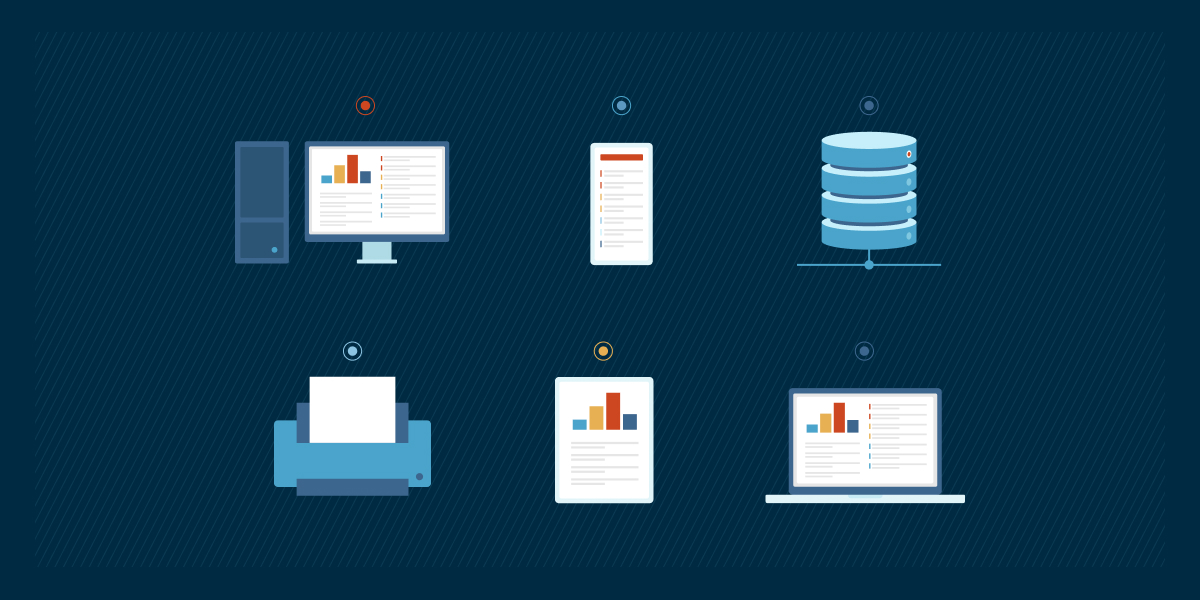
- Endpoints include desktops, laptops, tablets, smartphones, servers, printers, workstations, and IoT devices.Routers, switches, and firewalls are not considered endpoint devices.
- Endpoints must be protected against ransomware, social engineering, device loss, data breaches, insufficient encryption, and unpatched systems.
- Endpoint management best practices: maintain an asset inventory, enforce zero-trust policies, automate patching, and monitor device performance.
- Tools like NinjaOne can be utilized to centralize visibility, automate patching, and track performance metrics across servers, workstations, virtual machines, and SNMP-enabled devices.
Businesses and organizations around the world are reliant on endpoints to complete tasks, communicate, and access information. This is why endpoints play a vital role in streamlining IT operations and ensuring seamless productivity. In this overview, we’ll discuss the different types of endpoints and how they affect an IT environment.
What are endpoint devices?
Endpoint devices are physical, electronic devices that connect to and communicate with a computer network. The communication between an endpoint and its network is often compared to two people speaking over the phone. Just as information is passed between the two people on the phone, information is passed between an endpoint and its network when the two are connected.
Endpoints have also evolved to include any device that connects to business applications from anywhere. This is due to the rise of hybrid work, cloud computing, and Bring Your Own Device (BYOD) policies that most organizations adopted. In modern IT environments, endpoints are best understood as any edge device that interacts with company data, regardless of location.
Reduce manual workloads and maximize efficiency.
➤ Explore NinjaOne’s full suite of endpoint management tools.
Different types of endpoint devices
There are many types of endpoint devices out there, and while some people automatically assume that all devices are endpoints, that’s not true. According to Cloudflare, “Infrastructure devices on which the network runs are considered customer premise equipment (CPE) rather than endpoints.” Below, you’ll find endpoints grouped together under the first section and devices that are not endpoints grouped under the second section.
Endpoint devices
- Desktop computers
- Laptops
- Tablets
- Smartphones
- Servers
- Printers
- Workstations
- Internet of Things (IoT) devices
- Wearables
- Personal devices used for work under BYOD policies
Other devices
- Network gateways
- Switches
- Routers
- Firewalls
- Load balancers
6 types of endpoint security risks
Although endpoint security tools and practices have improved greatly in recent years, the incidence of endpoint attacks are still prevalent. To protect your business, it’s best to prepare for specific endpoint security risks, such as:
1) Ransomware
Ransomware is a type of endpoint attack that prevents an organization from accessing its files, data, and other important information or systems until a ransom is paid. It’s crucial to establish preventive measures against ransomware since attacks are continuously becoming more complex and persistent. According to Advanced Cybersecurity Management Institute, ransomware dwell time increased by 29% with over 58% of breaches now traced back to endpoints.
2) Social engineering
Social engineering is a type of security attack that uses deception and manipulation to trick people into revealing confidential information, such as passwords or access codes. Since cybercriminals use social engineering in 98% of security attacks, many of them are AI-assisted, one of the best ways to secure your endpoints is to train your employees how to spot and avoid social engineering tactics.
3) Device loss
Mobile endpoints, such as smartphones and laptops, are easy to lose. What’s worse is these devices are prone to theft. In fact, mobile device theft remains steady at around 1% of active subscribers among participating operators, according to a GSMA report. While the figure might seem minute, it still represents millions of devices globally, each potentially exposing sensitive business data if lost or stolen.
4) Data breaches
There are many IT horror stories out there that show just how costly data breaches can be. In addition to data breaches, unsecured endpoints can also suffer from data loss, which occurs when data is accidentally deleted and unable to be recovered.
5) Insufficient encryption
Data encryption is a second layer of security for data. Even if cybercriminals get their hands on confidential data, they will be unable to decipher it if it is encrypted. However, if the data is not encrypted, it will not have this second layer of security to rely on if an attack occurs.
6) Unpatched systems
Unpatched systems leave endpoints vulnerable to attacks, and system vulnerabilities are can lead to data breaches which are very costlyhttps://gitnux.org/patch-management-statistics/. However, with the right patch management software, businesses can automate processes to ensure that all endpoints are patched, up-to-date, and secure.
7) AI-powered threats
Bad actors have been leveraging artificial intelligence to orchestrate cyber-attacks such as automated phishing, malware generation, and detection evasion. The best preventive strategy is to keep learning about these AI-assisted attacks and enforce strong security practices such as continuous monitoring, user awareness, and AI-driven threat detection.
See exactly what endpoint devices look like—check out this quick video: ‘Endpoint Devices Explained (with Examples)’.
Best practices for managing endpoint devices
-
Protect all endpoints
Endpoints are the doors to your organization’s data. Ensure that they are protected at all times to prevent data breaches and other cybersecurity attacks. Conduct an inspection to create an up-to-date IT asset inventory and discover how many endpoints you have on a network.
-
Follow zero-trust principles
Zero-trust is a principle that IT professionals use when configuring endpoint devices. It has become a baseline security model that requires continuous verification of both user identity and device health prior to granting endpoint access. Essentially, the main concept behind zero-trust policies is to trust nothing and secure everything. Implement zero-trust principles when configuring endpoint devices to add an additional layer of security.
-
Set up automated patching
Patching can be time-consuming and monotonous, but it plays a significant role in protecting endpoints. One easy way to make patching easier is to set up automated patching processes while following patch management best practices.
-
Monitor and analyze endpoint data
Endpoint management tools, such as NinjaOne, allow technicians to monitor and analyze live endpoint data. This allows IT professionals to track and measure endpoint performance to assess device health and security.
-
Leverage AI-powered security
Deploy a robust endpoint management system that uses AI-driven insights, behavioral analytics, and continuous telemetry to identify risks and enable faster, more informed remediation.
Monitor, patch, and secure your endpoint devices effortlessly with NinjaOne, G2’s top-rated endpoint management software.
How NinjaOne helps MSPs and internal IT manage endpoint devices
NinjaOne’s endpoint management solution allows IT professionals to gain visibility and control over all endpoints on a network. Currently, NinjaOne is compatible with three groups of endpoints:
Group 1
Windows, Mac, and Linux servers, along with workstations and laptops
Group 2
HyperV and VMware, virtual machine hosts, and guests
Group 3
SNMP-enabled devices, such as networking devices, NAS devices, servers, websites/web endpoints; NinjaOne can monitor for availability and uptime on these types of devices
With NinjaOne, endpoint management is a simple and easy process. To manage and monitor devices within the NinjaOne tool, follow these steps:
- From the NinjaOne dashboard, navigate to the Organizations tab
- Locate an org and click into it
- You should now see all devices associated with the org
- Select a device to see the device record/general overview of the device
- In the device record, you can find general device information, live device performance and health metrics, and more
- For additional device information, navigate from the overview page that you are currently on to the details page, where you’ll find memory, processors, disk volume, network adaptors, etc
Conclusion
With NinjaOne in your toolbelt, you’ll have access to top-of-the-line RMM, patch management, and endpoint management solutions. From automated patching to live device performance data, this software solution has everything you need to keep your endpoints organized and protected at all times. Test NinjaOne with this free trial to find out why it’s the right solution for your IT environment.