Keep Your Google Contacts Safe
Google Contacts backup by NinjaOne helps teams avoid losing important contact information by making it possible to recover deleted or overwritten contacts and keep contact data accurate across Google Workspace.
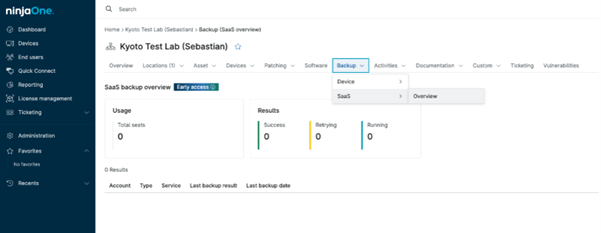
Google Contacts backup by NinjaOne helps teams avoid losing important contact information by making it possible to recover deleted or overwritten contacts and keep contact data accurate across Google Workspace.






If someone deletes a contact by mistake, IT teams can restore it without having to recreate the information manually.
When contacts are overwritten or changed because of device sync or app issues, backups make it easier to recover the correct information.
Teams can keep access to accurate contact information that is used across Gmail, Calendar, and other Google Workspace services.
Google Contacts backup by NinjaOne adds protection that goes beyond what Google Workspace provides by default, helping IT teams recover contact data when native options are limited.

Contacts are backed up automatically, creating copies that can be used for recovery when contacts are deleted or changed and cannot be restored through Google Contacts alone.

A backup makes it possible to recover individual contacts or contact lists after they are permanently removed or overwritten due to sync issues.

Since Google Contacts syncs across devices and apps, SaaS-based backups help restore correct contact information when sync issues cause unwanted changes.

Backup copies are stored separately from Google Workspace, providing an extra recovery option when Google’s built-in tools cannot restore the data.

Contact backups can be managed from a single place, making it easier for IT teams to handle recovery requests and maintain accurate contact data.
IT teams can quickly restore contacts that were deleted by mistake and are no longer available in Google Contacts.
Backups allow teams to recover correct contact details after unwanted changes caused by device sync or apps.
Restoring contact lists helps ensure users keep access to shared or commonly used contacts.
Learn how to backup Google Workspace contacts to safeguard essential business information, prevent accidental data loss, and ensure quick recovery when needed.

To strike the perfect balance of ease and security, follow this step-by-step guide on how to let apps access contacts (Windows 10), best practices, and common troubleshooting solutions.
This guide shows you the steps to run a Google Workspace health review without extra tools.
100,000
Endpoints managed
“NinjaOne is a scalable solution. It’s built on a modern SaaS architecture and it’s future-proof.”

40%
More Cost Effective
“NinjaOne’s price point is 40% less than any other endpoint management tool on the market, while being more powerful and easy to use.”

10-15
Tools Replaced
“Before, I needed 10-15 different tools to execute what NinjaOne does in its centralized, single pane of glass.”

30%
Less time for patching
“We observed a 30% reduction in the time taken for patch deployments compared to our previous solution.”

2,000
Endpoints managed
“NinjaOne gives me much more flexibility and security in my work”

30%
Annual ROI
“[NinjaOne] has already shown its value in ROI…it’s at least a hundred thousand dollars annually.”

24x
Faster Endpoint Management
“Our processes have become 24x faster with NinjaOne.”

20-40
Hours Saved Each Week
“Leveraging the automations feature within NinjaOne has enabled me to save upwards of what would likely be 20 to 30 to even 40 hours per week.”

Google Contacts backup is the process of keeping secure copies of business contact information, so contacts can be recovered if they are accidentally deleted, overwritten, or lost in Google Workspace.
Contacts can be deleted, changed, or replaced over time as people update them or sync them across devices. A backup makes it possible to restore contact information when something goes wrong.
A SaaS-based backup solution securely connects to Google Workspace and regularly saves copies of contact data. If contacts are later deleted, overwritten, or changed by mistake, those saved copies can be used to restore the correct contact information.
Contacts can sometimes be restored using Google’s built-in options if the deletion is recent. Once those options are no longer available, contacts can only be recovered if a separate backup exists.
A Google Contacts backup includes contact names, email addresses, phone numbers, and other contact details needed to restore contact information accurately.
Google Contacts backups should run on a regular basis, so recent contact changes can be restored when needed.
Yes. A Google Contacts backup allows IT teams to restore a single contact or an entire contact list, depending on what needs to be recovered.
A Google Contacts backup allows contact data to be restored if sync issues or overwrites cause unintended changes to contact information.
In some cases, yes. A backup helps organizations keep access to contact records when they are needed for internal reviews, audits, or compliance-related requirements.
A Google Contacts backup solution should provide automated backups, secure storage outside Google Workspace, and centralized management for IT teams, such as those offered by NinjaOne as part of its SaaS backup solution.