NinjaOne Gmail Backup for Google Workspace
NinjaOne SaaS Backup helps IT teams protect Gmail messages and attachments with automated, independent backups and granular recovery for Google Workspace environments.
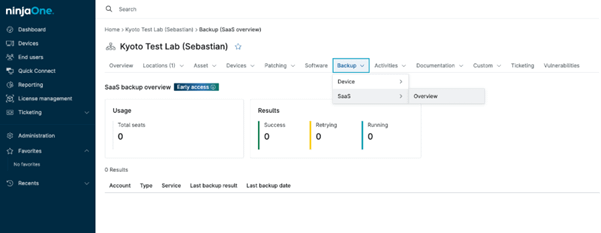






For IT teams managing Google Workspace, NinjaOne Gmail Backup turns email recovery into a routine task instead of a fire drill. By keeping an independent copy of Gmail data outside Google’s native retention limits, IT teams can resolve recovery tickets faster, protect email tied to departed users, and reach messages long after the 30-day Trash window has closed.
Restore individual messages, threads, or attachments long after Google’s native Trash and Spam retention has expired, without depending on Google Vault rules or end-user recovery actions.
Search and restore specific Gmail messages directly from the NinjaOne SaaS Backup End-User Portal, replacing multi-step Google Workspace Admin Console recovery workflows with a single, repeatable process.
Preserve Gmail data even after a Google Workspace account is deprovisioned, suspended, or unlicensed, with email stored in an independent cloud repository separate from the source tenant.

Gmail messages and attachments are backed up automatically on a regular schedule, reducing the risk of data loss without manual intervention.

Allows IT teams to restore individual emails or attachments, instead of entire mailboxes, saving time and avoiding unnecessary disruption.

Email data is stored outside of Google Workspace, providing an additional layer of protection when native recovery options are no longer available.

Gmail backups can be monitored and managed from a single place, making it easier to track backup status and handle restore requests.

Helps organizations keep email data for longer periods to meet internal policies, audit needs, or compliance requirements.
When Gmail data goes missing, IT teams need answers in minutes, not days. Here are the everyday recovery scenarios where NinjaOne SaaS Backup makes that possible.
A user permanently deletes important messages or attachments, either by emptying Trash or by deletion that has aged past Google’s 30-day retention window. With NinjaOne Gmail Backup, IT teams search the SaaS Backup End-User Portal for the missing items and restore them directly to the user’s mailbox without affecting other messages.
Older emails are no longer available in Gmail because the messages have aged out of native retention, the user account has been suspended, or the license has been removed. NinjaOne Gmail Backup keeps that data accessible in the independent cloud repository long after the source mailbox is gone, allowing IT teams to recover historical messages without restoring the Google Workspace account itself.
Legal, HR, or compliance stakeholders need specific emails or conversations as part of an audit, investigation, or internal review, often spanning months or years of history. Administrators rely on NinjaOne Gmail Backup to locate the required messages by sender, recipient, date range, or keyword, then export them as PST or EML files for handoff to reviewers.
NinjaOne SaaS Backup helps IT teams protect Gmail mailboxes, automate backups, and restore email data from a centralized backup interface.
In this guide, we’ll walk through how to recover Gmail data. We will also cover the key timelines that govern your chances of restoration. Plus, outline the most effective strategies for both everyday users and Google Workspace admins to ensure business continuity and compliance.

Learn how to backup Gmail on Google Workspace and why it needs to include robust strategies that go beyond Google’s native retention policies.
This guide provides a framework for IT administrators and managed service providers (MSPs) to plan and implement an effective email archiving process. It includes email archiving strategies, tools, tips, and some of the best ways to ensure messages are stored reliably and securely.
100,000
Endpoints managed
“NinjaOne is a scalable solution. It’s built on a modern SaaS architecture and it’s future-proof.”

40%
More Cost Effective
“NinjaOne’s price point is 40% less than any other endpoint management tool on the market, while being more powerful and easy to use.”

10-15
Tools Replaced
“Before, I needed 10-15 different tools to execute what NinjaOne does in its centralized, single pane of glass.”

30%
Less time for patching
“We observed a 30% reduction in the time taken for patch deployments compared to our previous solution.”

2,000
Endpoints managed
“NinjaOne gives me much more flexibility and security in my work”

30%
Annual ROI
“[NinjaOne] has already shown its value in ROI…it’s at least a hundred thousand dollars annually.”

24x
Faster Endpoint Management
“Our processes have become 24x faster with NinjaOne.”

20-40
Hours Saved Each Week
“Leveraging the automations feature within NinjaOne has enabled me to save upwards of what would likely be 20 to 30 to even 40 hours per week.”