

Key Points
- Gartner projects DRAM and SSD prices will surge 130% by the end of 2026, pushing business PC lifetimes up 15% as organizations delay replacements.
- With replacement costly, the health of your existing fleet determines how well your organization absorbs the hit.
- Proactive endpoint health monitoring catches the issues that shorten device life: storage wear, memory starvation, startup bloat, and idle components in decommissioned devices.
- Targeted fixes like a RAM upgrade or a cleaned-up startup list can add a year or two of useful life for far less than a new device.
- Devices that can’t upgrade to Windows 11 need a plan, whether Extended Security Updates or replacement, and NinjaOne shows which devices fall into that group.
- Knowing which devices need attention before they fail lets you act on your timeline, not an emergency one.
Memory prices are climbing, and not in a way that’s expected to correct itself soon. Gartner is projecting a 130% surge in combined DRAM and SSD prices by the end of 2026, with PC prices up 17% and smartphone prices up 13% compared to 2025.
The downstream effect for IT is straightforward. Gartner expects PC lifetime to increase 15% for business buyers and 20% for consumers by the end of 2026, as rising costs push organizations to hold onto hardware longer in stead of replacing it on the usual cycle.
When replacement isn’t the easy default anymore, the condition of the fleet you already have becomes the thing that determines how well your organization weathers this. A device that’s quietly failing, starved for memory, or bogged down by background bloat is a device headed for early replacement at exactly the moment replacement is most expensive. Catching those problems early, and fixing the ones that are fixable, is how you get more useful life out of hardware you already own.
Why hardware costs are climbing
The short version: memory manufacturers can’t keep up with demand, and AI is the reason. DRAM and HBM capacity from Samsung, SK hynix, and Micron is reportedly already sold out for all of 2027, with manufacturers signing multi-year supply agreements to hyperscalers and AI companies instead of leaving capacity available for the broader market. Some large buyers are reportedly paying steep premiums just to secure supply at all.
That squeeze is already showing up in pricing. Gartner estimates PC memory costs will climb to 23% of a device’s total bill of materials by the end of 2026, up from 16% in 2025. That’s a big enough jump that vendors can no longer absorb it on lower-margin devices, and the sub-$500, entry-level PC segment is projected to disappear entirely by 2028.
The case for proactive health monitoring
If replacement isn’t happening on schedule, the alternative isn’t doing nothing, it’s paying closer attention to the fleet you already have. Most hardware failures don’t happen out of nowhere. A drive that’s thrashing under sustained load wears out faster than one operating normally. A device starved for memory struggles silently for months before it becomes a support ticket. Startup software piles up on a machine over its lifetime, consuming resources the user never asked to give up. None of these are new problems, but when replacement is the backstop, they’re easy to ignore until the device fails outright.
That backstop is gone, or at least it’s a lot less reliable than it used to be. A device that fails early because of a preventable issue isn’t just an inconvenience; it’s a hardware purchase happening at the worst possible time, at the worst possible price.
Proactive monitoring changes this outcome. Instead of waiting for a device to fail and then dealing with the cost of replacing it, you catch the signals early enough to intervene, whether that’s a targeted fix, a component upgrade, or just clearing out what’s slowing the device down. The goal isn’t to keep hardware running forever. It’s to get the full useful life out of every device instead of losing months or years to problems that were both preventable and inexpensive to fix.
Strengthen your security fundamentals
What to monitor and why
Storage health:
A drive under constant strain wears out faster than one running normally, and it feels sluggish to the user long before it fails outright. NinjaOne’s Disk Active Time condition flags devices where a drive is under sustained load (for example, 90% active time or higher for 15 minutes), which is the actual signal behind thrashing. Pair that with the Disk Free Space condition, since a drive running low on space is often the root cause of that strain in the first place. For drives that may already be degrading, the SSD Wear Health Alert template library script checks directly for failing or failed SSDs. And for a broader read on what’s happening across CPU, memory, disk, and network at once, the System Performance Check script gives you that full picture in one pass.
Catching a storage problem early delivers one key result: It gives the user back a device that actually feels responsive, instead of one they’ve quietly learned to work around.
Storage isn’t the only signal worth watching here. If a drive disappears or degrades and the chassis was opened right before it happened, that’s a different problem than wear and tear. NinjaOne can monitor for specific Windows Event IDs, including hardware-level events like chassis intrusion. On Dell hardware running OpenManage Server Administrator, for example, a chassis intrusion logs as Event ID 1254. Whatever event your hardware logs, NinjaOne can be configured to watch for it.
RAM starvation:
Not every underperforming device needs to be replaced. Sometimes it just needs more memory. The Memory condition flags devices running consistently high memory utilization, and the Process Resource condition narrows that down to a specific process consuming excessive CPU or memory, which tells you whether you’re looking at a hardware ceiling or a runaway application. From there, the device’s Details tab surfaces the memory picture directly, including in-use and available capacity alongside how many memory slots are currently occupied. The System Performance Check script, along with the native device details page, rounds this out by surfacing the actual top processes by resource usage, so you have the detail needed to make the call.
That distinction matters. If a device is genuinely RAM-starved, a targeted memory upgrade, even at today’s elevated prices, is still typically cheaper than a full replacement, and can get another year or two of useful life out of the device. Once that upgrade happens, NinjaOne’s Memory Added and Memory Removed activity monitors flag the change the moment it takes effect.
Startup and background bloat:
Over its lifetime, every device accumulates software that the user never asked for and doesn’t need running in the background. The Startup Audit Using Autorunsc script gives you visibility into everything configured to launch at startup, boot, or login, across startup folders, boot sequences, and Windows logon. From there, the Remove Microsoft Bloatware script clears out common preinstalled consumer apps, from Prime Video and Spotify to TikTok and McAfee Security, freeing up resources the device was quietly giving away.
This is one of the lowest-cost interventions available. No parts, no downtime, just reclaiming resources that were never doing the user any good in the first place.
Bring order to IT asset chaos.
Parts harvesting:
When a device does reach the end of its useful life, that doesn’t mean everything in it does. NinjaOne’s ITAM module tracks devices through decommissioning, giving you visibility into what’s being retired and when, which is the trigger point for deciding whether any of its components are worth pulling for use elsewhere.
Decommissioning a device in NinjaOne doesn’t erase its history either. The full historic log is retained, so the record of how that device performed over its lifetime is still there if you ever need to look back at it.
Salvaging usable RAM or storage from a retired device and putting it into one that’s still in service is a straightforward way to extend life across the fleet without new spend.
OS support and upgrade eligibility
Keeping a device running longer only pays off if the OS and software on it are still supported. Windows 10 reached end of life support in October 2025, and the hardware most likely to stick around past its normal refresh date is the hardware that can’t move to Windows 11, whether that’s a missing TPM 2.0 module or a processor Microsoft no longer supports. Before you decide to extend a device’s life, you need to know which side of that line it falls on. Otherwise, you’re not extending the life of a device; you’re extending the life of an exposure.
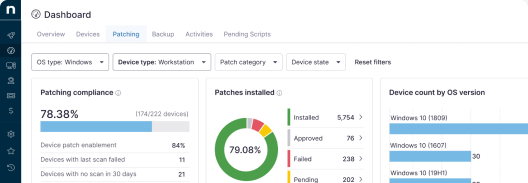
This is where NinjaOne’s fleet-wide visibility into OS version and patch status makes a huge impact. Instead of guessing which machines can upgrade, you can pull the actual list and see which devices are eligible and which aren’t, along with why. Extended Security Updates are an option for the devices that can’t move, but they’re not free , and that cost needs to sit next to replacement price when you’re deciding what to do with those devices.
Why this matters
Memory prices aren’t reverting anytime soon, and the supply constraints behind them are already booked out years in advance. That means the assumption most IT budgets are built on; that aging hardware gets replaced on a predictable schedule, no longer holds. Devices are staying in service longer, whether that was the plan or not.
Proactive health monitoring is how you make that reality work in your favor instead of against you. Catching a thrashing drive before it fails, upgrading RAM instead of replacing a whole device, clearing out startup bloat that’s been quietly dragging performance for years, these are small interventions with an outsized return when the alternative is an unplanned purchase at a moment when prices are climbing. And for devices that do reach end of life, knowing exactly when that happens means nothing usable goes to waste.
None of this requires a bigger budget. It requires knowing which devices need attention before they force the issue and having the visibility to act on it.