
Key Points
- The NinjaOne Assist app includes a Technician experience that gives NinjaOne technicians a tailored interface for remote support and device management from a phone or tablet.
- The app shows the Technician or End User interface based on each person’s login credentials, so teams roll out one app.
- Technicians can monitor organizations, find devices, work tickets, track patching, run automations, and connect through NinjaOne Remote.
- NinjaOne Assist is a free companion app for iOS 15 and newer and Android 8 or newer. No separate license required.
A server alert lands while you’re at dinner. Or you’re parked between two client sites when a ticket comes in from someone locked out of a shared drive. The fix is probably quick. Getting back to a laptop is what makes it slow.
Support doesn’t stop at your desk
IT work doesn’t follow office hours. IT teams cover on-call rotations with a small group of people. MSP technicians split their days between client sites and still owe every client a fast response. For lean teams, a mobile app that only surfaces alerts adds one more place to look without adding a way to act.
Technicians need the same context they’d have at a desk: which device is affected, what the ticket says, how patching looks, and a way to connect.
Introducing the NinjaOne Assist Technician experience
The NinjaOne Assist app includes a Technician experience that gives NinjaOne technicians a tailored interface for remote support and device management from a phone or tablet. The app shows the Technician or End User interface based on each person’s login credentials, so your team rolls out a single app and everyone sees the experience built for the role.
See every organization at a glance
The Global dashboard shows every organization you have access to, with callouts for My tickets, Device health issues, and Running actions. From there, you can move into organizations, devices, system activities, patching, the Knowledge Base, and groups.
Find any device fast
Device search takes you straight to the device you need, without browsing through organizations to find it.
Simplify remote IT support
Get answers in the Knowledge Base
Look up documentation at the global and organization level. You can view custom fields and custom field tabs at the organization and device level, so the details you’d check on a laptop travel with you.
Work tickets from anywhere
Manage tickets with NinjaOne Ticketing, whether you’re picking up a request between sites or following up on an issue after hours.
Track patching and run automations
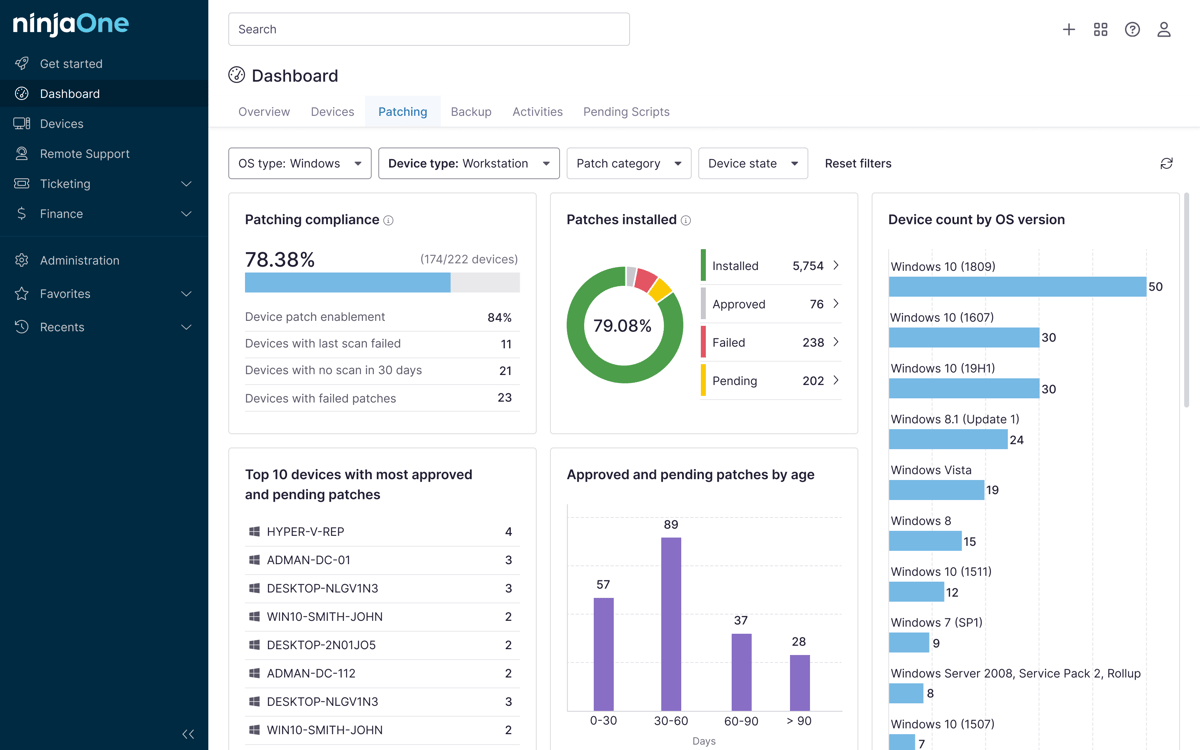
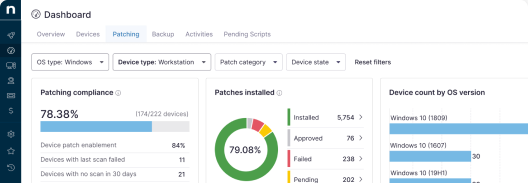
Track OS and third-party patching across organizations and devices and run automations on devices when a fix is already scripted.
Connect with NinjaOne Remote
When a device needs hands-on attention, connect through NinjaOne Remote. No laptop required.
What it means for your team
For IT teams, on-call and after-hours issues get handled where you are, and the context your team relies on stays within reach. Resolution depends less on who happens to be at a desk.
For MSPs, technicians can respond to client issues between sites without waiting to get back to the office. That keeps response times tight as your team takes on more clients.
Shift to proactive IT management
Availability
NinjaOne Assist is a free companion app for iOS 15 and newer and Android 8 or newer, with no separate license required. The Technician experience will be GA with the 16.0 release.
The NinjaOne Assist Technician experience gives you the context and tools to start fixing wherever the issue finds you.