Key Points
- Optimize your Google My Business profile to boost local SEO visibility: A complete and accurate profile helps your MSP appear in more local searches and attract nearby clients.
- Consistent business details build trust and credibility: Mismatched contact info or outdated listings can damage your reputation and lower your search ranking.
- Reviews and ratings directly impact your MSP’s lead generation: Encourage satisfied clients to leave 5-star reviews to increase conversions and build social proof.
- Regular updates and posts show Google your business is active: Adding new photos, posts, and responses signals to search engines that your MSP is reliable and engaged.
- Tracking and optimizing your listing improves long-term results: Use Google My Business Insights to analyze clicks, calls, and searches — then refine your strategy for maximum ROI.
Do you know that only 9% of Google searchers make it to the bottom of the first page of the search results, according to a recent study by Backlinko? For a managed service provider, that means if your business isn’t ranking near the top, you’re practically invisible to potential clients.
Just like it’s critical to show up at the top of Google’s search engine results, it’s equally important to appear among the top Google My Business listings when prospects look for local IT support.
While Google keeps its exact ranking factors a mystery, these eight proven ways to optimize your Google My Business (GMB) profile can dramatically improve visibility, strengthen your local SEO, and generate more qualified leads for your MSP.
(Note: While all functionality is described accurately at the time of writing, some GMB features may continue to evolve.)
8 Expert tips to optimize Google My Business for an MSP
1) Update your Google My Business profile information for an accuracy
Let’s start with something you can probably do in the next five minutes: Making sure your profile information is complete and up to date. Double-check that things like your address, contact information, service area(s), business category, website, and, of course, your business name are all accurate.
💡 Pro tip: Keep your MSP’s name, address, and phone number (NAP) consistent across all listings and directories. Google values accuracy and consistency when ranking local businesses.
2) Practice basic local SEO for your MSP listing
Search engine optimization (SEO) is of course important for all businesses — but it’s especially important for the smaller, more local ones that need all the help they can get going up against large players in Google search results.
That’s why you should be practicing SEO basics everywhere from your website to your blog posts to, you guessed it, your Google My Business profile.
Want tips for mastering SEO for your MSP and showing up in more local searches? Check out our ultimate guide to local SEO.
From your description to your responses to reviews, answers to questions, and posts (more on all of these soon) — include keywords. But remember to do so in a natural, human-friendly way. If there’s anything that’s as important to Google as keywords, it’s that the content they’re included in is high-quality.
💡 Pro tip: Include your target keywords (like “managed IT services” or “MSP in [your city]”) naturally in your business description, posts, and responses to reviews to strengthen local SEO.
3) Link your Google My Business and Google Ads accounts
In addition to all the SEO tricks that may convince Google to display you in one of the top GMB spots for the right search, another way to improve your search results ranking is to pay your way there.
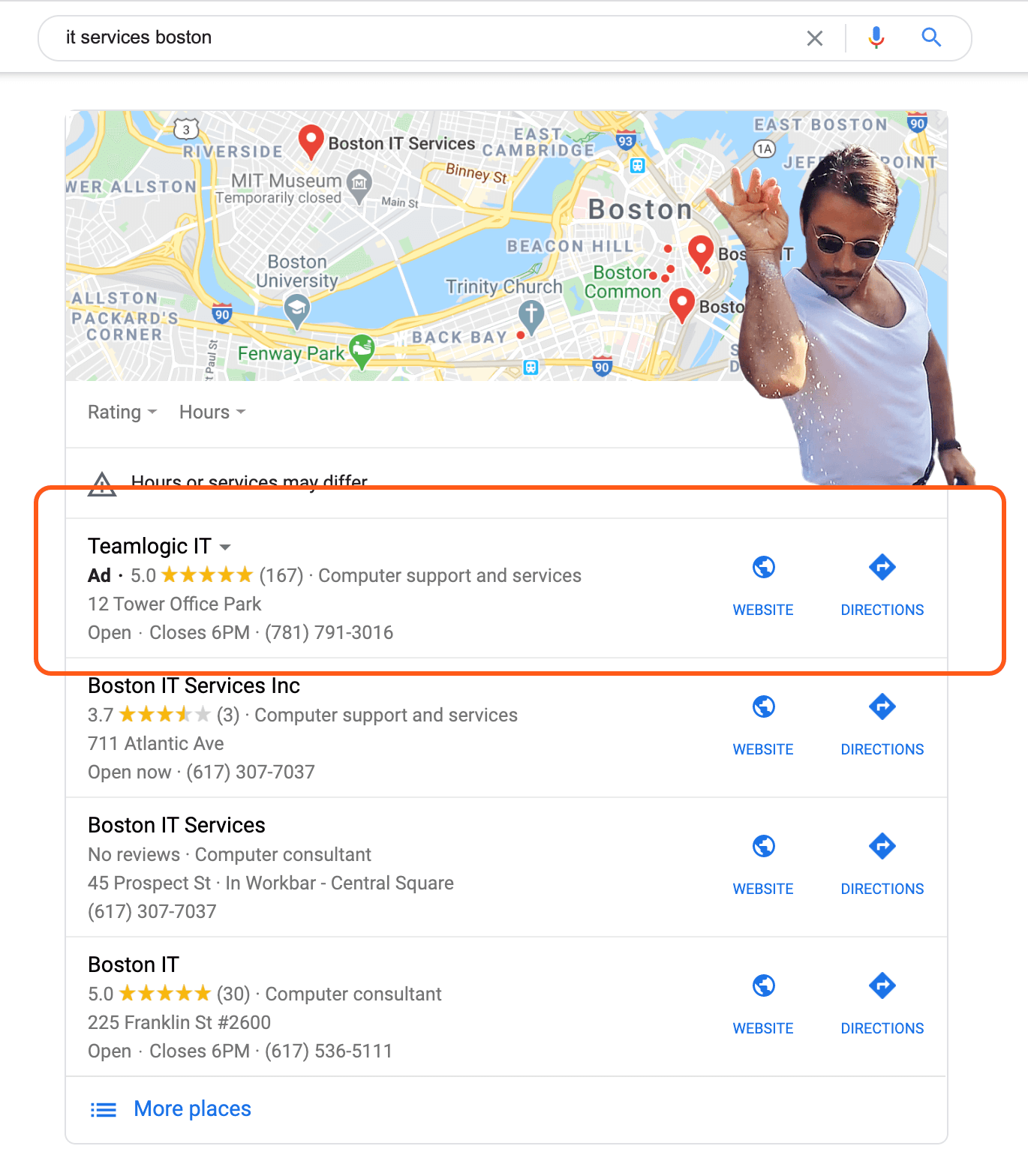
How we imagine Teamlogic IT feels when their ad shows up at the top of these listings.
Smart campaigns in Google Ads makes it easy to create location-based ads. However, it’s important to note that you might not be able to specify that you want your ads to appear in the Google My Business section of the search engine results page specifically. Instead, it’s more likely that your ad appearing at the top of a GMB display is just something that can happen when you run location-based ads.
Never tried paid search advertising for your MSP? Then you’ll really want to check out our Ultimate Guide to Paid Search Ads for MSPs before you dive into this tactic.
If Google ads still sound like something you want to try, this video from Google will walk you through the process of linking your Google My Business and Google Ads accounts and setting up Location Extensions.
💡 Pro tip: When you connect your Google Ads account with your Google My Business listing, use Location Extensions. They help your ads appear in local map packs and increase click-through rates.
4) Ask for more Google reviews to boost visiblity
We’ve already established the value of reviews — and the more, the better. However, it’s not like you can just create this resource out of thin air.
We find one of the best ways to rack up great reviews (in addition to providing an awesome customer experience, of course!) is to ask for them from your best customers on a consistent basis. And, if all else fails, offer incentives.
Timing is obviously important. If you’re already actively collecting customer feedback (and you should), then you might consider following up on high CSAT or NPS scores with a request for a review. Even better, you could automate that process. Either way, though, don’t be afraid to get specific and ask for a 5-star review and appeal to the fact that, like them, you’re a business owner and it could really help.
💡 Pro tip: Follow up with customers right after a positive interaction. Include your Google review link in thank-you emails or surveys to make it as easy as possible for them to leave feedback.
5) Add high-quality photos to your Google My Business listing
Humans are drawn to visuals. That’s probably because our brains process images 60,000 times faster than they do text.
Google allows you to add images, 360º photos, and even videos to your GMB account. And Google itself advises uploading several different types of photos, including exterior and interior shots, photos that best represent your offerings, a few pictures of your team, and more.
Aside from photos being more eye-catching for potential customers, regularly refreshing your GMB photos signals to Google that you’re an active business, which is likely to boost your ranking in search results.
For even more details on the GMB photo front, BrightLocal has a useful guide.
💡 Pro tip: Upload new photos every month, especially office, team, and service-related images. Google favors listings that stay active and visually relevant.
6) Use the Google My Business Q&A feature to engage prospects
The Question & Answer feature was rolled out to GMB profiles in 2017. It enables curious parties and businesses to exchange specific information that can help with purchasing decisions. This Q&A content can show up on Google’s search engine results pages, which makes your answers another opportunity to bring up target keywords.
Like reviews, businesses can’t do much to monitor the Q&A content that customers generate on their GMB profile (aside from flagging inappropriate comments). However, they can respond to questions with the same care that they respond to reviews — generating more SEO fodder and impressing leads in the process.
💡 Pro tip: Seed your Q&A section with common customer questions and detailed, keyword-rich answers. This helps both searchers and Google understand your services better.
7) Create Google My Business posts to promote your MSP services
Posts are short-lived announcements that enable Google My Business platform users to share special offers, product updates, news, event details, and more with the general public. Posts cannot be edited and are archived a week after they’re created, so they really are best for sharing quick bites of information and likely won’t impact your SEO much in the long run.
Google My Business Page posts give you a great place outside of social media to communicate important closures, changes, and good news like sales, with clients.
Read Google’s guide to posts for local businesses for advice on how to use each different post type.
💡 Pro tip: Use Google My Business posts to share special offers, blog content, and IT service tips. Each post is an SEO signal that your MSP is active and responsive.
8) Analyze competitor Google My Business listings for inspiration
Our final tactic is to just get out there and see what other MSPs in your area and across the globe are doing!
It’ll be a lot easier to give leads the information they need to choose you over your competition if you stay abreast of what those competitors are doing. Plus, you’ll get lots of great ideas for new keywords to target, new pictures to upload, and other changes you can make that’ll help keep your profile relevant and ranking in the eyes of Google.
Strengthen your MSP’s online presence and reach more customers. Watch How to Use Google My Business for MSPs Listing to get started.
💡 Pro tip: Analyze how top-ranked MSPs in your area use categories, photos, and reviews, then apply those insights to your own listing. Competitive benchmarking is a free way to refine your local SEO strategy.
What is Google My Business?
Google’s Business Profile is a free feature that allows businesses — like MSPs — to create listings that show up in Google searches. To take full advantage of this Business Profile, a business owner must also create a Google My Business (GMB) account, which allows them to manage their profile.
With a Google My Business account, business owners can unlock more features as well as full management rights of their Business Profile. This enables them to optimize their listing information, photos, and other content that will help boost SEO and, ultimately, generate leads.
Get more info about GMB straight from the horse’s mouth. and, if you haven’t already, start the signup process.
Why having a complete and updated Google My Business listing is crucial
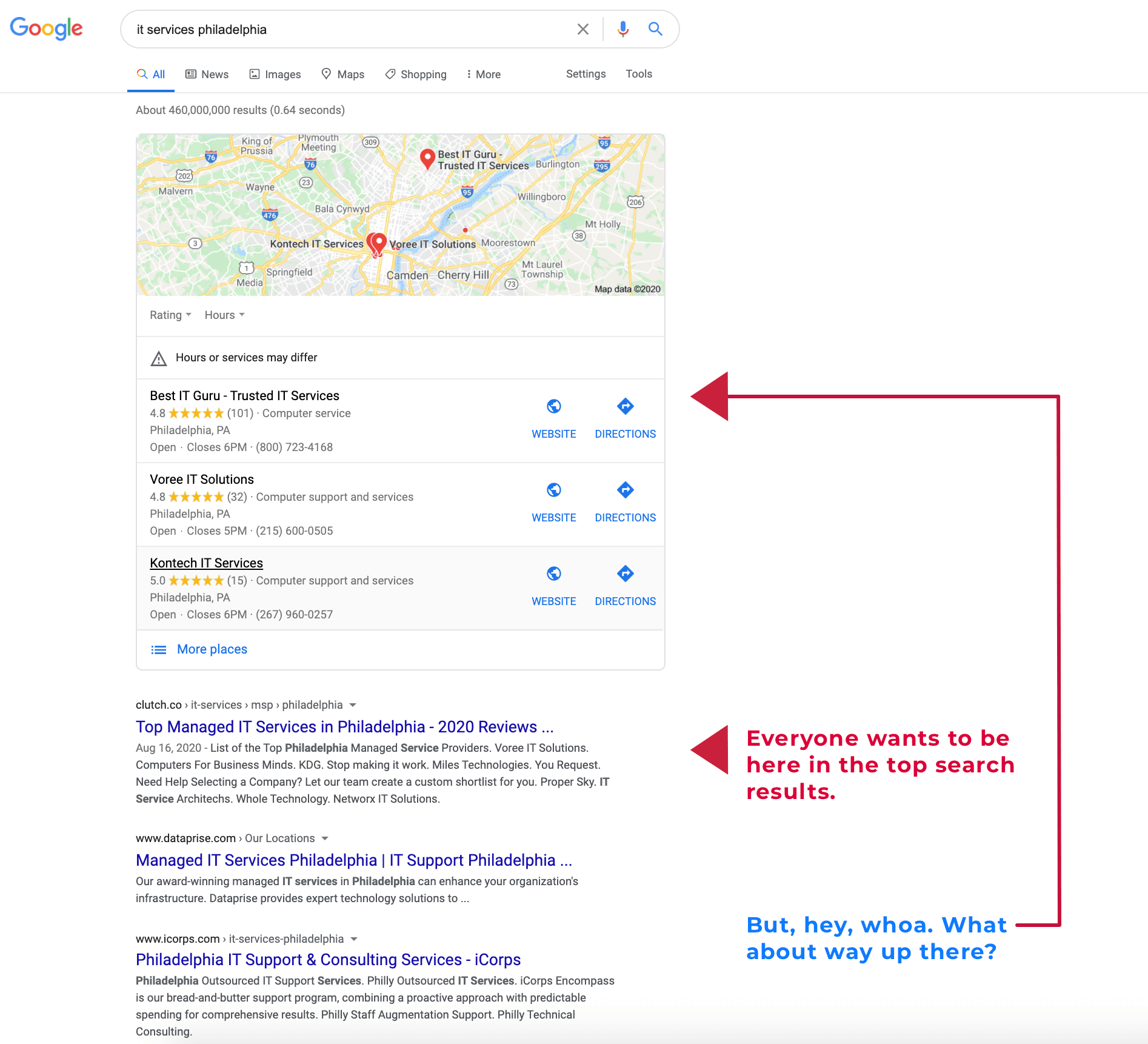
Google My Business listings work for organizations that exist in and serve a specific physical area (for the most part).
4 in 5 consumers use search engines to find information about local businesses (Backlinko), and 93% of consumers will lose trust (or become frustrated) if they find inconsistent or incorrect details online (BrightLocal). Your Google My Business listing can be a serious source for fresh leads — but only if it’s in tip-top shape.
Another reason to optimize your Google My Business is to capitalize on the great reviews you have (or can get) from your existing clientele. Over 80% of consumers read online reviews before trying out a local business — and a product with just five reviews is 270% more likely to be purchased than one with zero!
Everyone Google searches, and almost everyone reads reviews. Capitalize on both of those facts and generate more leads with a free Google My Business account and the next eight tips.
Start generating more MSP leads with Google My Business
Getting your Google My Business profile up to date is a relatively low-effort way to boost your SEO rankings and generate more leads — two things that are especially important in a digital-only business environment that isn’t likely to change anytime soon.
Looking for more tactical tips on growing your MSP and getting more customers? Head over to our Resources Center.
Too busy to take this kind of time to market your business? Something’s gotta give. Don’t let it be your quality. Partner with #1-rated RMM on G2 — for free — today.