In recent years, the number of cyberattacks has increased dramatically. These attacks can be costly and disruptive, and they can even lead to the loss of sensitive data. Patch management is one of the most effective ways to prevent these attacks, as it can help to close security vulnerabilities that cybercriminals can exploit. However, patch management can be a complex and challenging process. There are several factors to consider, such as the number of software applications in use, the appropriate solution partners[DF1] , the criticality of the software and the risk of introducing new problems.
Despite these challenges, patch management is essential for organizations of all sizes. By following best practices, organizations can significantly reduce their risk of being hacked and protect their data from cybercriminals. Regular audits can identify and eliminate possible blockages before they lead to problems. They also ensure that the implemented process also always withstands changing compliance requirements and is regularly optimized. In addition, the data that emerges as part of an audit provides a transparent insight into the details of patch management and can help to quickly find the right solution in the event of problems. In this blog, we discuss the steps on how conduct an audit and choose the right solution partners to ensure proper cybersecurity hygiene for your company.
Steps to conduct a patch scan audit
According to the 2023 Verizon Data Breach Investigations Report, most exploited vulnerabilities can take up to 49 days to repair. With watertight patch management alone, companies could reduce the risk of successful cyberattacks by more than half. An IT audit can help to ensure that your patch management program is effective. The auditor will review your patch management policies and procedures, as well as your patch deployment process. They will also look for any security vulnerabilities or compliance issues. The findings of the audit can help you to identify areas where your patch management program can be improved.
When conducting an audit, IT teams ideally follow a structured checklist. You can tick off the following steps one by one:
- Scan the network and document the current patch status.
- Review unpatched vulnerabilities to identify root causes and any trends.
- Analyze risk-based decisions and practices affecting the patching process.
- Define the right metrics to capture the relevant information in the right way.
- Ensure that all those responsible, including the management level, are informed about the current patch status.
- Identification of the processes and areas where there is potential for optimization.
- Write down expectations for patching and review what is stated in contracts or agreements.
Choosing the right solution partners and tool
Patch management is an important and resource-intensive task that not every company can easily handle itself. Fortunately, there are numerous solutions on the market that promise to help. Choosing the right tool comes down to ten key factors:
- Operating systems: Windows, Linux or macOS? Which patch management solution is right for the company depends, among other things, on which systems the provider is familiar with and which are used by internal IT teams.
- Variety of applications: All applications must be reliably patched, which of course also includes third-party software. Here, too, it is important to check the experience of the provider and compare it with your own requirements.
- Automation: Critical problems can often be resolved most quickly and reliably through automated processes. A solution that offers automation for identifying, analyzing, approving, deploying and validating patches can likely save time, improve accuracy and productivity.
- Control: While automation makes some patches easier, the best solution should also support manual patch approvals and denials, as well as ad hoc patch deployments to address zero-days. Ideally, these options are supplemented by automatic warning messages in the event of patch errors, so that the team can take immediate corrective action.
- Optimization: A good solution makes the patch management process efficient. This can be achieved, for example, through patch uninstallation workflows, a remote terminal, a registry editor or a patch blocking function.
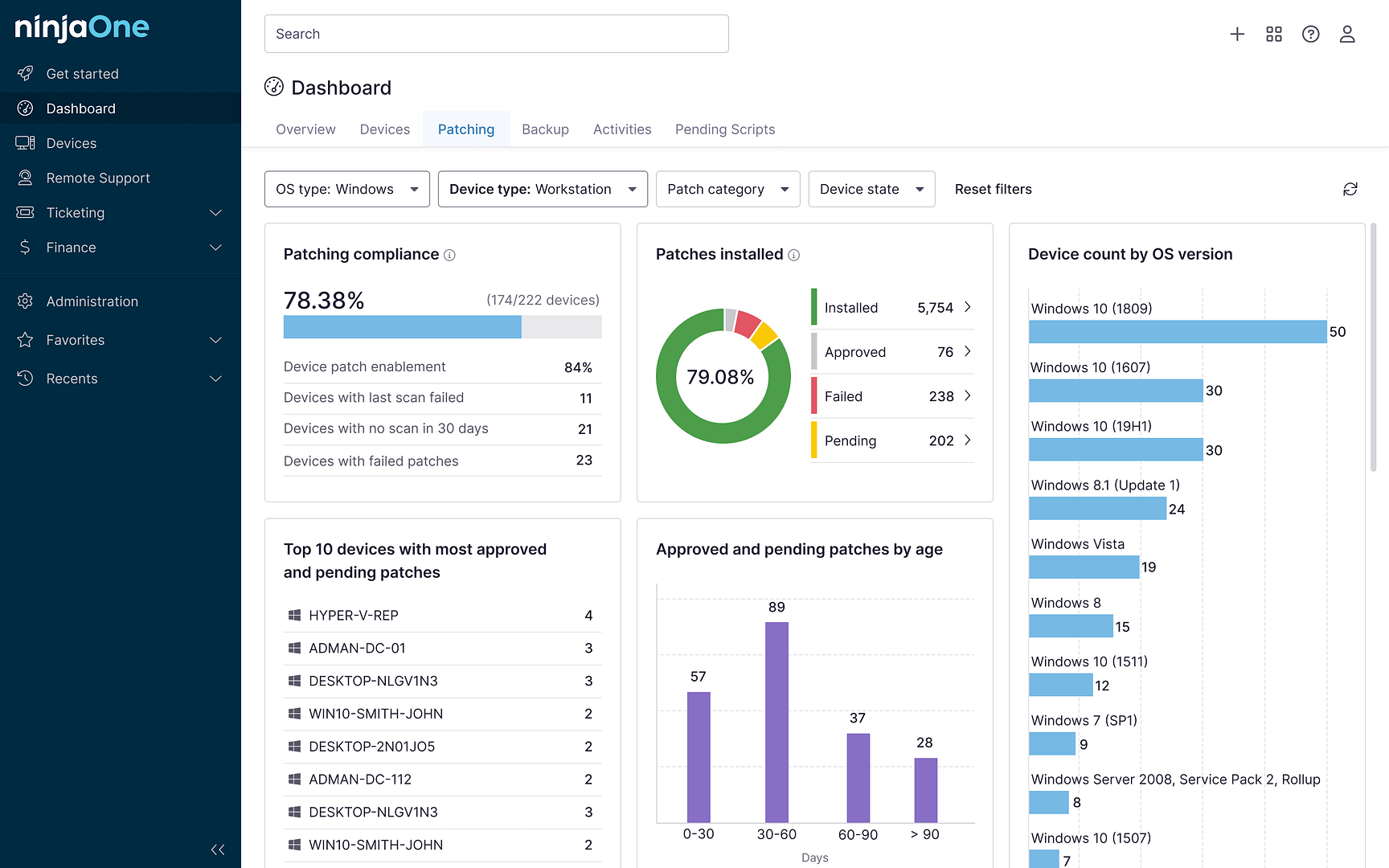
- Data: Dashboards and performance reports can present key information in a transparent and understandable way, helping to better identify and fix vulnerabilities over time. Comprehensive documentation also makes it easier to verify patch status for governance purposes.
- Efficiency: The right patch management tool should support and in no way lead to more complexity and effort. Maintenance costs and extensive on-site training can be avoided if companies rely on a cloud solution.
- Hybrid Work: Distributed teams that work from anywhere are the new normal of the working world. Remote workers with mobile devices (even without a VPN connection) should therefore not pose a challenge for a patch management tool.
- User interface: An intuitive user interface ensures problem-free usability and prevents the implemented solution from generating additional effort.
- Pricing: In addition to the range of functions, the method of payment and different packages, numerous aspects have an impact on the price of patch management solutions. Businesses should consider all costs, including hidden fees, when making their decision.
Building a complete cybersecurity strategy
Patch management is a critical component of corporate IT that cannot be overlooked. The importance of timely and effective patching lies in its ability to enhance security, ensure system stability, and support regulatory compliance. By regularly updating software and systems, organizations can minimize vulnerabilities and protect sensitive data from potential threats, such as malware, ransomware, and cyberattacks. Patch management also helps prevent system crashes and performance issues, reducing downtime and improving overall productivity.
Furthermore, compliance with industry regulations and standards is increasingly becoming a requirement for businesses, and patch management plays a vital role in meeting these obligations. Failing to implement a robust patch management strategy can lead to significant financial losses, reputational damage and legal consequences. Therefore, organizations must prioritize patch management as a fundamental aspect of their IT operations to safeguard their assets, maintain operational continuity and uphold their responsibilities to stakeholders and customers alike.
Learn more about how to automate patch management for any endpoint.