Key Points
- SaaS data backup creates independent copies of cloud data to ensure rapid recovery from loss or corruption.
- SaaS data backup solutions work by using automated APIs to extract and store independent, versioned copies of cloud data, enabling granular or full-scale restoration.
- Reliable SaaS backup strategies prioritize continuous protection through automated scheduling, incremental updates, and multi-region storage.
- Effective SaaS recovery requires regular restoration testing, defined RTO/RPO objectives, and proactive monitoring to ensure versioned, prioritized data remains integral and usable.
Modern organizations manage most of their data digitally. Many of them rely on SaaS applications such as Microsoft 365, Google Workspace, and Salesforce. These platforms handle critical business data and are designed to make data consistently available for access.
However, SaaS platforms are not built to fully protect against data loss instances like accidental deletion, ransomware, or misconfiguration. This is where SaaS data backup plays a vital role. In this article, we will look at how SaaS data backup helps ensure the availability and recoverability of data stored in cloud applications.
What SaaS data backup actually is
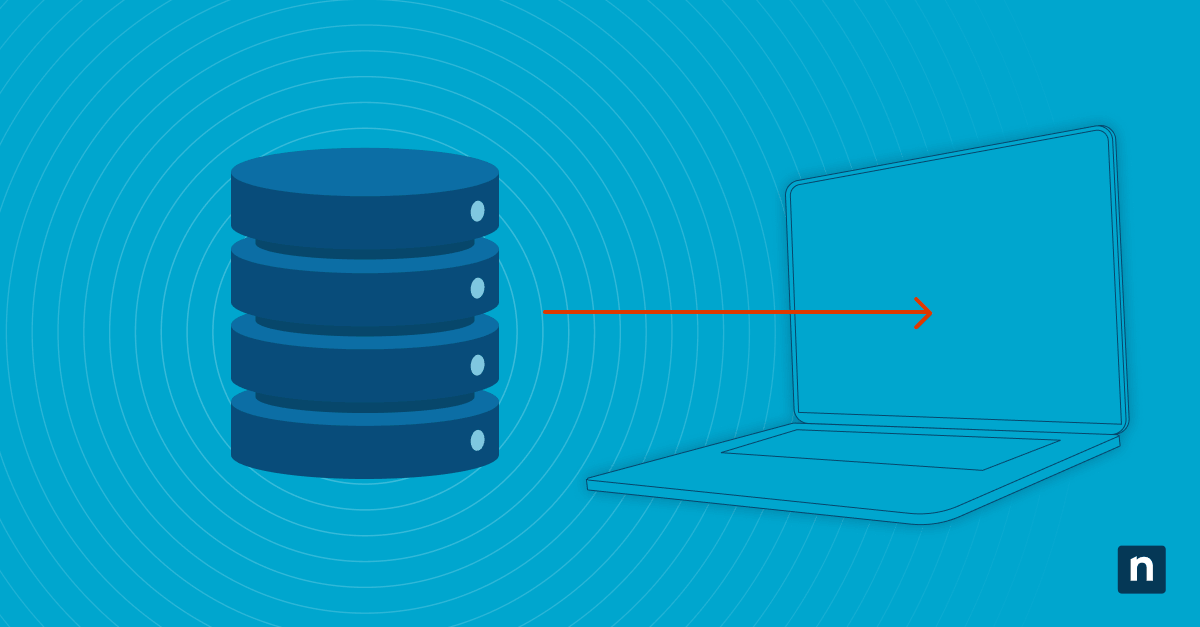
SaaS data backup is the process of continuously creating separate, restorable copies of data stored in cloud-based applications. These backups exist outside the original SaaS environment, making the data accessible in case the primary source encounters problems that cause data loss.
SaaS backups are purpose-built for cloud applications, protecting emails, documents, CRM records, and many other files that are processed and managed through SaaS applications. The main goal of SaaS backups is to ensure that data can be restored quickly and accurately if it is lost, corrupted, or deleted. Having a SaaS backup also helps reduce downtime in case of the mentioned scenarios.
How SaaS data backup works
SaaS backup leverages automation to run backup operations in the background, minimizing user disruptions. Here’s how it works:
Data extraction from SaaS applications
Backup tools connect to SaaS platforms using secure APIs and authentication methods. Once connected, they:
- Access application data that needs to be backed up
- Capture data at scheduled intervals or in near real time
- Track and back up only changes through incremental updates
Data duplication and storage
This process involves copying and storing data in a separate backup environment immediately after extraction. Data duplication and storage process typically encompasses:
- Cloud-to-cloud storage infrastructure
- Redundant copies across multiple locations
- Logical separation from the original SaaS platform
Since the backup is stored independently, it remains available even if the SaaS provider experiences outages or any event that can cause data loss.
Versioning and retention
Modern SaaS backup solutions are capable of storing and maintaining multiple versions of data over time. This helps in:
- Point-to-point recovery of data for specific dates
- Restoration of earlier file or record versions
- Protection against accidental changes or ransomware encryption
It’s important to note that SaaS backup solutions commonly offer longer retention periods and more flexible recovery options compared to built-in SaaS retention policies.
Recovery and restoration process
When data loss events happen, organizations can rely on SaaS backups to provide multiple recovery options, including:
- Restoration of individual files, emails, or records
- Recovery of entire user accounts and datasets
- Rolling back of systems to a specific point in time
Is SaaS data automatically backed up
The fine print for many SaaS platforms may include some level of data protection. However, this may not translate to full backup coverage.
Most SaaS providers offer:
- Recycle bins or short-term recovery options (for example, 1 month grace period until they remove your deleted data forever)
- Limited version histories
- Retention policies with expiration dates
Often, SaaS platforms don’t provide:
- Independent backup copies outside their environment
- Long-term retention beyond policy limits
- Full recovery for all types of data loss events
Because of this, organizations are responsible for implementing their own backup strategy or following the Shared Responsibility Model framework.
Cloud application backup strategies
When choosing a SaaS backup platform, one should focus on how reliable the solution is when it comes to maintaining consistent and recoverable copies of cloud data. Common capabilities include:
- Automated scheduled backups to ensure continuous protection
- Full and incremental backups to optimize performance and storage
- Multi-region storage for added redundancy
- Separation of backup from production environments
SaaS data recovery best practices
While having a SaaS data backup is a solid strategy in protecting data, organizations must also ensure they have the ability to recover data effectively. This is to ensure that backups are not just available but also usable when restored. Key best practices in SaaS data recovery include:
- Regularly testing restore process: Organizations should run scheduled data restoration tests to ensure consistent data integrity.
- Determining RTO and RPO: Recovery Time Objectives (RTO) and Recovery Point Objectives (RPO) should be clearly defined to know how quickly and at what point in time data must be recovered after an incident.
- Maintaining versions: It’s also important to have multiple versions of backup data for flexibility and recovery granularity.
- Data prioritization: Organizations must know which data is the most critical so it can be prioritized during the recovery process.
- Backup monitoring: Recovery failures can be prevented if they are caught early. This can be carried out by monitoring the backup process.
Third-party SaaS backup solutions explained
Third-party backup solutions are designed to close the gaps left by native SaaS protections. They typically offer:
- Automated backups across multiple SaaS platforms
- Independent, secure storage environments
- Granular restore capabilities for precise recovery
- Customizable retention policies for long-term data preservation
These third-party SaaS backup solutions operate alongside SaaS applications to ensure comprehensive data protection so organizations won’t depend solely on the provider.
Data retention policies for SaaS providers
Data retention policies refer to the duration of time data is kept within a SaaS platform. However, it’s crucial that one should not mistake this with backup policies. Here are the key differences:
Retention policies:
- Focus on compliance and data lifecycle management
- Automatically delete data after a defined period
Backup systems:
- Store independent copies of data
- Allow recovery even after retention limits are reached
Understanding the differences between retention policies and backup system capabilities can help you identify each of their purposes and how they can be used together efficiently.
Common misconceptions about SaaS backup
There are several misconceptions about SaaS backup solutions and their capabilities. Here are some of them:
SaaS platforms automatically back up all data
While there’s a level of data saving with SaaS platforms, these solutions mainly focus on uptime. This means that not all data is fully protected. Backup requires independent copies outside the SaaS platform, so data can be recovered in case of data loss events.
Retention policies replace backup
No. Retention policies only define how long data is kept within a SaaS platform, not how it is recovered. Once deleted after retention, data cannot be recovered anymore.
Cloud data cannot be lost
No. Cloud infrastructure does not eliminate risks of data loss. Data can still be deleted, corrupted, or affected by cyber threats.
Backup is unnecessary in SaaS environments
As mentioned, data can still be at risk in the cloud. This applies to data processed and managed in SaaS platforms. SaaS shifts responsibility but does not remove it, so organizations are still expected to be accountable for protecting their data.
Recovery is always guaranteed
No. Native tools may not support full or granular recovery. Without proper backups, some data loss events are irreversible.
Understanding SaaS data backup
A SaaS data backup functions as a safety net for an organization’s data processed and managed in SaaS applications like Microsoft 365, Google Workspace, Salesforce, and the like. It works by automatically capturing, storing, and preserving independent copies of cloud application data so they are recoverable in case of data loss events.
Since SaaS platforms provide basic data protection features, they are not capable of full recovery or long-term data retention. That’s why dedicated SaaS data backup solutions are created to fill these gaps by offering automation, versioning, and flexible restore options.
Related topics: