Key Points
Double Data Rate Memory Explained
- Double data rate memory transfers data on both the rising and falling edges of the clock signal to improve performance.
- Each DDR generation increases speed and efficiency while remaining incompatible with previous versions.
- Understanding DDR memory helps IT teams choose compatible and efficient hardware for their systems.
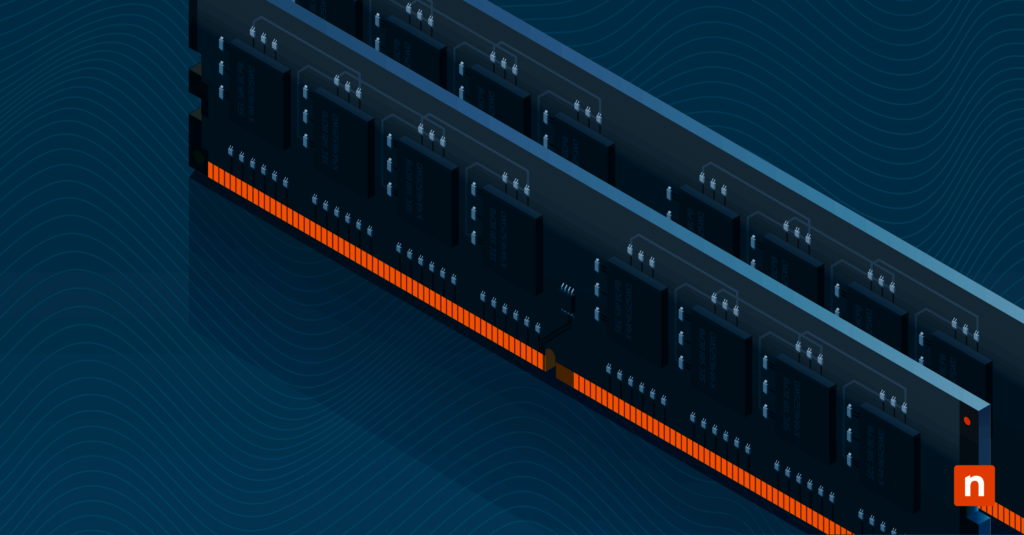
Double Data Rate memory (DDR) technology revolutionizes memory performance by enabling faster data transfers, effectively doubling data throughput compared to traditional Single Data Rate (SDR) memory.
This guide provides a detailed overview of DDR technology and the various generations of Random Access Memory (RAM), and is intended for IT professionals who need to understand compatibility, performance differences, and upgrade considerations before selecting or deploying memory.
Keep track of RAM generation and other hardware specs with NinjaOne’s complete inventory of all your IT assets.
An overview of DDR generations
DDR is a type of Synchronous Dynamic Random Access Memory (SDRAM) that multiples data transfer rates without increasing clock speed by sending data on both the rising and falling edges of the clock signal.
Note: If you’re already familiar with these components, you can skip to Choosing the right RAM for your needs section.
This performance-driven design improves bandwidth and performance, making DDR memory well-suited for modern, multitasking, and performance-intensive computing environments. Here’s a look at how DDR generations have gotten progressively better over the years:
| Generation | Data rate (MT/s) | Clock speed (MHz) | Voltage | Capacity per module | Pins |
| DDR1 | 200–400 | 100–200 | 2.5V | Up to 1GB | 184 |
| DDR2 | 400–800 | 200–400 | 1.8V | Up to 4GB | 240 |
| DDR3 | 800–2133 | 400–1066 | 1.5V | Up to 16GB | 240 |
| DDR3L | 800–2133 | 400–1066 | 1.35V | Up to 16GB | 240 |
| DDR4 (DIMM) | 1600–3200 | 800–1600 | 1.2V | Up to 64GB | 288 |
| DDR4 (SO-DIMM) | 1600–3200 | 800–1600 | 1.2V | Up to 32GB | 260 |
| DDR4 (LPCAMM) | 1600–3200 | 800–1600 | 1.2V | Up to 64GB | LPCAMM |
| DDR5 (DIMM) | 3200–8400 | 1600–4200 | 1.05V–1.1V | Up to 128GB | 288 |
| DDR5 (SO-DIMM) | 3200–6400 | 1600–3200 | 1.05V–1.1V | Up to 64GB | 260 |
| DDR5 (LPCAMM) | 3200–9600 | 1600–4800 | 1.05V–1.1V | Up to 128GB | LPCAMM |
| GDDR5 | 5000–8000 | 1250–2000 | 1.5V | Typically 1–8GB | N/A |
| DDR6 (projected) | 12800+ | TBD | TBD | TBD | TBD |
The evolution of RAM technology has delivered significant improvements in speed, capacity, and efficiency with each new DDR generation. Understanding these differences helps ensure proper hardware compatibility and optimal system performance.
Emerging technology: LPCAMM explained
As memory form factors and standards continue to evolve, newer technologies are tapped to address limitations in traditional designs.
In particular, LPCAMM or Low Power CAMM (Compression Attached Memory Module) introduces a different approach to memory capacity, efficiency, and upgradability in modern computing, with its smaller footprint and lower-profile design.
As a result, it’s been widely integrated to power the compact or “thin” laptops that have flooded the current market. The caveat? The initial cost is higher, and it is not as widely available as a standard DDR5 SO-DIMM (Small Outline Dual In-line Memory Module).
The importance of LPCAMM
LPCAMM packaging is a cutting-edge innovation that enhances the efficiency and performance of DDR4 and DDR5 memory modules. It offers several advantages over traditional DIMM and SO-DIMM formats, particularly in power efficiency and form factor.
For DDR4 memory
LPCAMM DDR4 packaging optimizes layout and thermal management, resulting in lower power consumption and improved heat dissipation. This benefits mobile and embedded systems where space and power efficiency are crucial, enabling more compact designs without sacrificing performance. LPCAMM is thus favored in modern laptops and portable devices.
For DDR5 memory
LPCAMM packaging for DDR5 supports higher data rates and larger capacities, offering improved signal integrity and lower power consumption through advanced compression and attachment techniques.
This ensures better thermal performance and energy efficiency, essential for high-performance computing. DDR5 LPCAMM modules also provide greater scalability, accommodating future advancements in memory technology and increasing bandwidth and capacity demands in both consumer and enterprise systems.
Overall, LPCAMM advances memory module design by offering superior power efficiency, thermal management, and compact form factors for both DDR4 and DDR5 technologies. This makes LPCAMM a state-of-the-art solution for modern computing needs, especially where space and energy constraints are paramount.
DDR vs GDDR memory: Is my GPU memory all that different?
When focusing on current gen, it’s also important to understand the distinction between DDR and GDDR (Graphics Double Data Rate) memory.
While both SDRAMs are common in high-demand IT environments, they are optimized for different purposes. DDR is mainly used as system memory in PCs and servers, while GDDR is designed specifically for GPUs and high-performance graphics workloads.
| Category | DDR memory | GDDR memory |
| Primary role | System memory | Graphics memory |
| Typical placement | Installed on motherboard | Integrated on GPU |
| Main workloads | General computing, servers, virtualization | Graphics rendering, gaming, AI workloads |
| Bandwidth | Moderate to high | Very high |
| Latency focus | Lower latency | Higher throughput over latency |
| Power optimization | Balanced for system efficiency | Tuned for graphics performance |
| Upgradability | User-upgradable | Not user-upgradable |
| Common environments | PCs, laptops, servers | GPUs, gaming systems, accelerators |
Understanding the difference helps IT professionals make informed hardware decisions and set realistic performance expectations.
For instance, knowing which type of memory supports system operations versus graphics workloads reduces compatibility issues, improves upgrade planning, and ensures systems are provisioned correctly for compute-heavy or graphics-intensive tasks.
Choosing the right RAM for your needs
Unless you’re using legacy equipment, you’re unlikely to need to order older DDR versions. While it is still made by some manufacturers, economies of scale mean that older RAM will be orders of magnitude more expensive per MB than modern memory modules.
On that note, here are the core factors to consider when choosing memory components:
Compatibility
Ensure the RAM is compatible with your motherboard and CPU. Check your system’s specifications for supported RAM types and capacities. Make sure your BIOS and all firmware as well as any software system drivers, are updated before upgrading your RAM.
Capacity
Determine the amount of RAM needed based on your computing tasks, then double it for futureproofing. More RAM is beneficial for multitasking and memory-intensive applications. With RAM, more is more.
Speed
Higher speeds benefit tasks requiring high data transfer rates, such as gaming, video editing, and 3D rendering.
Error correction
ECC (error correcting) RAM is often used in industrial, commercial, and academic settings – the error-correcting mechanism makes this RAM more stable and accurate for computation and server purposes, but this RAM is usually appreciably more expensive.
Tweaking and overclocking capability
Not all RAM is equal when it comes to stability. Even if you’re not overclocking, your RAM’s stability might benefit from running at a slightly higher voltage than the default, but bear in mind that this will increase heat generation.
Careful attention to compatibility helps prevent performance issues and costly hardware mismatches. By verifying system specifications and planning upgrade paths in advance, IT teams can select RAM that meets current needs while allowing room for future expansion and performance improvements.
For more tips, check the video guide on How to Upgrade RAM on Your Laptop or PC.
Future trends in RAM technology
Upcoming RAM technologies are expected to deliver major gains in speed, power efficiency, and capacity, with DDR6 poised to be the next major step.
DDR6, for instance, is projected to support module capacities up to 256GB, making it well-suited for data centers, artificial intelligence, and machine learning workloads that require high memory density and performance.
Beyond DDR6, advancements such as 3D stacking, new memory materials, and emerging non-volatile memory technologies are shaping the future of RAM.
These innovations aim to increase bandwidth, reduce latency, and improve reliability, while alternatives like NVMe-based memory expansion introduce new ways to scale memory capacity for data-intensive and real-time computing environments.
Leverage real-time information to optimize device health and performance..
Navigating the evolution of RAM: Unlocking the next generation of performance
This guide has explored the evolution of DDR technology from DDR1 to DDR5, highlighting key features, benefits, and use cases of each generation. As technology continues to advance, staying informed about RAM developments will help ensure the best possible system performance for various computing needs.
Note: For a visual walkthrough, a video guide on Double Data Rate Memory: A Generational Overview of RAM is available.
Related topics: