Endpoint security for macOS with NinjaOne
NinjaOne RMM manages macOS endpoint security controls, including FileVault encryption monitoring, backup, antivirus integrations, and device management from one console.
NinjaOne RMM manages macOS endpoint security controls, including FileVault encryption monitoring, backup, antivirus integrations, and device management from one console.
Problem | How NinjaOne resolves it |
| macOS devices can have different antivirus products installed, making it difficult for IT to verify protection and manage security policies from one place. | NinjaOne RMM manages antivirus on macOS endpoints from a single console, allowing administrators to monitor protection status, configure scan schedules, manage exclusions, and initiate on-demand scans. |
| A lost or stolen Mac can expose sensitive business data if FileVault encryption is disabled or recovery keys are unavailable. | NinjaOne MDM enforces FileVault encryption through policy and reports encryption status for managed Macs, helping administrators verify that endpoint data remains encrypted. |
| Users can install unapproved applications or system extensions that increase security risks on managed Macs. | NinjaOne MDM uses Apple configuration profiles to control application permissions, system extensions, kernel extensions, and privacy preferences, helping IT enforce approved security configurations on macOS devices. |
| Unpatched macOS devices leave known security vulnerabilities open to attackers. | NinjaOne RMM automates macOS patch identification, approval, deployment, and compliance reporting, helping keep managed Macs up to date with the latest Apple security updates. |
Sensitive business data remains protected when a Mac is lost or stolen because FileVault encryption is enabled, and IT can verify its status across managed devices.
Security policies stay more consistent across macOS endpoints through centralized management, reducing configuration differences between users and devices.
macOS devices spend less time exposed to known vulnerabilities by keeping operating systems and supported applications up to date through automated patch deployment.
IT spends less time verifying endpoint security because encryption, patching, and device health can be monitored from a single console instead of checking each Mac individually.
Users experience fewer security-related disruptions by receiving updates and policy changes through managed deployment rather than relying on manual intervention.

The NinjaOne platform integrates with leading antivirus solutions, including CrowdStrike, SentinelOne, Bitdefender, and Webroot, so administrators can monitor protection status, configure scan schedules, manage exclusions, and run on-demand scans for macOS endpoints from one console.

NinjaOne RMM monitors FileVault disk encryption status across managed macOS devices. Administrators can verify encryption compliance and manage FileVault recovery keys to support secure access when recovery is required.

NinjaOne MDM requires macOS devices to be enrolled and approved before management policies are applied. Administrators can review new devices before granting access to management workflows, helping prevent unauthorized devices from joining the managed environment.
Organizations with employees working from home or traveling enforce FileVault encryption, supported antivirus solutions, and deploy macOS security updates without requiring users to connect to a corporate network. IT teams verify that every managed Mac meets the organization’s security baseline from a single console, reducing the risk of unprotected devices.
Organizations standardize security settings across managed Mac devices by monitoring FileVault encryption, antivirus health, and macOS patch compliance. When compliance reviews or internal audits occur, administrators generate reports showing the current security status of each managed Mac instead of manually validating individual devices.
Managed service providers apply standardized macOS security policies across multiple customer environments while allowing client-specific requirements where needed. Technicians monitor encryption, antivirus status, and patch compliance for every tenant from a single console, helping maintain consistent security without increasing administrative overhead.
Administrators establish macOS security policies for antivirus, FileVault encryption monitoring, software updates, and endpoint protection across managed devices.
NinjaOne brings Mac devices under centralized management, applies assigned security policies, and continuously reports their security status.
NinjaOne manages supported antivirus solutions, monitors FileVault encryption, and helps ensure security controls remain active across managed Macs.
NinjaOne automates macOS patching and software updates to reduce exposure to known vulnerabilities while keeping devices aligned with organizational policies.
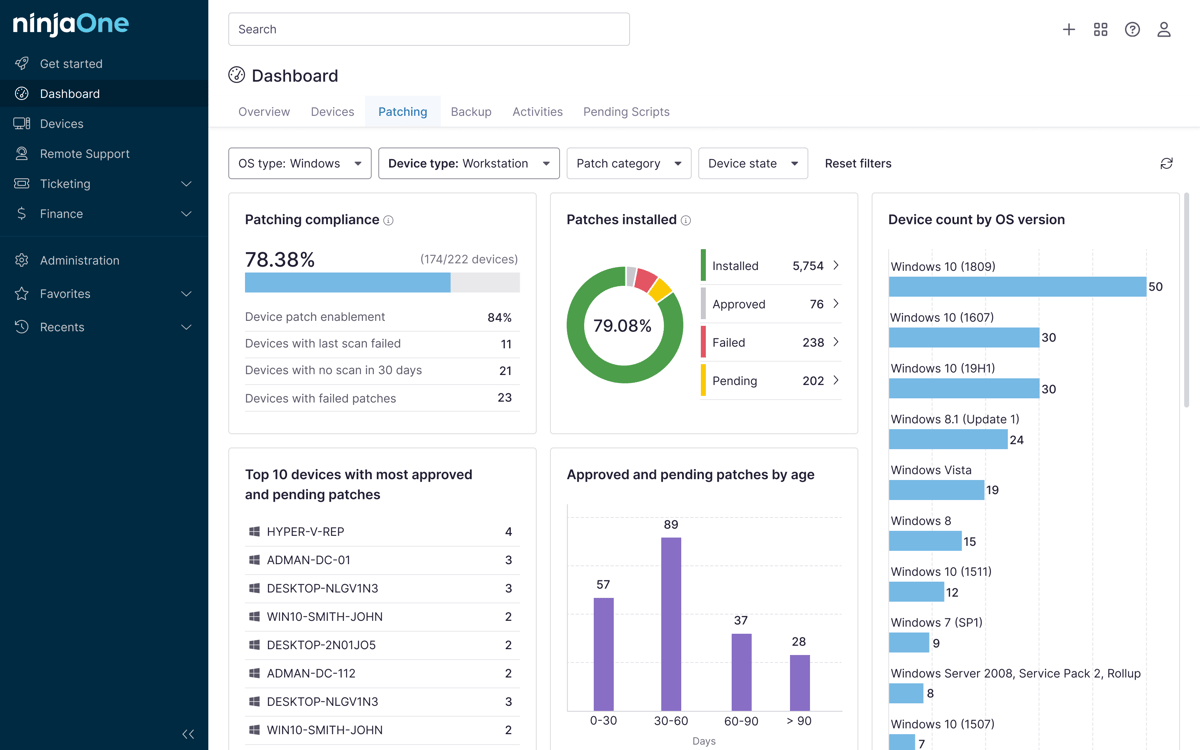
Administrators use a centralized dashboard to track encryption status, antivirus health, patch compliance, and overall endpoint security across their macOS environment.
100,000
Endpoints managed
“NinjaOne is a scalable solution. It’s built on a modern SaaS architecture and it’s future-proof.”

40%
More Cost Effective
“NinjaOne’s price point is 40% less than any other endpoint management tool on the market, while being more powerful and easy to use.”

10-15
Tools Replaced
“Before, I needed 10-15 different tools to execute what NinjaOne does in its centralized, single pane of glass.”

30%
Less time for patching
“We observed a 30% reduction in the time taken for patch deployments compared to our previous solution.”

2,000
Endpoints managed
“NinjaOne gives me much more flexibility and security in my work”

30%
Annual ROI
“[NinjaOne] has already shown its value in ROI…it’s at least a hundred thousand dollars annually.”

24x
Faster Endpoint Management
“Our processes have become 24x faster with NinjaOne.”

20-40
Hours Saved Each Week
“Leveraging the automations feature within NinjaOne has enabled me to save upwards of what would likely be 20 to 30 to even 40 hours per week.”

NinjaOne integrates with leading endpoint security solutions for macOS, allowing administrators to monitor protection, view threat activity, and perform security actions from a single console.
50% faster IT operations after centralizing macOS security in NinjaOne
The Everest IT team secures its full Mac fleet, notoriously one of the harder device types to lock down, by deploying security profiles and configurations to every Mac from a single NinjaOne console.
"My favorite feature is NinjaOne macOS MDM because my goal is to secure all our Mac devices — not the easiest device to secure. However, with NinjaOne, we bring security profiles and deploy configurations to all our Macs fast and easily."
Bialecki, Everest
Source: NinjaOne
Deploy security profiles, manage FileVault encryption, and connect antivirus and EDR tools across your Mac fleet, all from one console.
Endpoint security on macOS is the practice of protecting Mac devices from malware, unauthorized access, and data loss using a layered approach. It combines built-in macOS security features such as Gatekeeper, XProtect, FileVault, and System Integrity Protection with third-party antivirus or EDR, patch management, device management (MDM), and continuous monitoring to keep endpoints secure and compliant.
How to implement endpoint security on macOS
Yes. While macOS includes strong built-in protections like Gatekeeper, XProtect, and System Integrity Protection, Macs are increasingly targeted by malware, phishing, credential theft, and ransomware. For personal use, the built-in security features may be sufficient with safe computing habits. In business environments, organizations should add antivirus or EDR, centralized management, and continuous monitoring to improve threat detection, visibility, and compliance.
The NinjaOne platform strengthens macOS security posture through FileVault encryption monitoring, MDM security policies, automated patch management, endpoint backup, and antivirus integrations, all managed from one console.