An RMM tool for MSPs with intelligent, autonomous patching
Automate patching, support multiple clients remotely, and grow your MSP efficiently
Unified RMM for modern MSPs
Automate complex workflows
Increase technician efficiency by 95% with out-of-the-box automations that support complex, multi-step workflows.
Gain power from simplicity
Our intuitive UI is simple to set up and easy to learn and use. The majority of our MSPs are up and running in as little as little as one week, or less.
Elevate the client experience
Proactive alerting and automated remediation minimize downtime and improve client satisfaction.
Features and Solutions
Monitoring and alerting
Monitor devices in real time and automatically notify technicians when an issue arises so they can remediate faster and minimize end-user impact.
Autonomous patch management
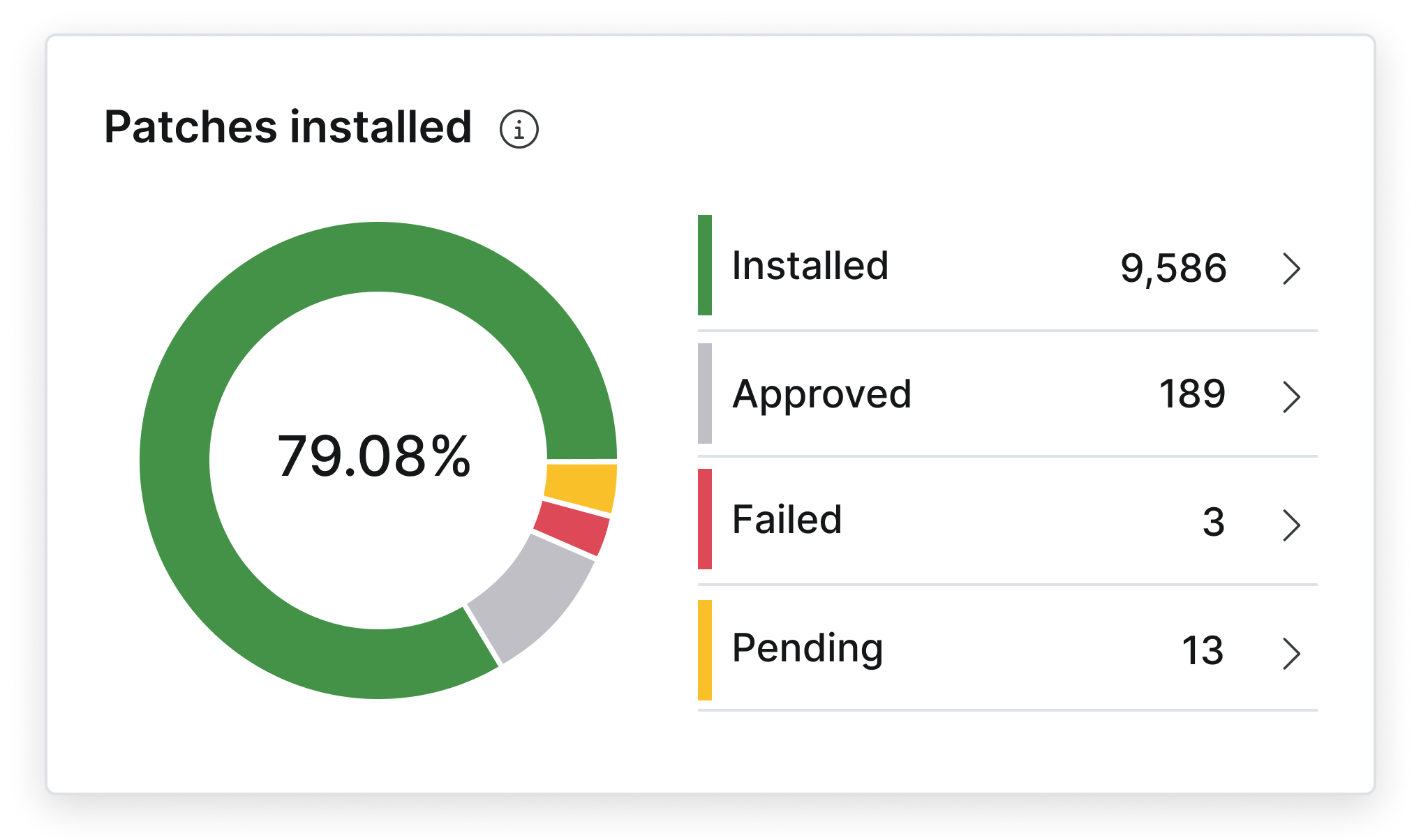
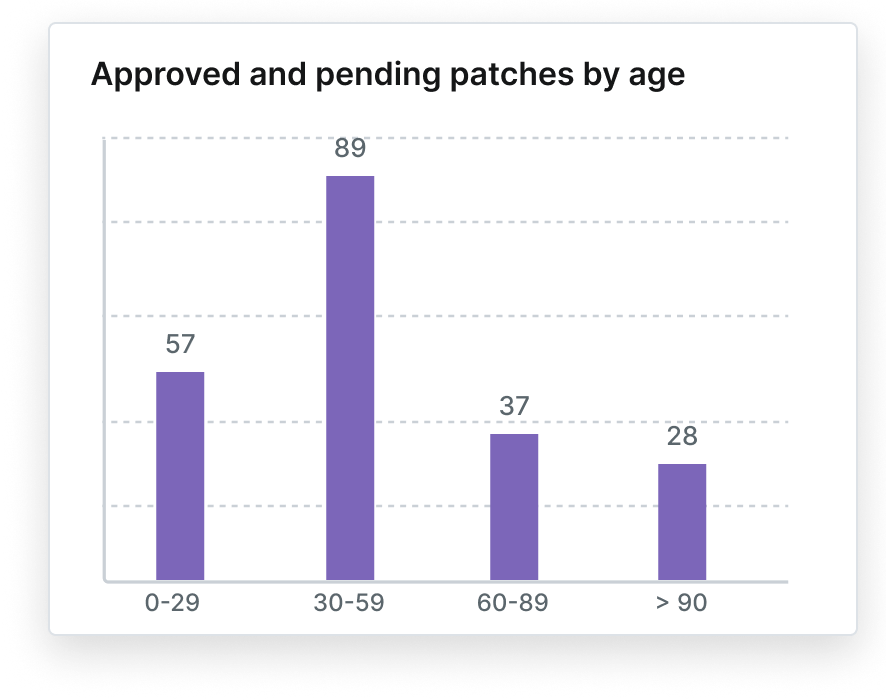
Automatically patch your customers’ Windows, macOS, and Linux vulnerabilities plus 6,000+ third-party apps. AI-driven intelligence prioritizes critical fixes and pauses risky updates.
One-click device actions
Secure remote access
Take direct control of managed endpoints with one of NinjaOne’s four remote access solutions for fast, secure, hands-on support.
Endpoint task automation
Automate repetitive endpoint tasks (app installs, patching, device setup, maintenance) to standardize outcomes, free up technicians, and improve device stability.
Auto-remediation
Fully automate the detection and resolution of endpoint issues such as stopped services, missed reboots, open ports, and missing applications with condition-based script deployments.
Mobile device management
See device details, remediate issues, and manage endpoints on the go with NinjaOne’s powerful mobile app.
Self-service portal
Give client end-users the tools they need to help themselves, including remote access, file restores, and ticket management in our self-service portal.
Native documentation
Document processes, credentials, and device relationships with a complete IT documentation solution built directly into NinjaOne.
Unlimited scalability
Whether you’re managing 50 or 150,000 endpoints, Windows, Mac, Linux, or cloud-based devices, NinjaOne’s cloud-based infrastructure is fast, secure, and infinitely scalable.
Fast, intuitive UI
Make your technicians more efficient with an intuitive interface that’s easy-to-learn, quick to navigate, centralizes actions, and cuts out extra clicks.
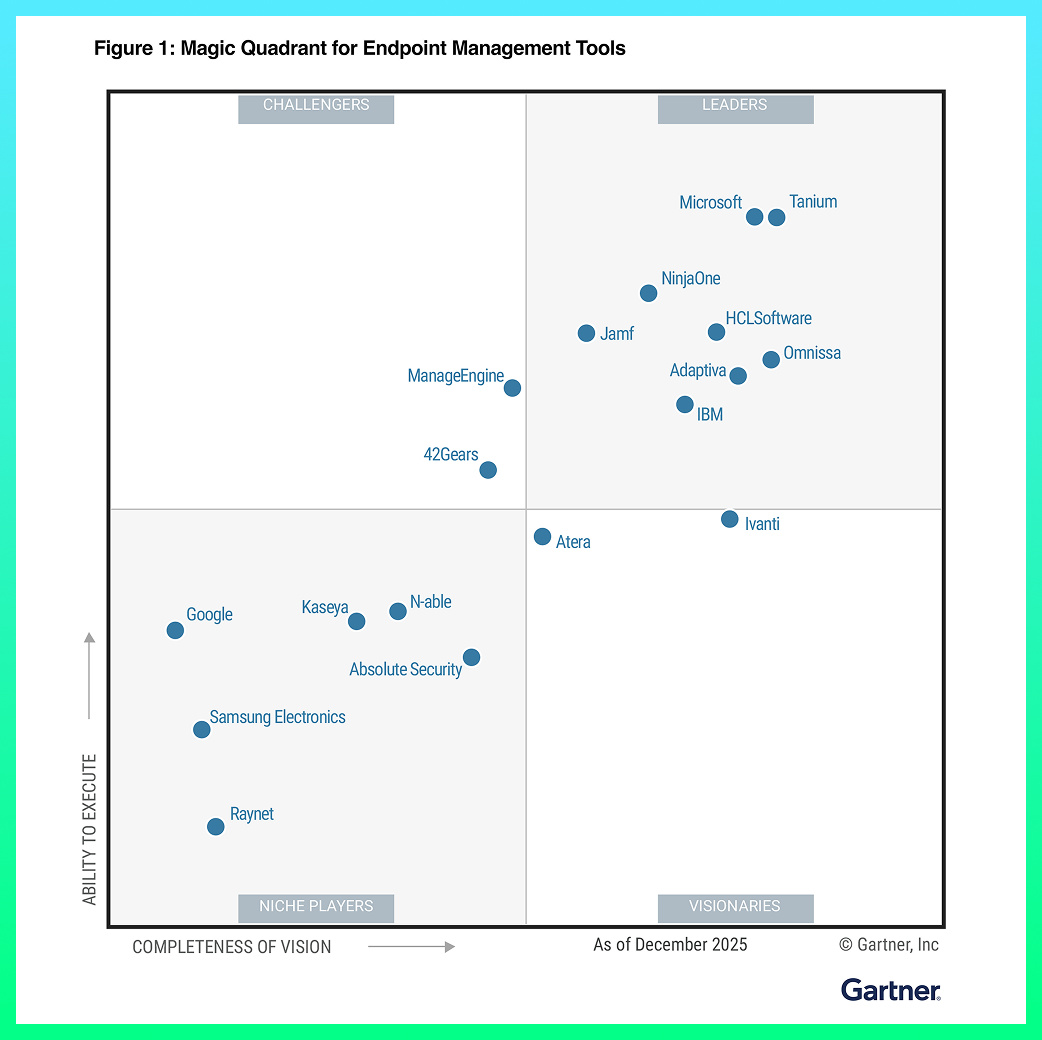
NinjaOne named a Leader by Gartner®
Customers love NinjaOne
saved time on manual tasks through automation
replaced 3-4 tools with NinjaOne
Discover value in 5 minutes.
Techvera Saves $1M by Unifying IT with NinjaOne
This is why customers love us
100,000
Endpoints Managed
99 %
Less time for patching
5
tools replaced by ninjaone
95 %
Time reduction deploying new devices
“NinjaOne is a huge force multiplier for us. It’s effectively like hiring two full-time employees.”
20 %
Fewer on-site visits
25 %
More reliable patching
60
Hours saved per month
Built for your MSP
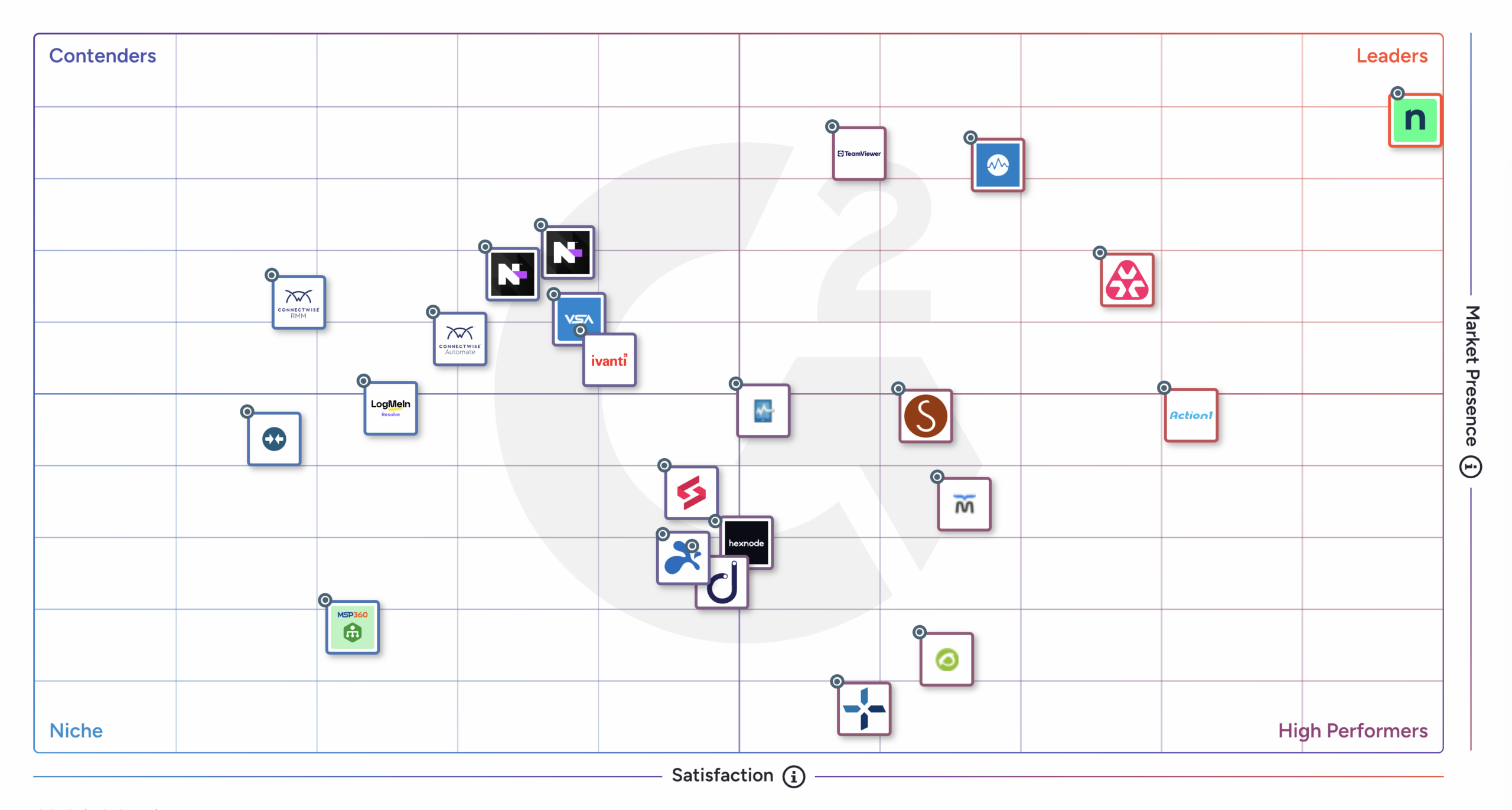
Rated #1 On G2
Top RMM ratings from G2
NinjaOne RMM remains the No.1-Rated RMM Software in G2’s Spring 2026 Report thanks to top ratings from customers like:
- Customer Satisfaction: 100
- Ease of Admin: 93
- Ease of Use Score: 93
“The dashboard is clean and powerful, giving us real-time visibility into device health, compliance and performance.”
Bridget Bonin,
IT Endpoint Engineer
| NinjaOne | Datto RMM | Kaseya | ConnectWise | N-Central | Atera | Ivanti | |
| Ease of Admin | 9.3 | 9.0 | 8.2 | 8.1 | 8.2 | 9.2 | 8.6 |
| Quality of support |
9.3 | 8.7 | 7.7 | 7.7 | 8.3 | 9.2 | 8.9 |
| Device Management |
9.3 | 9.2 | 8.6 | 8.6 | 8.9 | 9.0 | 8.8 |
| Remote Monitoring |
9.4 | 9.3 | 8.8 | 8.7 | 9.2 | 9.2 | 8.6 |
| Patch Management |
9.1 | 8.8 | 8.4 | 8.3 | 8.4 | 8.8 | 8.6 |
| Remote Access | 9.3 | 9.0 | 8.7 | 8.7 | 8.8 | 9.2 | 8.6 |
| Overall Average: | 9.3 | 9.0 | 8.4 | 8.4 | 8.6 | 9.1 | 8.7 |
Resources
How does NinjaOne RMM support multi-tenant MSP operations?
NinjaOne RMM is designed as a true multi-tenant RMM for MSPs, giving service providers centralized visibility and control across all customer environments from one platform. With multi-client device management, MSPs can segment devices, policies, scripts, and alerts per customer while maintaining unified dashboards for efficient oversight.
Can NinjaOne RMM help MSPs reduce ticket volumes and technician workload?
What core capabilities should MSPs look for in an RMM platform?
When evaluating RMM tools for MSPs, look for capabilities that drive efficiency, reliability, and scalability:
- Centralized RMM dashboards for proactive endpoint health and alerting
- Automated patch management across Windows, macOS, and Linux
- Script and remediation automation to reduce manual work
- Integrated remote access and technician workflows
- PSA and ecosystem integrations
- Scalable architecture for expanding MSP portfolios
The best RMM for MSPs isn’t just about monitoring — it’s about empowering teams to manage remote endpoints proactively and consistently.
How quickly can an MSP deploy NinjaOne RMM?
NinjaOne RMM is known for its rapid deployment and intuitive onboarding. With cloud delivery and agent-based deployment, many MSPs begin monitoring and managing endpoints within hours of signing up.
Because the platform emphasizes simplicity and automation, technicians can configure policies, alerts, and scripts quickly — a major advantage when transitioning from legacy MSP RMM tools or onboarding new clients at scale.
How does NinjaOne RMM help MSPs scale their business?
NinjaOne RMM lets MSPs grow without adding complexity. With centralized RMM management, automation, and multi-tenant capabilities tailored to service providers, teams can support more endpoints and customers with less manual overhead.
Automated patching, remediation workflows, and proactive alerts boost technician productivity, while robust reporting and SLA tools help MSPs deliver consistent service at scale. That’s why many consider NinjaOne among the best RMM software for MSPs looking to expand their footprint while enhancing technician efficiency.
What pricing model does NinjaOne RMM use for MSPs?
What is meant by remote maintenance?
Remote maintenance with RMM software allows technicians to deploy software, manage updates, run scripts, and remotely connect to machines to troubleshoot and fix problems without interrupting the end user.
Do RMM tools pose a security risk?
No. Security risks can be created by how RMM tools are used (or misused).
How does NinjaOne’s RMM software work?
NinjaOne RMM lets you manage any device on any network from wherever you are using our web application, desktop companion app, or mobile application, often without interrupting end-users. Our suite of remote management tools gives you hands-on, silent access to endpoints for remediation via:
- Remote command line / PowerShell / terminal
- Task manager / activity monitor
- File explorer / finder
- Services manager
- Registry editor
- Script deployment tool
Monitoring refers to monitoring your managed devices and having the ability to automatically create tickets, notify technicians, or trigger remediations when problems are found. Monitors are completely customizable across devices and include:
- Performance thresholds (e.g. CPU usage, storage utilization, etc)
- Applications, processes, services, and daemons
- Device state and status
- Hardware changes
And more
Does NinjaOne RMM system come with PSA integration?
NinjaOne integrates with all the best professional service automation (PSA) providers, including Accelo, Autotask, SherpaDesk, ConnectWise, and more. We recommend integrating your PSA solution with your RMM software for greater efficiency and ease of use. You can find all the PSA solutions that integrate with NinjaOne on the integrations page. Ensure that all your IT management and business management tools work together by integrating your PSA software with NinjaOne RMM.
How much does NinjaOne RMM cost?
NinjaOne RMM offers pay-per-device pricing that allows users to pay monthly for what they need. To receive your custom quote for NinjaOne RMM, visit the pricing page and input your information. If you want to test Ninja before receiving a quote, sign up for a free trial of NinjaOne RMM. With the free trial, you gain full access to all NinjaOne RMM features so you can explore and become familiar with the solution.
Is NinjaOne RMM an open source tool?
NinjaOne RMM is not an open-source RMM tool. An open-source solution allows anyone to view, modify, and change its source code. It’s usually a free solution that is maintained via open collaboration. However, open-source RMM tools are very basic, only offering the bare minimum for features and benefits. For this reason, we recommend businesses to use RMM software that is not open-source, such as NinjaOne RMM.
What are the benefits of NinjaOne RMM software?
NinjaOne has been rated the #1 RMM software 4 years in a row on G2 due to its ease of use, IT management capabilities, automation features, secure remote access, and much more. To unify and simplify IT management, NinjaOne’s RMM functions from a single pane of glass. When using NinjaOne RMM, users are able to gain insight and control over their IT environments, provide proactive support, reduce technicians’ workflows, and minimize costs.
What is the difference between MDM and RMM?
MDM focuses on managing mobile devices while RMM is intended to be comprehensive. RMM software, like NinjaOne RMM, is so multi-use that many RMM solutions include their own MDM functionality.