NinjaOne QR Code Enrollment Simplifies Device Onboarding for IT Teams

Managing mobile devices across hybrid environments becomes effortless with NinjaOne QR code enrollment. This feature streamlines setup by enabling IT teams to quickly and securely onboard Android and Apple devices. Designed for efficiency, security, and scalability, NinjaOne’s MDM QR code enrollment helps organizations save time, reduce errors, and maintain consistent compliance across all managed devices. 
QR Code Enrollment
IT business logo
Provide logo
Advantage Technologies logo
Dedicated IT logo
Alticap logo
Network Coverage logo

Smart, secure, and scalable enrollment that saves time and effort

Accelerated Device Onboarding 

NinjaOne’s MDM enrollment QR code eliminates manual input, allowing technicians or end users to register devices instantly by scanning a single code—no login credentials or complex steps required. 

Multi-Platform Compatibility 

Whether it’s Android, iOS, or iPadOS, NinjaOne’s QR-code enrollment enables seamless setup across platforms, ensuring consistent management in mixed-device environments. 

Enhanced Security and Compliance 

Each QR code is securely generated and encrypted, protecting credentials and configuration details during transmission. IT admins can ensure devices enroll safely into the correct MDM environment. 

Streamlined End-User Experience 

Non-technical users can complete device setup with minimal guidance. A simple scan connects them to the right policies, profiles, and configurations instantly. 

Powerful automation and secure enrollment in every scan

Pre-Configured Policy Assignment 

Assign specific configurations—like Wi-Fi, VPN, and restriction policies—before generating the QR code, ensuring that devices are automatically provisioned upon setup. 

Cross-Platform Support 

Whether enrolling Android phones, tablets, iPads, or iPhones, QR code enrollment works seamlessly across all supported mobile platforms. 

Automatic Policy Assignment 

Devices can be automatically assigned to the right groups or policies based on predefined parameters, streamlining IT workflows and maintaining consistent security baselines. 

Secure Token-Based Authentication 

Each QR code includes a unique token that authenticates the device enrollment request, preventing unauthorized access or duplicate enrollments. 

Simplified enrollment for every organization and deployment scenario

Frictionless Onboarding for Remote Employees 

Organizations with hybrid or remote teams can distribute QR codes through email or secure portals. Employees simply scan the code to automatically enroll their Android or Apple device with all necessary configurations, giving IT teams real-time visibility and control without physical contact. 

Streamlined Device Rollout for Education and Healthcare 

Schools and hospitals often need to provision dozens or even hundreds of devices quickly. With NinjaOne’s QR code enrollment, administrators can predefine locations for different user groups—teachers, students, nurses, or doctors—and ensure every Android or Apple device adheres to organizational policies immediately after scanning. 

Quick Replacement for Lost or Damaged Devices 

When an employee’s device is lost or damaged, IT can issue a replacement in minutes. By scanning a preconfigured QR code, the new device is instantly enrolled with the same settings, apps, and policies—eliminating the need for manual setup and ensuring business continuity. 

Transform Your Device Enrollment Process Today

NinjaOne MDM solutions make QR code enrollment secure, efficient, and effortless. Reduce manual setup, eliminate errors, and ensure consistent configuration across every Android and Apple device. Empower your IT team with faster provisioning, better compliance, and scalable MDM deployment—all from a single platform.

Related Resources

This is why customers love us

Ready to simplify the hardest parts of IT?

QR Code Enrollment FAQs

QR code enrollment is a modern method of onboarding devices into an MDM platform using a scannable code that automatically applies device settings, connects to the MDM server, and installs required configurations—eliminating the need for manual setup or user input. 

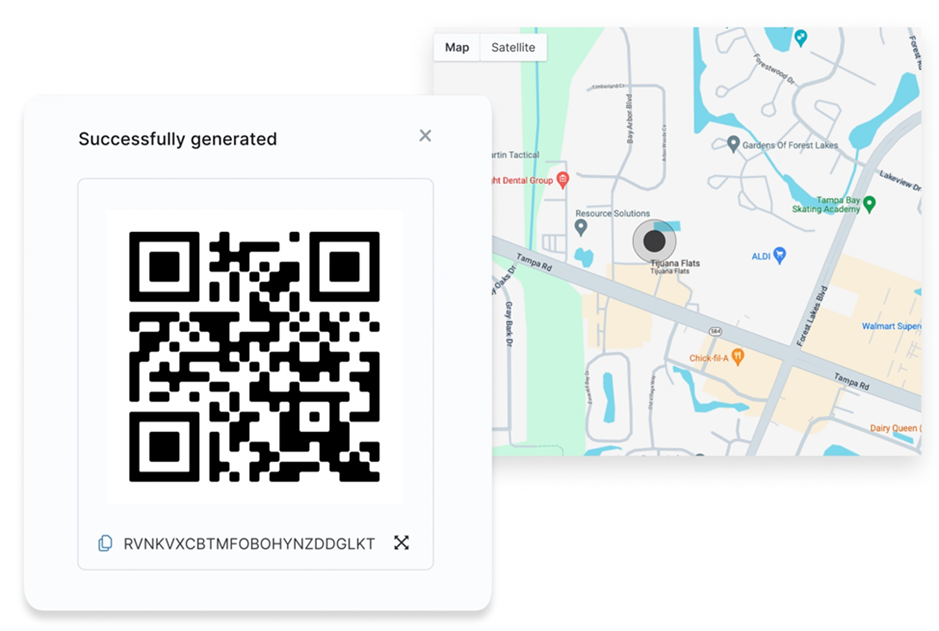
Administrators can generate a QR code directly from the NinjaOne MDM console by selecting the platform, device role (optional), organization, and location. Depending on the operating system, additional fields may also be available. Once generated, the QR code can be securely shared with end users or technicians for device enrollment. 

NinjaOne supports QR code enrollment for Android and Apple (iOS and iPadOS) devices, ensuring a unified onboarding experience across both mobile platforms. 

Each QR code contains encrypted data such as the MDM server address, enrollment token, and device setup parameters. This information is securely transmitted and inaccessible to unauthorized users. 

End users open the device setup wizard or MDM enrollment app and scan the provided QR code. Once scanned, the device automatically registers with NinjaOne MDM and applies the assigned configurations and profilesinstalls apps. 

Yes, depending on the configuration. Admins can generate reusable or single-use QR codes based on their deployment needs. 

While policies aren’t directly embedded in the QR code, each QR code includes the organization and location information. When a device is enrolled using that code, it automatically inherits the policies associated with the selected organization and location. 

If enrollment fails, check the device’s internet connectivity, verify the QR code’s validity, and ensure that the MDM server is reachable. Regenerating a new code from the NinjaOne console typically resolves the issue. 

Yes. NinjaOne allows administrators to customize QR codes for device enrollment by embedding additional provisioning parameters into the QR payload. For Android devices, you can include configurations such as Wi-Fi credentials, locale settings, or system app preferences directly within the JSON template. This enables the device to automatically connect to a designated network or apply specific setup preferences during enrollment. After adjusting the desired fields—like Wi-Fi SSID, password, and security type—you can regenerate the QR code using any text-based QR generator and scan it during device setup. This flexibility lets organizations tailor the provisioning process to match their deployment requirements while maintaining full control over device configuration.