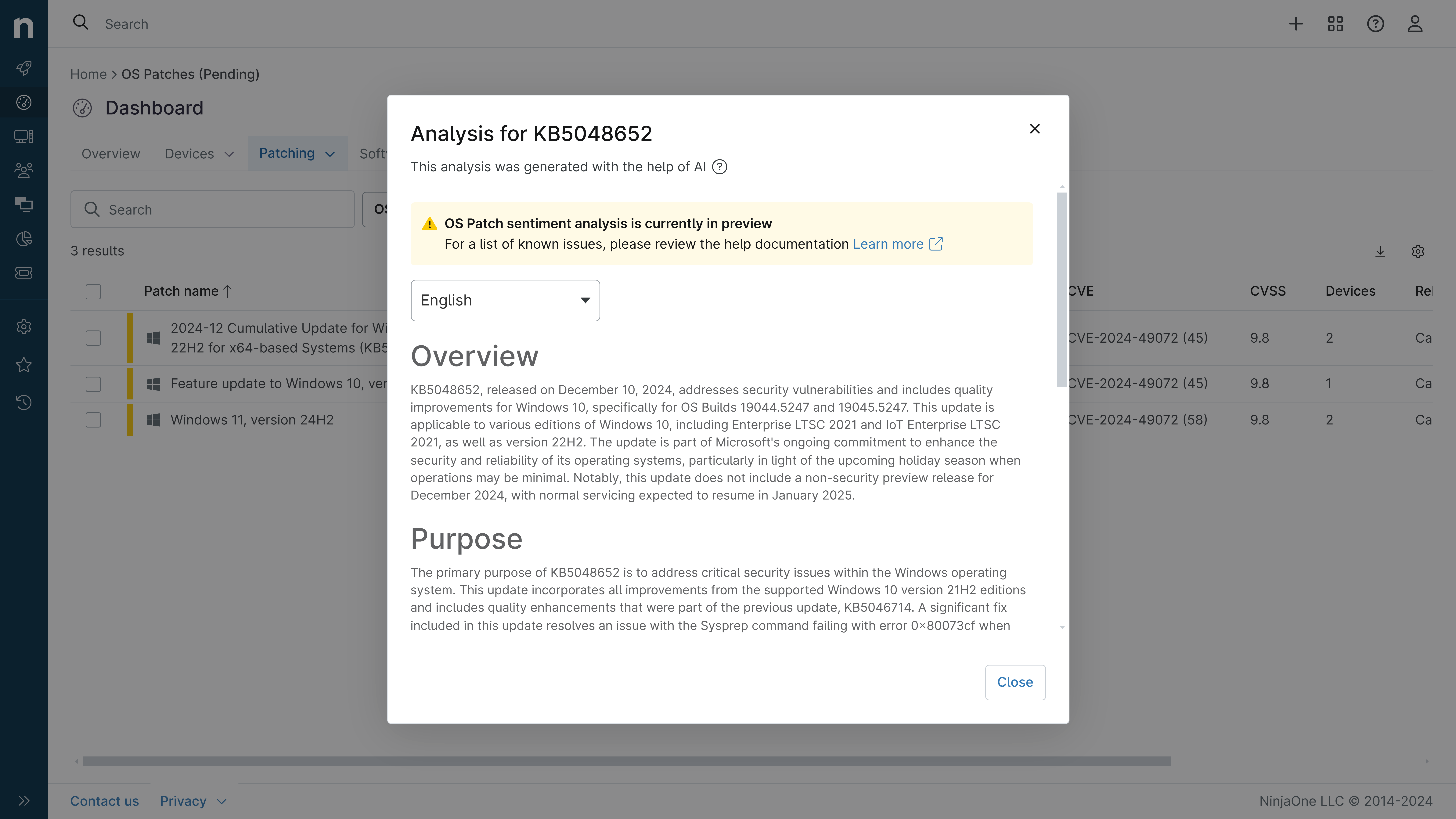
KB5082063: Overview with user sentiment and feedback
Last Updated May 30, 2026
Probability of successful installation and continued operation of the machine
Overview
KB5082063 is a cumulative security update for Windows Server 2025 released on April 14, 2026 (OS Build 26100.32690). This update represents a comprehensive monthly rollup that incorporates the latest security patches and quality improvements, along with non-security enhancements from the previous month's optional preview release. The update addresses multiple security vulnerabilities and introduces various functional improvements across different system components including Secure Boot, Kerberos authentication, Bluetooth management, networking, graphics rendering, and Remote Desktop functionality.
The update has undergone multiple revisions since its initial release, with a detailed changelog documenting adjustments made through May 12, 2026. Microsoft has identified and documented several known issues associated with this release, including installation failures, domain controller restart loops, BitLocker recovery key prompts, and Remote Desktop warning display problems. The organization has released out-of-band updates and Known Issue Rollback mechanisms to address the most critical issues affecting specific deployment scenarios.
General Purpose
This cumulative update delivers critical security enhancements and quality improvements across multiple Windows Server 2025 components. The Secure Boot implementation has been refined to provide additional high-confidence device targeting data, enabling broader automatic distribution of new Secure Boot certificates through a controlled, phased rollout approach while addressing issues where devices might enter BitLocker Recovery after Secure Boot updates. The Kerberos protocol implementation has been modified to change the default DefaultDomainSupportedEncTypes value to leverage AES-SHA1 encryption for accounts lacking explicit msds-SupportedEncryptionTypes Active Directory attributes, addressing CVE-2026-20833. Authentication improvements ensure Windows properly reads and applies configured Kerberos encryption policies consistently across domain environments. Bluetooth device management has been enhanced to provide more consistent device appearance in Settings and Quick Settings, simplifying device addition and management workflows. Graphics rendering has been improved for Win32 desktop applications during printing operations. Networking reliability has been strengthened for SMB compression over QUIC, reducing timeout occurrences and supporting more dependable performance. PowerShell's Set-GPPrefRegistryValue cmdlet now properly preserves complete registry preference values including final characters during import operations. Remote Desktop security has been significantly enhanced with new phishing protection mechanisms that display all requested connection settings before establishing connections, with each setting disabled by default and a one-time security warning on first .rdp file launch. The update also introduces the Saudi Riyal currency symbol to Windows fonts and implements a vulnerable driver blocklist that blocks known dangerous kernel drivers for enhanced security hardening.
General Sentiment
Community sentiment regarding KB5082063 presents a mixed picture with significant concerns balanced against recognition of necessary security improvements. While the security enhancements and quality improvements are generally acknowledged as important, the implementation of certain features—particularly the Remote Desktop security warning mechanism—has generated substantial frustration among IT professionals managing distributed infrastructure. The Remote Desktop phishing protection feature, though well-intentioned, has been criticized as overly aggressive and ineffective in real-world scenarios, with IT managers reporting that the mandatory warning dialog appears regardless of publisher verification status and requires extensive troubleshooting to manage at scale. Critics argue that determined attackers will circumvent such dialogs quickly, while legitimate users and administrators face productivity disruptions. The update's apparent lack of consideration for workgroup environments and small-to-medium enterprise configurations has been highlighted as a significant oversight, with concerns that the feature was not adequately tested in Insider Preview builds before stable release. However, the availability of Known Issue Rollback mechanisms and out-of-band updates demonstrates Microsoft's responsiveness to identified problems. The BitLocker-related issues affecting specific Group Policy configurations have raised concerns about the update's impact on security-hardened deployments, though detailed workarounds have been provided. Overall, the sentiment reflects appreciation for security improvements tempered by frustration with implementation choices that prioritize security theater over practical usability in diverse deployment scenarios.
Known Issues
- Installation failures with error codes 0x800F0983 or 0x80073712: A limited number of devices fail to install this update with specific error messages indicating missing or problematic update files. Resolution available through out-of-band update KB5091157.
- Domain controller restart loops in PAM environments: Domain controllers in multi-domain forests using Privileged Access Management may experience LSASS crashes during startup, causing repeated restarts and rendering authentication services unavailable. Addressed by out-of-band update KB5091157 or hotpatch KB5091470 for hotpatch-enrolled devices.
- BitLocker recovery key prompts with unrecommended Group Policy configurations: Devices with specific BitLocker Group Policy settings including PCR7 validation profile configuration may require BitLocker recovery key entry on first restart. This affects only systems meeting all specified conditions and is a one-time occurrence. Workarounds include removing the Group Policy configuration before update installation or suspending and resuming BitLocker after installation.
- WSUS error detail display removed: Windows Server Update Services no longer displays synchronization error details following KB5070881 or later updates, a temporary measure to address CVE-2025-59287 Remote Code Execution vulnerability.
- Remote Desktop security warning display issues: Security warnings appearing when opening Remote Desktop (.rdp) files may display incorrectly on systems with multiple monitors using different display scaling settings, resulting in overlapping text or hidden buttons. Addressed in KB5087539.
- Backup application failures from vulnerable driver blocklist: Applications relying on blocked vulnerable kernel drivers may fail when attempting to mount or manage disk images, displaying errors such as "The backup has failed because Microsoft VSS has timed out during the snapshot creation" or VSS_E_BAD_STATE. Users should update to application versions using newer drivers with required protections.
- Windows Deployment Services Hands-Free Deployment disabled: The Hands-Free Deployment feature in WDS is disabled by default and no longer supported, related to CVE-2026-0386 hardening.
Disclaimer: We take measures to ensure that AI-generated content is of the highest possible quality, but we cannot guarantee its accuracy and recommend that users do their own independent research. Generated on 2026-05-30 01:27 PM