


Building a robust MSP client onboarding checklist goes far beyond mere client-facing tasks. That’s why streamlining your onboarding process can help lay the groundwork with clear roles, automation, and validation before touching a single endpoint. To do this, you need to build a reliable internal framework by integrating automation into the process. With this, MSPs can achieve consistent, repeatable results with minimal manual effort, boosting long-term client success and internal accountability.
For a quick visual overview, watch our video guide on How to Build a Reliable Internal Framework for MSP Client Onboarding
📌 At a glance:
| Components | Purpose |
| Internal framework setup: roles, tools, and templates | To establish accountability, prepare automation scripts, and standardize templates for consistency |
| Infrastructure for automation and validation | To centralize scripts/configs, enforce security baselines, and track onboarding progress in real time |
| Risk-first planning: What to tackle early | To address high-exposure areas first, such as identity, endpoint vulnerabilities, and cloud risks |
| Embedded quality control: validation and audit trails | To confirm tasks are complete, maintain audit logs, and provide documentation for handoff |
| Continuous feedback loops and iteration | To review performance, update scripts/templates, and track issues for ongoing process improvement |
Internal framework setup: roles, tools, and templates
A reliable onboarding process requires clearly defined roles, prepared tools, and standardized templates. Here’s how to execute them.
1. Assigning internal project roles
Designate responsibilities to the proper team or personnel to bridge the gaps and guarantee accountability. Review tasks to ensure appropriate assignments are given to skilled individuals.
2. Preparation and testing automation scripts
Planning your internal framework also includes carefully incorporating the automation scripts you’re deploying. You can do this by thoroughly testing them in a controlled environment first, reducing the risk of errors or delays during live onboarding. This step should always be a part of building an effective IT automation strategy.
3. Standardizing templates
A standard template is needed to keep records of activities for documentation, RMM policies, and onboarding logs. Standardizing creates an established process that’s easy for team members and ensures uniform client documentation.
4. Creation of an internal readiness review
The final safety net is holding an internal meeting before going live with the client. In this meeting, you would review the onboarding plan, verify that the tools are ready, and confirm that each role fully understands its responsibilities.
Infrastructure for automation and validation
The following describes each component needed for an effective infrastructure for automation and validation:
- Central repositories: Establishing secure central repositories for storing onboarding scripts and configurations is a must. These repositories should be version-controlled so you can ensure that your team uses the latest versions and avoids duplication.
- Progress tracking with PowerShell and registry keys: Use PowerShell and registry keys to mark onboarding progress across devices. For example, registry entries like BaselineComplete = True allow you to track device-level onboarding progress automatically. Scripts can both set and verify these markers.
- Example validation snippet:
New-Item -Path "HKLM:\SOFTWARE\Org\OnboardStatus" -Force
Set-ItemProperty -Path "HKLM:\SOFTWARE\Org\OnboardStatus" -Name "BaselineComplete" -Value "True"
- Automation for security baselines: Design automations specifically to enforce minimum security standards, such as AV installation, MFA requirements, or backup agent presence.
- Integrated tracking: Integrate onboarding tags/status fields in the RMM and PSA for tracking. Dong this helps managers gain visibility over the progress of the onboarding process.
Risk-first planning: What to tackle early
Approach planning by focusing on early efforts where risk and exposure are the highest, rather than a generic discovery checklist. Here are the factors you need to prioritize:
Identity and access review
Unmonitored profiles are easy entry points for bad actors. Prevent mismanaged identities and expand your attack surface by carefully reviewing all admin accounts and enforcing MFA.
Endpoint vulnerability audits
Reduce endpoint risks by taking the following security measures:
- Confirm that the antivirus is installed and active
- Verify that backup agents are functioning.
- Ensure patch compliance is in place.
Cloud misconfiguration checks
Attackers may also find vulnerabilities in cloud environments, impacting the onboarding process. To mitigate these threats, you should check for:
- Improperly shared files
- Inactive guest users with access
- Missing license assignments
These fixes protect sensitive data while also improving operational efficiency.
Embedded quality control: validation and audit trails
MSP client onboarding completion should be verifiable through validation and audit trails. Here are the tasks you can deploy to embed them:
- Validate backups and endpoint coverage: Use scripts to confirm backup jobs are active, endpoint agents are installed, and patch status meets requirements.
- Automation rules for non-compliance: Utilize automation to flag devices missing baseline configurations.
- Create audit logs and dashboards: Create and maintain centralized dashboards showing onboarding progress, and use logs to track when tasks have been completed.
- Technical handoff with documentation: After the onboarding, schedule a technical handoff meeting with supporting documentation. This will give the service team complete visibility over the whole process.
Continuous feedback loops and iteration
Real-world feedback should shape the onboarding process. Here are some tasks you can do to help improve future onboarding:
- Hold a post-onboarding debriefing: Discuss what went smoothly and the obstacles encountered throughout the onboarding process.
- Update scripts and templates: Track common setup failures or delays and update scripts and templates accordingly.
- Trend analysis through ticketing: Tag onboarding issues to service tickets for long-term trend analysis.
- KPIs and QBRs: Include onboarding quality KPIs in internal QBRs or retrospectives. Essential metrics can help progress and enforce accountability.
NinjaOne services for building a reliable MSP client onboarding framework
NinjaOne and its tools support automation, tracking, and validation to strengthen the internal onboarding process.
| NinjaOne service | What it is | How it helps internal onboarding |
| Automated script deployment | Runs onboarding scripts across multiple endpoints simultaneously | Reduces manual effort, ensures faster and more consistent setup of agents, policies, and configurations |
| Tagging and registry tracking | Applies tags or updates registry keys to track onboarding task completion | Provides clear visibility into which devices have completed the required steps, minimizing missed tasks |
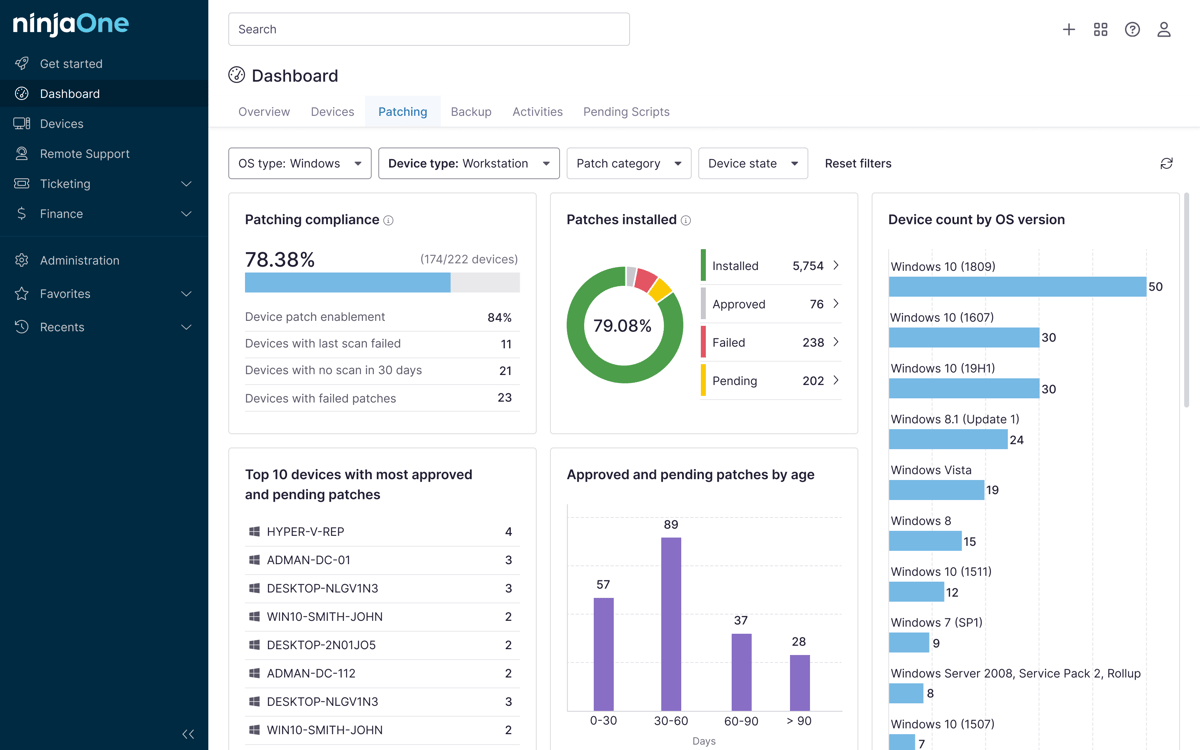
| Visibility through dashboards | Centralized dashboards highlighting onboarding readiness and gaps | Allows teams to monitor progress in real time and quickly address unprotected or misconfigured devices |
| Validation through reporting | Generates reports on agent installs, backups, and policy coverage | Confirms onboarding completeness, supports quality control, and provides documentation for handoff |
Optimize client onboarding with a reliable framework
A successful MSP onboarding involves repeatable but streamlined tasks, supported by a strong internal foundation. While it’s a cyclic process, it should evolve based on real-world assessment and observations. Tasks such as assigning clear roles, preparing automation, focusing on risk-first priorities, and embedding quality control make up for a strategic onboarding optimization. These tasks can help MSPs onboard clients faster, reducing errors while maintaining stability and consistency.
With the right MSP client onboarding checklist, supported by onboarding automation and a solid internal onboarding process, you can expect improved service delivery standardization, easier scalability as client volume increases, better internal accountability and tracking, and minimized onboarding-related support issues downstream.
Related topics:
- IT Client Onboarding Checklist for MSPs
- Automating New Device Setup with NinjaOne
- How to Build an IT Automation Strategy in 4 Steps
- Improving Your Onboarding and Offboarding Process for New Users
Quick-Start Guide
NinjaOne provides robust tools to help MSPs build a reliable internal framework for client onboarding. Here are some key capabilities:
- Client Organization Management
- Create and manage client organizations within the platform
- Set up locations and device roles for each organization
- Use device roles to create custom frameworks for client management
- Automated Onboarding Features
- Active Directory Discovery and Deployment tool for automatic agent installation
- Agent tokenization for easier script-based mass deployments
- Integrations with PSA tools like HaloPSA and Autotask to streamline client setup
- Comprehensive Onboarding Capabilities
- Device enrollment and management
- User and permission management
- End-user sharing options
- Organization-level policy creation
- Remote access and monitoring tools
- Integration Support
- Integrations with various PSA/ITSM platforms (ServiceNow, Zendesk)
- Synchronization of organizations across different systems
- Ability to map device roles and policies
- Security and Compliance
- Multi-factor authentication
- Single Sign-On (SSO) capabilities
- Granular user permissions
- Identity management through SCIM
These features enable MSPs to create a structured, efficient, and secure client onboarding process within the NinjaOne platform.