


Key Points
- Enterprise Wi-Fi is a centrally managed wireless infrastructure that delivers enhanced security, scalability, and control beyond consumer-grade Wi-Fi.
- Unlike home Wi-Fi, enterprise networks use 802.1X and RADIUS authentication to verify individual users and devices rather than relying on shared passwords.
- Core components of an enterprise WLAN include managed access points, controllers, identity and authentication services, and network segmentation via VLANs.
- Enterprise Wi-Fi supports network segmentation that allows businesses to securely accommodate corporate devices, IoT endpoints, and guest users on the same infrastructure.
- Zero-touch provisioning and centralized management reduce administrative overhead and help IT teams maintain consistent, secure wireless coverage across multiple sites.
Enterprise Wi-Fi addresses the complex needs of IT networking in scaling business environments. With expanded functionality and tools compared to consumer-grade home Wi-Fi, enterprise Wi-Fi offers increased security, enhanced management and oversight, as well as more flexibility and integration with other enterprise IT infrastructure.
This guide discusses enterprise Wi-Fi, including enterprise WLAN architecture, features to look for in enterprise wireless access points, and tools that can help IT teams and managed service providers (MSPs) maintain effective oversight and control over Wi-Fi networks.
What is enterprise Wi-Fi?
Enterprise-grade Wi-Fi combines hardware and software to provide robust wireless networking for businesses that have requirements beyond what consumer Wi-Fi offers. Rather than being geared around standalone access points, enterprise Wi-Fi is a coordinated infrastructure of multiple access points and supporting hardware that are centrally managed, and integrate with enterprise authentication.
Enterprise Wi-Fi usually includes additional monitoring and security features that allow IT administrators and MSPs greater control over wireless access points and connected devices. Furthermore, it’s not just large organizations that adopt enterprise Wi-Fi: even small deployments with a few access points can benefit from the additional functionality and scalability.
What is an example of an enterprise wireless network?
Enterprise wireless systems are designed to be flexible, with different hardware options ranging from access points and mesh networks to point-to-point connections for linking remote sites. In some cases, enterprise Wi-Fi may also provide public-facing wireless access.
For example, a multi-site network that integrates an enterprise-grade WLAN might look something like this:
- A business has a central office with multiple floors. Access points on each floor ensure every employee has sufficient Wi-Fi coverage. Users can move between floors, with Wi-Fi mesh technology moving them between access points seamlessly so that they never lose their connection.
- Wi-Fi is integrated with existing identity management, allowing users to authenticate with their enterprise domain credentials.
- On the lower floor, access points also offer a segregated public Wi-Fi network with client isolation for visitors to get online safely.
- A point-to-point Wi-Fi connection beams networking to a nearby building where employees have additional office space.
- The business also provides workspaces across the country, and operates pop-up showrooms, all with employee Wi-Fi that behaves exactly as it does back at the office, connected via VPN, and managed with the same tools.
This demonstrates the flexibility of enterprise Wi-Fi platforms, allowing company, personal, and IoT devices to securely connect. This can be achieved by mixing enterprise Wi-Fi products or using a single platform for centralized management by on-site IT or by an MSP.
How enterprise Wi-Fi differs from consumer home Wi-Fi
Consumer Wi-Fi is intended for home use, prioritizing quick setup and overall simplicity for end-users, for a single access point. However, this sacrifices advanced functionality and control. Home Wi-Fi devices do not scale well with limited connections, do not have automatic switching between access points, and are usually built to be affordable, lacking robust enclosures and mounting options.
Enterprise Wi-Fi offers significantly more functionality and control, but requires a bit more initial work and technical understanding to get properly installed, configured, and secured. Devices are also usually physically built to be mounted discreetly, rather than sitting on your desk. These factors become especially important in growing business environments.
Core components of an enterprise WLAN deployment
Enterprise Wi-Fi networks can be built using components from a single vendor, or assembled from multiple vendors for different purposes on the same network (for example, using one vendor’s platform for private networks, and another for public access), ideally using interoperable standards.
Generally, enterprise wireless deployments will consist of the following components:
- Managed wireless access points that provide coverage and connectivity
- Wi-Fi controllers or cloud-based management platforms that centralize configuration and management
- Authentication and identity services that validate users and devices
- Network segmentation using VLANs or policy-based controls
Enterprise Wi-Fi deployments are generally bespoke, and may not include all of the above components, or may include additional specific hardware or features for your use case.
Security and authentication models for enterprise Wi-Fi networks
In enterprise environments, users typically authenticate with their identity credentials rather than a shared Wi-Fi password (as is done on home networks). This means logging in with your company email/username and password. Endpoint devices may authenticate with certificates instead, where user accounts are not appropriate.
Network access control (NAC) using technologies such as RADIUS and 802.1X verifies users and devices before they are allowed to connect to your Wi-Fi network. This allows users and devices to be identified when they connect, allowing for granular security policies and segmentation, and detailed logs about who is connected, where, and when. Eliminating shared Wi-Fi passwords also prevents them from being misused.
Supporting guest and non-corporate access to business Wi-Fi
Public Wi-Fi gives guests and customers the ability to get online using your business’s internet connection, enhancing your relationship with them (especially in hospitality environments). However, allowing guests to connect to your internal network is dangerous. A separate network must be provided, and it must be completely segregated from your other IT infrastructure.
Shared Wi-Fi passwords are also unsuitable for this use case. Instead, public Wi-Fi should present users with a captive portal that logs them in as a distinct user or device, so that usage can be controlled, and bandwidth or time-based restrictions can be enforced to prevent misuse or abuse.
Operational benefits of enterprise Wi-Fi
Enterprise Wi-Fi also benefits tech teams and MSPs. While more initial configuration is required compared to standalone consumer Wi-Fi access points, an enterprise Wi-Fi deployment offers long-term advantages, including:
- Centralized configuration reduces administrative overheads and leads to consistent deployments
- Monitoring and analytics improve visibility into usage and performance, helping you ensure capacity isn’t overloaded
- Predictable behavior across physical sites improves user experience, maintaining reliability and resulting in higher productivity
These benefits scale: as devices, endpoints, and sites are added, enterprise Wi-Fi solutions allow your team to stay on top of managing and securing networks without significantly increasing workloads. Zero touch provisioning also greatly enhances the efficiency of deploying network hardware with consistent, secure baseline configurations by automating the initial setup of devices, often straight from the box.
Additional considerations
When designing and implementing your enterprise Wi-Fi solution, there are also practical considerations:
- Ensure access points provide sufficient coverage for the required areas. Don’t permanently mount them before you’ve tested
- If using on-premises controllers, ensure they are properly secured.
- Monitor bandwidth when the expected number of devices is connected to a Wi-Fi access point, not just coverage. Network congestion directly impacts productivity, interrupting work when there are too many devices connected to a single access point, or when its own trunk connection is saturated.
- Consider the form-factor of the enterprise Wi-Fi devices you choose: some are suited for outdoor use with weatherproof casing, while others are discreet and able to be mounted on ceilings without causing visual clutter.
Enterprise Wi-Fi hardware should also be physically secured to prevent theft or damage, or an unknown party physically plugging in to a Wi-Fi access point’s Ethernet port. Edge ports should be locked down to help protect against this.
Managed enterprise Wi-Fi
Like many components and processes in IT, enterprise Wi-Fi can be outsourced as a managed service. This may be offered as a standalone service by a dedicated wireless networking provider or as part of an MSP’s comprehensive IT services. In some cases, managed Wi-Fi may be procured separately from other MSP services or through an MSP on a business’s behalf.
Managing, monitoring, and securing enterprise Wi-Fi at scale with NinjaOne
Enterprise IT teams and MSPs deploy enterprise Wi-Fi solutions for their operational and security benefits, as well as to provide the best possible experience for staff and visitors. However, selecting, planning, and deploying an enterprise WLAN platform and architecture that meets your unique business requirements is only the first step: ongoing maintenance and security is a must to maintain performance and prevent your Wi-Fi networks from becoming a cybersecurity vulnerability.
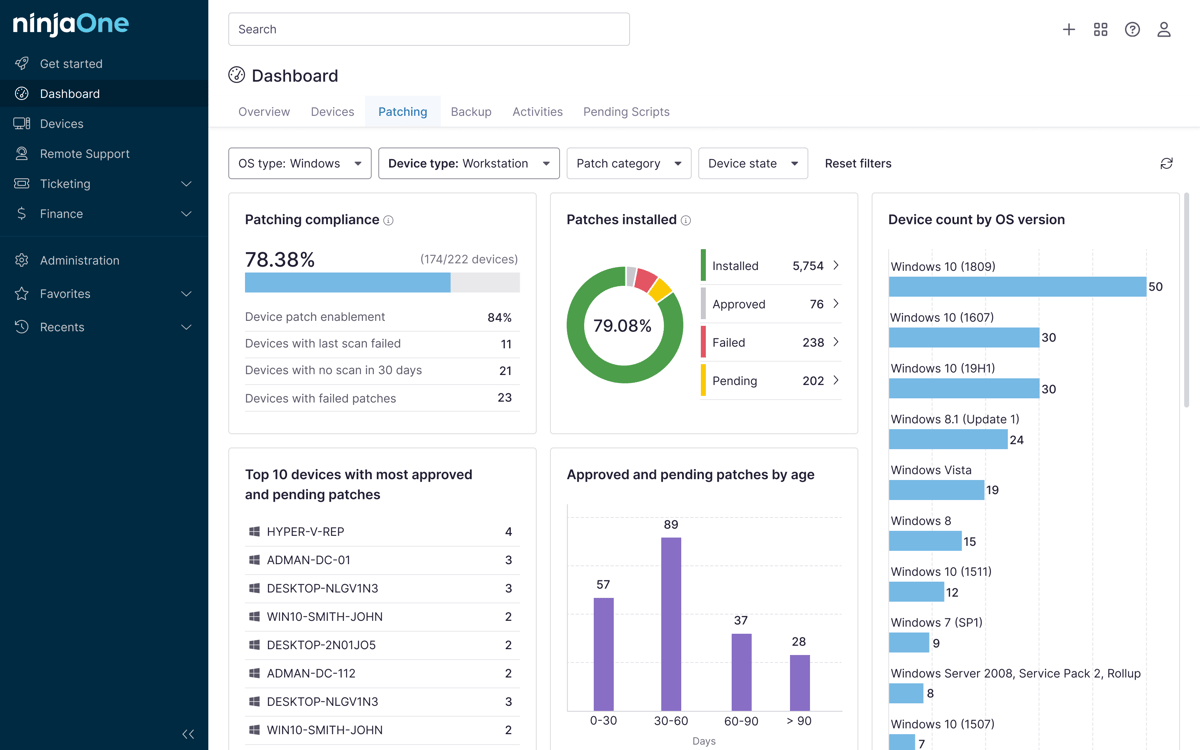
NinjaOne is a comprehensive IT management platform that includes network monitoring and automation that can be set up to proactively scan for and fix network issues, including configuration drift, anomalous behavior, and unexpected Wi-Fi devices. By maintaining visibility and control, you can ensure enterprise Wi-Fi remains secure and able to meet capacity and expectations.