Key Points
- Effective network bandwidth management prevents slow applications, failed backups, and unnecessary infrastructure costs while helping MSPs maintain SLOs and improve end-user experience.
- Establishing network utilization baselines and clear SLOs enables accurate detection of bottlenecks, recurring traffic spikes, and normal usage patterns for better capacity planning.
- Rescheduling or reducing bandwidth-intensive tasks, such as backups, VPN file transfers, and patch downloads, minimizes congestion during peak business hours.
- Prioritizing mission-critical apps through QoS and traffic shaping ensures real-time services remain performant and excluded from rate limiting.
- Implementing edge and endpoints controls, including bandwidth shaping, load balancing, and Wi-Fi usage policies, optimizes performance across sites and devices.
- Continuous network traffic monitoring and reporting on utilization, top consumers, and SLO adherence strengthens stakeholder trust and enables ongoing optimization.
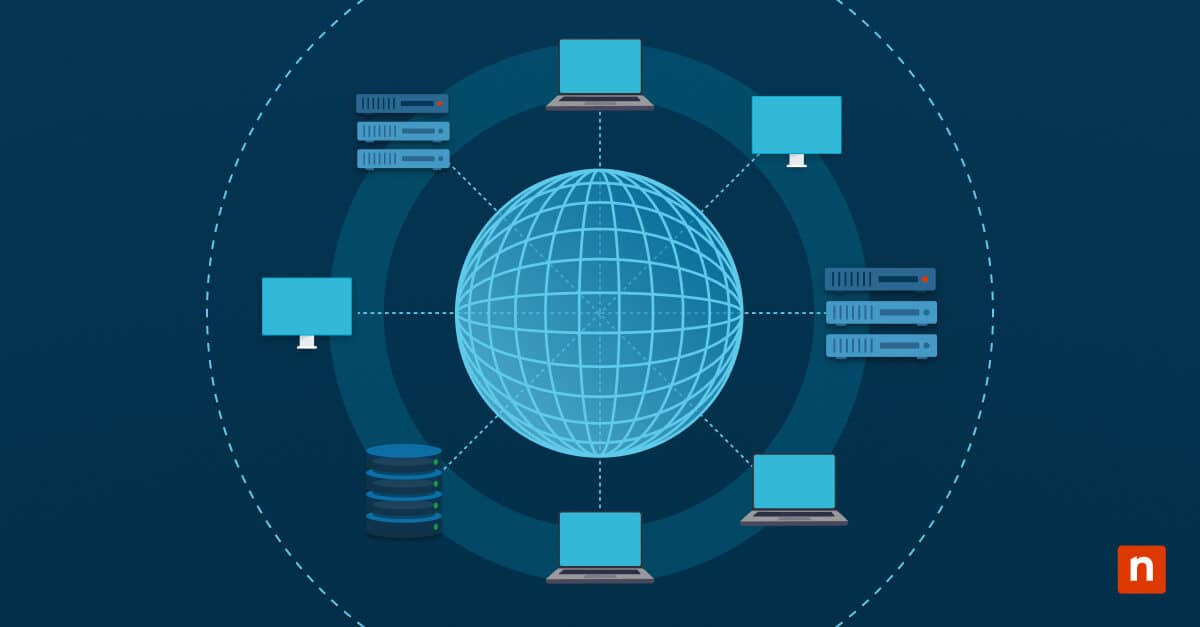
Bandwidth monitoring and the end-to-end management of network traffic is a critical task for IT teams and managed service providers (MSPs). With the ever-increasing reliance on cloud technologies, users quickly become frustrated when their connections are slowed by oversaturated connections caused by poor planning, implementation, misuse, or exploitation.
This guide provides you with a practical playbook to explore network bandwidth monitoring and management for monitoring and controlling network traffic in enterprise environments. It covers steps you can take to establish baseline bandwidth usage, set operational service-level objectives (SLOs), plan and apply bandwidth monitoring and control measures, respond to incidents, and document everything to provide evidence of your effectiveness to stakeholders.
Why is bandwidth management important?
Poorly managed bandwidth will quickly frustrate end-users who are left waiting for websites and apps to load. However, it’s not just productivity loss that impacts organizations: critical services like offsite backups may fail, and critical communications may be delayed or blocked, among other potential issues.
Bandwidth problems can also lead to higher infrastructure costs, as file transfers need to be retried, or IT departments may sign up for more expensive internet services with higher bandwidth or transfer caps where they are not really needed. Balancing utilization, traffic shaping, and scheduling bandwidth-heavy jobs can result in a faster experience for users and higher reliability for apps and services without having to spend more on infrastructure.
Critically, for MSPs, effective bandwidth management also results in keeping to your established SLOs and improved customer relationships, as slow connections are highly visible, directly impacting all end users.
What you need for effective bandwidth monitoring
The steps in this guide will help you accomplish the following network monitoring best practices and deliver the following advantages as part of your drive for service excellence:
| Best practice | Purpose | Value delivered |
|---|---|---|
| Establishing a baseline first | Find existing bottlenecks and identify real spikes | Targeted fixes that optimize engineering resources |
| Setting realistic SLOs | Guided decision-making without waste | Consistent operations based on real-world usage |
| Re-scheduling heavy jobs | Free bandwidth capacity during business hours | Less contention for network resources, cost optimization |
| Traffic prioritization | Protects critical apps from losing bandwidth to low-priority usage | Improved user experience |
| Publish reports | Documents improvements, provides historical data for future decision-making | Accountability and fine-tuning |
To do this, you’ll need:
- An inventory of WAN links, network and Wi-Fi infrastructure, and critical bandwidth-reliant apps
- Access to networking management interfaces for monitoring the flow or traffic and device health
- Bandwidth monitoring and testing tools
- A shared documentation platform for historical data and reports
Step 1: Establish network utilization baselines and SLOs
Before you can understand your network utilization, potential bottlenecks, heavy users, and then plan fixes and optimizations, you need to establish a baseline. This is a record of regular day-to-day usage that excludes any unusually high or low bandwidth usage periods.
Two weeks’ worth of network traffic data should be enough to reliably establish this, covering regular activity as well as bandwidth usage highs and lows. Pay particular attention to recurring spikes that may be caused by scheduled tasks or user behavior patterns, as well as quiet periods.
Use this data to define SLOs for performance and network utilization. This can be done for different time spans: SLOs and expectations for business hours can differ from out-of-hours, when no people will be impacted by a connection that is being fully utilized for critical scheduled maintenance tasks like backups.
Step 2: Reduce and reschedule bandwidth-intensive tasks
High-bandwidth tasks can be moved to identified low usage periods. For example, offsite backup tasks can be moved outside of business hours in an office environment when no users will be impacted. Remote access to VPNs’ file shares hosted on-premises can also saturate connections, and can be alleviated by mirroring files to cloud storage.
Some bandwidth-intensive tasks can be reduced or eliminated entirely – effective patch management, including patch caching, should mean that each endpoint in your organization does not need to download update files from the internet individually.
Step 3: Prioritize mission-critical tasks and apps
Identify business-critical apps that affect productivity, as well as apps that need real-time access to the network and so that they can be prioritized and omitted from rate limiting. Document these policies for future review to ensure that exclusion lists are lean.
You can also tap into your helpdesk process to identify apps that may require prioritization to solve end-user issues.
Step 4: Implement edge and endpoint controls
Implement QoS, bandwidth shaping, traffic shaping, and load balancing in your network configuration and endpoint policies based on your findings above. Policies can be applied at the network, site, or device level – different organizations or locations in a multi-site deployment may have different conditions and bandwidth limitations requiring different optimization practices.
Monitor Wi-Fi usage, and consider restricting background data usage on client devices on overutilized Wi-Fi nodes. User education helps too: if users understand that downloading large files during business hours will slow other apps, they may reconsider leaving it for the end of the day.
Step 5: Monitor ongoing network traffic and report bandwidth utilization outcomes
Ongoing network and bandwidth monitoring will prove the effectiveness of your planning and implementation. It will also provide up-to-date data on emerging usage patterns (both as a result of changing requirements and in response to your network bandwidth management) so that you can continue to tweak your configurations to get full utilization from your IT infrastructure.
Present this information to stakeholders or clients during quarterly business reviews (QBRs), showing utilization by WAN connection, top bandwidth consumers (users, services, and endpoints), SLO violations, and how these were addressed. This will enhance trust and demonstrate the effectiveness and proactiveness of your tech team. It also provides an opportunity to further stakeholder buy-in on measures that go beyond ‘quick wins’ like rescheduling backups, which may require adjusting other business processes.
NinjaOne integrates network monitoring with policy enforcement, endpoint protection, and automation
NinjaOne integrates with your existing network monitoring solutions, making it part of a unified IT infrastructure centered on automation. By combining industry-best remote monitoring and management, endpoint protection, and inventory tools, you can narrow down high-bandwidth usage to devices, services, or users as part of your bandwidth monitoring efforts.
Bandwidth management is enhanced by NinjaOne’s scripting tools: you can schedule weekly reports that highlight how bandwidth control measures have been effective, send alerts when SLO thresholds are breached, and consolidate data from across your network to identify potential network control improvements and performance optimizations. This will help you to get the most out of your IT infrastructure and provide the best experience to end users.