


Key Points
- Your backup and recovery policy defines how your data is saved, restored, and maintained across distributed remote environments.
- Classify remote employee data by business impact (Critical, high, medium, and low) before assigning backup frequency or retention rules.
- Match backup frequency to Recovery Point Objectives (RPOs) in each urgency tier.
- A dedicated third-party backup solution helps provide independent, policy-based backups that complement native data protection capabilities.
- Prioritize business-critical systems, privileged access devices, and departmental dependencies first.
A backup and recovery policy defines how data copies are saved, maintained, and restored for reduced risk. This is especially important in distributed environments, where information is scattered across collaboration platforms, apps, and more.
Refining your employee backup policy is key, but a proper framework combined with an endpoint management platform helps organizations securely manage and monitor remote endpoints that store business data. This guide explains how to optimize data backups for your remote workforce.
Optimize your backup policy for remote workers
What a backup and recovery policy covers
As your enterprise grows, so will your storage demands. Your backup and recovery policy should include the proper workflows for retaining, monitoring, restoring, and validating data copies.
Connect backup operations to business continuity, data protection policies, and recovery objectives. Doing so elevates your employee backup policy beyond the device level.
For an optimized backup policy, include the following:
- Data types and classifications
- SaaS backup scope
- Retention periods
- Encryption requirements
- Access and restore approval rules
- Backup monitoring and alerts
- Failed backup remediation
- Backup restore procedures
- Validation for recovered data
- Compliance and audit requirements
Why remote employee data needs prioritization
Remote retention policies need to be tailored to the business’s operational needs. Prioritize backups by business impact to account for inconsistent connections, mixed environments, and reduced visibility.
Additionally, adapt backup strategies based on where data is stored, whether on local devices or in SaaS applications. While unmanaged endpoints may introduce additional operational and security risks, backup priorities should be based on business criticality and the sensitivity of the data being protected.
Classify remote employee data before assigning policies
Mark remote employee data for easier segregation. Implement stronger access controls and zero-trust authentication policies for payroll, employee records, finance, and more.
Use the following classification groups in your backup and recovery policy for remote employees:
| Data type | Backup priority | Retention recommendation |
| Mission-critical business data | Critical | 7-10 years |
| Customer and client records | Critical | 5-7 years |
| Payroll data | Critical | 7 years |
| Legal, compliance, and audit files | Critical | 7-10 years |
| HR and employee records | High | 5-7 years |
| Operational project files | High | 3-5 years |
| Departmental working documents | Medium | 1-3 years |
| Temporary files | Low | 30-90 days |
💡Tip: Define backup policy by where the data is stored to address shared drives, Google Workspace data, offline files, and more.
Match backup frequency to business value
How often you back up data matters. Define backup priority tiers in your backup and recovery policy to align backup frequency with business needs and recovery objectives. These tiers should reflect business importance and recovery requirements:
| Tier | Examples | Sample backup frequency |
| Critical data | Live Salesforce CRM records, active financial transactions in QuickBooks | Continuous or every 15-60 minutes |
| High-value business data | Ongoing client project files in SharePoint | Every 4-6 hours, or a minimum of daily |
| Standard employee files | Daily working documents in Microsoft 365, team communications in Slack | Daily |
| Low-risk data | Draft presentations, local browser caches | Weekly, or as needed |
💡Important: Set retention rules to balance recovery requirements, storage capabilities, and compliance needs.
Prioritize restore procedures by impact
Your backup and recovery policy should also define recovery procedures for security incidents and failed restores. Consider business-critical operations, devices with privileged access, and departmental dependencies first.
Include the following in your restore procedure:
- Identity and authorization checks
- Backup source selection
- Restore point selection
- Approval requirements
- Escalation path for failed restores
Secure remote employee backup data
A remote employee backup and recovery policy should define requirements to protect data in transit, at rest, and during recovery. Implement identity management, endpoint protection, encryption, and user training. Manage endpoints remotely in a centralized dashboard for easier visibility.
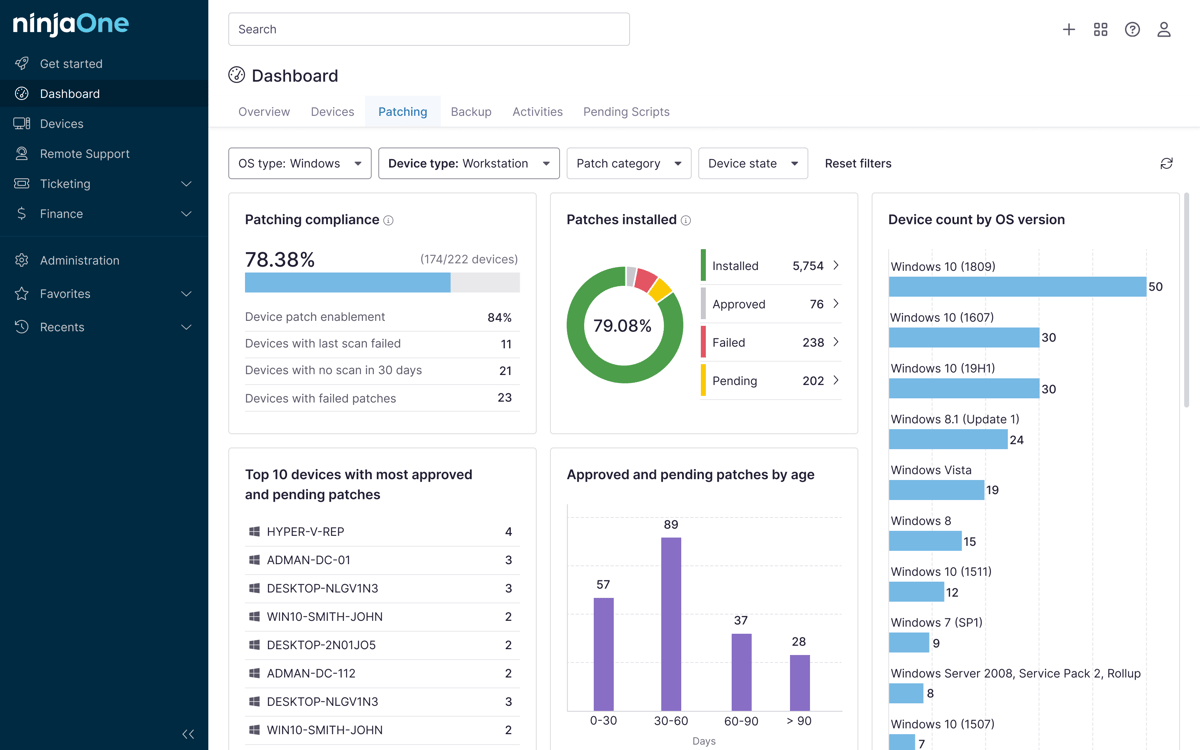
Reduce complexity at scale with a backup and recovery policy dashboard.
Here’s how NinjaOne provides consistent business backup.
💡Tip: Include regular backup policy checks to see if your workflows function as intended
Common mistakes to avoid
Assuming cloud sync replaces backup
Cloud tools like OneDrive or Google Drive only reflect the current state of your files during syncs. If a file is corrupted or lost, the same will happen to saved documents.
Applying one backup policy to all remote employees
A sales executive handling live client contracts has a higher level of exposure than an intern reviewing temporary files. Apply role-based backup tiers to prevent over-retention and risky gaps.
Backing up endpoints but ignoring SaaS data
Many vendors don’t back up data on SaaS platforms beyond short retention windows. Implement a dedicated third-party backup solution to improve data protection and recovery capabilities.
Setting backup frequency without RPO or business impact review
Teams default to arbitrary recovery schedules without a pre-defined Recovery Point Objective. Daily saves on information that changes hourly are counterproductive. Back up data according to need.
Not testing backup restore procedures
Untested backups may fail when needed. Regularly verify backups for data corruption, misconfigurations, and outdated backup sets to help ensure successful restores.
Streamline backup and recovery policy enforcement with a centralized dashboard
A backup and recovery policy for remote workers should prioritize protection based on business value, sensitivity, storage location, and impact. Create clear procedures that define backup frequency and retention, especially in the context of your distributed workforce.
Related topics: