

Key Points
- Backup compliance is about governance and accountability, not just storing data.
- Mature MSPs align backup operations with each client’s specific regulatory requirements.
- Centralized governance reduces retention gaps and compliance inconsistencies across clients.
- Recovery validation is a compliance requirement.
- Continuous visibility into backup integrity and retention posture is what audit readiness actually looks like.
Backup compliance, especially in MSP environments, refers to your ability to prove (at any moment and to any auditor) that your clients’ data is protected, retained correctly, recoverable, and handled exactly in the way the law requires.
Now, if that sounds like a lot, it’s because it is, but also completely understandable. MSPs today are no longer just managing local servers. They are safeguarding complex, fragmented digital estates, which require completely new strategies for backup compliance.
In fact, Gartner’s 2025 Magic Quadrant for Distributed Hybrid Infrastructure frames these emerging requirements within a broader industry shift toward “infrastructure flexibility,” a trend expected to accelerate in the years ahead. As highlighted by VirtualizationReview, MSPs are increasingly becoming a critical line of defense for managing backup operations across heavily regulated (and often multi-tenant) environments.
Still, there can be hesitation in meeting all the requirements set by the previously mentioned definition. The good news, however, is that it is entirely possible to achieve this with proper planning and implementation.
What is backup compliance, and why does it matter for MSPs?
At its core, backup compliance means managing your backup operations within the rules set by applicable laws and industry regulations. Contrary to popular belief, this IT strategy is not “just” storing redundant copies of data. Rather, true backup compliance requires copies that are encrypted, access-controlled, retained for the right amount of time, and recoverable when needed.
This is especially important for MSPs. We’ve spoken about this in more detail in our guide on why SaaS backup matters for MSPS, but in a nutshell, your MSP is responsible for your clients’ data, which is almost always part of a highly regulated industry.
A failure in backup governance can lead to heavy repercussions, which may explain why so many IT leaders are now advocating for data-centric security models to protect their IT infrastructure.
If you’re still unconvinced, let’s talk numbers. IBM’s research puts the average cost of a data breach at $4.4 million. Meanwhile, studies show that 60% of small companies close within 6 months of being hacked. These are real numbers that show how poor backup governance can affect you and your clients.
Key compliance frameworks MSPs must understand
Before you can govern backup compliance effectively, you need to know which regulations apply to your clients. The four most common frameworks MSPs encounter are:
- HIPAA (Health Insurance Portability and Accountability Act) applies to healthcare organizations and their business associates. It requires that patient health information be kept private and secure. For a more in-depth discussion, read this guide on HIPAA compliance: Everything you need to know.
- GDPR (General Data Protection Regulation) is a European Union law that governs how personal data about EU residents is collected, stored, and processed, even by companies outside the EU. Under GDPR compliance, data should not be retained longer than necessary for its intended purpose.
- PCI-DSS (Payment Card Industry Data Security Standard) governs any business that processes credit card payments. PCI requires a secure network, protection of cardholder data, and strict access controls.
- SOX (Sarbanes-Oxley Act) applies to publicly traded companies in the US and requires accurate financial record-keeping. MSPs supporting SOX-regulated clients must maintain documentation around user controls, network access, data security, and backup and disaster recovery.
Why backup compliance governance becomes complex in MSP environments
Managing backups for one company is relatively straightforward. However, MSPs need to manage several simultaneously across regulated industries, hybrid cloud environments, and distributed infrastructures.
This drastically changes how you need to approach your backup compliance strategies. Without a structured governance framework, things can fall through the cracks in very predictable ways.
Let’s look at what makes multi-client governance complicated:
- Every client operates under different rules: Every client will have a different compliance requirement (or a mixture of several). As such, it is extremely important that you are able to manage all of them simultaneously with proper understanding and robust backup strategies.
- “Recoverable” means something different to every client: A healthcare provider and an e-commerce business have very different tolerances for downtime and data loss. Without documented RPOs and RTOs per client, recovery expectations become guesswork under pressure.
- Hybrid and distributed environments create visibility gaps: When client data lives across on-premises servers, multiple clouds, and remote endpoints, it’s easy for backup coverage to be inconsistent without anyone noticing, until it becomes too late and you’re in your own IT Horror Story.
- Ownership of compliance obligations gets blurry: When something goes wrong, fragmented governance makes it hard to answer a basic question: Who was responsible for ensuring this was covered? That ambiguity is a liability for everyone involved.
To be clear: Distributed environments are not the “enemy,” fragmented governance is. When an auditor asks for evidence of compliance, saying “We think our backups are fine” is an unacceptable answer. You need documentation, logs, test results, and a clear chain of accountability for every client you manage.
Operationalizing backup compliance for MSPs
Mature MSPs commonly standardize the following:
Encryption
This is a non-negotiable at every stage. Backup data must be encrypted both in transit and at rest. The standard to aim for is AES-256 for stored data and TLS 1.2 or higher for data moving across networks.
It is worth noting that encryption is also a compliance requirement for several regulations, including HIPAA and GDPR.
Access controls
Following the least privilege principle is critical in backup compliance. Ensure that only authorized people can edit data. It is also important that you regularly review who has access as well to prevent “zombie” admins!
For more guidance, we recommend checking out this guide, “How to Set Least Privilege Technician Permissions Without Slowing Workflows.”
3-2-1 backup rule
The 3-2-1 rule is a time-tested approach to backup redundancy, where you keep at least three copies of data, on two different media types, with one copy stored off-site. In practice, this might look like production storage, a local backup device, and a third copy in a geographically separate cloud environment.
The modern extension of this is the 3-2-1-1-0 backup strategy, which adds one immutable or offline copy, and targets zero errors verified through routine integrity checks.
Immutable backups
Even if ransomware somehow compromises your primary systems, immutable backups give you a clean restore point. As their name suggests, these are backups that cannot be altered or tampered with (even by administrators) for a defined retention period.
It’s worth noting that it’s no longer enough to have a policy that says data can’t be deleted. Modern MSPs need technical enforcement through governance or compliance-grade locks that require a documented, auditable override process to circumvent the immutability of these backups.
Retention policies
It must be very clear within your MSP (and for every client you handle) how long each piece of data is stored for. This is why it is so important that you know and are exposed to the common regulatory requirements, so you know their specific retention periods.
If, on the off chance, these requirements conflict, legal obligations always take priority. The most important thing is that your retention policy is documented, approved, and consistently enforced. During litigation or an investigation, you must be able to show evidence that you followed the required retention policies set by appropriate standards.
Recovery validation
This is the part many MSPs skip, but here’s an uncomfortable truth: Backup that hasn’t been tested isn’t really a backup. It’s just a file you haven’t opened yet.
You must be able to demonstrate recovery readiness. This means defining and documenting your Recovery Point Objective (RPO) (how much data you can afford to lose) and your Recovery Time Objective (RTO) (how quickly you need to be back online), then actually testing against those targets.
Check out this guide, “How to Validate Restore Readiness Across Client Environments with a Practical Checklist,” for additional information.
How MSPs maintain compliance at scale
Maintaining compliance at scale through centralized governance ensures that all your clients are managed equally and responsibly.
In practice, a centralized governance framework gives MSPs a consistent answer to the questions that matter most during an audit or incident:
- Retention policies are defined, documented, and enforced the same way across all clients, with client-specific variations built in where regulations differ.
- Recovery validation workflows follow a repeatable process, so every client’s backup is tested on schedule, and the results are recorded in a format that holds up to regulatory scrutiny.
- Legal hold procedures are built into the framework before they’re needed, not assembled in a panic when a client faces litigation.
- Audit documentation is maintained continuously, where evidence of compliance is always ready, not just theoretically available.
Common MSP backup governance mistakes
Maintaining inconsistent retention policies across clients.
When retention schedules are set informally or client by client without a standardized framework, it’s easy for some environments to be over-retained (creating unnecessary storage and privacy risk) while others are under-retained (creating regulatory violations). Every client should have a documented retention policy that reflects their specific compliance obligations, enforced automatically rather than managed manually.
Weak visibility into backup integrity.
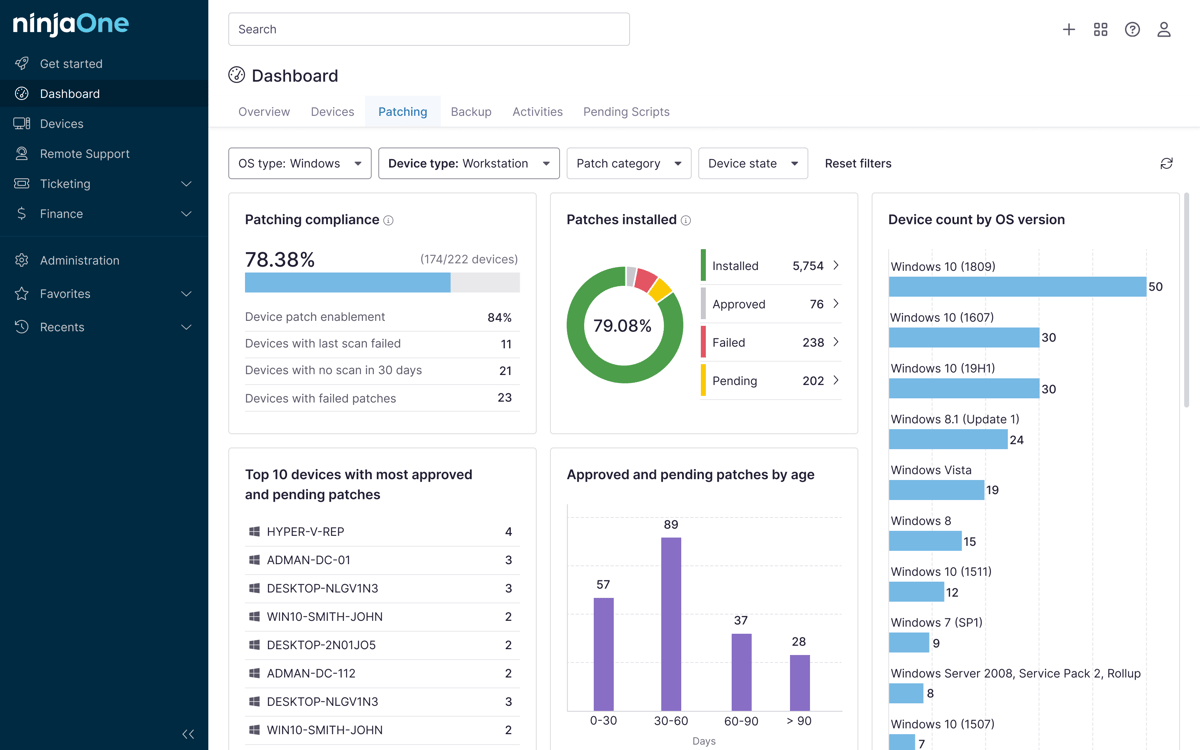
Without continuous monitoring that validates data integrity, MSPs can operate for months with corrupted or incomplete backups, only discovering the problem when a restore is urgently needed.
Automated monitoring tools that verify backup health beyond simple pass/fail reporting are essential.
Failing to validate recovery workflows.
This is arguably the most common and most dangerous mistake. Storing backups and recovering from them are two entirely different capabilities, and regulators increasingly expect proof of both.
Recovery workflows should be tested on a defined schedule, with documented results.
Overlooking legal preservation obligations.
Most MSPs have a process for backup and retention. Far fewer have a formal workflow for legal holds. This includes suspending automated deletion and preserving specific data when a client faces litigation or a regulatory investigation.
Without this, an MSP can inadvertently destroy data that a client was legally required to preserve, creating serious liability for both parties.
Treating backup governance as separate from compliance operations.
Backup is often managed as a purely technical function, siloed from a client’s broader compliance program. This creates situations where the compliance team believes data is being retained correctly, while the backup environment tells a different story. Backup governance should be integrated into compliance reporting and reviewed alongside other controls, not managed in a separate operational track.
Building centralized backup governance
MSPs need to build standardized governance frameworks to ensure the data resiliency of their clients. By treating recovery validation as seriously as backup execution, they maintain continuous visibility into backup posture across all clients, and they document everything in a way that holds up to regulatory scrutiny.
Related topics: