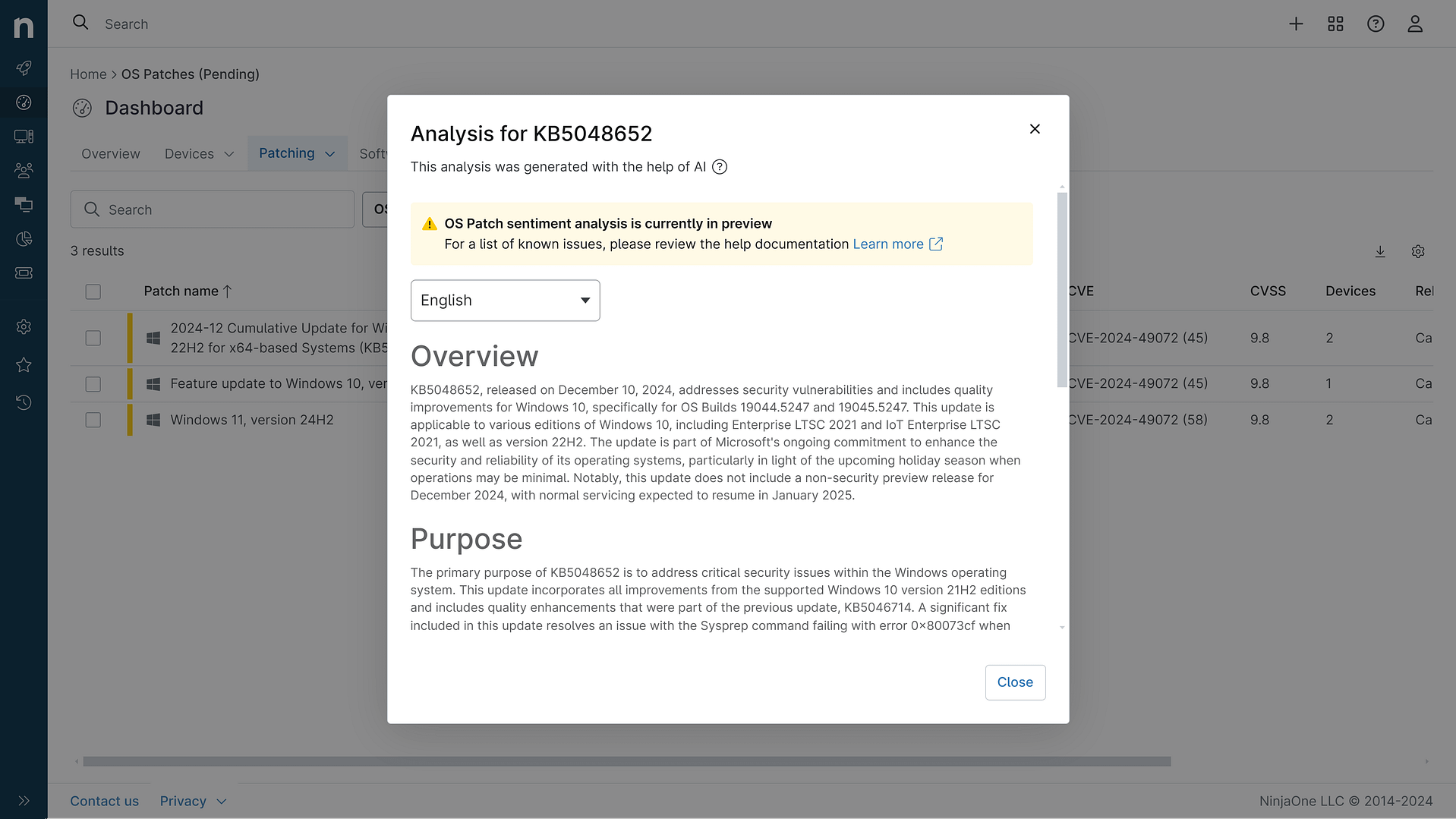
KB5083769: Overview with user sentiment and feedback
Last Updated May 30, 2026
Probability of successful installation and continued operation of the machine
Overview
KB5083769 is a cumulative security update released on April 14, 2026, for Windows 11 versions 25H2 and 24H2, with OS builds 26200.8246 and 26100.8246. This update consolidates security fixes and quality improvements from multiple previous releases spanning March 2026, including patches from KB5079473, KB5085516, KB5079391, and KB5086672. The update addresses critical security vulnerabilities while introducing enhancements across multiple system components including Secure Boot certificate management, networking reliability, and Remote Desktop security protections.
The patch represents a comprehensive monthly rollup designed to maintain system security and stability through a phased deployment approach. Microsoft has implemented additional device targeting data to ensure controlled distribution of Secure Boot certificate updates, with devices receiving new certificates only after demonstrating successful update signals. This measured approach reflects lessons learned from previous update cycles and aims to balance security urgency with deployment stability.
General Purpose
This cumulative update delivers critical security hardening measures and quality-of-life improvements across multiple Windows 11 subsystems. The primary focus centers on Secure Boot certificate infrastructure updates, which address the impending expiration of existing certificates beginning in June 2026. The update introduces enhanced status visibility within the Windows Security application, allowing users to monitor Secure Boot certificate update progress through badges and notifications.
Networking reliability receives significant attention, with improvements to SMB compression over QUIC protocol reducing timeout occurrences and delivering more consistent performance for network file operations. Remote Desktop security has been strengthened through enhanced phishing protection mechanisms, requiring explicit user acknowledgment of connection settings before establishing sessions and displaying security warnings on first-use scenarios. Additionally, the update resolves a critical issue affecting the Reset this PC functionality that was introduced by the March 2026 hotpatch, restoring the ability to perform clean installations with both file preservation and complete system removal options.
A notable security hardening change adds known vulnerable kernel drivers to Microsoft's vulnerable driver blocklist, preventing exploitation through legacy driver vulnerabilities. The update also includes AI component updates targeting Windows Copilot+ devices, though these components do not affect standard Windows installations.
General Sentiment
Community reception of KB5083769 has been decidedly mixed, reflecting a pattern of legitimate concerns tempered by recognition of security necessity. IT professionals and system administrators express frustration regarding the BitLocker recovery key issue affecting devices with specific Group Policy configurations, with multiple reports indicating unexpected BitLocker prompts requiring recovery key entry on first restart post-installation. However, the affected scenario requires a precise confluence of conditions including BitLocker enablement, specific TPM validation profiles with PCR7 inclusion, and particular Secure Boot certificate configurations, limiting the scope of impact to primarily enterprise-managed systems rather than consumer devices.
The backup software incompatibility issue has generated significant concern within managed service provider and enterprise backup communities. Applications relying on vulnerable kernel drivers now blocked by the update experience VSS timeout failures and snapshot creation errors, with some users reporting complete backup failure until driver updates are available from vendors. This represents a genuine operational disruption for organizations using legacy backup solutions, though it reflects intentional security hardening rather than unintended regression.
Counterarguments emphasize that the security improvements, particularly Secure Boot certificate updates and vulnerable driver blocklist enhancements, address critical infrastructure vulnerabilities that pose greater risk than the known issues. Many administrators acknowledge that staged deployment and testing protocols would have mitigated most reported problems. The Remote Desktop display scaling issue affecting multi-monitor setups with varying DPI settings appears relatively minor and has been addressed through subsequent patches.
Known Issues
- BitLocker Recovery Key Prompts: Devices with unrecommended BitLocker Group Policy configurations specifying TPM platform validation profile with PCR7 inclusion may require BitLocker recovery key entry on first restart after installation; subsequent restarts do not trigger this behavior if group policy remains unchanged
- Backup Software VSS Failures: Applications relying on vulnerable kernel drivers now included in the blocklist experience Volume Shadow Copy Service timeout errors and snapshot creation failures, with error messages including "The backup has failed because Microsoft VSS has timed out during the snapshot creation" or VSS_E_BAD_STATE
- Remote Desktop Display Issues: Security warning dialogs for Remote Desktop (.rdp) files may display incorrectly on multi-monitor configurations with different display scaling settings (e.g., 100% and 125%), resulting in overlapping text and partially hidden buttons that impede readability and interaction
- Secure Boot Certificate Update Incompatibility: The update may trigger BitLocker recovery screens on devices transitioning from legacy to 2023-signed Windows Boot Manager when specific BitLocker configurations are present
Disclaimer: We take measures to ensure that AI-generated content is of the highest possible quality, but we cannot guarantee its accuracy and recommend that users do their own independent research. Generated on 2026-05-30 07:52 PM