Key Points
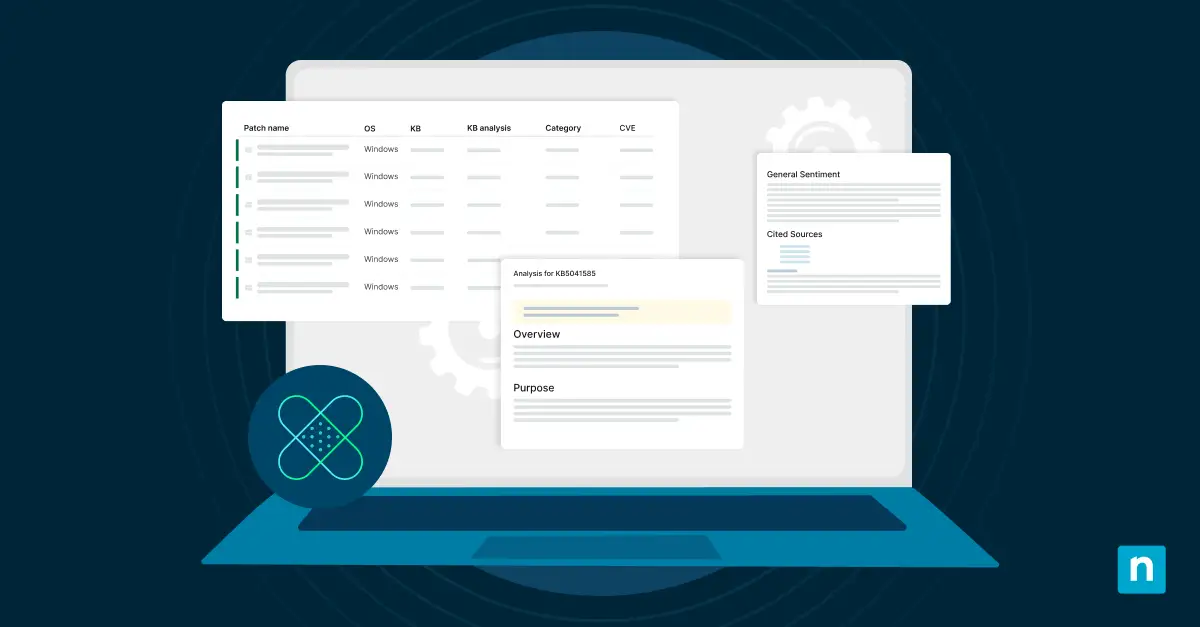
NinjaOne’s Patch Intelligence AI uses AI-driven insights to help IT teams safely manage Windows patches and prevent system disruptions.
- Flag risky Windows patches early using global feedback and AI analysis
- Test or delay patches in sandbox environments to avoid compatibility issues
- Reduce downtime by preventing unplanned upgrades, licensing conflicts, and AVD failures
- Save IT teams’ time with automated patch risk summaries and actionable insights
Growing software complexity increases the risk of patch-related failures. An untested patch can cause compatibility problems, service disruptions, and security gaps.
NinjaOne introduced Patch Intelligence AI within its automated patch management platform to address these risks. The tool helps IT teams manage patches proactively and with greater confidence.
Key Advantages of NinjaOne’s Patch Intelligence AI
Patch Intelligence AI delivers the following benefits to IT teams:
- AI-driven insights on Windows patches: Address risky Windows patches proactively based on global user feedback.
- Informed decision making: Reduce risks by testing patches in a sandbox environment or delaying deployment until issues are resolved.
- Enhanced stability: Proactively flag patches that could introduce security or compatibility issues.
- Reduced manual effort: Save time with patch risk and impact summaries.
Recent wins patching Windows updates
Patch Intelligence AI demonstrated its value by flagging two recent Windows updates: KB5044284 and KB5044273. These patches caused widespread issues for IT teams, but the tool allowed users to address them before they escalated.
More details on these and other Windows updates are available on the Microsoft KB Catalog page.
Windows Server 2022 automatic upgrades
In October 2024, Windows Update KB5044284 caused Windows Server 2022 systems to unexpectedly upgrade to Windows Server 2025. This issue stemmed from an error in Microsoft’s Windows Update API, where the update was misclassified as a critical security patch. Third-party patch management tools that rely on the API treated the update as mandatory, resulting in:
- Unplanned upgrades: Windows Server 2022 machines upgraded overnight to Windows Server 2025 without administrator approval.
- Licensing issues: Windows Server 2025 requires separate licensing. Organizations found themselves running unlicensed server environments, leading to compliance and operational risks.
- Rollback challenges: Downgrading back to Windows Server 2022 is not straightforward. So the incorrect upgrades created a resource-intensive situation for IT teams.
- Operational disruptions: Unplanned upgrades caused significant downtime and instability for critical systems.
Azure Virtual Desktop and application failures
Windows Update KB5044273 introduced a different set of issues, particularly impacting Azure Virtual Desktop (AVD) environments. Key problems included:
- Black screens: Users encountered black screens when attempting to log into Azure Virtual Desktop sessions, which severely disrupted workflows.
- Application failures: Non-admin users reported frequent application crashes and errors, which hampered productivity.
As you can see, these issues made KB5044273 a significant risk for organizations relying on AVD and related infrastructure, further underscoring the value of proactive patch monitoring. Learn more about patch management here.
NinjaOne’s Patch Intelligence AI provides actionable insights
NinjaOne’s Patch Intelligence AI enables IT teams to approach these updates with caution. In the scenarios described above, the platform provided actionable insights that helped teams:
- Identify and delay risky updates until a thorough risk assessment is completed
- Plan mitigation strategies to avoid system disruptions
- Minimize manual research by offering detailed summaries of patch risks and impacts
“The Patch sentiment analysis actually accidentally showed me the answer to a problem we’re having at a client with AVD and Black Screens”
– David Szpunar, Servant 42
Conclusion
The issues with KB5044284 and KB5044273 highlight the need for AI-driven patch management. NinjaOne’s Patch Intelligence AI offers a new approach to patching.
The platform gives IT teams the insights and tools to handle complex patching demands. It identifies risky patches early, reduces manual work, and improves system stability. This enables IT teams to maintain secure and efficient environments.
Get a free 14-day trial and see what Patch Intelligence AI can do for you.