Key Points
- Web Clips Surface Web Apps on the iOS Home Screen Without Native App Development: They provide persistent, app-like access to live web URLs with no App Store distribution, installation, or update requirements.
- Web Clips Differ From Native iOS Apps: They run in the web runtime, have limited hardware access, and rely on browser-based security, authentication, and data handling.
- Best for Simple, Online Workflows: Web Clips suit dashboards and internal portals but fall short for offline use, hardware integration, performance-heavy tasks, or strict app lifecycle management.
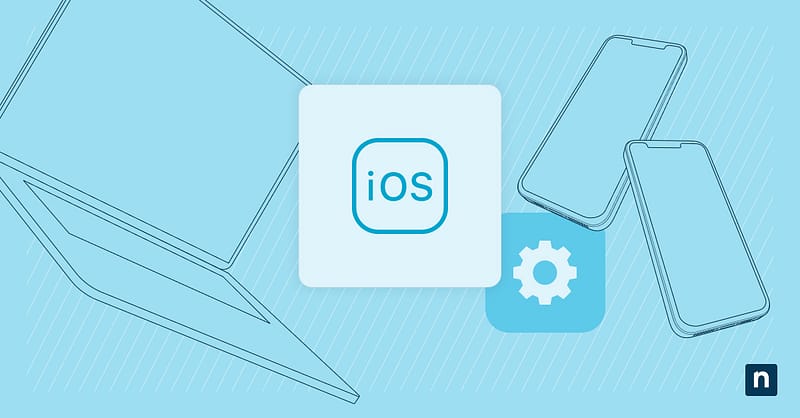
iOS Webs Clips enables organizations to surface web-based tools on the home screen of iPhones and iPads. When accessed, a Web Clip opens a URL that appears like an app.
Web Clips provide quick access to internal portals, dashboards, or web applications without the overhead of native app development or App Store distribution. Understanding their strengths helps teams decide when Web Clips are the right choice and when native apps are required.
What iOS web clips provide
iOS Web Clips provide a mechanism for exposing web-based resources on the iOS and iPadOS home screen. A Web Clip is a managed shortcut that launches a URL using the device’s web engine instead of executing native code.
Web Clips offer the following capabilities:
- A persistent home screen presence
- A deterministic access to content
- A minimal or full-screen browser context
Because Web Clips reference live web content, updates to the underlying site are reflected on all devices. There is no update cycle or redeployment requirement on the device.
It’s also important to note that Web Clips don’t install executable binaries or system-level components. All functionality is constrained to the capabilities of the web platform.
Web clips versus native iOS apps
Web Clips are significantly different from native apps. Native iOS apps execute compiled code on the operating system and can access a broad range of system frameworks. On the other hand, Web Clips run within the iOS web runtime and are limited to browser-supported APIs.
Native apps support integration with device hardware and services. Web Clips have limited or no access to these features, depending on browser support and user permissions.
From a management standpoint, native apps follow a defined lifecycle that includes installation, updates, permissions, and removal. Web Clips bypass this lifecycle, simplifying distribution.
As a result, Web Clips are best viewed as a convenience layer for web access instead of a native application replacement.
Use case 1: User experience considerations
Web Clip effectiveness depends on the quality and design of the underlying website. A well-designed site can deliver a streamlined experience that reduces friction and improves task completion. Web Clips can also shorten access paths and provide a consistent entry point for repeat workflows.
Meanwhile, poorly optimized web interfaces can negatively affect usability. Issues such as non-responsive layouts or reliance on desktop-oriented navigation patterns become more pronounced when accessed via a Web Clip.
Similarly, user expectations also play a role. Because Web Clips appear with native apps, users may assume similar performance and behavior. Mismatches between appearance and capability may lead to confusion.
Use case 2: Security and management considerations
Web Clips inherit their security model from the browser and the device’s operating system. They don’t introduce independent security controls or application-level enforcement mechanisms.
Authentication is handled through web-based methods. Session persistence and timeout behavior are determined by the website, not the device management platform.
Data accessed through a Web Clip exists within the browser context. Organizations should consider how sensitive information is handled and if browser-based controls are enough.
Device-level policies can influence Web Clip behavior, but do not provide the same granularity as native app management.
As such, Web Clips should not be considered a substitute for mobile application security controls when handling sensitive data.
When Web Clips are not the right solution
Web Clips have limitations that make them unsuitable for specific scenarios. For one, they’re not appropriate when offline access is required, as functionality depends on network connectivity.
Similarly, it’s advised not to use Web Clips for applications that require hardware integration, background processing, or system-level services. Complex applications with performance-sensitive workflows often exceed the capabilities of the web runtime and benefit from native implementation.
Lastly, organizations that require strict application lifecycle control or granular permission management may find Web Clips insufficient.
NinjaOne services that with iOS management
With NinjaOne, you can decide where Web Clips fit within your configuration strategies thanks to its centralized management. Understanding Web Clips conceptually ensures they are used appropriately with native apps and device policies.
Web Clips: a practical shortcut with smart limits
iOS Web Clips give a way to surface web-based tools on managed devices. When used for repeatable workflows, Web Clips improve accessibility and adoption without the overhead of native app deployment. Understanding Web Clips’ scope and limitations prevents misuse and supports better strategy decisions.
Related topics: