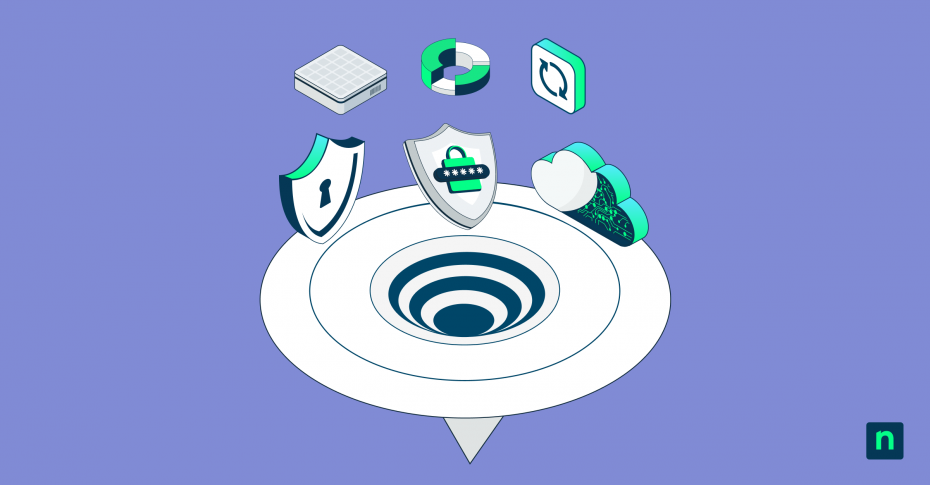
Organizations never set out to have a complex, sprawling tech stack. It kind of just happens. They add a tool for patching, then one for SaaS backup, then another for helpdesk ticketing, and still another for remote support. Before they know it, their IT team is dealing with a sprawling tech stack full of fragmented tools, duplicated functionality, and hidden costs.
This blog examines what tool sprawl is, how organizations end up dealing with this problem, and its hidden costs. We’ll also discuss how to overcome tool sprawl for a unified your technology stack and align it with long-term business goals.
How does tool sprawl happen?
Teams often adopt new tools and workflows quickly to keep up with growth. Without strong cross-department communication or centralized decision-making, different teams end up purchasing separate tools to solve the same problem. At other times, teams invest in a tool that solves a problem that’s isolated to a specific issue, but then unintentionally, this new tool adds complexity to the IT environment overall.
If you have two or more of the following situations in your IT environment, you may be suffering from tool sprawl.
- Multiple tools solving the same problem
- Low usage rates on tools you thought were critical
- Rising SaaS spend without proportional productivity gains
- Security and compliance blind spots
- Integration fatigue caused by managing disconnected tools
How tool sprawl creeps up on us
Two common denominators in tool sprawl are the need for a quick fix and lack of centralized oversight.
- SaaS IT tools offer the ability to quickly purchase and deploy a tool to solve a problem. Subscribe, download, deploy, done! But, while this low barrier to entry initially accelerates problem solving, it can also lead to unchecked tool proliferation if adoption isn’t governed strategically.
- Related to the SaaS low barrier to entry problem is the thinking of, “There’s an app for that.” Again, without central oversight this can lead to multiple tools serving the same function in multiple departments.
- Organizations without centralized oversight of IT purchasing can lead to tool sprawl because two separate departments may purchase the same tool to quickly resolve their individual department needs, never knowing the other department bought a similar tool for their own needs.
Initially, it seems like these new tools are delivering productivity gains, but they’re really productivity and cost sinks that don’t support long-term growth requirements.
The hidden costs of tool sprawl
While Gartner expects IT spending to grow 10.8% and surpass $6 trillion dollars in 2026, there are hidden costs that aren’t as easy to calculate. These hidden costs include:
- Dollars spent on redundant licenses, underutilized subscriptions, and renewal fees for duplicated software licenses
- Operational costs such as context switching across fragmented tools, the overhead to train technicians on multiple tools, and integration maintenance and fatigue
- Security and compliance risks aggravated by fragmented visibility, including shadow IT, inconsistent policy applications, and expanded attack surfaces
- Workflow inconsistencies that lead to reduced trust and employee frustration
A practical framework for moving to a unified technology stack
Organizations that prioritize integration, interoperability, and seamless data flow over tool proliferation will move faster and operate more efficiently. To build an efficient, forward-looking tool strategy, it’s important to start by examining your organization’s business goals and looking for a unified platform solution that fits seamlessly into your current ecosystem but can also grow with your business.
The path to a unified tool stack starts with shifting your thinking from: “What new tool should we buy?” to “How does this tool strengthen our architecture?”
Step 1: Audit your current stack
- Inventory existing tools
- Map any overlap in functionality
- Identify unused or low-value tools
Step 2: Define IT infrastructure principles
- What does “good” look like for your organization?
- Which tools are essential to your business and which are optional or niche tools?
- Which tools are lightly used and could be replaced or eliminated?
- Does the tool align with your business’s security and integration standards?
Step 3: Consolidate intelligently
- Based on the inventory taken in step one, eliminate redundancies
- Prioritize multifunction platforms over single-function tools
- Create and then implement a structured migration plan that preserves data and workflows while easing adoption across the organization
Step 4: Implement governance models
- Develop and communicate coordinated purchasing policies to limit unplanned tool additions
- Schedule regular review cycles to keep tool sprawl in check
- Set up cross-functional teams to communicate regarding tool needs
Step 5: Measure value
- Track user engagement, active usage rates, and feature utilization to ensure the consolidated tool is actually being embraced
- Objectively evaluate if the tool is delivering the business outcomes for which it was implemented
- Compare the total cost of ownership (e.g., licenses, implementation, support) against the measurable benefits achieved
Repeat these steps during your regular review cycles to ensure you continue to have the right number and types of tools in your IT tool kit.
The future: a unified technology stack as a competitive advantage
Having an effective tool strategy is a competitive advantage because automation can only scale where integration maturity exists, and AI solutions work more effectively in a unified environment. Because financial and IT leaders within organizations are increasingly looking for operational efficiency, a unified, strategic technology stack is not only essential for
faster innovation cycles, but it can help elevate IT from merely being a support function to becoming a core driver of operational value.
To learn more about the Unified NinjaOne IT Operations Platform, visit ninjaone.com/platform, request a personalized demo, or try NinjaOne free for 14 days.