
Updated 11/28/2017: Webinar recording of 2.16 has been added.
Ninjas, we are excited to release version 2.16 into production as of November 15th, 2017. For this particular release, we focused on some of the highest requested features in our community. You should see these features live in your dashboards starting today!
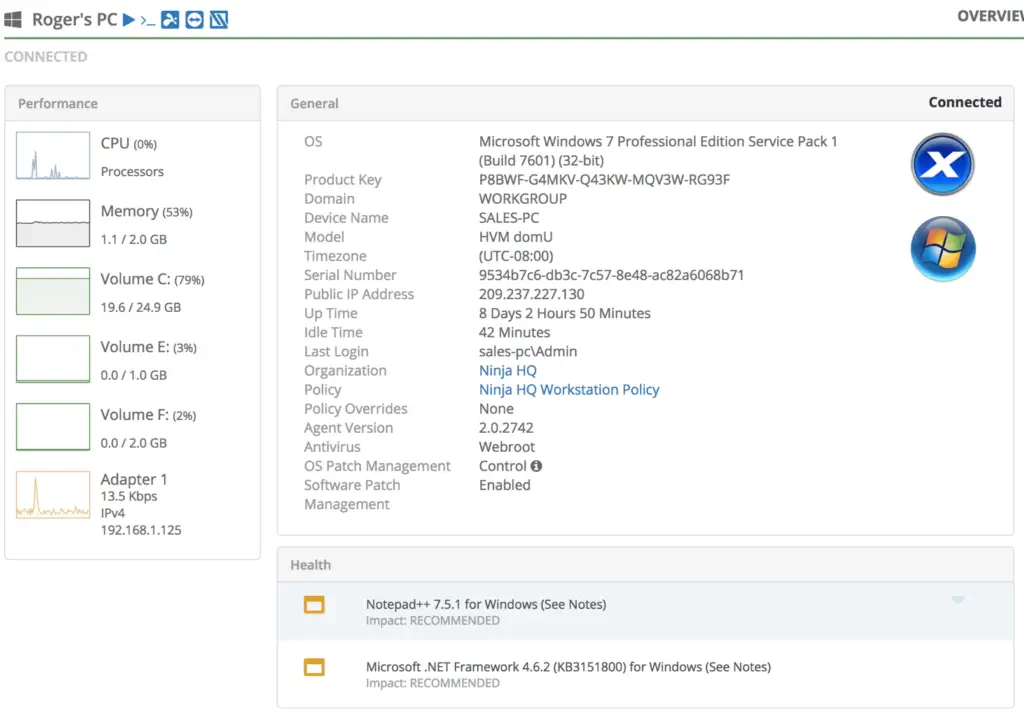
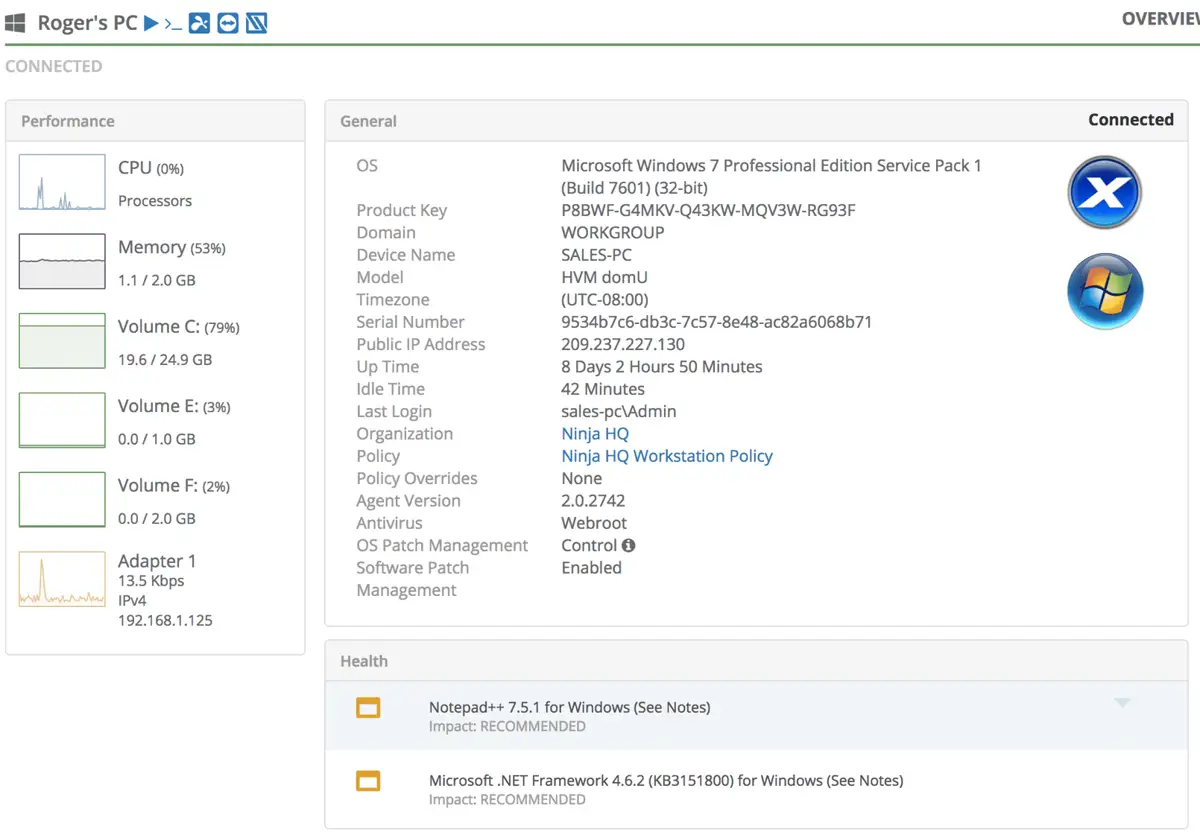
Device Idle Time
-Checks the device for any mouse or keyboard activity, and the idle time is reported on Device Overview.
-This helps IT managers identify whether a specific machine is “safe” to remote access into or execute other scripts without causing user interruptions.
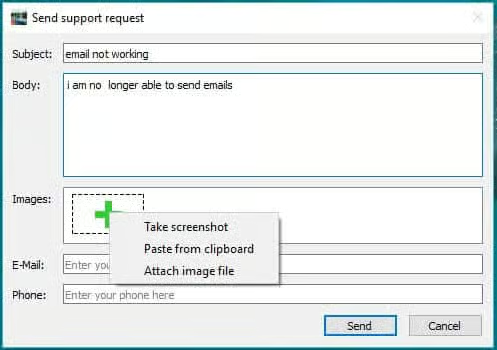
Systray Icon – take screenshots!
-Our highly customizable Systray Icon is now enhanced with screenshot capabilities!
-When your users submit a request for help, they have the option to take a screenshot.
-This further improves the IT support experience on both the user and technician side, giving technicians more visibility and reduce the meantime to remediation!
Wake on LAN – now in beta!
–Do you want to perform maintenance in the off hours to prevent any user disruption? Did your users turn off all computers which prevents you from doing anything?
-Now you can use Wake on LAN to performance maintenance in the off hours! You can use this feature to activate one specific device or activate multiple devices!

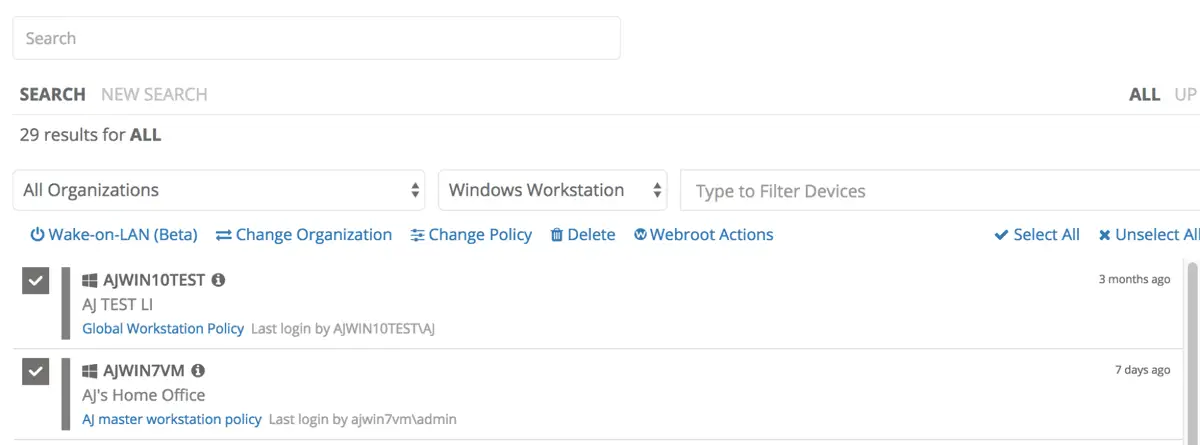
Note: to activate wake-on-lan requires a one-time set-up process on your devices. Please review this link to implement.
We look forward to getting feedback for these awesome new features! Please feel free to reach out to [email protected] if you have any questions!