Smarter Windows Patch Management
Secure Windows endpoints with intelligent, policy-driven automation. As part of NinjaOne’s Autonomous Patch Management, you get faster updates, smarter risk reduction, and seamless scalability without the complexity.
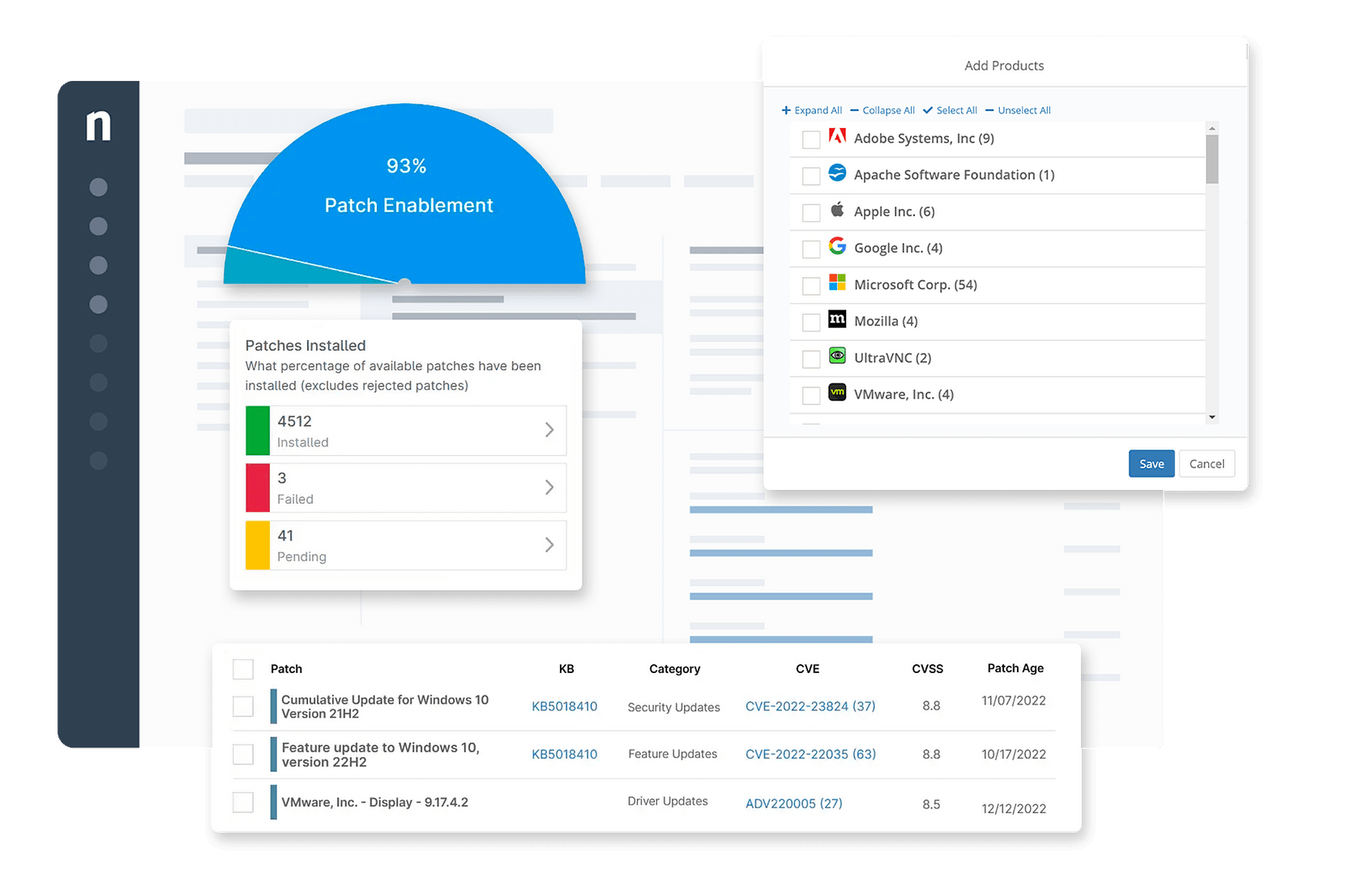
Secure Windows endpoints with intelligent, policy-driven automation. As part of NinjaOne’s Autonomous Patch Management, you get faster updates, smarter risk reduction, and seamless scalability without the complexity.
Keep Windows servers and workstations continuously up to date with automated, policy-driven patching that strengthens compliance and reduces exposure.
Cloud-native and agent-driven, NinjaOne patches any Windows device with no VPNs or on-prem infrastructure required.
Cut patching time by up to 90% while reducing human error and avoiding disruptions through AI-backed patch intelligence.
improved patch compliance
reduced time spent on patch management
saved time on manual tasks through automation

Patch endpoints up to 90% faster with zero-touch patch identification, approval, deployment, and status tracking.

Analyzes telemetry, forums, and deployment signals to flag unstable updates. Risky patches are automatically paused, reducing operational disruption while ensuring safe, reliable updates deploy to endpoints.

Automate vulnerability data imports to streamline security, accelerate prioritization, and expedite application updates to reduce endpoint patch delays.

Rapidly identify vulnerabilities and deploy patches at scale across servers, workstations, and laptops to reduce your attack surface.

Automatically patch thousands of widely-used business applications across all operating systems to eliminate known vulnerabilities.

Automated approvals minimize the time endpoints remain unpatched. Easily set global patch approvals, allowing proactive deployment of KB updates across all devices.

Get better patch compliance for remote endpoints via cloud-based patching. No company network, domain, or VPN required.

Improve patch compliance, drive technician efficiency and provide a better user experience with automated reboots.


Where RMMs should be.
Ninja’s patch management feature blows all other RMM’s out of the water, ease of use is what all other RMM products hope for.”
Matthew Anciaux
Managing Partner,
Monarchy IT LLC
Bring automation to IT Ops.
Patch management in Windows and third-party patching has saved us many man hours of our regular patching. NinjaOne has helped us bring automation to our team.”
Chris Hessler
IT Support,
Crossroad Church
NinjaOne keeps your entire IT infrastructure up-to-date and secure by automating patch management for Windows, Windows Server, macOS, and Linux operating systems. You’ll save time and reduce complexity by having a single solution for all your patching needs.
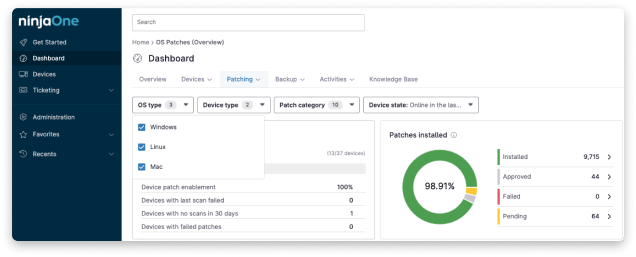
NinjaOne’s Windows patch management software includes robust support for over 140 of the most common application used today. Automatically install and patch these applications across individual devices, groups, or organizations.
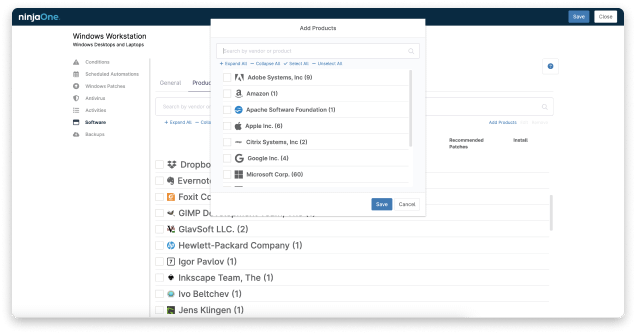
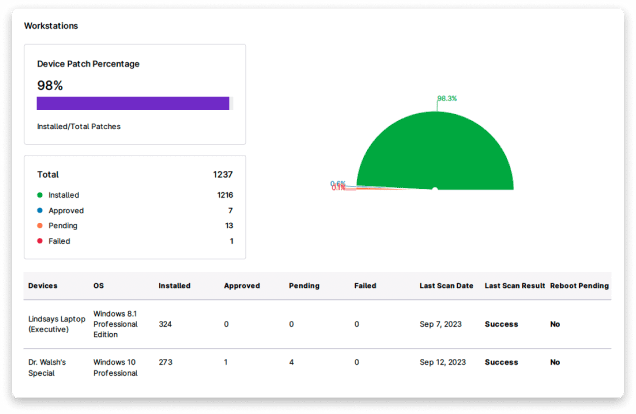
NinjaOne provides a dashboard showing the patch status of all your devices under management. See which devices have pending patches, failed patches, and installed patches in an easy-to-read dashboard.
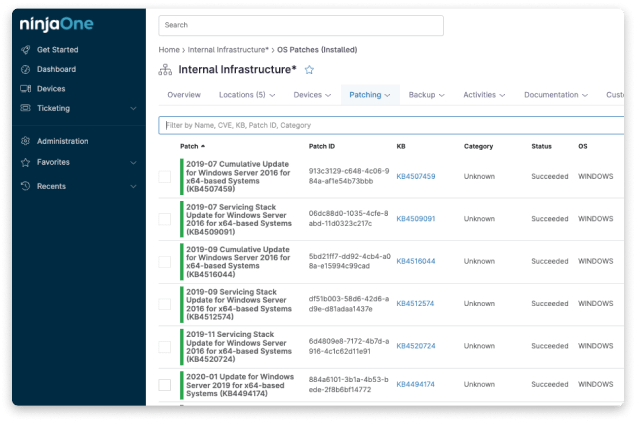
NinjaOne provides beautiful, presentation-ready reports. You’ll be able to report on patch compliance status, security vulnerabilities, and much more at the click of a button.
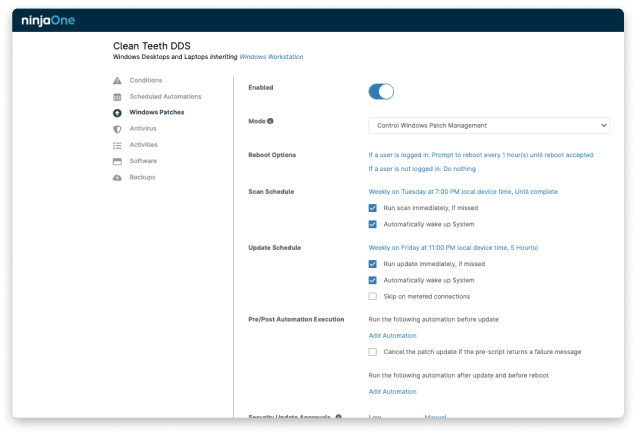
NinjaOne’s Windows patching tool allows you to take complete control over your Windows patch management settings.
You can set automatic patch approval settings for each patch type and criticality.
You also get full control over scanning and updating schedules, reboot options, and more.

Download this guide to purchasing patch management, and see why NinjaOne Patch Management is consistently rated #1.
To manage Windows patches using a patch management tool like NinjaOne, you would begin by evaluating the current patch levels of the devices within your network. Establish policies for patching that give precedence to essential updates and arrange for patch installations during times that are least likely to interfere with business operations. It’s important to test the patches in a controlled setting to check for any compatibility issues before applying them broadly. NinjaOne streamlines the patch deployment process, offering automated distribution across your devices, and it also provides continuous monitoring. This is complemented by detailed reporting features that help maintain oversight of compliance and the overall security framework. In the event of patching failures, it’s vital to address these promptly and to perform routine checks to confirm that all devices are consistently updated. Utilizing NinjaOne’s Patch Management Software can lead to an effective and centralized approach to maintaining the security and functionality of your Windows infrastructure.


