Rollout Schedule: November 11th – December 10th
NinjaOne’s 11.0 Release brings thoughtful, high-impact enhancements to make everyday IT management even more efficient and connected. With updates like OS deployment to simplify device setup, a new Microsoft Intune Integration for unified endpoint visibility, and Entra ID backup, along with Bring Your Own Dropsuite to safeguard identity data, 11.0 strengthens the foundation IT teams rely on every day. It’s all about delivering smarter workflows, tighter integrations, and an even better experience for the people powering IT.
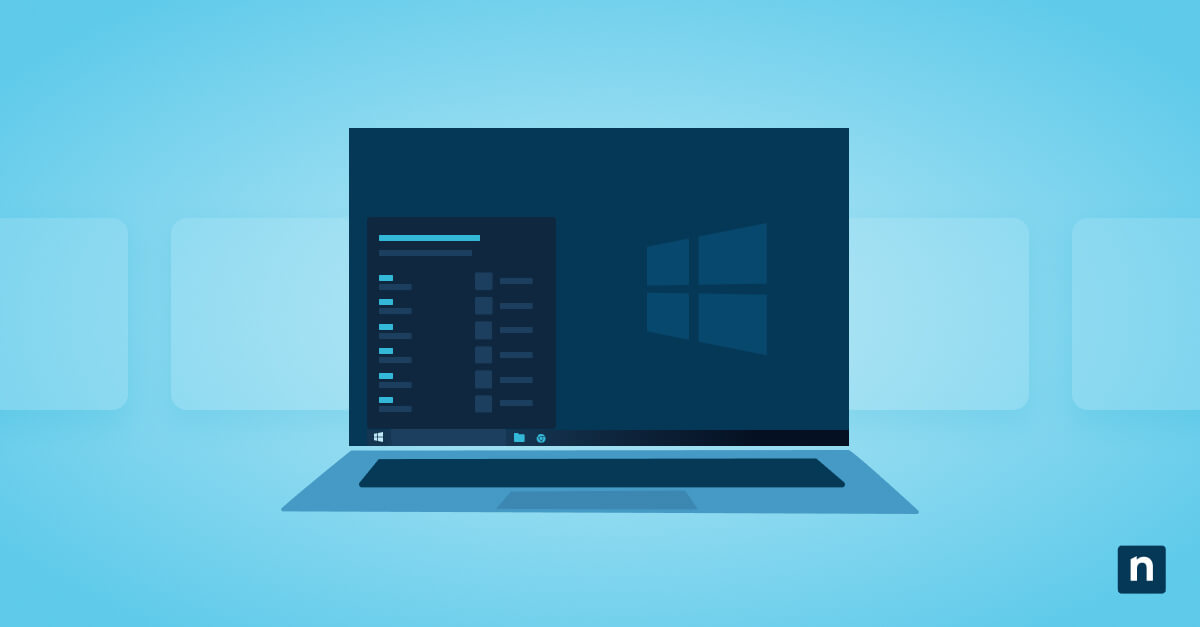
OS deployment
Deploying and configuring devices just got easier – OS deployment streamlines setup so every endpoint starts compliant and secure.
Quickly launch standardized, secure OS images across your fleet without manual setup or extra steps. Whether you’re onboarding new employees or recovering compromised systems, OS Deployment lets you provision endpoints at scale with preapproved images that include the right drivers, security baselines, and essential apps.
Now, new device onboarding takes minutes instead of hours, and rapid recovery keeps teams productive and protected without missing a beat.
Microsoft Intune integration
Make managing diverse environments simpler and more connected than ever with NinjaOne’s new Microsoft Intune integration.
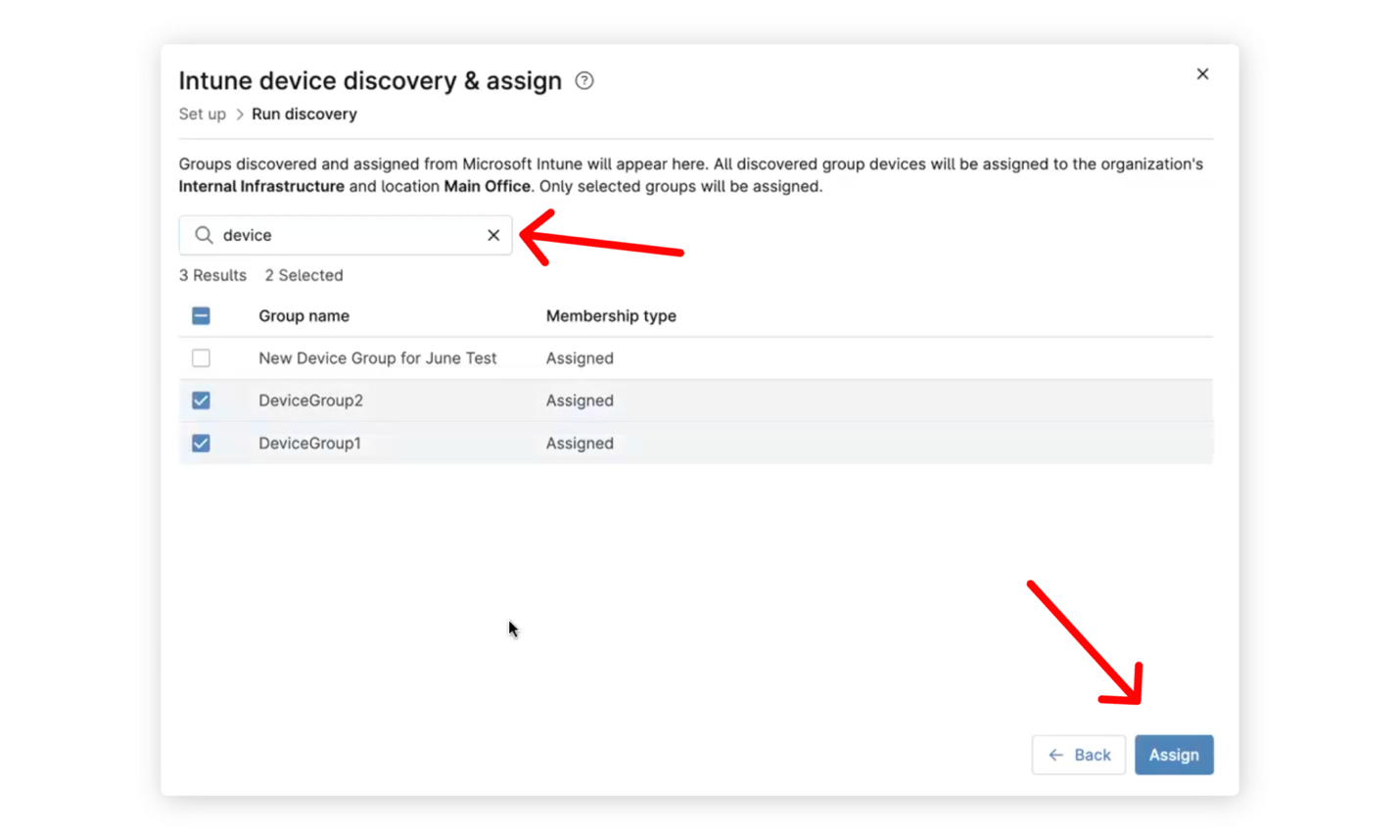
Sync Intune directly with NinjaOne to bring every endpoint – Windows, macOS, Linux, and servers – under one unified view. IT teams can now discover all assets in Intune with a single click, enrich existing device records with Intune data, and even deploy the NinjaOne agent straight from Intune.
Onboarding is effortless with your Microsoft login; no extra credentials or secrets required. Together, NinjaOne and Intune deliver the best of both worlds: powerful policy enforcement paired with unmatched patch management, automation, and real-time monitoring across every device in your environment.
Entra Backup + Bring Your Own (BYO) Dropsuite
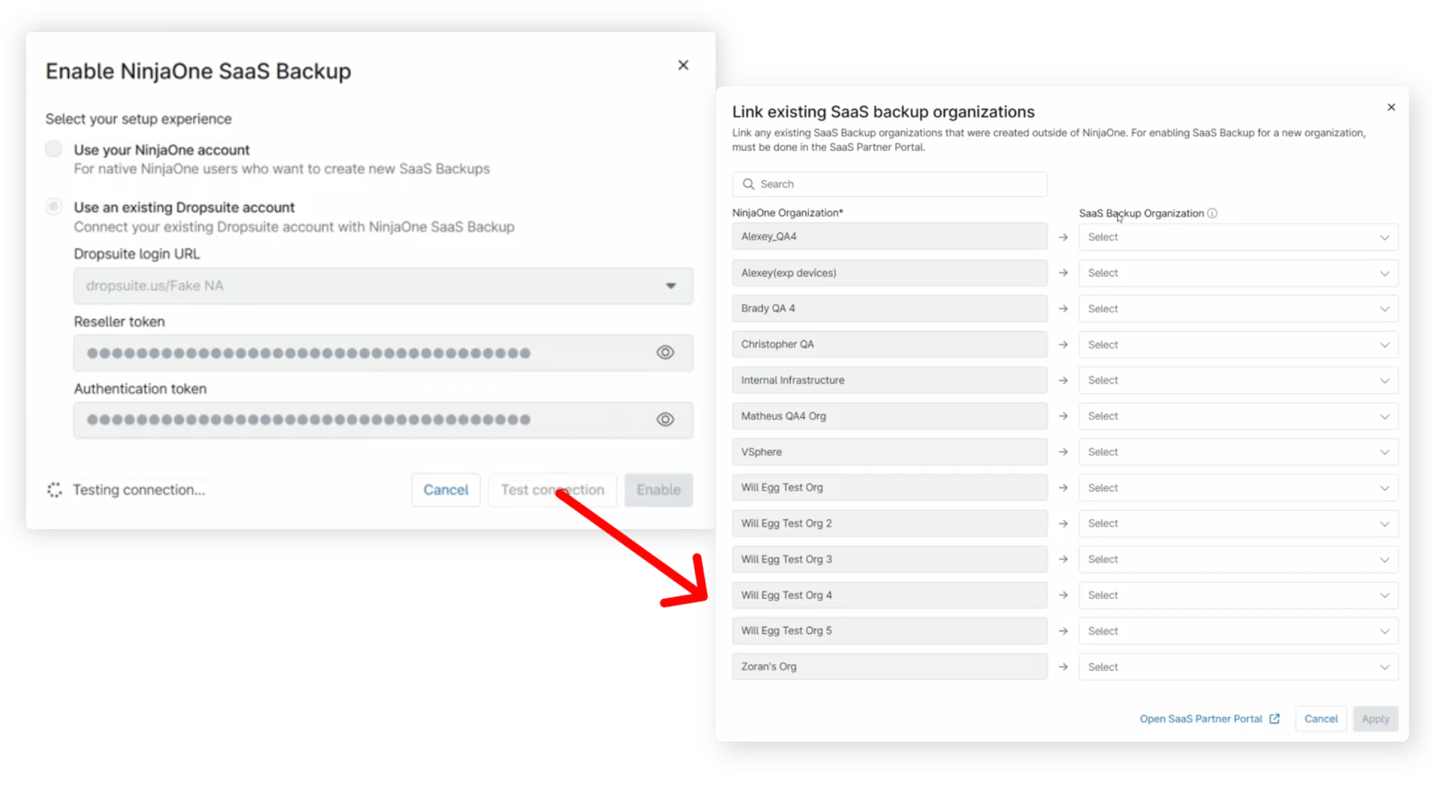
With Entra Backup and BYO Dropsuite, NinjaOne expands its protection to cover the core of your cloud identity.
Safeguard Microsoft Entra ID (the gateway to your users, apps, and data) by backing up identity records, role assignments, and policies. In the event of ransomware, configuration errors, or accidental changes, Entra Backup enables fast recovery and uninterrupted access without downtime or data loss.
And with BYO Dropsuite, Dropsuite customers can link their current accounts directly to NinjaOne, maintaining all backups, configurations, and purchasing channels without disruption. The result is simple: unified SaaS backup management, expanded protection, and a truly seamless experience without compromises.
Third Party Patching Remediations
Extend your patching power beyond the operating system with Third-Party Patching Remediations.
Now, IT teams can identify, prioritize, and remediate vulnerabilities across third-party applications using the same automated, policy-driven workflows they rely on for OS updates. Map CVEs to affected endpoints, deploy fixes fast, and generate centralized remediation reports to prove compliance with ease.
Whether you’re closing critical gaps in Chrome after a Tenable scan or preparing audit-ready CVE reports for your next compliance review, NinjaOne makes end-to-end vulnerability remediation simple, consistent, and secure.
Addition of Data Tables to Summary Report
Reporting just got more flexible and powerful in this release.
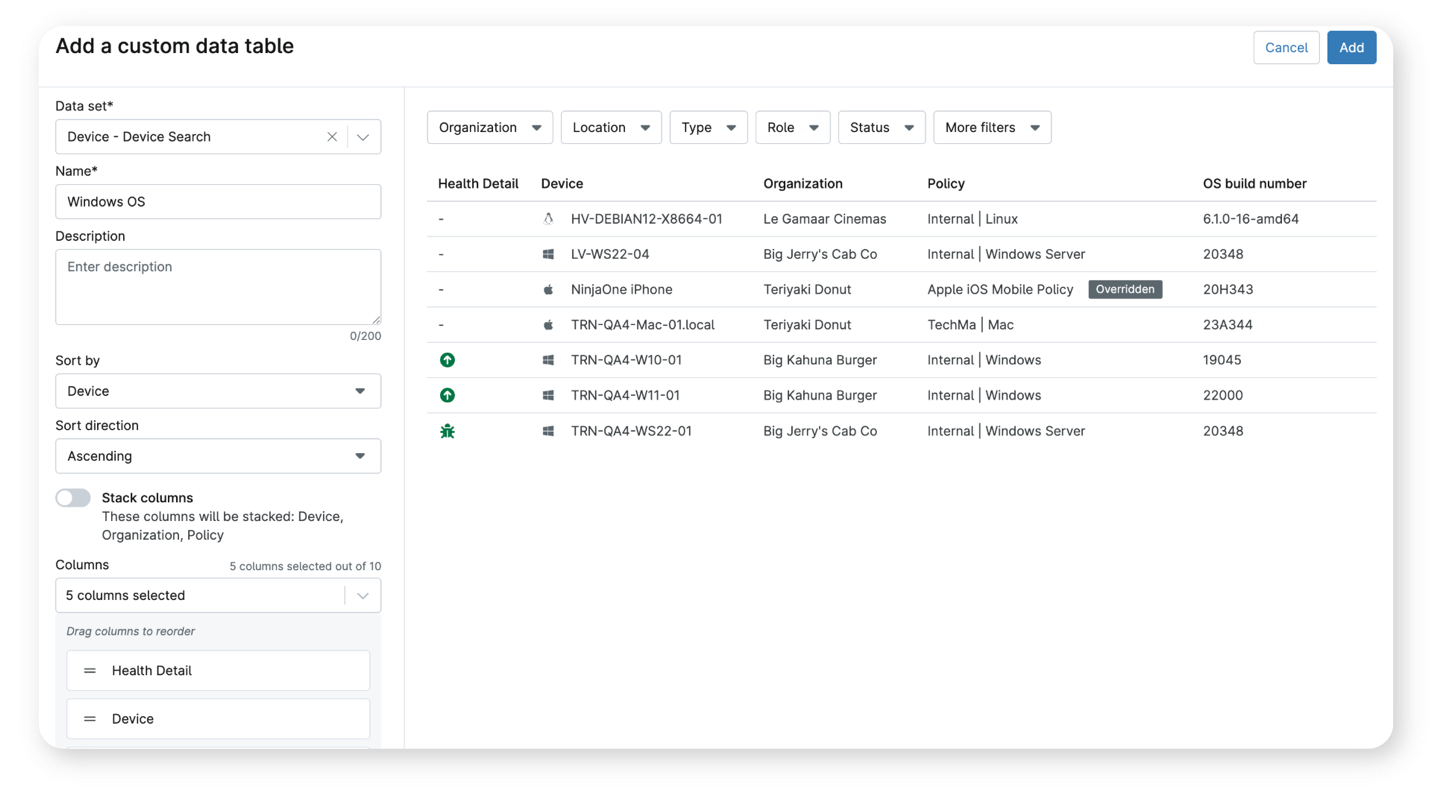
With the ability to add Data Tables to Summary Reports, users can now include detailed grids, custom fields, and key device data directly in their PDF reports. Anything visible in the Device Search grid— from warranty dates to custom metrics— can now be replicated and shared as a polished, ready-to-distribute report.
Whether you’re circulating a device’s health summary or sharing warranty insights with stakeholders, this enhancement makes it easier than ever to create reports that mirror the same views you rely on every day in NinjaOne.
SaaS Backup Overview and Organization Dashboards
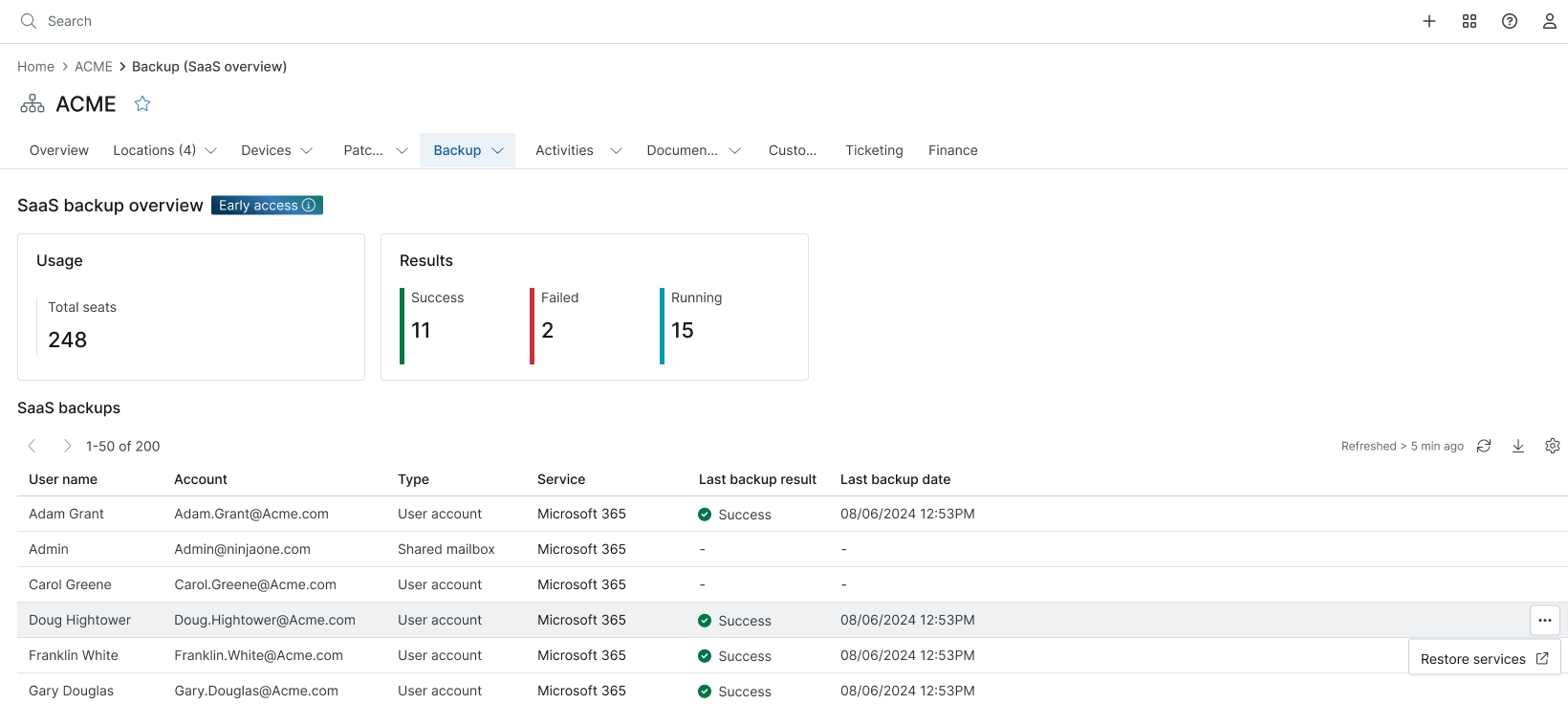
See the full picture of your SaaS Backup environment at a glance with the new Overview and Organization Dashboards.
The Overview Dashboard introduces new widgets that give instant visibility into backup health across all organizations, helping teams quickly spot issues before they escalate.
At the account level, the Organization Dashboard breaks down job statuses, errors, and individual user backup details, so you always know where attention is needed.
With clear, top-down visibility from global to org to account, IT teams can proactively manage SaaS Backup performance, focus technician time where it matters most, and maintain confidence that every backup is running smoothly.
Linux Pre- and Post-Patching Scripts
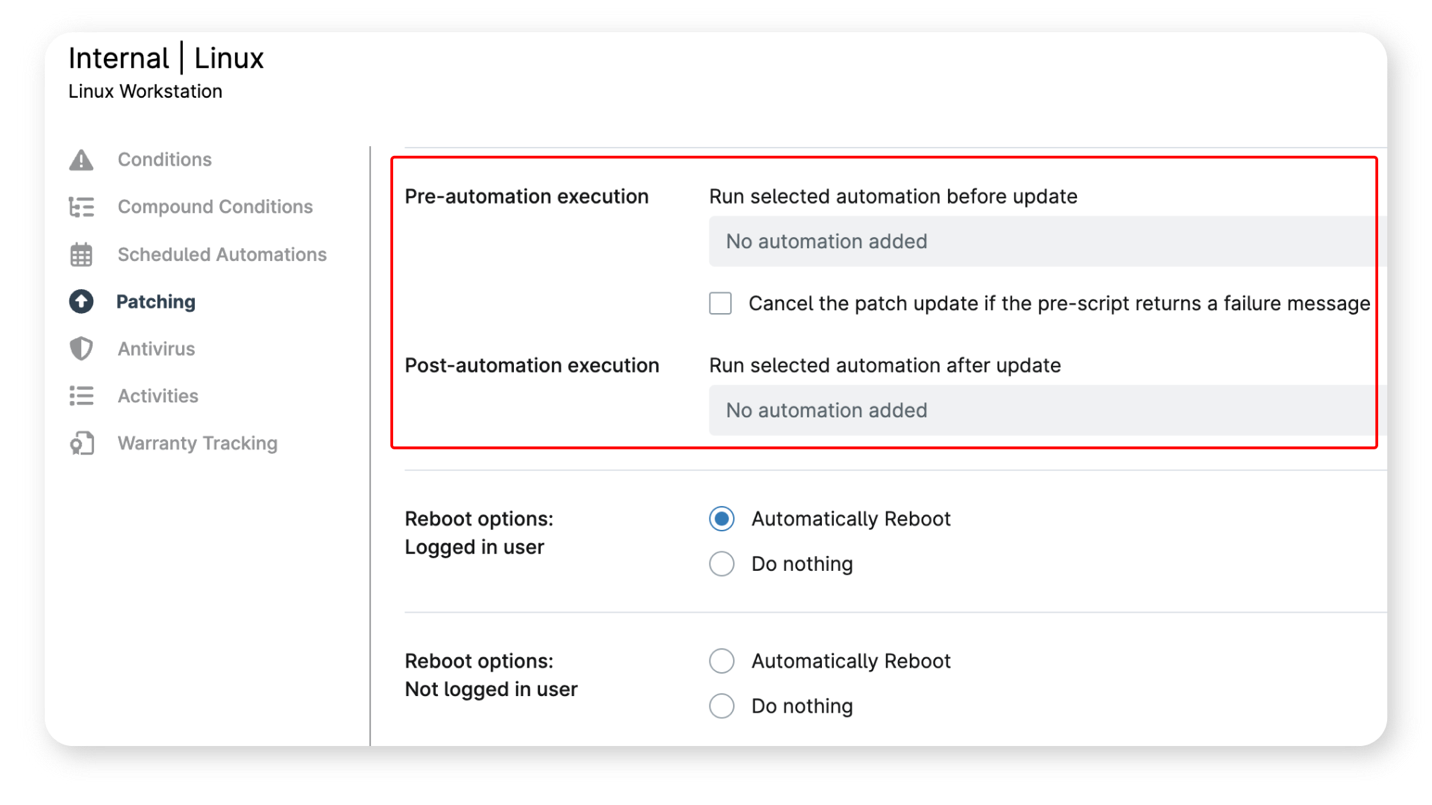
Take full control of your Linux patching process with new Linux Pre- and Post-Patching Scripts.
These enhancements let admins prepare systems before updates, then automatically verify and remediate environments after patches are applied. Run pre-patch scripts to safely stop critical services or back up configuration files and follow up with post-patch scripts that restart services, check system health, and confirm successful updates.
This means smoother deployments, stronger compliance, and fewer surprises across every Linux environment you manage.
As always, there’s even more packed into this release than we could cover here. Several features are entering Early Access, and we’d love for you to explore what’s next. Reach out to your Account Manager to get started, and keep the feedback coming. Your insights help shape the future of NinjaOne.
Until the next release!