Key Points
- Integrated IT management is a system that combines the different aspects of an organization’s technology operations in a unified IT environment.
- There are several benefits of shifting to integrated IT management, including:
- Improved operational efficiency
- Enhanced collaboration across teams
- Better decision-making with real-time data
- Reduced costs through streamlined processes
- Eliminated redundancies
- Reduced bureaucracy
- Reduced maintenance costs and efforts
Businesses today face a complex web of IT challenges. From network outages to security threats, the demands on IT teams continue to grow. Enter integrated IT management systems — a solution that’s changing how organizations handle their tech infrastructure.
What is integrated IT management?
Integrated IT management brings together all aspects of an organization’s technology operations under a single umbrella. It’s a holistic approach that combines various IT tools, processes, and services into one cohesive system. The goal of integrated IT management is to create a unified IT environment and avoid fragmentation, which can lead to inefficiencies, communication breakdowns, and increased costs.
Key features of integrated IT management systems
The concept isn’t new, but recent advancements in technology have made integrated IT management more powerful and accessible than ever before. Consider these integrated IT management systems components:
Centralized control and visibility
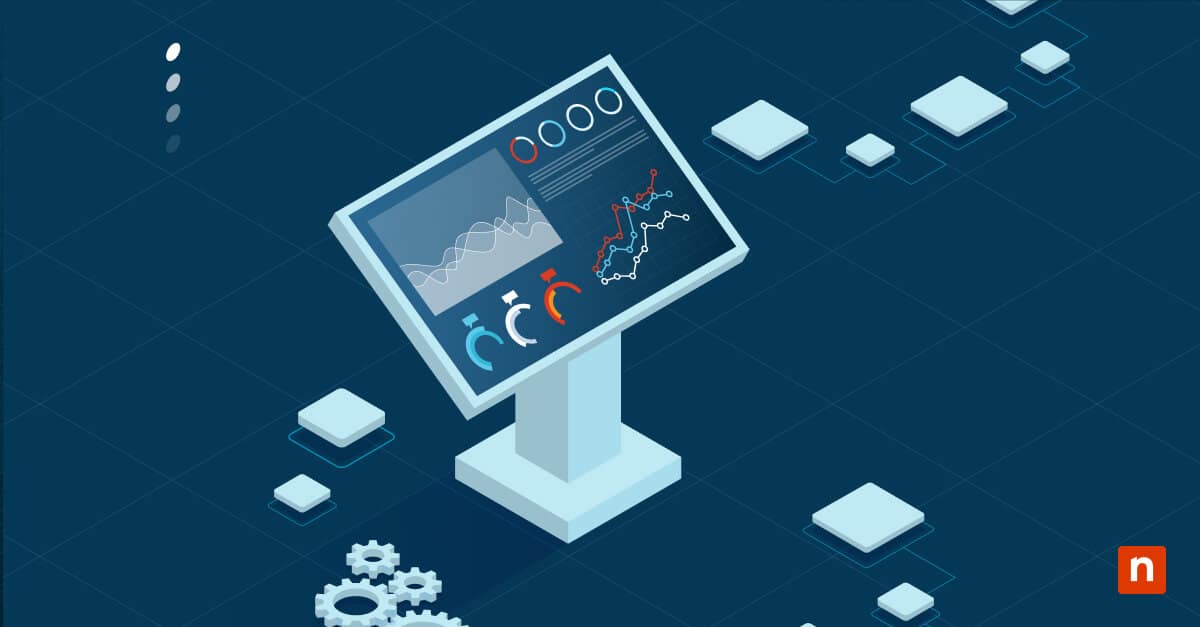
Imagine having a single dashboard that shows the status of every device, application and service in your IT environment. That’s what integrated IT management systems offer. The benefits of this visibility extend beyond troubleshooting. They enable better capacity planning, help identify redundancies, and provide insights for strategic decision-making.
Unified service management
Service management is a component of IT operations, encompassing everything from handling user requests to managing IT assets. For example, when a user reports an issue, the system can automatically route it to the appropriate team, attach relevant asset information and provide a full history of related incidents. This seamless flow of information helps resolve issues faster and improves overall service quality.
Automation of routine tasks
One of the most powerful features of integrated IT management systems is their ability to automate repetitive tasks. This could include anything from patch management and software updates to backup processes and routine health checks.
Automation not only saves time but also reduces the risk of human error. Additionally, it frees up IT staff to focus on more strategic initiatives that drive business value.
To observe those key features working together, you may watch this short video: ‘Complete Guide: Benefits of Integrated IT Management Systems’.
Benefits of integrated IT management systems
Integrated IT management systems offer a range of advantages that go beyond just simplifying IT tasks. Here are some key benefits you can expect when adopting an integrated approach to IT management:
Improved operational efficiency
By centralizing IT management, you can significantly streamline your operations. Tasks that once required manual intervention and coordination between multiple teams can now be handled automatically or with minimal input.
Enhanced collaboration across teams
Integrated IT management systems break down the silos that often exist between different IT functions. Network teams, security teams, and service desk staff all work from the same platform, sharing information and collaborating more effectively.
Better decision-making with real-time data
Integrated IT management systems provide comprehensive reporting and analytics capabilities, giving you the insights you need to make informed decisions quickly. These systems can track key performance indicators (KPIs) across the entire IT environment, encompassing system uptime, network performance service level agreement (SLA) compliance and user satisfaction scores.
Reduced costs through streamlined processes
While implementing an integrated IT management system requires an initial investment, it often leads to significant long-term cost savings. For example, automating routine maintenance tasks can reduce the need for overtime work. Better asset management can extend the life of hardware and optimize software license usage. Improved problem resolution can minimize costly downtime.
Eliminated redundancies
With an integrated IT management system, you can easily assess which tools you actually need and eliminate redundant or underused tools. This prevents any overlap in functionalities, reduces costs through streamlining, and allocates resources to other operational needs.
Reduced bureaucracy
As you streamline your processes and eliminate redundancies, bureaucracies also become less. With your integrated IT management system, making important changes to your operations need not take too long. This is because the integration of your system allows you to take a systematic and efficient approach to implementations.
Reduced maintenance costs and efforts
An integrated IT management system allows organizations to concurrently stay up-to-date with the latest compliance requirements through a unified IT environment. This also lessens the need to update each part of your system manually.
How integrated service management supports IT operations
Integrated service management is a fundamental element of effective IT operations, aligning IT with business needs and efficiency. Here’s how it supports various aspects of IT operations:
- Incident management: When issues arise, integrated service management systems can automatically categorize and prioritize them, making sure that critical problems are addressed first.
- Problem management: By linking incidents and analyzing trends, these systems help identify underlying issues, enabling IT teams to address root causes rather than just symptoms.
- Asset management: From procurement to disposal, integrated service management systems track the entire lifecycle of IT assets, helping optimize their use and manage costs.
- Knowledge management: These systems can build and maintain a knowledge base of common issues and solutions, thereby improving first-call resolution rates and reducing the time it takes to resolve recurring problems.
Best practices for implementing integrated IT management systems
Consider your organization’s future IT needs. Are you planning to move more services to the cloud? Expand into new geographical areas? Best practices for successful implementation include:
Assessing your current IT environment
Before implementing an integrated IT management system, it’s crucial to thoroughly assess your current IT setup. This involves mapping out existing processes, identifying pain points, and understanding the needs of different stakeholders.
Start by inventorying your current tools and systems. What works well? What doesn’t? Are there gaps in functionality or areas of overlap? This assessment will help you identify where an integrated system can have the most impact.
Selecting the right tools and platforms
Choosing the right integrated IT management system is important to its success. Look for solutions that offer:
- Comprehensive functionality that covers all your IT management needs.
- Scalability to grow with your organization.
- Flexibility to adapt to your specific processes and workflows.
- Strong integration capabilities with your existing tools and systems.
- Robust reporting and analytics features.
Training and change management
Implementing a new integrated IT management system is as much about people as it is about technology. Develop a comprehensive training program for your IT staff and end-users. This should cover not just how to use the new system but also how it fits into broader IT processes and workflows.
Change management is equally important. Communicate the new system’s benefits clearly and address any concerns or resistance. Consider appointing “champions” within different teams who can help drive adoption and provide peer support.
Continuous monitoring and optimization
Set up key performance indicators (KPIs) to track the system’s impact on your IT operations. Are you seeing the expected improvements in efficiency and service quality? Are there areas where the system is underperforming?
Be prepared to make adjustments as needed. This might involve tweaking workflows, adding new integrations, or providing additional training. Remember, the goal is continuous improvement.
The future of integrated IT management systems
As technology continues to advance, integrated IT management systems are poised to become even more powerful and sophisticated. Here are some trends to watch:
- Artificial intelligence and machine learning: These technologies will play an increasingly important role in predictive maintenance, automated problem resolution, and intelligent resource allocation.
- Internet of things (IoT) integration: As more devices become connected, integrated IT management systems will need to handle vast amounts of data from IoT sensors and devices.
- Enhanced security features: With cyber threats on the rise, expect to see more robust security capabilities built into these systems, including advanced threat detection and automated incident response.
- Greater business integration: Integrated IT management systems will likely become more tightly linked with business operations and strategy, providing deeper insights into how IT impacts overall organizational performance.
- Augmented and virtual reality: These technologies have the potential to revolutionize how IT teams visualize and interact with complex IT environments, making troubleshooting and maintenance more intuitive.
Integrated IT management systems represent a significant shift in how you approach your IT operations. By combining disparate tools and processes, these systems offer a more cohesive, efficient, and strategic approach to managing technology resources.
Ready to elevate your IT operations? NinjaOne’s integrated IT service management and unified endpoint management solutions drive efficiency and enhance the IT experience for everyone. Start your free trial now and see the difference for yourself.