


Key Points
- Endpoint data protection combines endpoint security, data loss prevention (DLP), and automated backup into a unified strategy that covers the full data lifecycle.
- Company devices create data protection risk when they are unmanaged, unpatched, unencrypted, or inconsistently backed up.
- Evaluating an endpoint backup solution requires assessing OS compatibility, RPO and RTO controls, remote and hybrid worker support, and integration with existing security workflows.
- Endpoint backup automation requires centralized monitoring, encryption, immutable storage for critical data, automated failed-backup alerts, and regular restore testing.
- The most common endpoint data protection failures are governance gaps, not technical ones, and require policy and workflow fixes as much as tooling.
In enterprise environments, endpoints are the devices where employees access, create, store, and move business data. Laptops, desktops, and workstations are often distributed across offices, remote locations, and hybrid work environments, making endpoint data protection difficult to manage with manual processes alone.
An endpoint data protection solution should help enterprise teams reduce data loss risk, protect devices from becoming compromised, automate backups, enforce security policies, and support reliable recovery when devices are lost, damaged, encrypted, or misconfigured.
What does an endpoint data protection solution include?
In general, an endpoint data solution should protect the business data on your company’s devices for its full lifecycle. It should combine prevention, detection, response, and recovery. It’s a team effort between endpoint security, which reduces compromise risk, data loss prevention (DLP), which reduces data exposure, and backup tools, which ensure you can recover your data when there’s a disruption to your workflows.
The core capabilities of an endpoint solution include:
- Endpoint protection
- Patch and update management
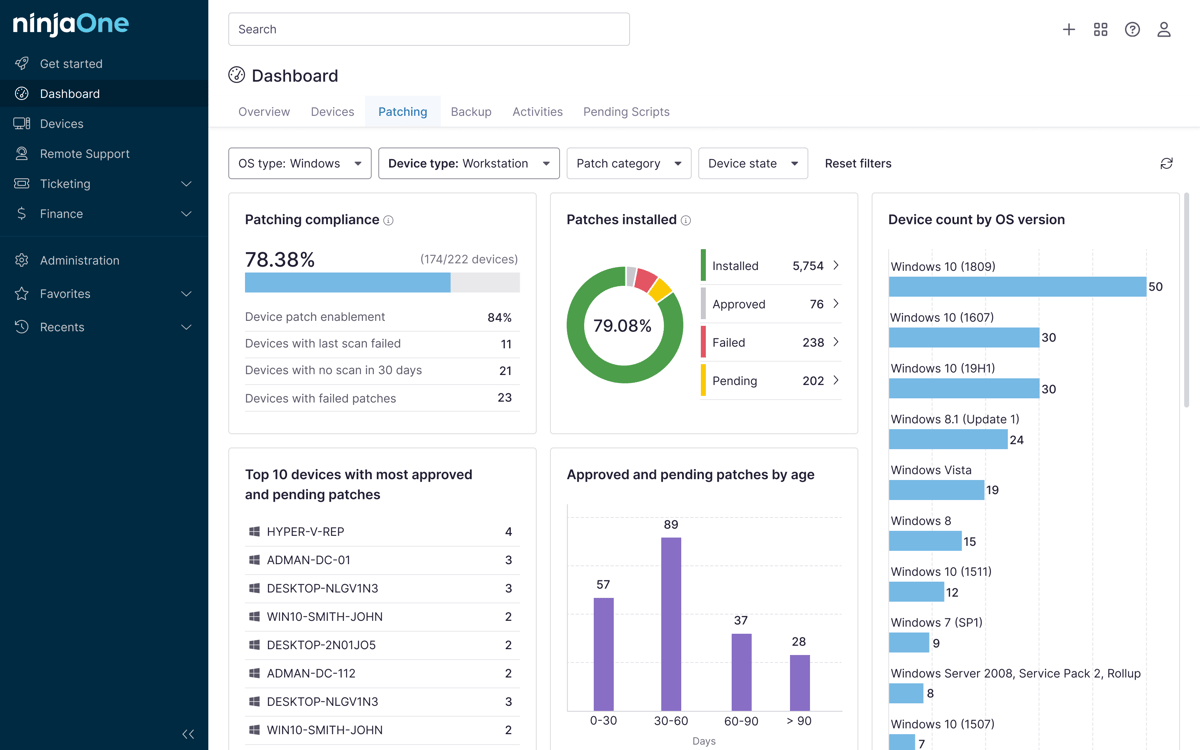
- Endpoint inventory and visibility
- DLP policies
- Compliance reporting
How do company devices create data protection risk?
Company devices can present a lot of risk for your company’s data security. They can be lost, stolen, or infected with ransomware. Users may accidentally delete important files or have excessive privileges, giving them access to information they shouldn’t have. In the hands of bad actors, they can be used for unauthorized file transfers. It could even be something as simple as hardware failure or incomplete backups, which can end up negatively affecting your workflows.
However, these risks can be managed. Company devices only create risk for your data security when they’re unmanaged, unpatched, unencrypted, inconsistently backed up, or used outside of approved enterprise networks. As long as you have a plan for how to manage your devices and appropriately control how people can use them using centralized controls, you will have an easier time managing these risks and protecting your business.
Endpoint backup solution capabilities to evaluate
Every company needs different things from an endpoint backup solution, so it can get overwhelming trying to choose from the many options out there. Here are a few key things you can look for when evaluating whether a tool can address your business’s specific needs:
- Does it support the OS you use? Do you need to use it on Windows, macOS, or Linux devices?
- What kind of recovery options does it offer? Can it give you file-level recovery or full-device recovery when you need it to?
- Does it have key features like centralized backup management, self-service restore options, backup status dashboards, and failed backup alerts?
- Is the data encrypted and secure?
- How easily can you manage things such as Recovery Time Objective (RTO), Recovery Point Objective (RPO), and retention policy controls?
- Does it have support for your remote and hybrid workers if you have them?
- Does it properly integrate with your existing security and management workflows?
What to measure in endpoint data protection
In enterprise environments, IT teams should keep track of whether their endpoint data protection tools are working or not. Are all their devices backed up? If not, what is the percentage of backed-up devices compared to non-backed-up devices, and what is the backup job success rate?
MSPs should regularly perform audits and tests to keep track of their metrics. They should know the average restore time, remote wipe completion rate, and their overall device inventory.
Best practices for endpoint backup automation
- Monitor your backup processes using centralized tools. Automate backup solutions, apply retention policies to all files immediately and automatically, and set up alerts for missed, failed, or incomplete backups. Make sure to test restores regularly to ensure that everything is working as it should.
- Define your backup policies based on device roles and data sensitivity. Use encryption for your backup data for additional security. And when needed, use immutable or protected storage for your most important data.
- Set your RPO and RTO targets based on your endpoint groups, and review your backup reports for any gaps or any stale devices you missed.
- Make sure to include your remote and hybrid endpoints in your backup coverage.
Common mistakes when implementing data protection for company devices
| Mistake | Solution |
| Treating endpoint backup as different from endpoint security | Endpoint backup and endpoint security should share the same governance framework. These two things should integrate with each other to ensure that your company data is always protected. |
| Ignoring remote and hybrid worker endpoints | Remote and hybrid devices hold company data, too. You need to deploy a backup solution that can be deployed over an Internet connection for these situations. |
| Failing to define RTO and RPO targets | Without RTO and RPO targets, your backup practices become arbitrary. Define your RTO and RPO, then work backward and design your policy around it. |
| Skipping restore testing | Schedule regular restore testing to ensure that all your backup protections are working as they should. |
| Retaining stale device records after offboarding | Tie device decommissioning to your offboarding workflow. When an employee exits, their device should automatically be flagged for data retention review, final backup, wipe, and record removal from active inventory. |
Implement enterprise endpoint security on all your devices and protect your corporate interests
An endpoint data protection tool should help your team protect company device data through security controls, DLP, automated backup, and recovery readiness. The strongest programs combine endpoint protection with backup automation, device visibility, access control, encryption, compliance reporting, and tested recovery workflows.
Related Articles: