


Key Points
- Cloud backup protects infrastructure and workloads, while SaaS backup protects application-layer data across platforms like Microsoft 365 and Google Workspace.
- SaaS providers are responsible for platform availability but not for customer data retention, deleted data recovery, or compliance.
- Cloud redundancy and replication maintain availability but do not function as backup strategies, and treating them as equivalent creates recovery gaps.
- Enterprises running hybrid infrastructure and SaaS environments need both recovery models because each protects what the other cannot.
- A mature cloud backup strategy relies on immutable storage, cross-region replication, encryption, snapshot management, and automated scheduling.
- Organizations that unify both models in a single governance framework are better positioned to meet compliance requirements and maintain long-term resilience.
Enterprise organizations manage various hybrid infrastructures, SaaS (Software as a Service) platforms, remote endpoints, and cloud-native environments. However, as they become more distributed, backup strategies often fail to keep pace with growing complexity because organizations assume that cloud redundancy guarantees recovery and that SaaS providers fully protect customer data.
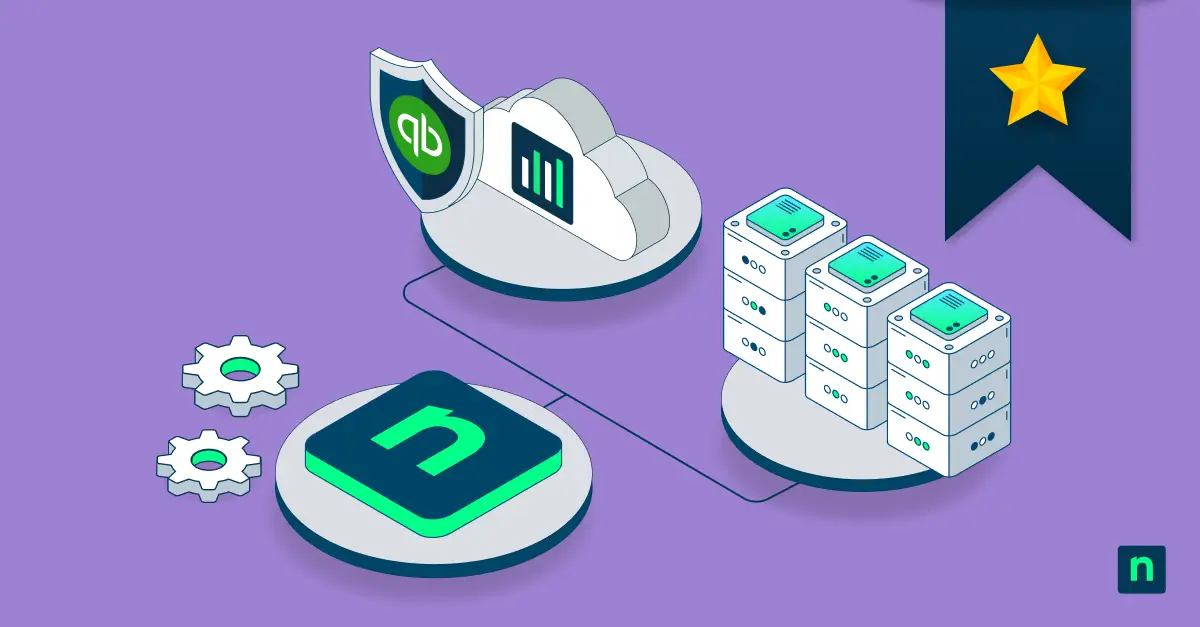
It’s important to examine cloud backup versus SaaS backup because they solve two different operational problems. Blurring the line between the two tends to create gaps, inconsistencies, exposure, and blind spots that only surface when something goes wrong. Learn the difference between these two recovery models below.
Cloud backup vs. SaaS backup: Why people confuse the two
Cloud terminology (for example, replication, redundancy, availability, backup) is one of the primary reasons for this confusion, with each being used interchangeably with others, even though they describe very different things. This makes it easy for organizations to trust recovery processes that aren’t really secure in the first place.
Many teams incorrectly treat SaaS accessibility, cloud redundancy, and retention policies as functional substitutes for an actual recovery strategy. When these assumptions aren’t corrected early, organizations end up with recovery workflows that would seem to work but fall apart when an actual incident occurs.
What cloud backup protects
Cloud backup is primarily built to support infrastructure and workload recovery across distributed enterprise environments. When a server, a virtual machine, a database, or an endpoint fails, cloud backup enables you to restore operations without starting from scratch. This goes for file systems and hybrid infrastructure as well, so it’s a crucial tool for any enterprise that needs reliable disaster recovery, workload restoration, and long-term operational continuity.
A mature cloud backup strategy should have immutable storage, cross-region replication, encryption, snapshot management, and automated scheduling. These make recovery dependable when it matters most.
What SaaS backup and recovery protects
On the other hand, SaaS backup focuses on protecting the business data that lives inside cloud-hosted collaboration and communication apps (including Microsoft 365 mailboxes, SharePoint environments, Teams data, OneDrive content, and Google Workspace). Unlike cloud backup that operates at the infrastructure level, SaaS backup works at the application layer, where the data being protected is actual business content that employees create, share, and rely on.
This means SaaS backup fills a recovery gap that infrastructure tools weren’t designed to address, including accidental deletions, long-term retention requirements, compliance preservation, and user-level restoration. SaaS backup ultimately ensures that historical data is always recoverable and that you always have control over your own content.
Understanding the shared responsibility gap
SaaS providers are responsible for platform availability, infrastructure uptime, and core service operations, but not for what happens to your data. Retention governance, deletion recovery, legal preservation, and compliance requirements all fall on your organization, which only gets attention when something goes wrong.
What you should remember is that availability doesn’t equate to recoverability. A SaaS platform can still function even when you’ve already permanently lost data that you didn’t have independent control over. Therefore, you treat recovery governance as your own responsibility.
Why enterprises often need both
Modern enterprises usually run a combination of infrastructure workloads and SaaS applications simultaneously. This means that a single recovery model will always leave something unprotected. Each approach should cover what the other can’t:
Cloud backup supports:
- Infrastructure recovery across servers, endpoints, and workloads
- Endpoint resilience for distributed and remote environments
- Operational restoration when systems go down
SaaS backup supports:
- Preservation of collaboration data across platforms like Microsoft 365 and Google Workspace
- Compliance retention for long-term governance requirements
- Recovery of cloud application data and historical communications
If you have both models working together, your organization can reduce recovery fragmentation and build a more complete picture of operational resilience.
Benefits of cloud backup
A well-implemented cloud backup strategy should protect against data loss while improving infrastructure resilience, geographic redundancy, operational scalability, and disaster recovery readiness. For organizations managing workloads across multiple regions or hybrid environments, the benefits translate into greater continuity and a faster, more reliable path to restoration when disruptions occur.
Benefits of SaaS backup
A mature SaaS backup strategy gives organizations control over their own data, which is something that SaaS providers alone can’t. Long-term retention governance becomes manageable, accidental deletions stop being permanent, and compliance readiness stops being dependent on whatever the provider happens to retain. Ransomware resilience also improves significantly, since having independent, recoverable copies of collaboration data limits the leverage an attack can have over business operations.
Together, these benefits translate into stronger operational visibility and greater confidence that critical communications and application data are always accessible when needed.
Common enterprise backup strategy and governance mistakes
Backup governance blind spots are common for most organizations. However, these should get flagged early, not only when a recovery situation is needed. Consider the following mistakes:
| Mistake | What it looks like in practice |
| Over-relying on SaaS providers | Assuming the provider handles customer recovery without any independent verification |
| Mistaking replication for backup | Counting cloud replication as a functional backup strategy when it serves a different purpose entirely |
| Fragmented recovery workflows | Managing infrastructure and SaaS recovery in silos with no unified oversight |
| Neglecting SaaS retention governance | Deprioritizing or overlooking retention policies for cloud application data |
| Skipping recovery testing | Assuming recovery readiness without regularly validating it |
If left unaddressed, these gaps compound over time, gradually eroding operational resilience and leaving organizations less equipped to meet both recovery demands and compliance requirements.
Understanding SaaS vs cloud backup for long-term enterprise resilience
Cloud backup and SaaS backup are different but complementary strategies that protect different layers of the modern enterprise environment. Infrastructure recovery and application-layer data governance need separate but deliberate approaches, so organizations need to unify them under one framework that accounts for both models. This is now a basic responsibility for any organization that takes resilience and compliance seriously.
Related topics: