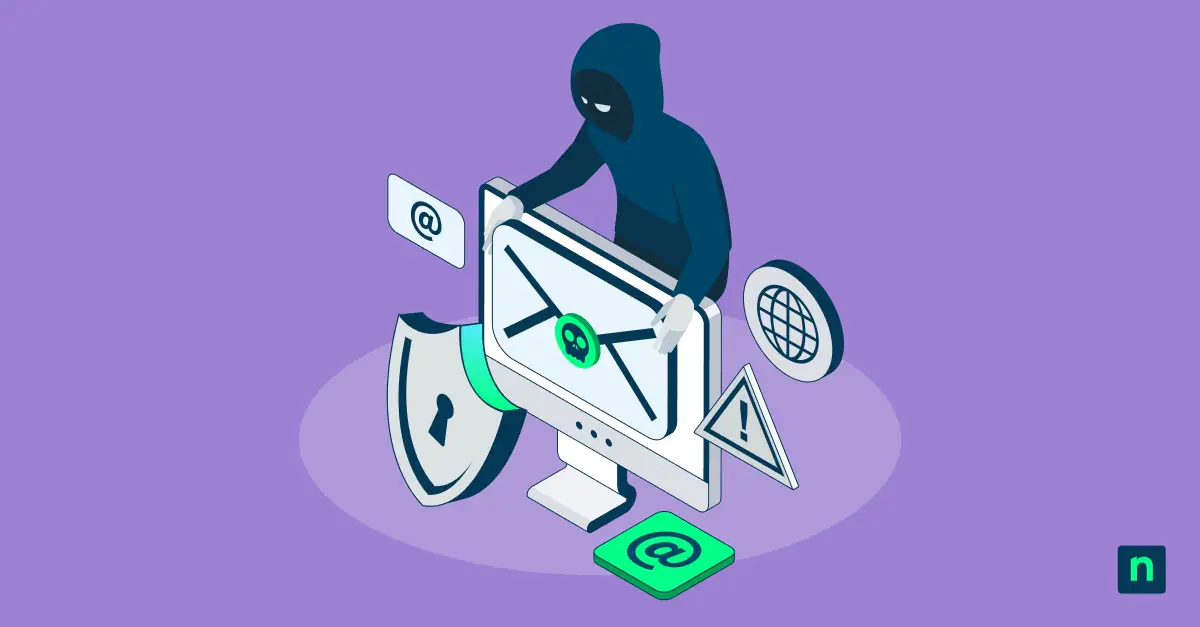
Every employee in your organization can install software that reads every page they visit, collects their session cookies, and can change their search provider at will. And that’s not even the scary part.
Of course, I’m referring to browser extensions, which are a serious threat to organizations. In most companies, employees can install them without needing approval. What’s worse is IT doesn’t know they exist and because of that they have no way to control, manage, or secure them.
Browser extension 101
Browser extensions are tools built into web browsers that extend the functionality of your favorite applications. Everyone has at least one and a majority of users have more than 10. Some examples are Password Managers, Ad Blockers, Screenshot Tools, VPN, Photoshop, Note taking, CRM, and so much more.
According to Chrome Stats, there are currently almost 300,000 extensions in the Chrome Web Store alone!
Uncover hidden browser risks
Extensions are the “new” shadow IT
I’m hesitant to call browser extensions the “new” shadow IT because they’ve been around for quite a while. Browser extensions are actually just about as old as browsers themselves. Browser extensions first appeared in 1999 when Microsoft released Internet Explorer 4, which introduced “Explorer Bars” (specialized toolbars) and context menu modifications.
But what browser extensions, the way we know them, and certainly the risks associated with them are relatively new.
Browser extensions were first abused for malicious purposes, such as keylogging and activity tracking, starting in 2013–2014. Early incidents included HoverZoom (2013), which collected keystrokes, and the BBC News Reader (2014), which spied on user browsing data.
Risks of malicious Chrome extensions
For the uninitiated, browser extensions seem harmless. But after reading this section I hope that you have a clear picture of what the risks truly are. I’m going to describe the most pressing risks, then I will give specific details and point to incidents where these have actually been abused.
There are four high-level categories of malicious Chrome Extensions.
- Data theft and surveillance: Stealing cookies, credentials, MFA codes, emails, browsing history, screenshots, and more.
- Account and browser hijacking: Using authenticated sessions to impersonate users, perform unauthorized actions, change settings, or initiate transactions.
- Content and traffic manipulation: Altering webpages, replacing links, injecting fake prompts or advertisements, redirecting traffic, and modifying search results.
- Extension supply-chain compromise: Weaponizing previously trusted extensions through compromised developer accounts, ownership transfers, or silent malicious updates.
The generalization above doesn’t do the subject justice. If you read blogs like those of John Tuckner (creator of Secure Annex, now owned by Socket), who has likely spent more time researching these issues than just about anyone, you will see the above themes show up time and time again.
For the sake of keeping this article to a consumable length, I have chosen three risks to discuss in more depth. These are risks that I believe most organizations are faced with.
Trusted extensions becoming malicious
This is arguably the most difficult of all the risks to handle. This issue happens as a result of an otherwise trusted and “known good” extension becoming compromised in some way. Sometimes this is a result of a developer who has their GitHub account compromised in a phishing attack, thereby giving the attacker access to make changes to the extension.
Other times this issue is a result of the owner of a browser extension selling the extension (for various legitimate reasons). This leads to those with nefarious intent buying the extension, especially if there is a large installed user base, and then deploying an update that rolls out malicious code or functionality.
In the wild examples:
- In December 2024, an attacker phished a Cyberheaven employee, gained Chrome Web Store publishing access (for their DLP chrome extension) and pushed a malicious version to customers — about 400,000 of them. The update could collect webpage data, cookies and authenticated-session information. Secure Annex and Sekoia published detailed reports on this if you’re curious to read more.
- Another example in this category is the Quicklens compromise in February 2026. Quicklens is a Google Lens Chrome extension. It had approximately 7,000 users and a Google Featured badge. After being sold, it received a malicious update that stripped browser security headers and executed remotely supplied JavaScript inside webpages. Again, Secure Annex (now owned by Socket) has a great report on this.
Session/SaaS data theft
It’s common for browser extensions to work with SaaS tools such as Microsoft 365, Google Workspace, CRM systems and more. Unfortunately, that’s what makes this issue especially dangerous. You’re already logged in and authenticated, which means the browser extension is too.
Stealing this session data can be more valuable than stealing passwords because the attacker may inherit an already authenticated session and avoid repeating the normal login process, such as multifactor authentication prompts.
In the wild examples:
- Also in the Cyberheaven compromise we talked about above, the compromised version of the extensions targeted session cookies, API keys and authentication tokens associated with Facebook Business and ChatGPT.
- In 2022, Volexity documented a North Korea-linked group using a malicious extension to exfiltrate email directly from authenticated Gmail and AOL sessions. Yes, you read that right. AOL. In this case, the threat actors themselves deployed the malicious extension, as opposed to the first category we talked about where a user first downloads a legitimate extension.
- Back in 2021, Cisco Talos found an active malicious-extension campaign (MagnatExtension) using keylogging, form grabbing, screenshots, cookie theft and browsing-history collection. This is what we would refer to as an “information stealer.”
Website manipulation
Malicious Chrome extensions are also sometimes created to change a website after the legitimate website is loaded. Threat actors do this to inject fake login prompts, replace links, change payment information, or submit actions using the users authenticated session.
The tricky part about this one is that the changes happen locally, so the address bar can actually continue to show the legitimate website and domain information. Unfortunately for the user, it’s easy for this to fly under the radar.
In the wild examples:
- In 2023, an information-stealing malware campaign dubbed Rilide (disguised as a legitimate Google Drive) injected malicious scripts into cryptocurrency exchanges, displayed forged MFA dialogs and attempted to automate cryptocurrency withdrawals in the background.
- Again, in the the QuickLens and MagnatExtension campaigns, the extensions were observed to remotely execute JavaScript and replace website content in an effort to support phishing, data theft and further malware delivery.
Risk mitigation and governance strategies
Browser extensions should be treated like any other piece of software. Organizations should have a clearly defined process governing the use and installation of these extensions. As I have shown above, clearly these issues are not going away. So it’s important that IT and Security teams get a handle on this now. Left unmanaged, browser extensions carry a tremendous amount of risk.
Below are the five things you can begin doing today to start mitigating the risk of browser extensions and begin to get them under control in your organization.
Take back control of the browser
Know what’s installed
Maintain a browser extension inventory. Track the name, version and publisher. Just like unused end-user systems, remove extensions that are no longer in use. In addition to that, identify extensions installed outside official stores.
Limit installation rights
Just like you would with app control on end-user systems, block extensions by default and maintain an approved allow list. Create a documented process for employees requesting new extensions. Allow extensions only for the users or groups that actually need them.
Evaluate extensions before approval
Evaluate each extension’s permissions, ownership, data collection practices, and behavior before approving it. Of course, this is easier said than done, but it could save a lot of headaches later. And most importantly, don’t rely solely on store approval, ratings, installation numbers, or Featured badges.
Monitor suspicious activity
Continuously monitor approved and currently installed extensions for ownership changes, new permissions, suspicious updates, and connections to new external domains. These are the typical red flags that something malicious is going on with that extension. Require another security review when an extension’s access or behavior changes materially.
Prepare for compromise
Just like when responding to a potential security incident on an end-user system, prepare the ability to remotely disable compromised extensions and identify all affected users, devices, and extension versions. Investigate what websites and applications affected employees accessed while the extension was active. Revoke exposed sessions and tokens, rotate credentials, and review relevant accounts for unauthorized activity. I strongly recommend incorporating this into your existing incident response plans and tabletop exercises.
Closing
Browser extensions are not harmless customizations. They are third-party software running inside the same browser your employees use to access email, financial systems, CRM and cloud platforms, and sensitive company data.
You cannot secure what you cannot see. Start by building an inventory, limit installation to trusted extensions, and then bring extensions under the same approval and monitoring workflows you already use today. Monitor for suspicious activity and incorporate browser extensions into your incident response processes.
If you cannot identify which extensions are installed across your organization today, then you have a security gap. Where security gaps exist, is where attackers like to strike. Don’t give them the chance.