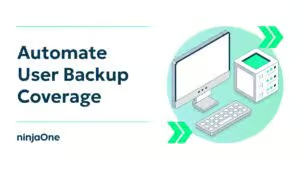
How to automate user backup coverage in Microsoft 365 and Google Workspace. Ready to ditch the manual backup grind? You can automate user backup coverage in Microsoft 365 and Google Workspace to help ensure every licensed user is consistently protected while reducing manual administration. Before we begin, be sure to subscribe to NinjaOne's IT Video Hub and our YouTube channel for more tech content like this. Why manual backup assignment fails at scale. SaaS adoption keeps growing, making manual backup assignment unsustainable. When new users are created without being assigned to a backup policy, you create immediate backup coverage blind spots. Relying on spreadsheets or memory invites human error, putting you at risk of failing compliance audits and losing critical client data. Leveraging Graph API and Admin SDK for detection. To eliminate these gaps, you must automate user backup coverage. Using the Microsoft Graph API for M365 and the Google Admin SDK for Workspace allows you to programmatically pull a list of all active users. Compare this list against your current backup assignments to identify licensed users who are not yet covered by a backup policy. This proactive approach ensures you maintain full visibility even as your client base expands. Embedding backup checks into your RMM platform. Integrating detection scripts directly into an RMM platform like NinjaOne operationalizes your workflow and closes the loop on coverage. Schedule daily scripts to run automatically, helping ensure new accounts are detected quickly and reducing the risk of users remaining without backup coverage. Generate support tickets instantly if the system detects users missing from a backup policy. Embed backup oversight into your existing IT operations, allowing your team to remediate coverage gaps without constant manual monitoring. Best practices for long-term reliability and audit readiness. Follow these key practices to ensure you continue to automate user backup coverage effectively and remain audit-ready. Map backup policies to Microsoft Entra ID dynamic groups or Google Workspace organizational units, so new employees receive protection automatically when they meet your assignment criteria. Validate your strategy with monthly reports that cross-check backup coverage against your Microsoft 365 or Google Workspace licensing exports. Include coverage insights in your quarterly business reviews to build client trust and demonstrate ongoing compliance. Leveraging scripts, APIs, and RMM integration helps standardize backup coverage across Microsoft 365 and Google Workspace while reducing manual effort and improving operational consistency. Begin today to automate user backup coverage and close the security gaps that leave your data vulnerable. For more information, check out our official blog post on how to automate user backup coverage in Microsoft 365 and Google Workspace, linked in the description below.

How to Automate User Backup Coverage in Microsoft 365 and Google Workspace

s your backup process ready for its next compliance audit? Learn how to automate user backup coverage to guarantee that you are meeting RTO/RPO standards across Microsoft 365 and Google Workspace. In this video, we’ll show you how to implement automated validation and reporting to provide better transparency. Ensure every single user is protected and audit-ready with these proven methods.

Read the full blog on How to Automate User Backup Coverage in Microsoft 365 and Google Workspace
Never miss a NinjaOne video!