Remote Monitoring & Management Demo
If we were to add another 1,000 endpoints tomorrow, we have the infrastructure in place to handle that scale.”





RMM Demo FAQs
How long is the RMM demo?
The IT management demo is roughly 12 minutes long. The demo shows the basic and essential functions of NinjaOne’s IT management tool.
What will the IT management demo show?
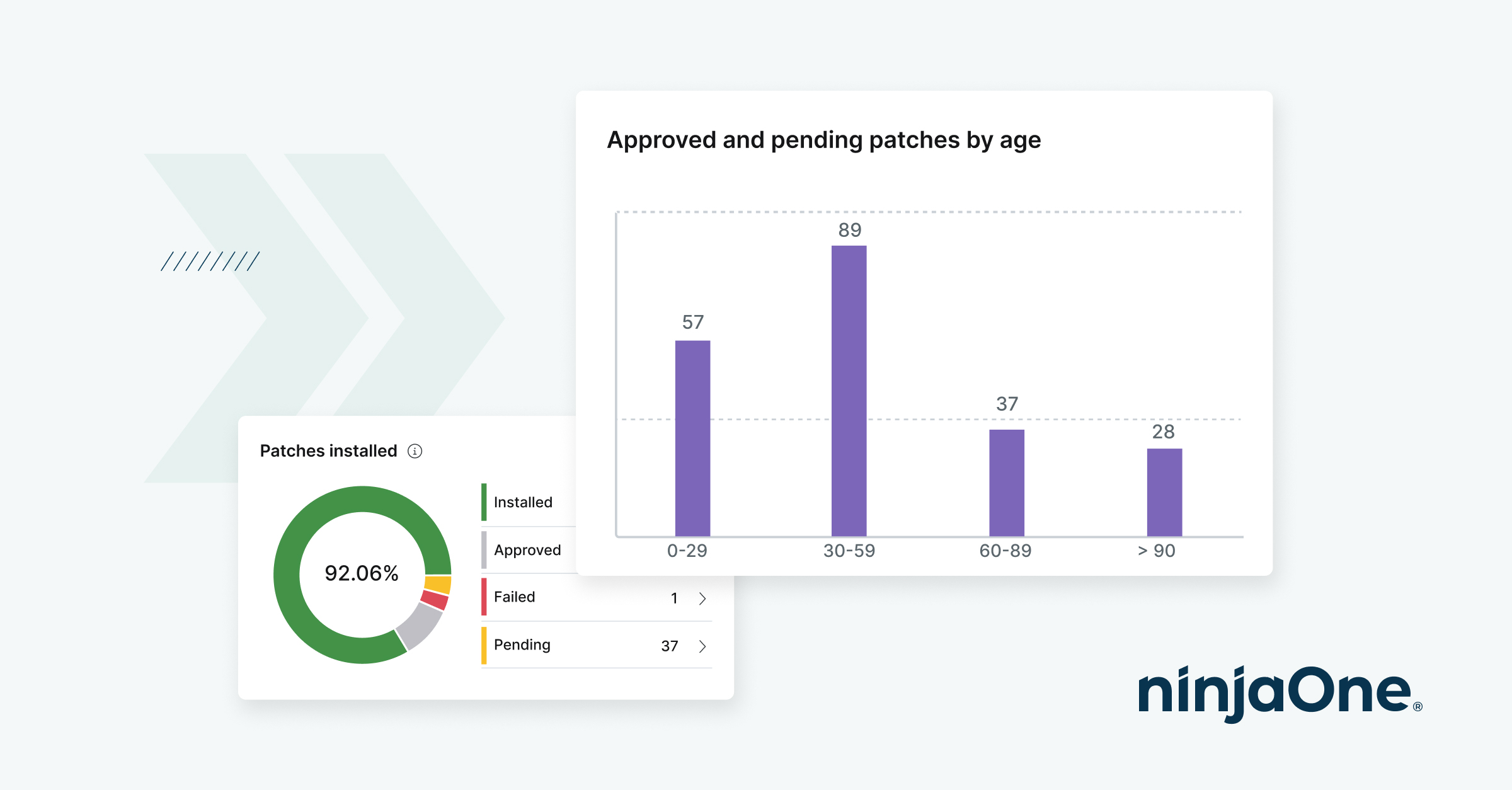
The RMM platform demo showcases the core features and functionalities of NinjaOne, highlighting its unified, single-pane-of-glass interface that provides IT teams with a 360-degree view of their environment. You will see how easily you can manage patching, software deployment, and more—all through an intuitive platform designed to support users of all technical skill levels.
What to look for with an RMM demo?
When watching an RMM solution demo, focus on how the platform streamlines core IT tasks such as endpoint management, patching, backup, and software deployment. Evaluate the user interface for ease of use and navigation, the automation capabilities for handling repetitive tasks, and how effectively the platform delivers full visibility into your IT environment. These are critical indicators of a scalable, reliable, and efficient solution.
What is the difference between this RMM demo and scheduling an RMM demo with a product specialist?
The on-demand RMM demo offers a self-paced overview of NinjaOne’s key features and functionalities. That said, scheduling an RMM demo with a product specialist provides a more personalized experience, allowing you to dive deeper into specific use cases, ask questions, and see how the platform can be tailored to your organization’s unique IT needs.