IT documentation software built for MSPs

Centralize client knowledge, standardize workflows, and keep every technician working from the same playbook

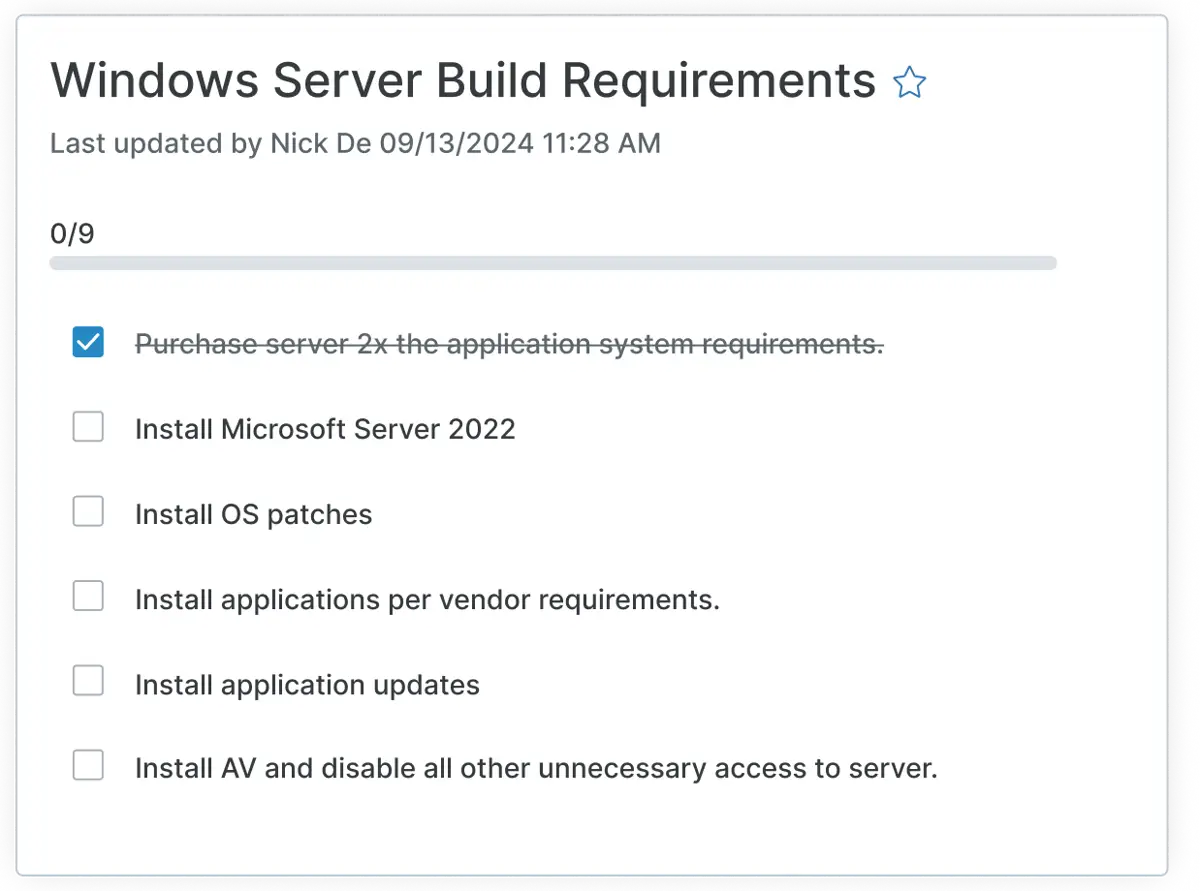
IT documentation checklist showing Windows Server build requirements and deployment tasks

Empower your MSP and clients with an IT documentation platform that scales

Improve IT efficiency

Automated, centralized documentation lets technicians find client answers in seconds, without switching tools or chasing down tribal knowledge.

Maximize knowledge sharing

Collaborative documentation improves fill and update rates, ensuring every technician works from the same source of truth across all your clients.

Reduce risk. Improve security.

Minimize human error and mitigate security vulnerabilities with securely managed credentials, enforced access controls, and streamlined documentation, ideal for multi-tenant environments.

Document, organize, and protect client knowledge

Unified and single-pane

Manage endpoint monitoring, ticketing, and documentation for every client from one place, cutting context switching and keeping your team focused.

Customizable templates

Build documentation templates for any client asset, workflow, or account from scratch, or start with ready-made templates and customize from there.

Completion progress at a glance

See which client environments have outstanding documentation gaps from your dashboard and prioritize critical information gathering.

Shield icon

Enterprise-grade security

Keep client credentials and files protected with encryption, MFA, and role-based access controls across every account you manage.

Relationship mapping

Link technicians, devices, passwords, and related documents across client accounts, ensuring transparency and consolidation.

Documentation icon

Knowledge base

Build wikis for individual clients or across your entire client base and share relevant documentation directly with end users to reduce repeat questions.

Network screens connected

Checklists

Standardize processes across clients with customizable checklists at the global or client level, so every technician follows the same steps every time.

Documentation automation

Use NinjaOne’s automation engine and APIs to build and maintain critical documentation faster, so your team spends less time writing and more time serving clients.

Warranty Tracking icon

Runbooks

Export step-by-step runbooks for any client process or procedure, so handoffs to clients or between technicians are clear, consistent, and fast.

How NinjaOne Documentation works for MSPs 

IT knowledge in context, linked to tickets, and built for the team that does the work. 

MSP technicians lose billable time due to missing context. Procedures scattered in personal folders, credentials buried in inboxes, and runbooks that only one person understands all cost billable time. NinjaOne Documentation lives natively inside the NinjaOne platform, so procedures link directly to open tickets and credentials are secured within the same workflow. Client-specific context is organized by environment and available to every technician who picks up the work, regardless of who handled it last.
Why MSPs choose NinjaOne

for IT documentation

Discover value in 5 minutes.

Customers love NinjaOne

095 %

saved time on manual tasks through automation

094 %
reduced ticket volumes and resolution times
082 %

replaced 3-4 tools with NinjaOne

NinjaOne named a Leader by Gartner®

Knowledge that scales with your team

We store installation information, site keys, and tokens in documentation so scripts can reference them automatically. It lets us install software for the right customer or site without manual steps. That has been critical to scaling how we deploy software.”

Chris Amalfi

VP of Operations, ERGOS Technology Partners

Ergos Logo

ERGOS uses documentation to power automation at scale across 40,000+ endpoints.

ERGOS Technology Partners Scales Nationwide IT Services with NinjaOne

Events, Updates, and Resources

This is why customers love us

Built for your MSP

Extend the power of NinjaOne with deep integrations that sync data, automate workflows, and streamline device, security, and service operations in one platform.

Top rated on G2

A leading G2 IT Documentation Solution

Documentation automation for MSP teams who want to run smoothly

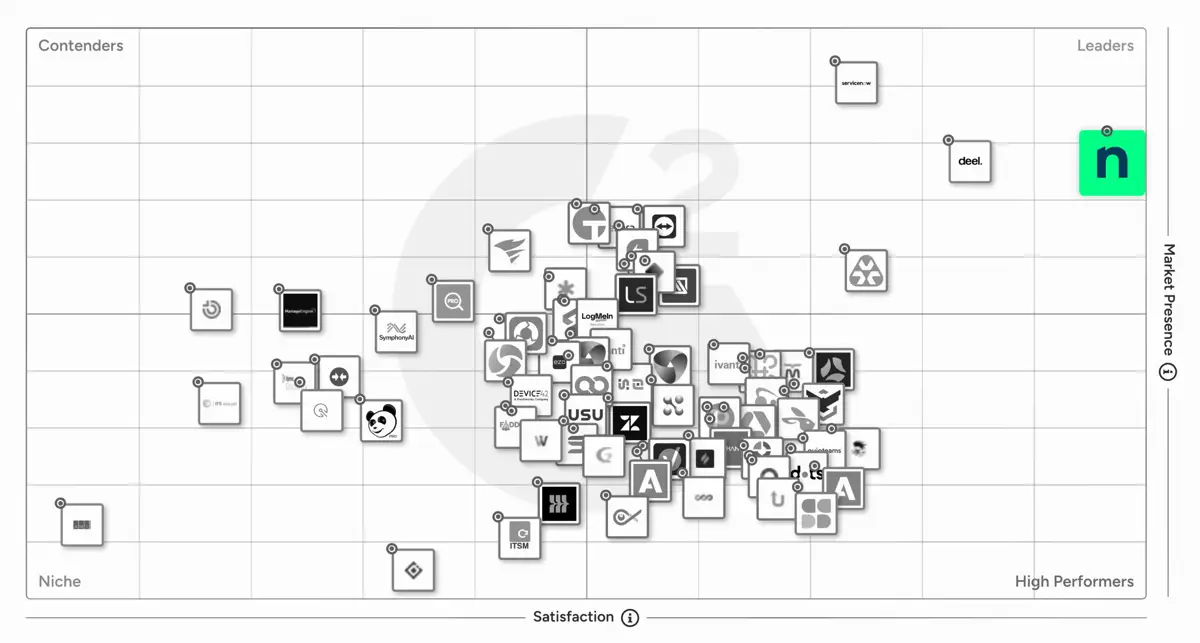
Backed by a 90% User Satisfaction Score, NinjaOne is a top-rated IT Documentation Software solution in G2’s Report. With standout scores in Usability (93) and Ease of Admin (93), we help IT teams maintain internal IT functions and efficiency.

G2 Grid - Patch Management
G2 Leader
G2 Leader - Enterprise
G2 Momentum Leader
G2 Leader - EMEA
NinjaOne Average Ratings
Likelihood to Recommend 9.5 9.3
Product Going in the Right Direction? 9.9 9.6
Ease of Admin 9.3 9.2
Ease of Doing Business With 9.6 9.5
Quality of Support 9.2 9.2
Ease of Setup 9.2 9.1
Ease of Use 9.3 9.2
Information as per product capabilities from G2 This comparison represents our assessment of publicly available product capabilities from G2 as of April 2026. If you believe any information here is inaccurate or incomplete, please contact us and we will evaluate and address it as appropriate.

The right IT documentation tool should make your team faster and more organized. Look for centralized storage that keeps all your client knowledge — including network diagrams, credentials, standard operating procedures, and device configurations — in one easily accessible place for your whole team. Secure credential management is non-negotiable. Your documentation tool needs to store sensitive information safely, with role-based permissions that control who sees what. You’ll also want built-in templates to standardize documentation across clients, tight integration with your ticketing workflow so technicians can pull relevant context without switching tabs, and multi-tenant architecture that keeps each client’s data cleanly separated.

Good IT documentation covers everything a technician needs to understand and support a client environment without having to ask. That includes network diagrams and infrastructure overviews, hardware and software inventories, credentials and access information stored securely, standard operating procedures for common tasks, escalation paths, onboarding and offboarding checklists, backup and recovery configurations, and security policies.

When your documentation lives in the same platform as your tickets, your technicians stop hunting for information. They get the credentials, network details, and standard operating procedures that they need right inside the ticket workflow, which means faster resolution times and fewer escalations. Centralized documentation also reduces your dependency on any single technician’s tribal knowledge. When your most experienced person is not available, the rest of the team can still deliver consistent service because the context is already there. For MSPs managing dozens of clients, that consistency at scale is what separates a profitable service desk from a chaotic one.

Poor documentation is a security risk. When credentials are shared over email or stored in spreadsheets, you’ve already created an exposure. A proper IT documentation tool stores passwords and access information in an encrypted, access-controlled environment, so the right people have what they need, and the wrong people don’t. Documentation also supports compliance by giving you a clear, auditable record of your clients’ configurations, policies, and procedures. When an auditor or a client asks how access is managed, you have the answer.

Most documentation tools are standalone products you bolt onto your stack. NinjaOne Documentation is built directly into the NinjaOne Unified IT Operations Platform, which means your documentation, ticketing, and endpoint management all live together. Your technicians don’t have to toggle between tools to find what they need, because the context is already there. NinjaOne Documentation helps MSPs securely store processes and credentials, reduce key-person risk, onboard new technicians faster, and improve security across client environments.

Yes. NinjaOne Documentation includes default templates covering common IT environments, including Active Directory, backup, email, file sharing, LAN, remote access, and more. Your team can use these out of the box or build custom templates with your own fields and structure. Either way, you’re not starting from scratch for every client. Templates help standardize how your MSP captures and maintains documentation across your entire client base, so your team delivers consistent work regardless of who takes the ticket.

NinjaOne Documentation is built to keep pace with how MSPs actually work. Because it’s integrated directly into the NinjaOne platform, your team can store installation information, site keys, credentials, and tokens in documentation, and have scripts reference them automatically. That means software deploys to the right customer or site without manual steps, and your technicians spend their time on work that requires judgment, not on repetitive data entry. ERGOS, which manages more than 40,000 endpoints, relies on NinjaOne Documentation to enable automation and scripting at scale. As Chris Amalfi, VP of Operations at ERGOS, put it, “It lets us install software for the right customer or site without manual steps. That has been critical to scaling how we deploy software.”

NinjaOne’s IT documentation software is offered with pay-per-device pricing. With NinjaOne, you pay monthly only for the solutions and services that you need. Visit the pricing page and enter your information to receive a custom quote for NinjaOne’s IT documentation software. Want to try the software before you buy it? Sign up for a free trial to access all of NinjaOne’s tools and features.

Ready to simplify work with unified IT?