

Key Points
- Pre-deployment checks prevent avoidable failures: Prior to rolling out programs or applications, be sure to confirm targets, install commands, detection rules, and rollback steps.
- Pilot testing protects users: Test software deployment with a small group or a controlled environment first to catch issues before wider deployment.
- Rollout strategy should match risk: Choose pilot, phased, broad, maintenance window, or emergency deployment based on impact.
- Post-deployment validation confirms success: Check install status, app function, user access, failures, and support issues.
A software deployment checklist is a structured list of tasks used to plan, test, roll out, validate, and document a software installation. Having one brings structure to the software deployment process, allowing teams to approach and accomplish tasks gradually. Without one, deployments can fail when teams skip readiness checks, target the wrong devices, miss prerequisites, or lack rollback steps.
This article provides a practical software deployment guide for IT teams and MSPs who manage endpoint and operations workflows.
Software deployment checklist: Key components and steps
A software deployment checklist needs to cover everything in the process, from planning to validation. The sections below outline processes and decisions that can help IT teams reduce failed installs and workflow-related disruptions.
Software deployment process flow
A structured software deployment checklist needs to follow a clear process, starting from the beginning to review. The exact flow may vary by organization, but these can help you reduce rollout risk.
A software deployment checklist should follow a clear process from planning to review. The exact flow may vary by organization, but these stages help reduce rollout risk.
- Plan the deployment scope: Define which users, devices, groups, or departments will receive the software.
- Confirm application package readiness: Verify the installer, version, licensing, source files, and package details.
- Validate endpoint prerequisites: Check operating system requirements, hardware needs, dependencies, and permissions.
- Test with a pilot group: Deploy to a small group first to catch issues before broader rollout.
- Schedule deployment windows: Choose a time that limits disruption to users and business operations.
- Deploy to production groups: Roll out the software to the approved target groups.
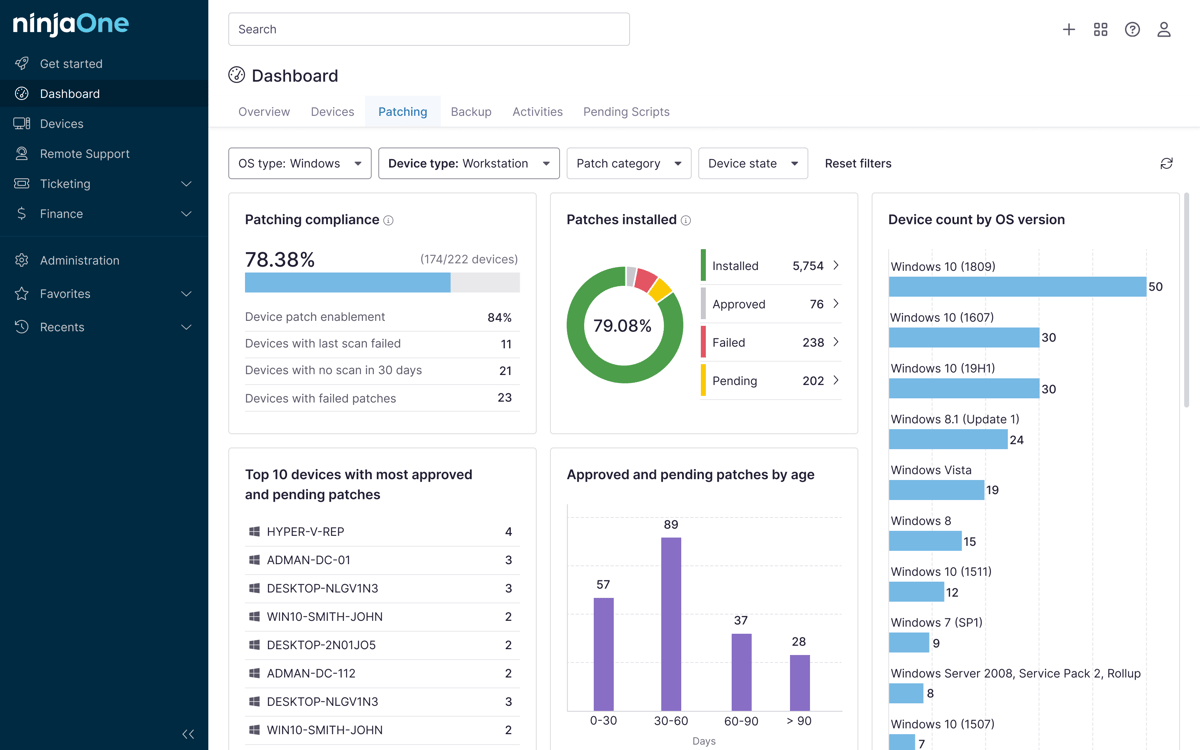
- Monitor install results: Track successful installs, failures, offline devices, and pending restarts.
- Remediate failed deployments: Review errors and fix issues before continuing or expanding the rollout.
- Validate user access and application function: Confirm the app opens, works correctly, and supports required user tasks.
- Document results and exceptions: Record deployment outcomes, failed devices, fixes, and known issues like bugs and errors.
Pre-deployment checklist
A deployment strategy should be defined before any software reaches users’ devices. This pre-deployment checklist can help IT teams confirm the packages, targets, requirements, and rollback steps before rollout begins.
A deployment strategy should be defined before any software reaches production devices. These checks help IT confirm the package, targets, prerequisites, and rollback steps before rollout begins.
- Confirm the application name, version, source, and licensing: Verify that the correct installer is being deployed and that licensing allows the intended rollout.
- Define target users, devices, groups, or departments: Confirm who should receive the software before assigning the deployment.
- Confirm operating system and hardware requirements: Check that target devices meet the minimum requirements for installation and use.
- Verify install commands, silent install options, and uninstall commands: Test commands before rollout so installation and removal behave as expected.
- Define detection rules or success criteria: Set clear conditions that show whether the application has been installed successfully.
- Confirm required permissions and install context: Determine whether the app installs under the system account, user account, or via another method.
- Identify dependencies, prerequisites, and conflicts: Check for required runtimes, services, existing apps, or known conflicts before deployment.
- Review security and compliance requirements: Confirm the application meets internal security standards and any required compliance rules.
- Schedule maintenance windows or user notifications: Choose a rollout time that limits disruption and gives users enough notice when needed.
- Define rollback or uninstall steps: Document how IT will remove the app or restore the previous state if the deployment fails.
- Assign owners for deployment, monitoring, and support: Be sure the right people are responsible for rollout, issue tracking, post-deployment, and follow-up work. Note that the work isn’t done even if deployment is successful,
Application deployment checklist
Having an application or software deployment checklist will help IT teams validate the rollout before it reaches every target device. The pilot deployment
An application deployment checklist helps IT teams validate the rollout before it reaches every target device. The pilot and production stages should confirm both installation success and actual usability.
- Run a pilot deployment with a small test group: Use a limited group first or deploy the software in a controlled environment to see if there are installation issues before a wider rollout.
- Validate installation on different device types or user roles: Confirm the app installs correctly across the endpoint types and user groups in scope.
- Confirm the app launches and performs required functions: Verify that the application opens and supports the tasks users need.
- Check user settings, shortcuts, services, or background processes: Make sure expected components are created and working after installation.
- Test uninstall and rollback behavior: Confirm IT can remove the app or reverse the change if the deployment causes issues.
- Review logs and installation errors: Use deployment logs to identify failures, error codes, and recurring install problems.
- Confirm help desk or support teams know expected issues: Make sure support staff know what users may report and how to respond.
- Expand rollout in phases if the pilot is successful: Move to larger groups only after the pilot confirms the deployment is stable.
- Monitor failed installs, pending restarts, and offline devices: Track devices that did not complete installation or need follow-up.
Deployment strategy considerations
The deployment strategy should match the application’s risk, user impact, and overall business need. If teams are planning to deploy in a high-risk environment, there needs to be more testing, clearer rollback criteria, and closer monitoring after rollout.
| Strategy | When to use it |
| Pilot rollout | Use for new, critical, or uncertain deployments that need testing with a small group first. |
| Phased rollout | Use when deploying by department, location, device group, or risk level. |
| Broad rollout | Use only for low-risk applications that are already tested and unlikely to disrupt users. |
| Maintenance window deployment | Use when installation may interrupt users, require restarts, or affect business-critical work. |
| Emergency deployment | Use for urgent security or operational needs, with tighter monitoring and faster follow-up. |
High-risk deployments should include rollback criteria, stakeholder communication, and post-deployment monitoring. This gives IT a clear path if the rollout causes issues or needs to be paused.
Post-deployment validation
This step is the final stage of the software deployment process. It confirms that the rollout succeeded technically and that users can actually use the application.
- Confirm installation success rates: Check how many targeted devices installed the software successfully.
- Review failed deployments and error codes: Identify failed installs and use error details to guide remediation.
- Confirm application version and detection status: Verify that devices report the correct installed version and meet the defined success criteria.
- Check devices pending restart: Identify systems that need a reboot before the installation is complete.
- Validate application launch and required functionality: Confirm the app opens and performs the tasks users need.
- Confirm user access and permissions: Make sure users can sign in and access the required features or data.
- Review support tickets related to the deployment: Look for user-reported issues that may not appear in deployment logs.
- Document exceptions, failed devices, and remediation steps: Record anything that did not complete successfully and the steps that were taken to fix them.
- Update SOPs, knowledge articles, or deployment notes: Keep support documentation current for future deployments and troubleshooting.
- Confirm whether additional rollout phases can proceed: Use the validation results to decide whether to continue, pause, or adjust the deployment.
Post-deployment validation should be based on evidence, not assumptions. A successful install count does not always mean the application is ready for users.
Common mistakes that endpoint and IT operations teams make during software deployment
A software deployment checklist helps teams avoid common rollout mistakes before they affect users. Most deployment issues come from weak preparation, limited testing, or incomplete validation after rollout.
| Mistake | Why it matters |
|---|---|
| Skipping pilot and command testing | Untested deployments can fail at scale if install, uninstall, or rollback commands do not work as expected. |
| Poor targeting and readiness checks | The wrong users or devices may receive the app, or target endpoints may miss required prerequisites. |
| Lacking detection rules | IT cannot reliably confirm whether the application was installed successfully. |
| Deploying during business-critical hours | Installations may interrupt users, trigger restarts, or affect important business work. |
| Failing to define rollback criteria | Teams may not know when to pause, remove, or reverse the deployment if issues appear. |
| Stopping validation too early | Install success does not always mean the app works or that users can access required features. |
| Not documenting failures and exceptions | Future deployments become harder when failed devices, fixes, and known issues are not recorded. |
Avoiding these mistakes keeps deployments easier to control and troubleshoot. It also gives IT better evidence when deciding whether to continue, pause, or adjust a rollout.
Using a software deployment checklist to reduce rollout risk
A software deployment checklist helps IT teams and MSPs reduce risk by keeping planning, testing, rollout, validation, and recovery steps consistent. When teams have a structured and complete checklist that covers everything from start to finish, current and future deployments become easier to complete and troubleshoot.
Related topics: